Trane Thermostat Not Working? Step-by-Step Troubleshooting Guide
Learn how to troubleshoot a Trane thermostat not working with a practical, step-by-step guide. From power checks to wiring and resets, find safe fixes you can perform today.


If your Trane thermostat isn’t working, the most likely culprits are power problems, a tripped circuit breaker, or drained batteries (for models that use them). Start with quick, safe checks: verify power to the thermostat, replace batteries if needed, and perform a simple restart. If it remains unresponsive, follow the diagnostic flow and the step-by-step fixes below for wiring, sensor, and communication issues.
Quick start: common causes of a Trane thermostat not working
If your Trane thermostat isn’t working, the first place to look is power and basic communication with the HVAC system. According to Thermostat Care, most failures fall into a few predictable buckets: power supply, wiring/connectivity, and simple software glitches. Start with the easiest checks you can safely perform without tools: verify the thermostat has line power, check the display for error codes, replace batteries if applicable, and ensure the thermostat is properly seated in its wall base. If the screen is blank, it’s often a sign of a power issue or a dead battery; if the display shows codes, note them down for the next steps. This quick scan helps you decide whether you can fix it today or you need professional help. From here, you’ll follow a diagnostic flow that guides you through wiring, sensor, and control issues.
Power and basic electrical checks
The most common reason a Trane thermostat stops responding is loss of power. Begin by confirming the thermostat is receiving power from the HVAC system and that the circuit breaker or fuse for the HVAC branch circuit is in the ON position. If your model uses a battery, replace it with fresh alkaline cells and verify the battery contacts are clean. Some units also rely on a small fuse inside the furnace or air handler; if accessible, inspect for a blown fuse. Safety note: never work on live circuits without disconnecting power. If power checks pass but the display remains unresponsive, move to the next checks with the system powered off and safely reset the thermostat afterward.
Display, codes, and user interface cues
Many Trane thermostats display error codes when something is wrong. Write down any codes and consult the user manual or Thermostat Care’s guide to interpret them. If there’s no display or the screen flickers, the issue is likely power, battery, or a failed display panel. Ensure the thermostat is firmly seated in the wall plate and that the backplate screws aren’t loose, which can cause intermittent contact. Avoid attempting complex recalibration unless you’re comfortable with the model’s settings; many codes can be resolved with a simple reset or by re-pairing with the HVAC system.
Wiring health: C-wire, R-wire, and common connections
A loose or corroded wire is a frequent trigger for a Trane thermostat not working. Check the pair of wires that run from the furnace to the thermostat, paying attention to the C-wire (common) and R-wire (power). If you see loose terminals, carefully reseat them and tighten. Don’t overtighten screws, which can damage terminals. If you don’t have a C-wire, some thermostats operate on power stealing modes that can be unstable; in that case, consider upgrading to a compatible C-wire or using a compatible adapter.
Environmental and sensor considerations
Thermostats are sensitive to placement. Ensure the unit isn’t shaded by direct sunlight, blocked by curtains, or covered by dust and grime. Environmental factors can cause false readings or cause the system to cycle improperly. Clean the air sensing area if accessible and ensure the thermostat sensor isn’t obstructed by furniture or vents. Poor air flow or a miscalibrated sensor can make the thermostat appear unresponsive even when it’s correctly powered.
Resetting and re-establishing communication with HVAC
Sometimes the problem lies in a failed handshake between the thermostat and the HVAC control board. Perform a safe reset according to your model’s manual, which often involves holding specific buttons or using the menu to reset to factory defaults. After reset, re-enter your schedules and settings. If your system supports it, re-pair the thermostat with the HVAC equipment and re-test operation. A reset can resolve many software glitches that mimic hardware failure.
Common user mistakes that trigger failures
Mistakes such as setting the thermostat to OFF, using HOLD incorrectly, or setting an incompatible mode (like cooling in winter) can make the unit seem broken. Check that the thermostat mode matches the season, confirm the setpoint is within a sensible range, and verify that any energy-saving features aren’t causing unexpected behavior. If you recently updated software or rewired something, retrace steps to identify misconfigurations.
Safety-first reminder and when to call a pro
Working with electrical components always carries risk. If you encounter exposed wires, a burning smell, or a buzzing sound, stop immediately and shut off power to the HVAC system. When issues persist after basic checks, or if you lack the tools to safely inspect wiring, contact a licensed HVAC technician. Thermostat Care recommends timely professional support for complex wiring or control-board faults.
Prevention: quick maintenance to avoid future midpoint issues
To minimize future Trane thermostat problems, keep the area around the thermostat clean and dust-free, replace batteries at recommended intervals, and inspect wire connections at least once per year. Regularly test the thermostat’s responsiveness by changing a few settings and confirming the HVAC responds promptly. Document any error codes and keep a log of service calls to help technicians diagnose recurring issues quickly.
Steps
Estimated time: 30-45 minutes
- 1
Power check and safe reset
Begin by turning off the power to the HVAC system at the breaker. Remove and reinsert the thermostat batteries if present, then perform a safe reset as directed by your model's manual. Restore power and observe if the display activates.
Tip: Always start with power before touching wiring. - 2
Inspect the display and codes
Look for any error codes on the screen. If codes appear, write them down and refer to the manual or Thermostat Care resources for code meanings. If no display, proceed to wiring inspections with power off.
Tip: Note codes; they guide the next steps. - 3
Check the C-wire and related connections
Carefully inspect the C-wire and other connections at both the thermostat and furnace. Re-seat any loose wires and ensure clean contacts. If you don’t have a C-wire, consider a power extender kit or professional upgrade.
Tip: Avoid over-tightening terminals. - 4
Test the system control handshake
With power restored, test whether the thermostat can command heating or cooling. If the system does not respond, try re-pairing the thermostat with the HVAC control board according to the manufacturer instructions.
Tip: Follow manufacturer pairing steps carefully. - 5
Environment and sensor check
Verify the thermostat’s sensor isn’t blocked by dust or sunlight and that the room temperature reads accurately on the device. Adjust placement if needed and recheck after a few minutes of operation.
Tip: Clear lines of sight to the sensor. - 6
Firmware reset and reconfiguration
If issues persist, perform a firmware reset or reinstall the latest software update as recommended by Trane. Re-enter schedules and preferences after the reset.
Tip: Back up your schedules before resetting. - 7
Call for professional help
If the problem remains after all steps, contact a licensed HVAC technician. Control-board faults or furnace issues require professional equipment and expertise.
Tip: Document all attempted steps for faster diagnosis.
Diagnosis: Trane thermostat not working (no power, unresponsive display, or improper HVAC control)
Possible Causes
- highPower issue (tripped breaker or no line voltage)
- mediumDead or weak batteries (if model uses batteries)
- mediumLoose or damaged wiring / C-wire problem
- lowThermostat software glitch or misconfiguration
- lowHVAC control board or furnace/air handler issue
Fixes
- easyCheck the HVAC circuit breaker, fuses, and ensure power is reaching the thermostat
- easyReplace batteries if your model uses them, and reseat the battery contacts
- easyInspect thermostat wiring for loose terminals, re-seat C/R wires, and tighten screws
- mediumReset the thermostat to factory defaults and re-enter settings
- hardTest communication with the HVAC system and, if needed, test or replace the control board
Questions & Answers
Why is my Trane thermostat not turning on at all?
Often the issue is power-related or a dead battery. Start by checking the circuit breaker, then replace batteries if applicable and perform a safe reset. If the unit still won’t power on, proceed with the diagnostic flow to inspect wiring and control communication.
The most common causes are power or battery issues. Start with power checks and a safe reset, then follow the diagnostic steps for wiring and control problems.
The display is blank or flickering. What should I do?
A blank or flickering display usually points to power or a weak battery. Replace batteries if present and ensure the backplate is seated properly. If power checks pass, inspect the wiring and attempt a reset.
Blank or flickering display usually means power or battery problems. Replace batteries and re-seat connections, then try a reset.
Can I reset my Trane thermostat without losing my schedule?
Most models allow a reset to factory defaults without erasing user presets; however, you may need to re-enter schedules afterward. Use the model’s reset procedure exactly as described in the manual or Thermostat Care guidance.
Yes, you can reset without losing essential settings in most cases, but you’ll need to reconfigure schedules afterward.
What if the HVAC system doesn’t respond after resets?
If the HVAC doesn’t respond after resets, re-check the wiring and C-wire connections, then test the thermostat’s ability to command heating or cooling. If still failing, the fault may be in the furnace control board or wiring to the air handler, which requires a pro.
If there’s no response after resets, recheck wiring and wiring to the furnace. If it still fails, call a pro.
When should I call a professional?
If you see burning smells, buzzing, exposed wiring, or persistent control-board faults, stop and contact a licensed technician. Complex faults involving the control board or furnace should not be DIY.
Call a professional if you notice burning smells, buzzing, or persistent control-board issues.
Are there preventive steps to avoid future problems?
Yes. Regular maintenance, periodic power checks, battery replacement, and keeping the thermostat firmware up to date can prevent many common failures. Also, document codes and patterns to help future troubleshooting.
Regular maintenance and timely updates can prevent most future issues.
Watch Video
What to Remember
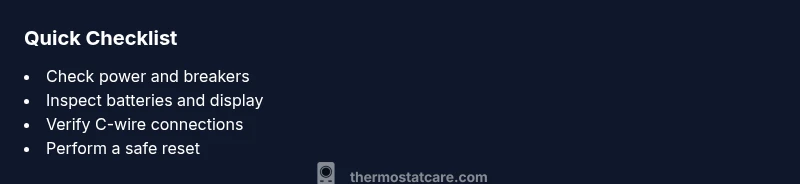
- Power checks come first to resolve most issues
- Check batteries and display indicators for quick wins
- Secure wiring and verify C-wire connections
- Use a safe reset before deeper fixes
- Call Thermostat Care for unresolved or complex faults