Thermostat Ticking Like a Clock: Troubleshooting Guide
Urgent guide to diagnose and fix a thermostat ticking like a clock. Safe checks, common causes, and step-by-step fixes from Thermostat Care.


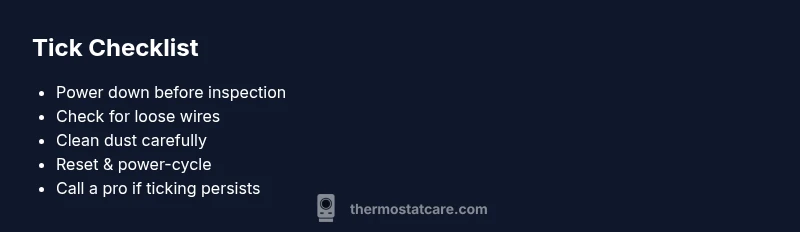
Most often, a ticking thermostat is caused by a sticking relay, loose wiring, or dust on the internal components. Start with a safe reset, then power-cycle the thermostat and HVAC system. Check for loose wires at the thermostat base, clean dust with compressed air, and listen for changes in the ticking. If the sound continues or you smell burning, stop and call a professional.
Why a thermostat ticking like a clock happens
The phenomenon of thermostat ticking like a clock is more than a nuisance—it usually signals a mechanical issue inside the unit or the control circuit. According to Thermostat Care, most ticks come from a sticking relay, a loose wire, or dust interfering with contacts, not from the heater itself. This sound can be alarming, but with careful, safe checks you can often determine whether it’s a minor maintenance need or a warning sign of a bigger problem. In this section, we’ll outline how to assess the tick, identify common culprits, and decide when to escalate to a professional. By understanding the rhythm of the tick, you protect your HVAC system and keep your home comfortable without wasting money on unnecessary service calls.
Identifying common ticking sounds and their meanings
Different ticking patterns point to different causes. A quick, regular tick that coincides with a relay click may indicate relay chatter or contact wear. A slower, rhythmic tick could come from a fan or blower motor starting, especially if the sound changes after HVAC cycling. A sharp, irregular tick or a chirp could signal dust contacting contacts or a loose wire vibrating in the base. Recognizing the pattern helps you narrow down between mechanical versus electrical problems, and whether a simple cleaning, a wiring check, or a relay replacement is appropriate. Remember: the goal is to separate harmless maintenance from a fault that risks equipment damage.
Safety and initial precautions you must take
Safety first is non negotiable. Before poking around the thermostat or furnace, switch the system off at the thermostat and at the main service disconnect if you’re comfortable and qualified. Use a non-contact voltage tester if you must approach live wiring, and never touch terminals with metal tools. Keep pets and kids away while you inspect. If you smell burning plastic or see signs of overheating, immediately shut power off and call a licensed professional. These steps reduce shock risk and prevent further damage to the control board or wiring harness.
Quick checks you can perform at the thermostat
Do these checks with the system powered off when possible. Inspect for loose or corroded wires at the backplate and confirm the wire colors match the labeling on the furnace/air handler. Look for visible dust or debris on the thermostat’s interior and clean carefully with compressed air or a soft brush. If your unit runs on batteries, replace them with fresh alkaline cells and observe whether ticking changes. Verify the thermostat’s mounting is solid and that the faceplate isn’t loose, which can create intermittent contact. These simple checks often resolve minor causes of ticking without professional help.
How to diagnose mechanical versus electrical causes
Begin with the simplest explanation: is the tick synchronized to the HVAC cycle? If so, a relay or contact issue is likely. If ticking occurs outside of HVAC cycling, wiring, the control board, or the limit switch may be involved. A visual inspection can reveal loose terminals or signs of overheating. Use a multimeter only if you have training; otherwise, rely on basic checks like re-seating connectors and re-testing after a power cycle. Document which actions affect the sound to share with a technician if needed.
Cleaning, dust management, and routine upkeep to quiet ticks
Dust and grime can cause awkward contact or audible ticking. Regularly vacuum the air intake around the furnace and gently blow out the thermostat interior if manufacturer instructions permit. Replace air filters to reduce debris in the system, and dust contact points with a soft, dry brush. Keeping the thermostat and furnace area clean reduces the chance of dust-induced tick and improves overall system reliability. Pay particular attention to humidity and condensation, which can accelerate corrosion on connectors.
Reset, power-cycle, and relay-focused fixes you can try safely
A safe reset can resolve transient glitches that cause ticking. Turn off power to the thermostat and HVAC at the breaker, wait 60 seconds, and restore power. If your thermostat supports it, perform a soft reset from the settings menu after power restoration. Inspect the relay area inside the HVAC air handler for signs of wear and reseat any loose connections you can access without tools. If ticking persists after these steps, this is a clear signal to engage a professional for relay replacement or control-board service.
When to call a professional and what to expect
If you’re unsure about handling electrical components, or if you notice burning smells, overheating, or melted insulation, contact a licensed HVAC technician. They will perform a thorough diagnostic, test relay coils, inspect the control board, and verify wiring with a multimeter. A pro can safely replace a failing relay, tighten terminals, and verify that all safety interlocks function properly. Timely professional help prevents further damage and protects household safety.
Prevention tips to keep your thermostat quiet and reliable
Incorporate a simple preventive routine: schedule periodic cleanings, replace filters on schedule, check for loose connections twice a year, and avoid obstructing the thermostat’s air intake or the furnace cabinet. Keep the thermostat firmware up to date if applicable and consider upgrading to a model with diagnostics and self-check features. Regular maintenance reduces ticking incidents and extends the life of your system, saving money and headaches.
Steps
Estimated time: 60-90 minutes
- 1
Power down and secure the area
Turn off the thermostat and HVAC at the breaker. Wait 60 seconds to discharge capacitors. This makes it safe to inspect without shocks or shorts.
Tip: Use a flashlight to check terminal blocks for corrosion while power is off - 2
Inspect wiring at the thermostat base
Carefully remove the faceplate and check that all wires are fully inserted and under the correct terminals. Reseat any loose wires and ensure screws are snug.
Tip: Take a photo before detaching wires to reference placement - 3
Clean contacts and interior surfaces
Blow out dust from the interior with compressed air or a soft brush. Avoid moisture. Reinstall the faceplate and restore power.
Tip: Do not touch electronic boards with metal tools - 4
Power-cycle the system
Restore power at the breaker, wait a minute, then turn the thermostat back on. Observe whether ticking returns and if the system cycles normally.
Tip: If ticking returns immediately after power-on, stop and call a pro - 5
Evaluate the need for relay or board service
If ticking persists, it’s typically a relay or control-board issue. A professional can safely diagnose and replace if necessary.
Tip: Do not attempt relay replacement unless qualified
Diagnosis: Thermostat ticking like a clock
Possible Causes
- highSticking relay or contact wear
- mediumLoose wiring at thermostat base
- mediumDust or debris on contacts
- lowFan or blower motor starting early
- lowControl board issue or transformer noise
Fixes
- easyPower down, reseat terminals, and perform a safe reset/power-cycle
- easyClean dust from interior and contacts with compressed air
- mediumReplace worn relay or tighten failing connections by a pro
- hardInspect control board for damage or overheating; replace if needed
Questions & Answers
What should I do first if my thermostat is ticking?
First, power down the thermostat and HVAC at the breaker, then inspect for loose wires and dust. A safe reset often resolves minor issues.
First, power off the system and check for loose wires and dust; a safe reset may fix minor ticking.
Can ticking damage my HVAC system?
Extended ticking can indicate relay wear or a faulty contact, which can stress the control board if left unaddressed. Safety and timely repair are important.
Prolonged ticking can stress the control board; get it checked if it lasts.
Is it safe to clean the inside of a thermostat?
Yes, with power off, use compressed air or a soft brush to remove dust. Do not use water or liquids on electrical parts.
With power off, use a soft brush or compressed air; avoid liquids.
When should I replace the relay or control board?
Replacement is recommended when ticking persists after resets and cleaning, or if a technician confirms relay wear or board damage.
If ticking remains after resets, you likely need relay or board replacement.
Can I prevent ticking from happening again?
Yes. Regular maintenance, clean filters, and periodic inspection of wiring connections help prevent future ticking and extend system life.
Regular maintenance and wiring checks reduce future ticking.
Watch Video
What to Remember
- Identify ticking patterns to narrow causes
- Prioritize safety: power down before inspections
- Simple checks often fix loose wiring or dust
- Call a pro for relay or board failures
- Prevent ticking with routine maintenance