How to Fix a Thermostat That Makes Clicking Noise
Experiencing a thermostat that makes clicking noise? Learn quick fixes, safety tips, and when to call a pro with Thermostat Care’s expert troubleshooting guide for homeowners.


A loud or rapid clicking from a thermostat is most often due to a relay or switch engaging, signaling a worn or sticking component rather than a dangerous fault. Power down the system first, then check for loose wires or battery issues if applicable. If the sound persists after basic checks, consult the full guide or a professional.
Why a thermostat makes clicking noise
A thermostat is more than a simple switch; inside, relays and micro-switches control the flow of power to your heating or cooling system. When these components switch on or off, you can hear a brief click. In many cases, that sound is normal operation. However, persistent, loud, or irregular clicks can indicate a problem with the relay, wiring, or mounting. The Thermostat Care team has found that noise can originate from mechanical wear, dirt on contacts, or a marginal power supply. Understanding the distinction between a normal click and a warning click helps you decide whether you can safely handle the issue or should call a pro.
In addition to the click, observe patterns: does the noise occur at the start of a heating cycle, when the temperature setpoint changes, or randomly? Noting timing helps narrow down causes. If your thermostat is older, a failing relay is a common culprit; newer smart thermostats may exhibit different symptoms but still rely on a solid electrical connection. Safety is essential—never force a wiring connection while the power is on.
Common signs that the clicking is more than just a click
- Repeated rapid clicks over several minutes without a heat or cool cycle
- A buzzing or sizzling tone accompanying the click
- Heat or cool cycles that start with a louder than normal bang or crack
- Visible warmth around the thermostat body or tripped breakers
- A stale or burning smell near the thermostat or wall plate
If you observe any of these, treat it as a signal to stop and assess safety before continuing. According to Thermostat Care analysis, persistent abnormal noises increase the likelihood of a relay issue or wiring fault that demands attention.
Immediate safety steps you can take today
- Power down the circuit at the breaker to stop electrical activity and allow components to reset
- If your thermostat runs on batteries, replace them with fresh high-quality alkaline cells
- Gently remove the thermostat cover and inspect for loose or discolored wiring; do not touch exposed conductors with power on
- Check that the mounting screws are snug; a loose plate can cause vibrating metal to rub against the wall
- After any inspection, reassemble and restore power to test if the noise returns
Safety note: if you smell burning plastic, hear crackling, or see scorch marks, shut off power immediately and call a licensed electrician or HVAC technician.
DIY checks before touching wiring (low-risk steps)
Begin with non-invasive checks that don’t involve live wires:
- Confirm the thermostat is compatible with your HVAC system model and is wired correctly per the installation guide
- Verify the backplate isn’t contacting metal surfaces—move it slightly away from the wall if you notice friction or heat buildup
- Clean the internal contacts using compressed air; avoid liquids that could cause short circuits
- Check for dust buildup around the temperature sensor; a dirty sensor may cause erratic readings that trigger extra cycles
- If your thermostat uses a battery, ensure the battery compartment is clean and free of corrosion
If these steps do not resolve the noise, continue with more advanced checks or consider professional help.
Diagnostic flow overview: symptom to solution (narrative)
Start with the symptom: a clicking noise. If the click stops the moment the heating or cooling cycle begins, the relay may be switching normally. If the click occurs independently of cycles, check for wiring instability or a stuck relay. A stuck relay tends to be the most common fault in older units; wiring issues can mimic relay symptoms. Based on your findings, you may only need a simple relay reseat, a battery replacement, or a full thermostat replacement. Thermostat Care recommends escalating to a licensed tech if you cannot safely access the wiring or if the device is under warranty.
Maintenance and prevention to reduce future clicks
- Keep the thermostat area clean and free of dust, especially around the relay housing and mounting
- Schedule periodic inspections of wiring by a licensed professional, particularly after any home electrical work
- Replace older thermostats that show frequent misreads or mechanical wear; newer models offer quieter relays and more reliable connections
- Use a surge protector or dedicated circuit for the HVAC system to minimize power surges that stress relays
- If replacing components, choose the same rated spec and ensure compatibility with your HVAC system
These maintenance steps can reduce the odds of future clicking and extend the life of your thermostat and HVAC setup.
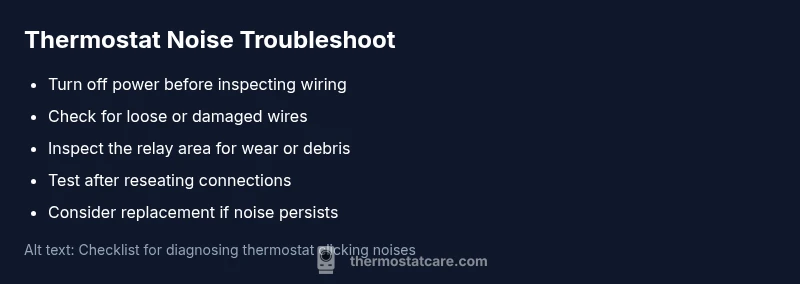
Steps
Estimated time: 25-40 minutes
- 1
Power down and prepare
Switch off the circuit at the main breaker and any power to the HVAC system. Remove the thermostat from the wall gently, noting how the wires connect. This prevents accidental shocks and protects the equipment during inspection.
Tip: Have a flashlight handy; good lighting helps you see wire connections clearly. - 2
Inspect wiring and terminals
Look for loose, corroded, or discolored wires. If you see a loose terminal, gently tighten or reseat it. Do not force connections; if wires are damaged, plan for replacement rather than forcing a fix.
Tip: Take a quick photo of wire routing before making changes. - 3
Check the relay area
If your thermostat has accessible relay contacts, look for signs of pitting, burning, or debris. Clean or replace the relay if you’re comfortable; otherwise, consult a professional for this step.
Tip: Never abrade relay contacts with metal tools; use manufacturer-recommended methods. - 4
Test safety and power
With the cover removed, restore power momentarily to verify that the noise you’re hearing is controlled by the cycle. If the click persists, do not operate the HVAC and call a licensed technician.
Tip: If you’re uncertain about live testing, skip this step and proceed to professional help. - 5
Decide on replacement
If the noise continues after checks or wiring looks compromised, plan to replace the thermostat with a model compatible with your HVAC system. Ensure proper installation or hire a pro for a safe, code-compliant setup.
Tip: Choose an energy-efficient model with quieter relays for future operations.
Diagnosis: Thermostat makes loud clicking noise when cycling heating or cooling
Possible Causes
- highFailing or stuck relay in the thermostat
- mediumLoose or damaged wiring or terminals
- lowAC power supply fluctuation or transformer issue
- lowMechanical interference from mounting or wall plate
Fixes
- easyPower off at the breaker and reseat all thermostat wiring connections; replace a loose terminal if needed
- mediumReplace the thermostat relay or entire thermostat if the unit is old or fails multiple tests
- mediumVerify the HVAC power supply is stable; check for voltage fluctuations or transformer issues with a multimeter
- easyRe-mount the thermostat on a stable wall plate to eliminate mechanical interference
Questions & Answers
Why does my thermostat click when I turn on heat?
The click usually comes from the relay engaging to power the heating circuit. If the noise is brief and occurs only at cycle start, it can be normal. Persistent or loud clicking may indicate a worn relay or wiring issue that needs attention.
The click is typically the relay engaging. If it keeps happening or seems loud, there may be a relay or wiring problem that needs a professional check.
Is a clicking thermostat dangerous?
Most clicking noises are not inherently dangerous, but regular or loud clicks can signal electrical faults. If you smell burning, hear buzzing, or see scorch marks, stop using the system and seek professional help immediately.
Usually not dangerous, but don’t ignore persistent indicators like burning smells or heat near the unit.
Can I fix this myself?
Many minor issues, like loose wiring or a sticky relay, can be addressed by a confident DIYer after turning off power. Complex repairs or component replacements should be left to a licensed electrician or HVAC technician.
Some fixes are doable if you’re careful and power is off; for wiring work, it’s safer to call a pro.
When should I replace my thermostat?
If the thermostat is old, unreliable, or requires frequent repairs, replacement is often more cost-effective and improves system reliability and efficiency.
If it keeps failing or is very old, replacement is usually the best option.
Do wiring issues cause clicks?
Yes. Loose or damaged wiring can cause intermittent connections that produce clicking or buzzing. Inspect only when power is off and replace damaged wires with correct gauges.
Wiring problems can cause clicking; ensure power is off before inspecting or call a pro.
What if the noise stops after I reset the thermostat?
A reset can clear some transient faults, but if the noise returns, monitor cycles and consider professional assessment or replacement if issues persist.
Resetting may help temporarily, but monitor for returning noises and seek help if it recurs.
Watch Video
What to Remember
- Identify whether the noise occurs during a cycle or at rest
- Start with power-off checks and simple wiring inspections
- Replace faulty relays or outdated thermostats when necessary
- Keep maintenance regular to prevent future noise
- Call a professional if you’re unsure or safety is at risk