How to Fix a Thermostat Screen That’s Blank
Urgent troubleshooting guide to fix a blank thermostat screen. Learn safe power checks, battery replacement, and step-by-step fixes to get your thermostat back online fast. Thermostat Care.


Most blank thermostat screens are caused by a power issue, dead battery, or a tripped breaker. Start with the basics: ensure the thermostat is receiving power from the HVAC circuit, replace or reseat batteries if present, and verify the display’s brightness or contrast. If the screen remains blank, proceed with the diagnostic flow and safer fixes below.
Why the thermostat screen is blank
When you notice the thermostat screen is blank, the instinct is to assume a dead display. In reality, most blank screens come from power issues or a drained battery rather than a dead screen. According to Thermostat Care, the two most common causes are the thermostat not receiving power from the HVAC circuit and battery-powered models with dead or disconnected batteries. Before poking at internal electronics, perform a quick visual check of the basics: is the thermostat mounted firmly on the wall? Are the wires securely connected at the base? Is the furnace powered on and the breaker for the thermostat’s circuit unswitched? If the device has a backlight control or brightness setting, ensure it isn’t turned all the way down. If you try to wake the screen and nothing happens, note whether the unit responds to ambient temperature changes or to pressing the reset button if available. This early diagnosis helps you decide whether you can fix it with simple at-home steps or if you should call a professional. The goal is to restore power and display visibility without risking electrical safety.
Basic checks you can perform without tools
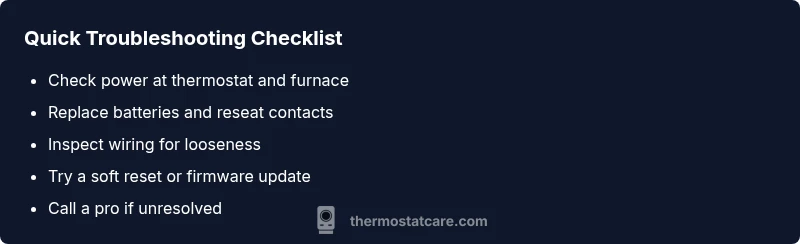
Start with the simplest checks: confirm the thermostat is getting power and that the HVAC system isn’t off. If you have a wired thermostat with a wall plate, gently remove the faceplate and inspect for loose or frayed wires. For battery-powered models, replace the batteries with fresh ones, ensuring correct polarity. Check the circuit breaker or fuse box: a tripped breaker in the HVAC circuit will cut power to the thermostat. If the thermostat is powered by a common wire (C-wire), verify the wire is connected both at the thermostat and at the furnace control board. Replacing a thermostat’s batteries and reseating the wires can often restore power and wake the display. After each adjustment, reattach the faceplate and test by turning on the heat or cooling. If a simple reboot doesn’t fix the problem, move on to power testing and wiring verification with a multimeter and later steps.
Diagnosing power issues and battery problems
A blank screen almost always points to a lack of power. Confirm the thermostat is receiving 24V from the furnace control board by checking the R and C terminals with a multimeter if you’re comfortable. Look for a steady voltage; a fluctuating or absent reading indicates a wiring problem or a faulty transformer. If your model uses batteries, inspect battery contacts for corrosion and clean gently with a dry cloth before replacing with fresh cells. For wireless or smart thermostats, ensure the base station and any adapters have power and are connected properly. Remember that a dead or disconnected C-wire can mimic a battery failure on some models, so reattach or replace as needed. If you cannot access the wiring safely, skip to professional assistance.
Advanced checks: display settings and firmware
Even when power is present, a blank or nearly invisible display can result from display settings or firmware glitches. Check brightness, backlight, and contrast settings; some models let you override a dim backlight with a hardware button sequence. If your thermostat supports it, perform a firmware update or reset to factory defaults. Note that a factory reset will erase saved schedules and preferences, so back up any critical settings if possible. After adjusting display settings or updating firmware, recheck the screen by initiating a temperature change or pressing the wake button. If the screen remains dark, the issue may be hardware-related rather than software-driven.
When to replace the thermostat vs. repair
Thermostat failure can be costlier to fix than replacing the unit, especially for older models. If your device is past its warranty, or if the control board or display panel shows signs of damage, replacement is often more economical in the long run. Newer thermostats also offer energy-saving features and improved reliability. Before replacing, confirm compatibility with your HVAC system and consider whether a smart thermostat would be a better fit for your home automation needs. If you’re unsure, consult a professional to assess whether a repair is feasible or if a replacement would provide a better return on investment.
Safe steps to take if you're stuck
If you feel uncertain about any step, stop and seek professional help. Do not attempt to disassemble the thermostat housing or furnace control board unless you have electrical training. Always turn off power at the breaker before handling wiring, and use insulated tools where possible. If you experience buzzing, tingling, or warmth around the thermostat, stop immediately and call a licensed HVAC technician. Document the symptoms and the steps you’ve tried so you can relay them clearly to the technician.
Preventive tips to avoid future blank screens
Regular maintenance reduces the chance of future issues. Replace batteries on battery-powered thermostats at least once per year or when the battery indicator signals low power. Keep the furnace and thermostat wiring tidy and free from strain or pinch points, and ensure the C-wire is properly connected. Use the thermostat’s built-in diagnostics if available, and schedule a periodic professional check of the HVAC wiring and control board. By staying proactive, you’ll minimize the risk of a blank screen during peak seasons and maintain consistent climate control for your home.
Steps
Estimated time: 60-90 minutes
- 1
Confirm power supply
Begin by verifying the HVAC system is powered and the thermostat’s circuit has a live current. Check the breaker or fuse for the thermostat circuit and look for any tripped conditions. If power is interrupted at the source, restore power and test the thermostat again.
Tip: Label the breaker so future maintenance is easier. - 2
Check batteries (if applicable)
Remove the thermostat faceplate to access batteries. Replace with fresh high-quality batteries, ensuring correct orientation. Reinstall the faceplate and observe whether the display awakens.
Tip: Dispose of old batteries properly and test with fresh ones. - 3
Inspect wiring connections
Carefully inspect all wires at the thermostat base and furnace control board for looseness, corrosion, or damage. If you find a loose connection, reseat it firmly and re-test. If you see damaged insulation, stop and call a pro.
Tip: Power off the circuit before handling wires. - 4
Test common wire (C-wire)
If your model uses a C-wire, ensure it’s connected to the C terminal at both ends. A missing C-wire can cause power issues that mimic a blank screen. Reconnect if needed and recheck.
Tip: Even small voltage drops can cause a blank screen. - 5
Reset or update firmware
If the unit offers a reset or firmware update, perform it as directed by the manufacturer. Note that a factory reset will erase schedules and settings, so back up if possible.
Tip: Prefer soft reset or non-destructive updates first. - 6
Power cycle the system
Turn off power to the thermostat and the HVAC system for at least 60 seconds, then restore power and wake the display. This can clear transient glitches and restore normal operation.
Tip: A short power-off can resolve many display glitches. - 7
Test with HVAC call
Trigger a heat or cool call to ensure the display responds to system activity. If the screen still doesn’t wake, move to next steps.
Tip: Observe whether the thermostat logs any fault codes. - 8
Decide on replacement or professional help
If none of the above steps fix the problem, compare the cost of repair vs. replacement and consult a qualified HVAC technician for a definitive diagnosis.
Tip: Document symptoms and steps tried for the tech.
Diagnosis: Thermostat screen is blank
Possible Causes
- highPower issue (no supply to thermostat, tripped breaker, blown fuse)
- highDead or missing batteries in battery-powered models
- mediumLoose, damaged, or unplugged wiring at thermostat or furnace control board
- lowDisplay backlight, brightness, or firmware glitch
Fixes
- easyCheck the HVAC breaker and confirm the thermostat has a live power supply
- easyReplace batteries (if applicable) and reseat battery contacts
- easyInspect and secure wiring at the thermostat base and furnace control board; reseat connectors
- mediumPerform a soft reset or firmware update if supported; avoid factory reset unless necessary
- mediumIf issues persist, call a licensed HVAC technician for a wiring or control-board fault
Questions & Answers
What does it mean if my thermostat screen is blank?
A blank screen usually indicates a power issue, a dead battery (for battery-powered models), or a loose connection. It is rarely a sign of a failed display. Start with power checks and battery replacement before assuming a costly replacement.
A blank screen usually means power or battery problems rather than a broken display. Check power and batteries first.
How can I tell if the thermostat is getting power?
Check for any indicator lights when you wake the screen, verify the breaker is on, and if possible, test for 24V between R and C terminals with a multimeter. If you’re unsure, skip to professional help.
Look for a small light or wake the screen, and confirm the breaker is on. If you’re unsure, call a tech.
Can a tripped breaker cause a blank screen?
Yes. A tripped breaker cuts power to the thermostat and related components, resulting in a blank screen. Reset the breaker and re-test the display.
A tripped breaker cuts power, causing a blank screen. Reset and test again.
Should I replace my thermostat if it’s still blank after tests?
If tests show persistent power or control issues and the unit is old, replacement is often more economical. Compare replacement costs with repair options and consult a pro.
If it remains blank after checks and the unit is old, replacement may be the better option.
Is it safe to open the thermostat housing myself?
Only if you have electrical training. Otherwise, avoid opening the housing and call a licensed technician to prevent shock or further damage.
Don’t open the housing if you’re not trained—call a professional.
Can firmware updates fix a blank screen?
Firmware updates can resolve software glitches that affect display behavior. Use manufacturer instructions carefully and back up settings if possible before updating.
Firmware updates can fix display glitches; follow the manufacturer’s steps and back up settings.
Watch Video
What to Remember
- Check power first; most blank screens are power-related.
- Replace batteries and reseat connections before deeper fixes.
- Use safe resets and firmware updates as non-destructive steps.
- Know when to call a pro to avoid safety risks.
- Prevent future blanks with regular maintenance and checks.