Thermostat Malfunction: Urgent Troubleshooting Guide
Urgent, step-by-step guide to diagnose and fix thermostat malfunction. Learn safe checks, common causes, and when to call a pro for reliable home comfort.


The most likely cause of thermostat malfunction is a simple power issue or outdated batteries, followed by wiring or sensor problems. Start with easy fixes: replace the batteries, reset the thermostat, and verify the HVAC circuit breaker is on. If the problem persists, follow a guided diagnostic flow to isolate the fault.
Understanding thermostat malfunction and what it means for your home
According to Thermostat Care, a thermostat malfunction can disrupt comfort, waste energy, and raise bills. In many homes, the root cause is simple and fixable with safe, home-based steps. This section defines what we mean by thermostat malfunction, what signs to watch for (unresponsive display, erratic temperatures, or no heating/cooling), and how to approach fixes with a calm, methodical mindset to restore reliable control of your system.
Key takeaway: treat the problem as solvable with structured diagnostics, not panic.
Safety and immediate actions you should take right now
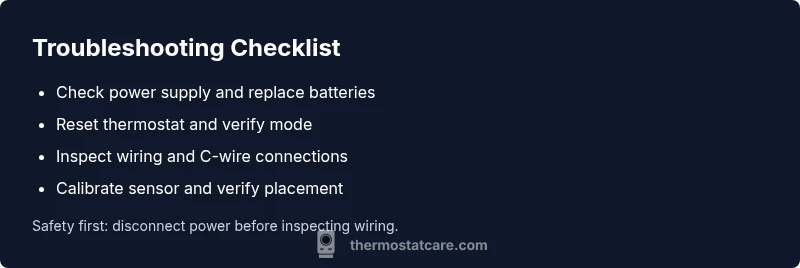
Before touching any wiring or hardware, turn off power to the thermostat at the breaker or remove the thermostat’s batteries if accessible. If you smell burning, hear buzzing, or notice sparking, leave the area and call a professional. When safe, start with the simplest steps: verify the thermostat is set to the correct mode (heat or cool), confirm the display isn’t showing an error code, and check that the HVAC power is flowing. These quick checks can prevent further damage and clarify whether professional help is needed.
Safety note: never work on live wires; if unsure, stop and seek help.
Common causes of thermostat malfunction you should know
Thermostat malfunction can stem from several sources. Common culprits include dead or weak batteries, loose or corroded wiring, or a missing/common wire (C-wire) connection. Firmware or compatibility issues with newer HVAC equipment can also trigger glitches. Sensor drift, poor placement, or a dirty or dusty thermostat can misread room temperature and produce inaccurate results. Understanding these causes helps you prioritize fixes and avoid wasted effort.
Pro tip: keep a basic wiring diagram handy when inspecting connections.
Diagnostic flow: symptom → diagnosis → solution workflow
Start with the symptom: is the display blank, unresponsive, or showing error codes? Next, test potential causes in order of likelihood: power/battery issues first, then wiring and C-wire, then sensor or firmware problems. For each diagnosed cause, implement the recommended fix and retest. If the symptom persists after the most probable fixes, escalate to professional service to avoid unsafe wiring or equipment damage.
This flow mirrors practical troubleshooting taught by Thermostat Care and helps homeowners stay organized.
Step-by-step: fix the most common issue (battery/power and reset)
- Power down and remove batteries or switch off the breaker feeding the thermostat. 2) Replace with fresh, high-quality batteries if cordless. 3) Wait 60 seconds, reinsert batteries, or flip the breaker back on. 4) Perform a simple reset (consult your model’s manual or hold the reset button for 5–10 seconds if applicable). 5) Recalibrate if the device offers it, ensuring the setpoint matches actual room temperature. 6) Test heating and cooling to confirm proper function.
Tip: take a photo of wiring before removing any wires, and re-check after reassembly.
Step-by-step: verify power, wiring, and C-wire integrity
- Turn off power to the thermostat and HVAC system. 2) Check the 24-volt transformer at the furnace/air handler for output voltage. 3) Inspect the thermostat wiring for loose terminals or damaged insulation; reseat all wires firmly. 4) If your thermostat requires a C-wire, ensure it’s connected securely to the C terminal and the furnace control board. 5) Reassemble, power up, and run a test cycle.
Pro tip: use a multimeter to confirm voltage on the R and C terminals if available.
Step-by-step: when readings are off or readings mismatch room temperature
- Compare thermometer readings in adjacent rooms to verify if the interior sensor is skewed. 2) If you suspect sensor drift, recalibrate or replace the sensor module if your model supports it. 3) Verify that the thermostat is mounted away from direct sunlight, heat sources, or drafts. 4) Re-test with a known accurate thermometer. 5) If the problem persists, consider professional calibration or replacement.
Tip: document your readings to track changes over time.
Preventive maintenance and long-term care to avoid future thermostat malfunction
Schedule regular inspections of batteries, wiring, and sensors, and keep firmware updated when possible. Clean dust from vents, the thermostat case, and around the mounting area to prevent readings from being skewed. Maintain a stable mounting environment away from heat sources, and replace aging thermostats before failures occur. Regular maintenance reduces the risk of recurring thermostat malfunction and extends system life.
When to call a professional and what to expect
If power issues persist after battery checks and resets, if you notice burnt wiring, or if the HVAC system still behaves erratically, contact a licensed technician. Professional service can safely diagnose complex wiring problems, faulty control boards, or compatibility issues that could cause continued thermostat malfunction. Provide the technician with a log of symptoms and any error codes you’ve observed for faster resolution.
Key Takeaway: Regular checks and mindful placement prevent thermostat malfunction and improve energy efficiency.
Steps
Estimated time: 25-40 minutes
- 1
Power down and prepare
Turn off power to the thermostat and HVAC system. If your unit uses batteries, remove them and set them aside.
Tip: Safety first—untangle any loose wires only after power is off. - 2
Check batteries and reset
If batteries are present, replace with fresh ones and reinsert. For wired models, perform a soft reset per the manual.
Tip: A clean reset often resolves minor glitches quickly. - 3
Inspect wiring and terminals
Carefully reseat all wires at their terminals, looking for corrosion or loose screws. Ensure the C-wire is securely connected if your system requires it.
Tip: Take a photo before disconnecting anything. - 4
Test after reconnection
Power the system back on and run a quick heat/cool cycle to verify response and display behavior.
Tip: Note any error codes that appear. - 5
Calibrate and update
If your model supports calibration or firmware updates, perform one after basic fixes to ensure accurate readings.
Tip: Firmware updates can fix sensor and control issues. - 6
Plan for sensor and placement checks
If readings still appear off, check sensor location for drafts, sunlight, or heat sources and adjust as needed.
Tip: Ensure the thermostat isn’t in direct heat or cold spots.
Diagnosis: Thermostat malfunction symptoms include unresponsive display, erratic temperature, or mismatch between setpoint and actual temperature.
Possible Causes
- highPower issue or dead battery
- mediumLoose or damaged wiring or C-wire missing
- lowSensor drift or miscalibration
Fixes
- easyCheck and replace batteries or power supply; reset thermostat
- mediumReseat or repair wiring; verify C-wire connection
- mediumCalibrate or replace sensor; update firmware if available
Questions & Answers
What is a thermostat malfunction and what are common signs?
A thermostat malfunction means the device isn’t correctly sensing temperature or controlling your HVAC system. Common signs include a non-responsive display, wrong temperature readings, and heating/cooling that won’t turn on or off as expected.
A thermostat malfunction is when your thermostat won't read or react to temperature correctly, causing odd heating or cooling behavior.
Can a dead battery cause thermostat malfunction?
Yes. Dead or weak batteries can cause the thermostat to lose power, display errors, or reset unexpectedly, leading to malfunction. Replacing batteries is a simple first step.
A dead battery can cause the thermostat to misbehave; replace them and test again.
Is it safe to inspect wiring myself?
Only if the power is fully off and you follow the manufacturer’s instructions. If you’re uncertain about wiring or the C-wire, it’s safer to contact a licensed electrician or HVAC tech.
Only if the power is off and you’re confident with wiring; otherwise call a pro.
What should I do if my thermostat still malfunctions after checks?
If basic checks don’t fix the issue, proceed with the diagnostic flow to identify whether it’s a sensor, wiring, or control board problem. If unsure, contact a professional.
If fixes don’t work, follow the diagnostic steps or call a pro.
Can firmware updates fix thermostat malfunction?
Firmware updates can fix sensor calibration and control issues that cause malfunction. Check the manufacturer’s site or app for available updates.
Firmware updates can correct misreadings and control errors.
Should I replace my thermostat?
If the thermostat is old, unreliable, or incompatible with your HVAC system, replacement might be more cost-effective than continual repairs.
Consider replacing if reliability is consistently poor or compatibility is an issue.
What to Remember
- Start with power and reset to rule out simple issues
- Verify wiring and C-wire connections before deeper work
- Calibrate sensors and check placement to prevent drift
- Use a diagnostic flow to isolate causes quickly
- Call a professional for unsafe wiring or persistent failures