Thermostat Fault Troubleshooting Guide
A practical, urgent guide to diagnose and fix thermostat fault issues. Learn power checks, battery swaps, wiring tips, and when to call a professional to restore reliable temperature control in your home.


When a thermostat fault appears, power loss or dead batteries are the most common culprits. Start by checking the thermostat’s power supply, replacing batteries if present, and inspecting the circuit breaker for trips. If the display is blank or unresponsive, perform a reset and verify that all wiring terminals are secure. If issues persist, contact a licensed technician.
Why a thermostat fault happens
A thermostat fault is often the result of simple power issues, sensor glitches, or wiring wear. According to Thermostat Care, most malfunctions originate from power supply problems or drained batteries, especially in older models. In many homes, a loose wire or a tripped breaker can cause the thermostat to lose contact with the HVAC system, producing unpredictable temperature control. Understanding the basic energy path—from the house lines to the thermostat, then to the furnace or air conditioner—helps homeowners diagnose faults quickly. By starting with power and battery checks, you can rule out the majority of non-HVAC causes before calling for service. This approach saves time and discourages guesswork, which is a common source of frustration for homeowners dealing with a thermostat fault.
Power and battery basics
Most thermostat faults arise from insufficient power. In wired models, the thermostat relies on a steady 24-volt supply; for battery-powered units, fresh batteries are essential. Thermostat Care notes that even a marginal voltage drop can cause rapid toggling or unresponsiveness. Inspect the furnace and thermostat wires for signs of wear, corrosion, or loose terminals. If your device is a smart thermostat, ensure the power connector and common wire (C-wire) are properly connected. Before replacing components, confirm compatibility between the thermostat and your HVAC system. Small issues, handled early, prevent larger breakdowns down the line.
Safety first: when to call a pro
Electrical work carries risk. If you smell burnt plastic, hear buzzing, or see scorch marks around the thermostat or HVAC control board, stop and call a licensed professional. In many regions, gas furnaces add another layer of hazard; never attempt to service those components beyond basic resets. Quick fixes can be safe to perform by homeowners, but more advanced steps—rewiring, 24V testing, or furnace checks—should be handled by a technician. The Thermostat Care team emphasizes safety and recommends scheduling a pro if uncertainty remains after your initial checks.
Wiring and sensor basics
Thermostats rely on precise signals from sensors and clean wiring to relay instructions to the furnace or heat pump. Loose terminals, corroded connections, or damaged insulation can introduce intermittent faults. Check the thermostat's terminal strip for loose screws and verify that the wires are correctly labeled and seated. If you encounter ambiguous fault codes, consult the installation manual or the HVAC equipment’s wiring diagram. Remember that some faults mimic other problems, so methodical checking matters. Keeping wires tidy and secured reduces accidental disconnects during seasonal transitions.
A practical troubleshooting flow
A structured approach reduces time to resolution. Start with the simplest checks: power, batteries, and breaker status. If these pass, move to wiring and sensor integrity. Then validate the thermostat’s settings, mode (heat/cool), and schedule. Do not skip the reset step—many faults clear after a clean reboot. Document each change to spot patterns. If you reach an impasse, move to diagnostic flow steps below and consider professional help. This flow aligns with best practices recommended by Thermostat Care.
Common faults and quick fixes
- Blank or unresponsive display: power issues or dead batteries; replace and reset.
- Incorrect temperature readings: verify sensors and recalibrate if available.
- No heat or no cooling: check HVAC system power, thermostat mode, and wiring.
- Intermittent operation: inspect wires at both ends and ensure secure connections.
- Smart thermostats with connectivity issues: re-pair to Wi-Fi and confirm cloud access. Each fault has a logical cause-and-effect path. Start with the easy wins and save deeper tests for later steps or a professional assessment if needed.
Preventive maintenance to reduce thermostat fault risk
Regular maintenance is your best defense against thermostat faults. Schedule annual checks of power supply, battery replacement where applicable, and verify that wiring remains secure. Clean dust from ventilation areas and ensure the thermostat’s mounting location remains free of moisture and temperature extremes. Update firmware for smart models and review fault codes periodically. Thermostat Care’s guidance emphasizes proactive care to keep your system reliable through 2026 and beyond.
Documenting and tracking thermostat faults
Keep a fault log: date, symptom, what you checked, results, and any parts replaced. A log helps you see patterns, determine if trouble recurs at certain seasons, and provides a concise history for a technician. For smart thermostats, export diagnostic data when possible. Use this record to communicate clearly with a service professional, reducing back-and-forth and speeding resolution.
Quick printable checklist for home use
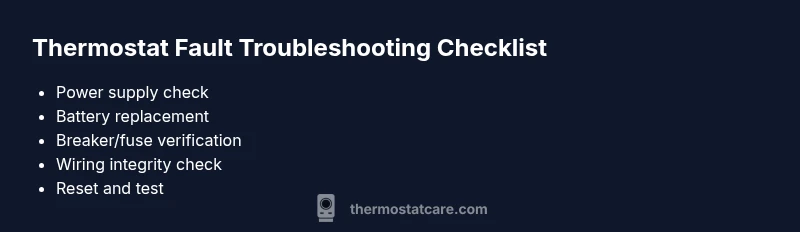
- Check power supply and replace batteries
- Inspect breakers and fuses
- Confirm thermostat mode and schedule
- Check wiring terminals and C-wire
- Reset thermostat and re-test
- Note any error codes and before/after conditions
Steps
Estimated time: 40-60 minutes
- 1
Power check and battery verify
Power down the system, check for power at the outlet or furnace transformer, and replace batteries if applicable. Ensure the display glows and shows current time/date.
Tip: Power fixes are the fastest path to a resolution. - 2
Reset and reseat wiring
Remove the thermostat cover, reseat all conductors in the terminal block, and press reset if available. Look for loose screws and tighten carefully.
Tip: Firm, not forced, connections matter. - 3
Check the breaker and fuses
Inspect the main panel for a tripped breaker or blown fuse tied to the HVAC circuit. Reset the breaker and replace fuses if needed.
Tip: Use a multimeter to verify 24V at the stat if you have one. - 4
Validate mode and schedule
Confirm the thermostat is in the correct mode (heat or cool) and that schedules aren’t overriding desired temperatures.
Tip: Look for conflicting schedules that override user input. - 5
Test HVAC response
Set a temperature and listen for the furnace/AC response. If no response, proceed to wiring checks at the furnace control board.
Tip: Be cautious around moving HVAC components. - 6
Inspect cables at both ends
Inspect both thermostat and furnace ends of the wires for damage, oxidation, or loose insulation. Re-seat or replace as needed.
Tip: Label wires before removing if you’re unsure. - 7
Reset smart thermostat connections
For smart models, re-connect Wi‑Fi, re-pair with the app, and confirm cloud access.
Tip: A fresh pairing often clears connectivity faults. - 8
Cross-check with a spare thermostat
If you have access to a known-good thermostat, temporarily install it to determine if the fault is device-specific.
Tip: This isolates whether the problem is the thermostat or the HVAC system. - 9
Call for professional help
If the fault remains after these steps, or if you notice signs of electrical hazard, schedule a professional inspection.
Tip: Don’t risk electrical shock or gas hazards.
Diagnosis: Thermostat display blank or unresponsive; no heat or no cooling
Possible Causes
- highPower issue due to a tripped breaker or blown fuse
- highDepleted or missing batteries (for battery-powered models)
- mediumLoose or corroded wiring at the thermostat or furnace control board
- lowFaulty thermostat or compatibility issues with HVAC equipment
Fixes
- easyCheck the outlet and test the thermostat power supply; reset the circuit breaker
- easyReplace batteries and confirm the thermostat shows power
- easySecure loose wires and clean corrosion at terminals; reseat wires
- mediumIf the fault persists, schedule a professional inspection for a thermostat/hvac compatibility check
Questions & Answers
What counts as a thermostat fault?
A thermostat fault is any malfunction that prevents correct temperature control, including a blank display, incorrect readings, or failure to heat/cool as set.
A thermostat fault means the thermostat isn't controlling the HVAC properly.
Can thermostat faults be caused by HVAC wiring?
Yes. Loose or damaged wiring between the thermostat and furnace can cause faults. Inspect wiring if safe or consult a pro if unsure.
Wiring issues can cause thermostat faults.
Should I replace the thermostat or repair it?
If the unit is old or faults are frequent, replacement may be cost-effective. If it’s relatively new, professional repair might be preferable.
If it's old, replacement is often best.
Why does my thermostat show a blank screen?
A blank screen usually points to power loss, dead batteries, or a tripped breaker. Check power, replace batteries, and verify wiring.
Power or battery issues cause blank screens.
How often should I replace thermostat batteries?
Battery replacement intervals vary; replace annually if user-replaceable, or rely on the power source for hard-wired models.
Replace batteries yearly if you can.
When should I call a professional for thermostat faults?
If basic checks fail to restore function, or you notice signs of damage or burning around components, stop and call a professional.
If basic checks fail or you smell burning, call a pro.
Do smart thermostats reduce faults?
Smart thermostats offer better diagnostics and remote control, but they can still fail. Ensure compatibility and proper setup to minimize risk.
Smart thermostats help with diagnostics but aren't fault-proof.
Watch Video
What to Remember
- Verify power and batteries first
- Reset and re-seat connections before deeper checks
- Follow a structured diagnostic flow to isolate faults
- Call a professional for safety-critical or unresolved issues
- Maintain a preventive maintenance routine to reduce future thermostat faults