Thermostat Display Not Working: Troubleshooting Guide
Discover practical, safe steps to diagnose and fix a thermostat display that won’t show. Power checks, wiring insights, 24V testing, and when to call a pro for lasting reliability.


Most likely, the thermostat display not working is power-related or a wiring issue. Start by checking the power source and batteries, then inspect the wiring at the thermostat and HVAC control board for loose terminals. If the screen remains blank, reset the thermostat and verify 24V supply. If it still fails, contact a professional.
Why the thermostat display not working
The phrase thermostat display not working often hides simple power or wiring problems. According to Thermostat Care, most blank screens are caused by power loss, dead batteries (if your model uses them), or loose connections at the thermostat or HVAC control board. A functioning display is essential for accurate temperature control, energy management, and safety alerts. Start by confirming the thermostat is receiving power and that the display is not dim due to brightness settings. This guide helps homeowners diagnose common failures quickly and safely, preventing wasted time and unnecessary parts replacement. Remember, a steady display supports reliable comfort and safer climate control in your home.
Quick Checks You Can Do Right Now
Before you panic, run through these fast checks. Replace any batteries if your thermostat uses them. Check that the thermostat is firmly mounted on its wall plate and that the plate is seated correctly. Verify the HVAC power, ensure no breakers are tripped, and confirm the outdoor unit is not shut off or frozen. If power is interrupted, the display may reset or go blank. These steps are low-risk and often resolve the issue without tools, getting you back to comfortable temps sooner.
Power and Wiring: The Most Common Culprits
Power issues top the list of reasons for a thermostat display not working. A tripped breaker or blown fuse cuts power to the thermostat and the furnace. Loose or corroded wires at the thermostat terminals, especially the R (24V) and C (common) wires, also cause intermittent or permanent blank screens. For battery-powered models, dead or aged batteries can mimic a power loss. By isolating power and wiring problems, you can usually identify the root cause without replacing equipment. If the thermostat display remains unresponsive after basic checks, the issue is frequently within the control wiring or HVAC power supply.
Diagnostic-Flow: Symptom to Diagnosis
Symptom: screen blank or flickering. Causes and suggested likelihood: Power issue (high); Dead batteries (medium); Loose wiring at thermostat (medium); Faulty backlight or display driver (low); HVAC control-board power fault (low).
Diagnosis steps:
- Confirm the thermostat is powered and mounted securely.
- Check the circuit breaker or fuse feeding the furnace and thermostat circuit.
- If power is present, test the C-wire at both ends with a multimeter or swap in a known-good C-wire if possible.
- Tighten all terminal screws and reseat R and C connections. If the display remains dead, the fault may lie with the HVAC control board or the thermostat’s internal electronics.
- Document changes and perform a controlled test to verify improvement before proceeding to professional help.
Step-by-Step Fix for the Most Common Cause
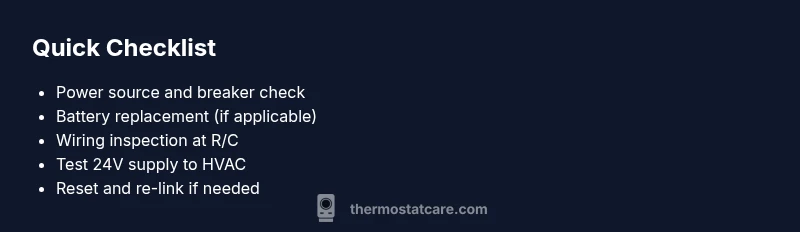
Follow these steps in order to address the most common cause safely and efficiently. Step 1: Turn off the power at the breaker to the thermostat and furnace. Step 2: If applicable, replace the batteries with fresh ones. Step 3: Remove the thermostat faceplate, inspect the R and C wires, and reseat all connections securely. Step 4: Reattach the faceplate, restore power, and observe the display. Step 5: If the display still won’t show, perform a factory reset and re-link the thermostat to the HVAC system. Pro tip: take a quick photo of the wiring before disconnecting anything to aid reassembly.
Safety Notes and Common Pitfalls
Always cut power before touching wiring, use a non-conductive tool if needed, and avoid touching live terminals. Do not bypass fuses or breakers or attempt to bypass the C-wire. If you smell burning or hear buzzing, shut power off immediately and call a professional. Do not assume the issue is the thermostat itself without checking the HVAC power supply and transformer. Misinformation or rushed fixes can damage the thermostat or HVAC system.
Prevention: Keeping Your Display Reliable
To prevent future thermostat display issues, schedule regular maintenance checks, ensure the C-wire remains connected and intact, and keep the furnace control board clean and dry. Replace old batteries on a routine schedule if your model uses them, and keep firmware up to date where available. Periodically verify that power supplies and breakers are in good condition and not prone to nuisance trips. A proactive approach helps maintain accurate temperature control and energy savings.
When to Call a Pro and What to Expect
If basic power checks and wiring inspections do not restore the display, or you suspect the HVAC control board or transformer, contact a licensed technician. A pro will verify 24V supply, test for voltage drops, and safely replace faulty components. The Thermostat Care team recommends documenting symptoms and previous attempts so the technician can diagnose faster and minimize downtime. Expect a structured assessment, potential component testing, and a transparent explanation of repair vs. replacement options.
Troubleshooting Codes and Quick Reference
Some thermostats show error codes or blinking patterns that hint at the problem. Refer to your user manual or the manufacturer’s site to interpret codes. If you cannot identify the code, note the color and behavior of the display and share this with the technician to speed up diagnostics.
Steps
Estimated time: 45-60 minutes
- 1
Power off and inspect power source
Shut off power at the breaker for the thermostat and furnace. Remove the thermostat cover to verify the presence of power and inspect the nearby connections for obvious signs of damage or corrosion.
Tip: Use a non-contact voltage tester if available to confirm power before touching wires. - 2
Replace batteries (if applicable)
If your model uses batteries, replace with fresh, high-quality cells. Ensure the battery orientation matches the markings inside the compartment before re-seating.
Tip: If the display powers on briefly then dies, the issue might still be a power supply rather than batteries. - 3
Inspect and reseat wiring
Remove the thermostat from its mount and inspect R and C wires at both ends. Tighten terminal screws, check for loose or frayed wires, and re-seat all connections firmly.
Tip: Take a quick photo of the wiring layout before disconnecting anything to help reassembly. - 4
Restore power and test
Reattach the thermostat, restore power at the breaker, and observe whether the display comes to life. If it flickers, proceed to the next steps rather than forcing a full reset.
Tip: If the display remains blank, avoid repeated hard resets, which can confuse the system. - 5
Factory reset and re-link
If the display still won’t power, perform a factory reset as per the user manual and re-link the thermostat to the HVAC system following the setup prompts.
Tip: Keep notes of your system settings to re-create the original configuration. - 6
Call a professional if needed
If 24V is absent or you detect signs of damage in the control board, contact a licensed technician for diagnosis and safe repair.
Tip: Providing a symptom log helps the pro diagnose faster.
Diagnosis: Thermostat display not working (screen blank or flickering)
Possible Causes
- highPower issue (tripped breaker, blown fuse, or defective supply)
- mediumDead or weak batteries (if model uses batteries)
- mediumLoose or corroded wiring at thermostat terminals (R/C)
- lowFaulty display backlight or driver circuitry
- lowHVAC control board not delivering 24V correctly
Fixes
- easyCheck and reset the room circuit breaker and furnace fuse
- easyReplace batteries in battery-powered thermostats
- easyTighten terminal screws and reseat R and C wires at both ends
- easyReset the thermostat to factory settings and re-link to HVAC
- mediumTest 24V supply with a multimeter; if absent, call a pro
Questions & Answers
Why is my thermostat display blank even when the unit is powered?
A blank display is most often caused by power or wiring issues. Start with checking power, replacing batteries if used, and verifying the R and C connections. If power and wiring look fine but the screen remains blank, a professional should inspect the HVAC transformer and control board.
A blank screen usually means power or wiring problems. Begin with power checks, battery replacement if applicable, and confirm R and C wires are secure. If it still won’t show, a licensed technician should check the HVAC transformer and control board.
Can a simple reset fix the display?
Sometimes a reset clears transient faults and re-establishes communication with the HVAC system. After resetting, re-link the thermostat to the HVAC controls and test the display again.
Often a reset helps reset the display and reconnects it to the HVAC system. After that, re-link the device and see if the screen returns.
What safety steps should I take before troubleshooting?
Always shut off power at the breaker before touching thermostat wiring. Use insulated tools and avoid touching live conductors. If you smell burning or hear buzzing, stop immediately and call a pro.
Turn off the power first, use insulated tools, and don’t touch live wires. If you smell burning or hear buzzing, avoid further work and contact a professional.
How do I know if the problem is the thermostat or the HVAC system?
If the HVAC system responds to temperature changes but the display is blank, the issue is likely the thermostat. If the system won’t respond at all, the problem could be the HVAC control board, transformer, or wiring.
If the system responds but the display won’t show, it’s probably the thermostat. If there’s no response at all, the HVAC system might have a bigger electrical issue.
Is replacing the batteries always required?
Not always, but it’s a common cause when the display is faint or unresponsive. If your model uses batteries, replace with fresh cells before moving to more involved fixes.
If your thermostat uses batteries, try fresh ones first. If the screen still won’t display, look at power and wiring next.
When should I call a professional?
Call a professional if there is no 24V supply, suspected control-board damage, or you’re uncomfortable working with electrical components. A licensed technician can safely diagnose and repair or replace faulty parts.
Call a pro if you can’t find 24V or you suspect control-board damage. They’ll diagnose and fix it safely.
Watch Video
What to Remember
- Start with power and battery checks.
- Secure all wiring and verify 24V supply.
- Reset and re-link before calling a pro.
- Document steps to speed up professional diagnosis.
- Call a licensed technician if 24V is missing or components are damaged.