Thermostat Blank After Power Outage: Troubleshooting Guide
When your thermostat screen goes blank after a power outage, fast troubleshooting can restore comfort. Learn safety steps, quick checks, and proven fixes from Thermostat Care for 2026.


Most likely the thermostat screen is blank after a power outage because the unit lost power or the backlight drained. Quick fix: check the thermostat's circuit breaker and supply voltage, replace batteries if it uses them, then perform a reset. Confirm the HVAC fuse isn't blown, briefly disconnect power, reconnect, and recheck. If the display stays blank, escalate to the diagnostic flow or contact a pro.
Why the thermostat goes blank after a power outage
A blank thermostat screen is often a symptom of power loss or a temporary electronic hiccup triggered by an outage. Thermostats rely on a steady power supply from the furnace or a dedicated transformer. When that supply is interrupted, the display can go dark or the backlight may retreat to a minimum, leaving you with a silent control panel. According to Thermostat Care, most blank screens after power issues resolve once power is restored and the device reinitializes. If yours does not, it is typically because a component in the power chain failed to come back on, not because the thermostat itself is permanently broken. This is why the first steps focus on power, breakers, and basic wiring checks rather than assuming a faulty thermostat.
First safety checks you should perform
Safety comes first when dealing with electrical devices. Before touching any wires, turn off power to the thermostat at the main breaker or the furnace disconnect. Confirm the HVAC system is de-energized, then inspect the immediate power path: the 24V transformer, C-wire connections, and any fuses or breakers protecting the system. If you smell burning or see melted insulation, stop immediately and contact a licensed electrician. These checks are designed to protect you while you verify that the thermostat is receiving the correct power. If the power path looks intact, you can proceed with basic resets and tests with confidence that you are not risking injury.
How to understand the diagnostic flow for blank screens
A blank screen usually signals one of a few root causes: power loss or interruption, a dead or disconnected 24V supply, a dead battery in battery-powered models, or a software glitch that requires a reset. The diagnostic approach is to confirm power first, then verify the 24V supply, then test components like the C-wire and batteries. If power returns but the display remains blank, you are likely facing a more nuanced electrical issue or a firmware hiccup that a reset can remedy. By following a structured flow, you avoid guessing and reduce the risk of overlooking a dangerous power fault. Thermostat Care recommends documenting what you test so you can share details with a technician if needed.
Step by step guide: restoring a blank thermostat (common scenario)
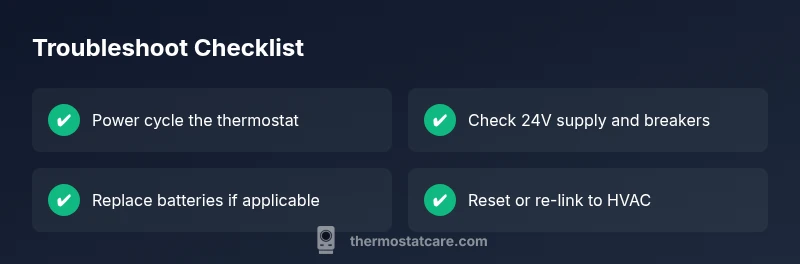
Step 1: Power cycle the thermostat by turning off the breaker for 60 seconds, then back on. Step 2: Check the thermostat circuit breaker and verify that the furnace or air handler is receiving 24V from the transformer. Step 3: If your model uses batteries, replace them with fresh ones and recheck the display. Step 4: If the screen remains blank, perform a reset according to the user manual, then re-link the thermostat to the HVAC system. Step 5: After reset, re-test heating and cooling to verify proper operation. Step 6: If your thermostat connects to WiFi or an app, reconnect and check for firmware updates. Tips: Keep a small note of your system configuration before resetting so you can restore settings quickly.
Common reasons this issue keeps reoccurring and how to prevent them
For some homes a flaky 24V supply or loose wiring is a recurring problem after outages. Loose C-wire connections can cause intermittent power delivery, and a tripped breaker can be easy to miss if it is hidden in a panel. Another frequent culprit is a blown fuse at the furnace or an overloaded circuit triggered by the outage. Regularly inspecting the HVAC disconnects, ensuring proper wire strain relief, and testing the transformer output during routine maintenance can prevent these issues from becoming a repeated nuisance. Preventive care reduces the risk of a blank screen during the next outage and helps you maintain accurate temperature control.
When a blank screen may indicate a bigger HVAC issue
If power is restored and the display remains blank, or the HVAC system does not respond to thermostat commands, a deeper electrical or control board problem may exist. In these cases, only trained technicians should handle high voltage components or complex control board diagnostics. Do not attempt to diagnose or replace furnace or air handler components beyond your comfort level. The Thermostat Care team recommends contacting a professional if basic power checks do not restore display or if the system fails to respond to controllable settings.
Quick wins to keep your thermostat resilient through outages
Establish a routine check of the breaker panel, confirm there is a stable 24V supply, and periodically verify battery health on battery-powered models. If your thermostat is connected to WiFi, ensure you have a recent backup of settings and recovery options in case a reset is required. Keeping the thermostat clean and free of dust improves longevity of electronic components and reduces risk of sensor misreadings after outages. These small steps help maintain reliable temperature control when the power returns.
Steps
Estimated time: 30-60 minutes
- 1
Power cycle the thermostat
Turn off the thermostat at the breaker or disconnect power to the furnace for 60 seconds. Reconnect power and wait for the thermostat to reboot. This often clears minor glitches that caused the blank display.
Tip: Have the manual handy to locate the correct breaker and avoid turning off unrelated circuits. - 2
Verify the 24V power and breakers
Check the thermostat circuit breaker and ensure the furnace is receiving 24V from the transformer. If you have a multimeter, verify voltage across the R and C terminals. A missing or low voltage is a common cause of a blank screen.
Tip: If you’re uncomfortable with live voltage, skip this and proceed to safer steps or call a pro. - 3
Inspect batteries and C-wire
If your thermostat uses batteries, replace them with fresh alkalines or lithium cells. For wired thermostats, confirm the C-wire is connected securely to both the thermostat and the furnace control board.
Tip: Don’t mix old and new batteries; a weak battery can mimic a power issue. - 4
Reset and re-link to HVAC
Perform a reset per the user manual and re-link the thermostat to the HVAC system. This reinitializes communications between the thermostat and furnace.
Tip: Record your system name, WiFi credentials, and any app-based settings to simplify reconfiguration. - 5
Test HVAC function after reset
Turn on heat and then cool to confirm both modes respond and the thermostat reports accurate temperatures. If there is no response, proceed to professional help.
Tip: If the HVAC still won’t respond, there may be a deeper control board issue. - 6
Consider firmware update or factory reset
If supported, update the thermostat firmware to ensure compatibility with the control board. A factory reset can clear stubborn glitches but will erase custom settings.
Tip: Back up settings before performing a factory reset.
Diagnosis: Thermostat blank screen after power outage
Possible Causes
- highPower supply failure (tripped breaker or blown fuse)
- highLost 24V transformer or wiring issue
- mediumBattery-powered unit with dead batteries
- lowSoftware glitch requiring reset
Fixes
- easyPower cycle the thermostat and verify the display resets
- mediumCheck and restore 24V supply at the thermostat and furnace control board
- easyReplace batteries in battery-powered models
- mediumUpdate firmware or perform a factory reset if supported
Questions & Answers
Why did my thermostat screen go blank after a power outage?
Outages can interrupt power to the thermostat, drain the backlight, or reset the control circuitry. A blown fuse or tripped breaker can also stop power delivery to the device. Start with power checks, then move to a reset or battery check.
A power outage can briefly cut power to the thermostat, causing the screen to go blank. Start by checking power and then reset if needed.
Is a blank screen dangerous or a sign of a bigger problem?
A blank screen is usually not dangerous, but it can indicate the thermostat isn't communicating with the HVAC system. If the system won’t run after troubleshooting, there may be a larger electrical or control-board issue that requires a professional.
A blank screen usually isn’t dangerous, but if the system won’t start after troubleshooting, call a pro.
What is the first thing I should do when this happens?
Power cycle the thermostat, check the breaker, and verify 24V supply. If available, replace batteries and perform a reset according to the manual.
First, power cycle the thermostat and check the breaker, then reset if needed.
Can replacing the thermostat battery solve a blank screen after a power cut?
If your unit runs on batteries, dead batteries are a common cause of a blank screen. Replace with fresh batteries and retest the display.
Yes, a fresh battery can revive a blank screen if the model uses batteries.
When should I call a professional?
If restoring power and performing standard resets doesn’t revive the display or the HVAC won’t respond, contact a technician. Electrical problems can be hazardous to handle yourself.
If power checks don’t fix it or the system won’t respond, it’s time to call a professional.
Watch Video
What to Remember
- Power issues are the most common cause of blank screens.
- Start with power, then battery, then software resets.
- Do not bypass safety procedures; call a pro for high voltage checks.
- Document changes to simplify future troubleshooting.