Thermostat Blank Screen: Quick Fix for AC Not Working
Learn how to troubleshoot a thermostat with a blank display and AC not working. Step-by-step power checks, wiring tests, and safetly guidance from Thermostat Care.


A blank thermostat screen almost always points to a power or display issue. Start by confirming the thermostat is receiving power and that the HVAC wiring is intact. Check the breaker or fuse, then test the C-wire and the R-G-Y-W terminals for loose connections. If the screen still won’t come to life after these basics, consider replacing the stat or calling a pro.
Why a Blank Thermostat Screen Happens
A blank or unresponsive thermostat is a common headache when your AC won't start. According to Thermostat Care, most blank screens are not mysterious: they come from power or wiring issues rather than a dead control board. The thermostat needs a steady supply of 24V power to light the display and send commands to the HVAC equipment. If the display is dark, you likely have a power path problem, a blown fuse in the furnace, a tripped breaker, or a loose connection on the thermostat side. The Thermostat Care team found that, in many homes, repairing a loose wire, restoring a disrupted 24V circuit, or reseating a controller plug can restore function without replacing the thermostat. In this guide, we focus on a practical, safety-first approach: identify the root cause, perform safe tests, and apply fixes that you can complete with common household tools. Keep a notepad handy to record what you check and what readings you observe as you go.
Thermostat problems often start with simple, repeatable checks. By documenting each step, you’ll know exactly what worked or didn’t, which helps if you later bring in a pro. Thermostat Care’s guidance emphasizes methodical testing over guesswork, reducing both frustration and the risk of damaging components.
Start with Power and Breaker Checks
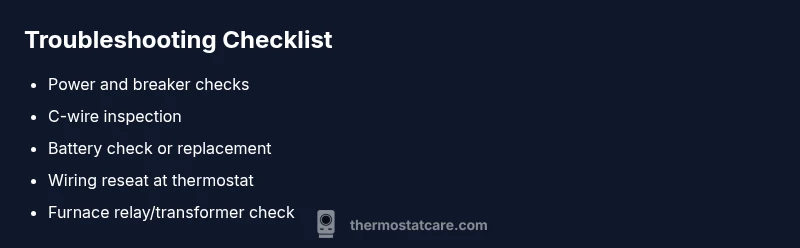
The first place to look when the screen is blank is power. If the thermostat display is dark, ensure the thermostat is receiving power from the HVAC system. Verify that the main power switch near the furnace is ON and the circuit breaker feeding the furnace and thermostat hasn’t tripped. If you have a fuse panel instead of a breaker, check for a blown fuse and replace it with the same rating. Sometimes a tripped breaker is cured simply by flipping it fully off and back on. Also confirm the thermostat’s own power source, especially if it uses batteries. Remove the thermostat cover, inspect for corrosion, and replace weak batteries. After each power-related step, re-seat the thermostat on its base and try to wake the display by pressing any control. If the display remains dark, advance to wiring checks and transformer tests.
Safety tip: never bypass safety disconnects or poke around live furnace circuits. If you smell burning or see melted components, stop and call a professional.
Inspect the Thermostat Wiring and C-Wire
Wiring problems are a very common cause of blank screens. Power the thermostat only after turning off the power to the HVAC system. Remove the thermostat from its wall plate and inspect every conductor for loose, frayed, or disconnected wires, especially the C-wire (common) and the R (power) wire. Re-seat loose wires firmly and ensure the C-wire is continuous to the furnace control board. If your thermostat uses a battery, confirm the battery terminals aren’t corroded and replace as needed. Take photos of the wiring before you disconnect anything so you can reconnect correctly. If the wiring looks damaged or the C-wire is missing entirely, you may need to run a new conductor or upgrade your thermostat to a battery-powered model temporarily.
Thermostat Care note: consistent, clean connections reduce the risk of future blanks; consider labeling wires for easy future maintenance.
Check the Furnace or Air Handler 24V Relay and Transformer
The thermostat communicates with the furnace using a 24V signal. If the relay or transformer inside the furnace is failing, the thermostat can remain blank while the HVAC equipment can still be powered. With power off, locate the control board and inspect the 24V ignition and blower relays for signs of wear. A nonfunctional transformer can also cut power to the control circuit, so replace only with the correct part and rating. If you don’t hear a click or feel resistance when you test the relay, this is a strong signal that the issue lies deeper in the furnace control circuit. In this case, it’s safer to contact a licensed technician rather than attempting a DIY repair, especially if 24V wiring is involved.
Battery and Display Considerations
Some thermostats rely on a reserve battery to illuminate the display even when other power sources are marginal. If your model uses batteries, ensure they are fresh and installed correctly. Weak or corroded batteries can cause intermittent display symptoms that resemble a blank screen. If the thermostat powers up with fresh batteries but then dies again, the problem likely lies in the power circuit or in the wiring rather than the display itself.
Common Fixes You Can Try Safely
With the power verified and wires checked, several safe fixes are worth attempting in order:
- Re-seat all wires at both ends of the thermostat terminal block.
- Replace old, corroded batteries in the thermostat if applicable.
- Reset the thermostat to factory defaults only if you’re comfortable applying the reset, then reconfigure schedules and preferences.
- Power cycle the HVAC system by turning off the furnace or air handler for a minute and then turning it back on.
- If your thermostat is still blank after these steps, consider upgrading to a newer model compatible with your HVAC system.
Note: always follow the manufacturer’s instructions for model-specific steps and safety precautions. If you have any doubt, pause and contact a pro.
When to Upgrade or Call a Pro
A blank screen that persists after power and wiring checks may indicate a failing display module or a deeper control-board issue. If the thermostat is older than ten years or has had recurring power issues, upgrading to a modern smart thermostat can simplify operation and improve energy savings. A pro should be called if you see signs of damaged wiring, melted insulation, burning smells, or you’re unsure about testing the furnace’s 24V circuitry. A professional can also verify compatibility with your HVAC system and ensure proper installation to prevent future blank screens.
Preventing Blank Screens in the Future
Prevention is simpler than repair. Regularly inspect the thermostat’s mounting and wire connections, keep the furnace access panel clean, and schedule routine HVAC maintenance. Use surge protection or power conditioners if your home experiences frequent electrical fluctuations. Where possible, keep a spare set of batteries on hand and test the thermostat monthly to confirm it wakes up reliably. Documenting the steps you took today can help you or a technician diagnose future issues quickly.
Steps
Estimated time: 60-90 minutes
- 1
Power safety and prep
Turn off power to the thermostat at the breaker or furnace disconnect. Remove the thermostat cover to access wiring without touching live circuits. This minimizes the risk of shock or equipment damage.
Tip: Always start with safety—double-check that power is fully off before touching any wiring. - 2
Verify main power and breakers
Check the home’s main breaker and the furnace branch breaker. If either tripped, reset to the fully OFF then ON position. If it trips again, do not keep resetting—this indicates a fault that needs professional assessment.
Tip: If you can’t identify which breaker controls the furnace, call an electrician for confirmation. - 3
Inspect thermostat wiring
With power off, remove the thermostat from its wall plate and inspect C, R, G, Y, and W wires for looseness or corrosion. Re-seat any loose wires and ensure the C-wire is properly connected at both ends.
Tip: Take a quick photo before disconnecting to ensure you reconnect correctly. - 4
Test/replace batteries
If your model uses batteries, replace them with fresh ones. A weak battery can masquerade as a power issue and leave the display dark or intermittent.
Tip: Use high-quality alkaline or lithium batteries for better reliability. - 5
Power-cycle the system
Power down the furnace for 60 seconds, then restore power and reinsert the thermostat on its base. Try waking the display again using a basic interaction (tap or press a button).
Tip: Don’t rush to power on multiple devices at once; wait a moment between steps. - 6
Evaluate the 24V path
If the display comes back but the AC still won’t respond, the issue may be the 24V signal path from the thermostat to the furnace. This may require professional testing with a multimeter.
Tip: Only proceed to 24V testing if you’re comfortable with electrical diagnostics.
Diagnosis: Thermostat screen is blank and AC not cooling
Possible Causes
- highPower issue or dead display
- highTripped breaker or blown furnace fuse
- mediumLoose or damaged C-wire/wiring at thermostat
- lowFaulty thermostat or control board
Fixes
- easyCheck power at the thermostat, furnace, and breaker; reset as needed
- easyInspect and reseat C-wire and other thermostat wires
- easyReplace batteries (if applicable) and consider a power-cycle
- mediumIf still blank, test furnace relays/transformer or replace thermostat
Questions & Answers
Why is my thermostat blank even though the AC is on?
A blank thermostat is most often caused by a power problem or a faulty display module. Start with power checks at the thermostat and furnace, then inspect the wiring. If power is present but the screen remains dark, the issue may involve the control board.
A blank screen usually means power or display issues. Start with power checks at the thermostat and furnace, then inspect wiring. If it still stays dark, you may need a replacement or professional help.
Can a dead battery cause a blank display?
Yes. Some thermostats rely on batteries to power the display. Replacing old batteries is a safe first step and can wake a dark screen. If the screen remains blank after battery replacement, power or wiring issues are more likely.
A dead battery can cause a blank screen. Replace the batteries first, then test again. If it’s still blank, the issue is probably power or wiring.
Is it safe to work around 24V wiring?
Working near 24V HVAC wiring carries shock risk and could damage components. Always turn off power at the breaker before inspecting wires and consult a pro if you’re unsure.
There’s a risk with 24V wiring. Turn off power at the breaker before touching anything, and call a pro if you’re unsure.
What should I do if the thermostat keeps blanking after fixes?
If the display keeps going dark after safe fixes, the thermostat may be at end of life or incompatible with your system. Consider upgrading to a newer thermostat and have the installer verify compatibility.
If it keeps going blank after fixes, consider upgrading and having it checked for compatibility with your system.
When should I call a professional?
Call a professional if you encounter damaged wiring, a suspected faulty transformer, or repeated power issues from the HVAC side. A pro can safely diagnose and replace parts without risk to you or the system.
Call a pro if there’s damaged wiring or a suspected transformer issue. They can diagnose and replace parts safely.
Watch Video
What to Remember
- Check power and breakers first
- Inspect C-wire and thermostat wiring
- Replace batteries if supported
- Upgrade or call a pro if issues persist
- Document steps for easier future troubleshooting