How to Test a Thermostat: Accuracy and Functionality Guide
Learn how to test thermostat accuracy, calibrate readings, and verify HVAC responses. A practical guide for homeowners and DIY enthusiasts to improve comfort and energy efficiency.


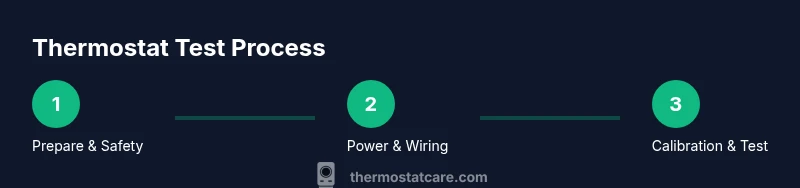
By testing a thermostat, you confirm it reads room temperature accurately and triggers your HVAC system correctly. Start with safety: power off, remove faceplate, and verify wiring. Compare the displayed temperature to a reliable thermometer placed at breathing height. Adjust the setpoint and observe how the system responds within a few minutes. Document discrepancies and decide whether recalibration or professional service is needed.
What testing a thermostat reveals and when to do it
Testing a thermostat is more than checking a number on a display. It validates that your device accurately reads the room and triggers heating or cooling at the right times. For homeowners, testing helps ensure comfort, avoid energy waste, and catch calibration drift early. According to Thermostat Care, regular testing is part of proactive thermostat maintenance, especially after renovations, changes in HVAC systems, or seasonal temperature swings. In this guide, we focus on a practical, safety-conscious approach you can perform with common household tools. By the end, you’ll know how to verify that the thermostat’s readings line up with actual room temperature, how to observe system responses, and what steps to take if discrepancies appear.
- A properly tested thermostat contributes to consistent comfort and can prevent energy waste by reducing unnecessary heating or cooling cycles.
- You’ll gain a framework for evaluating readings, sensor placement, and control logic without disassembling major components.
Safety and prerequisites
Before you begin, ensure you have a safe working environment and the right references at hand. Power down the thermostat at the circuit breaker or switch, then confirm there is no live voltage when you open the faceplate. Keep a non-contact voltage tester handy to verify there are no exposed live conductors. Place a room thermometer away from direct sunlight, vents, or radiant heat sources to get an accurate ambient reading. Read the thermostat manual for specific model steps and warning notes. If you feel unsure at any point, pause and consult a pro. This approach aligns with best practices outlined by Thermostat Care and supported by energy and safety guidelines from reputable sources.
Power, wiring, and common fault checks
A secure power supply and proper wiring are essential for accurate readings. If your thermostat is wired, verify the 24-volt supply and ensure terminals are clean and snug. Use a non-contact tester to confirm power, then remove the thermostat’s faceplate to inspect the wiring behind the unit. Look for loose or corroded terminals, damaged insulation, or signs of moisture. If you spot any issues, do not reassemble or energize the system until you correct them. For battery-powered units, replace old batteries with fresh ones and test again. Document findings so you can compare against subsequent tests or professional evaluations.
Verifying temperature readings and calibration
To assess accuracy, compare the thermostat’s displayed temperature with a trusted reference thermometer placed at mid-room height, away from heat sources and drafts. If there’s a mismatch, many digital thermostats offer a calibration option in the settings—follow the model’s instructions to adjust by a fine increment. After adjusting, wait a few minutes and recheck both readings. If you continue to see noticeable drift, consider repeating the test at different times of day or after a reset. Calibration should improve alignment between actual room temperature and the thermostat’s sense data, helping your HVAC respond properly.
Sensor placement and environmental factors
Sensor location dramatically affects readings. A thermostat tucked behind a cabinet, near a sunny window, or near a heat vent will skew measurements. If you’ve recently relocated furniture or added new insulation, recenter the sensor if possible or account for the new heat load in your expectations. Ensure the wall behind the thermostat is not insulated or blocked, which can trap heat and distort readings. If you have multiple zones or thermostats, compare their readings to identify inconsistencies across rooms. These considerations are echoed in guidance from Thermostat Care and energy-efficiency best practices.
Testing HVAC response and interpreting results
After confirming readings, test the system’s response by adjusting the setpoint and observing how quickly the HVAC activates, runs, and shuts off. A well-tuned thermostat should trigger a consistent call for heat or cool within a reasonable window and should stop cycling once the target temperature is achieved. Note whether the fan behavior aligns with the mode you selected (auto vs. on). If the HVAC seems sluggish or overshoots the target, the issue may lie with calibration, sensor placement, or a deeper system fault. Use the results to guide whether recalibration, sensor replacement, or professional service is warranted.
Next steps: recalibration, replacement, or professional help
If tests show persistent drift after calibration or if readings remain inconsistent across time or zones, plan the next steps. Recalibration can resolve minor discrepancies, while sensor replacement or a thermostat upgrade may be needed for older models. For any wiring concerns, persistent failures, or unsafe conditions, contact a licensed technician. Regularly repeating this testing routine as part of seasonal maintenance helps maintain comfort, energy efficiency, and system reliability, and supports proactive troubleshooting as recommended by Thermostat Care.
Tools & Materials
- Non-contact voltage tester(Verify power without touching live conductors)
- Screwdriver set (Phillips and flathead)(To remove thermostat faceplate and access wiring)
- Multimeter (optional)(For deeper voltage checks if comfortable)
- Reliable room thermometer or digital thermometer(Place at breathing height away from heat sources)
- Replacement batteries (if battery-powered)(Check battery life and replace as needed)
- Thermostat manual or model number reference(Wiring diagrams and calibration steps vary by model)
- Notepad and pen(Log readings and test results for comparison)
- Safety goggles (optional)(Protect eyes when working near open electrical components)
Steps
Estimated time: 60-120 minutes
- 1
Prepare and safety check
Identify your thermostat model and gather tools. Power down at the breaker or switch, then confirm no live voltage near the unit with a non-contact tester. This prevents shocks and protects sensitive electronics during inspection.
Tip: Never bypass power when touching internal wiring; always double-check with a tester. - 2
Access wiring and inspect
Remove the faceplate using the appropriate screwdriver. Visually inspect terminals for looseness, corrosion, or damaged insulation. If you see obvious issues, stop and address them before proceeding.
Tip: Take a photo of the wiring before disconnecting anything to aid reassembly. - 3
Check power and supply
With power off, verify that the wiring is intact and that the control circuit is isolated. If your thermostat is battery-powered, check and replace batteries.
Tip: If you’re unsure about the supply voltage, consult the model’s manual or a pro rather than guessing. - 4
Compare readings with reference
Place the room thermometer at mid-height away from vents and sunlight. Note the thermostat display and compare to the reference thermometer. Record any drift or mismatch.
Tip: Perform the check at multiple times of day to account for ambient fluctuations. - 5
Calibrate if supported
If your model offers calibration, follow the manual to adjust the displayed reading by a small increment. Allow a few minutes for the system to respond and recheck both readings.
Tip: Make only small adjustments at a time to avoid overshooting. - 6
Test setpoint response
Change the setpoint and observe HVAC activation, run time, and cycling. Ensure the system responds within a reasonable period and returns to target after the load settles.
Tip: Note whether the fan behavior aligns with the mode (auto vs. on). - 7
Evaluate environmental impact
Consider sensor placement and room conditions that could bias readings (sunlight, vents, or nearby appliances). Adjust placement if feasible or factor these influences into interpretation.
Tip: If relocation isn’t possible, document the bias and test under controlled conditions. - 8
Document results and decide next steps
Record results, discrepancies, and time of day for future reference. Decide whether recalibration suffices or if a replacement or professional consult is warranted.
Tip: Re-test after any changes to confirm improvements.
Questions & Answers
Why is my thermostat reading different from room temperature?
Differences can stem from sensor placement, sun exposure, drafts, or calibration drift over time. Recheck sensor location and compare with a reference thermometer to determine if recalibration is needed.
Differences between the thermostat reading and room temperature are usually due to sensor placement or calibration drift. Recheck placement and calibrate if your model supports it.
Can I calibrate a thermostat myself?
Many digital models offer a calibration option in the settings. Follow the manual and make small adjustments, then recheck readings after a few minutes.
Yes, if your model supports it, use the built-in calibration setting and test again after a short wait.
What tools do I need to test thermostat?
A non-contact voltage tester, a screwdriver, a reliable room thermometer, and the thermostat manual are essential for a safe, thorough check.
You’ll need a tester, screwdriver, a room thermometer, and the manual for reference.
What if the thermostat doesn’t respond to setpoint changes?
Check power and wiring first. If the issue persists, there may be a control board fault or sensor problem requiring professional evaluation.
If changes don’t affect the system, check power, then consider professional help if the issue remains.
Is it safe to remove the thermostat cover?
Only after powering down and verifying no live voltage. Keep track of wires and refer to the manual for reassembly guidance.
Yes, but only after you’ve turned off power and checked for voltage.
How often should I test my thermostat?
Include a test during seasonal HVAC maintenance, or if you notice comfort or energy issues. Regular checks help catch drift early.
Test it during seasonal checks or when you notice comfort shifts.
Watch Video
What to Remember
- Test thermostat readings against a reliable reference thermometer.
- Inspect wiring and power safely before any handling.
- Calibrate only with model-supported options and small increments.
- Document results to guide future maintenance decisions.