How to Check If Your Thermostat Is Working
Learn how to check if your thermostat is working: power checks, display clarity, sensor accuracy, and HVAC signals. A practical, step-by-step guide to diagnose issues and decide on repairs or replacement.


To check if your thermostat is working, start with basic power and connection checks, then test temperature readings and control responses. Confirm the display is on, the HVAC power is supplied, and the thermostat communicates with the furnace or AC. If readings don’t match, inspect sensors, wiring, and circuit breakers, and test the thermostat's buttons and schedules.
Understanding What a Thermostat Does
A modern thermostat is a control device that senses room temperature, compares it to your setpoint, and triggers your heating or cooling system accordingly. It also communicates with your HVAC equipment, and many models manage fan settings, schedules, and smart features. According to Thermostat Care, a healthy thermostat should accurately reflect room temperature and reliably switch the HVAC on and off. When these basics work, your home stays comfortable and energy usage remains predictable. When they don’t, you may see short cycling, temperature swings, or unresponsive controls. This section explains the role of the thermostat and the common failure modes that signal a need for troubleshooting. Understanding these fundamentals makes the rest of the guide more actionable and less intimidating.
The Importance of Accurate Readings and Prompt Response
Even small discrepancies between actual room temperature and what the thermostat displays can lead to discomfort and wasted energy. Factors like sun exposure, drafts, or poor sensor placement can skew readings. The Thermostat Care analysis shows that many user issues stem from sensor drift or wrong mounting locations, not a faulty control board. In this section, learn how to judge whether readings are trustworthy, how to compare them against a trusted thermometer, and how to spot signs that the thermostat's sensor or calibration needs attention. This context helps you distinguish between a simple calibration tweak and a deeper hardware issue.
Pre-Check: Safety and Tools
Before you dive into diagnostic steps, set expectations and gather the right tools. Power safety is the top priority; never work on live electrical components without powering down the circuit. Gather a digital multimeter, a screwdriver, a non-contact voltage tester, and a basic thermometer to compare readings. Optional tools like replacement batteries or a small flashlight can help, especially in dim basements or utility rooms. Having a clean, well-lit workspace reduces the risk of miswiring and makes the process smoother. As you prepare, note that simple checks often resolve many issues without professional help.
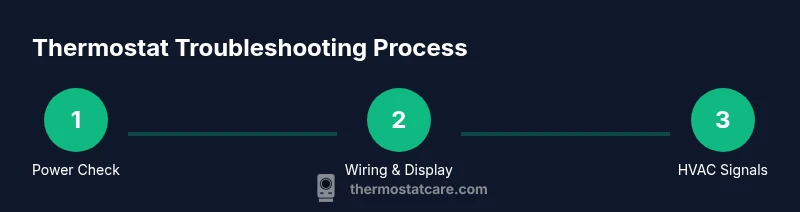
Step 1: Power, Display, and Basic Communication
Start by turning off the thermostat circuit at the main breaker to prevent shocks and erroneous readings. Wait about 60 seconds to discharge capacitors and reset electronics. Then remove the thermostat cover carefully to inspect for loose wires, corroded terminals, or obvious damage. Re-seat any loose connections and ensure wires are labeled if you had to disconnect them. If the display remains blank after reassembly, the issue may be battery power (for battery-powered units) or a power supply problem in the HVAC circuit.
Step 2: Temperature Readings and Sensor Health
Place a trusted room thermometer a few inches away from the thermostat and compare its reading to what the thermostat shows. Note any consistent offset and record the readings over several minutes. Direct sunlight, drafty spots near a vent, or a thermostat located near heat sources can cause inaccurate readings. If you find a persistent mismatch, the sensor may be out of calibration, or the unit’s internal hardware could be drifting. Some models offer a calibration or reset option in settings; consult the manual before making changes.
Step 3: Control Signals and HVAC Response
With power restored, test how the thermostat communicates with the HVAC system. Change the setpoint and observe whether the furnace or air conditioner starts within a reasonable time frame (typically 30 seconds to a couple of minutes). Listen for distinct cycling patterns and note any unusual pauses or continuous running. Using a multimeter on the R and C wires can confirm that a stable 24V AC supply is present when the system should be on. If the HVAC doesn’t respond as expected, there may be a wiring fault, a blown fuse, or a faulty control board in the furnace or air handler.
Step 4: Wiring Health and Battery Status
Inspect wiring for loose terminals, frayed insulation, or signs of corrosion at both ends of the wiring path (thermostat and furnace). If your thermostat uses batteries, replace them with fresh ones of the correct size and observe whether the display becomes more reliable. Keep a photo log of wire colors and terminal labels to ensure you re-connect correctly. If you notice any damaged wire portions, do not tape over exposed copper; replace or consult a professional.
Step 5: Calibration, Sleep Modes, and Schedule Checks
Some issues stem from設定 changes rather than hardware faults. Review any schedules or vacation modes that may override expected behavior. Check the “hold” or “auto” modes and ensure the thermostat is using the same unit of measure (Celsius vs Fahrenheit) as your expectations. If a calibration option exists, perform a cautious calibration test following the manufacturer’s guidance. Incorrect calibration can masquerade as a faulty device.
Step 6: Common Issues, Quick Fixes, and When to Seek Help
Loose wiring and dirty contacts are frequent culprits; addressed with careful reseating and cleaning. Sensor drift or placement problems often require repositioning or calibration. If you’re uncomfortable with electrical testing or if the unit still misreads after these checks, consider contacting a licensed HVAC technician. Thermostat failures can sometimes indicate broader HVAC problems that warrant professional assessment.
Step 7: Decision Time: Repair, Replace, or Recycle
If recurring faults persist after comprehensive troubleshooting, weigh the cost of replacement versus repair. Modern smart thermostats offer enhanced energy savings and compatibility with smart home systems, which can justify replacement. When deciding, factor in compatibility with your HVAC system, warranty status, and the availability of service parts. The Thermostat Care team recommends evaluating long-term energy use and comfort benefits alongside upfront costs to make a well-informed choice.
Tools & Materials
- Digital multimeter(Test 24V AC on R and C wires; confirm voltage when system is commanded on)
- Screwdriver set(To remove thermostat cover and access terminals)
- Non-contact voltage tester(Safely verify live circuits without contact)
- Replacement batteries(For battery-powered thermostats, use fresh batteries of the correct type)
- Room thermometer(An accurate, independent reading near the thermostat)
- Camera or phone(Capture wiring before disassembly for reassembly accuracy)
Steps
Estimated time: 60-90 minutes
- 1
Turn off the thermostat circuit
Power down the circuit at the main breaker to prevent shocks and erroneous readings. Wait 60 seconds to discharge capacitors and reset electronics. This sets a safe baseline before inspection.
Tip: If unsure which breaker controls the thermostat, label the circuit or shut off the whole house power if needed. - 2
Access and inspect wiring
Gently remove the thermostat cover and verify that wires are fully seated in their terminals. Look for loose connections, signs of corrosion, or damaged insulation. Photograph wiring before making changes so you can restore it exactly.
Tip: Use the correct screwdriver size and avoid forcing wires out of terminals. - 3
Check display and button responsiveness
Power the system back up and observe the display. If the screen is dim or unresponsive, replace batteries if applicable and ensure the unit is receiving power. Test each major button and function (hold, schedule, mode) to confirm basic responsiveness.
Tip: If the display is flickering, the control board or power supply may be faulty. - 4
Compare temperature readings
Place a reliable room thermometer near the thermostat and compare its reading with the display. Note any consistent offset across several minutes. Consider environmental factors like sunlight or drafts that could skew readings.
Tip: Take readings from multiple locations in the room to assess consistency. - 5
Test HVAC control signals with a multimeter
With power restored, test the R and C wires for approximately 24V AC when the HVAC should be on. If voltage is absent or erratic, there may be a wiring fault or board issue in the furnace.
Tip: Be cautious with live circuits; one slip can cause damage or injury. - 6
Inspect sensor placement and calibration
Ensure the thermostat sensor isn’t blocked by drafts, sunlight, or heat sources. If your model allows calibration, perform a careful adjustment following the manual. Document any changes you make.
Tip: Calibration changes should be conservative to avoid overcorrecting. - 7
Evaluate power supply and battery status
Check the furnace panel and thermostat power feed; replace batteries if needed. Ensure circuit breakers are reset and there are no interlocks preventing power flow to the thermostat.
Tip: If a breaker trips, identify the connected load before resetting to prevent repeat trips. - 8
Decide on repair or replacement
If issues persist after all checks, compare repair costs against replacement with a compatible model. Consider energy savings, warranty, and compatibility with your HVAC system before deciding.
Tip: Keep a log of symptoms and steps taken to help a professional diagnose faster.
Questions & Answers
Why is my thermostat display blank or dim?
A blank or dim display often signals power or battery issues. Start with replacing batteries (if applicable) and verifying power at the thermostat and furnace. If the issue persists, there may be a faulty control board or wiring fault that requires professional attention.
A blank display usually means power or battery problems; try fresh batteries and check the power supply. If it persists, a professional should inspect the wiring and control board.
Why doesn’t the thermostat match room temperature?
Sensor drift, improper sensor placement, or calibration errors can cause mismatches. Compare readings with a reliable thermometer, reposition the sensor away from direct heat or drafts, and recalibrate if your model supports it.
Temperature differences are often due to sensor placement or drift. Check readings with a thermometer and recalibrate if possible.
Do I need a professional to check wiring?
If you’re comfortable with basic electrical work and safely powered down, you can test voltage with a multimeter. For complex wiring or persistent faults, hire a licensed HVAC technician.
If you’re not confident with electrical testing, hire a pro. For simple checks, you can test with a multimeter after power is safely off.
How can I tell if I should replace the thermostat?
Replacement is worth considering if the unit repeatedly fails to regulate temperature, displays error codes after troubleshooting, or is not compatible with your HVAC system. Compare costs, efficiency, and warranty coverage.
If issues keep returning or the thermostat is outdated, replacement might be the best option after weighing costs and energy savings.
Can a thermostat be fixed without tools?
Many minor issues can be diagnosed with basic tools like a screwdriver and battery replacement. More complex faults—especially wiring or control-board problems—usually require tools and expertise.
Some small fixes don’t need special tools, but complex wiring usually does and should be handled by a pro.
What should I do if the HVAC doesn’t respond to changes?
First confirm the thermostat is issuing a call for heat or cool. Check power, breakers, and wiring to the furnace. If there’s no signal, there may be a control-board or relay issue in the HVAC equipment.
If the HVAC ignores changes, check the thermostat’s signals and power, then inspect the furnace’s control components for faults.
Watch Video
What to Remember
- Power down before inspecting thermostat wiring
- Compare thermostat readings with a reliable thermometer
- Check for loose wires and sensor placement
- Test 24V signals to confirm HVAC communication
- Decide on repair vs replacement if issues persist