Why Your Thermostat Display Is Blank and How to Fix It
Explore common reasons a thermostat is blank and follow a safe, step-by-step troubleshooting guide to restore display, regain HVAC control, and prevent future blank screens.


Most often, a blank thermostat display is caused by power issues or wiring faults. Quick fixes: replace batteries if you have a battery-backed unit; reset the breaker or fuse feeding the thermostat; verify R and C wiring at the thermostat and furnace; if the display remains blank, follow the diagnostic flow or call a pro.
Why a Thermostat Display Might Be Blank
When you power up your HVAC, a blank thermostat screen can feel urgent. The phrase 'reasons thermostat is blank' often points to a few common culprits: power supply issues, wiring faults, or hardware failures. According to Thermostat Care, homeowners frequently underestimate how much power the thermostat needs to stay awake and communicate with the furnace. The Thermostat Care team found that most blank displays are due to a mismatch between power delivery and control circuits, not a mysterious defect. In this guide, we present a structured approach to identify which cause is at play and how to fix it safely. We'll cover battery checks for battery-backed units, 24V power verification, RC or RH and C-wire integrity, and what to do if the display remains blank after the basic checks. You'll learn a practical, safety-conscious sequence you can follow today. This article addresses homeowners and DIY enthusiasts who want to troubleshoot efficiently without risking damage to the HVAC system. We'll use plain language, real-world examples, and clear steps you can implement in under an hour if you have basic tools. The key phrase to keep in mind is: reasons thermostat is blank.
Safety First: Handling Electrical Components
Electrical components power a thermostat and its communication with your HVAC system. Handling them improperly can cause shorts, shocks, or damage to the furnace control board. Use insulated tools, keep yourself dry, and turn off the power at the breaker before inspecting terminals or swapping batteries. If you’re unsure at any point, stop and seek professional help. This section is here to underscore safety while you follow the diagnostic steps, not to replace professional assessment. The Thermostat Care team emphasizes that safety always comes first, and a blank display can be a symptom of a potentially hazardous wiring condition.
Quick Power Checks: Batteries, Breakers, and Power Supply
Power issues are by far the most common reasons thermostat is blank. Start with simple checks: replace batteries if your thermostat uses them; confirm the furnace’s 24V power is present and stable; check the circuit breaker or fuse feeding the thermostat circuit. If the thermostat is hardwired, ensure the 24V supply from the furnace is within spec and that there are no tripped breakers in the HVAC panel. If you encounter a dead battery or a tripped breaker, fix those first and test the display again. If the screen still shows nothing, move to wiring checks described in the next section. In 2026, many displays fail primarily due to power delivery issues, not defective hardware.
Verifying Wiring and Connections
Wiring faults are another frequent cause of blank displays. Start by turning off power, then carefully inspect all thermostat wires at both ends: the thermostat backplate and the furnace control board. Look for loose terminals, corrosion, or damaged insulation. Re-seat the R and C wires, and ensure that any jumpers between RC and RH are intact if your model requires them. For heat-only systems, verify R and W connections. If you notice frayed wires, damaged terminals, or loose screws, replace or repair as needed. After re-attaching wires, power the system back on and monitor the display. The goal is to ensure a stable, clean signal path from the furnace to the thermostat.
Voltage Testing and C-Wire Considerations
For many power-issue cases, checking the actual voltage across R and C with a multimeter is necessary. With the power off, set your meter to AC voltage, and confirm approximately 24 volts between R and C when powered. If you get significantly lower or no voltage, the problem may be the control board, not the wiring. If your thermostat uses power stealing and you have a C-wire, consider connecting the C-wire or replacing it with a dedicated 24V supply to stabilize power. Some newer models handle power differently, so consult the installation manual for your exact model. In any test, avoid shorting R to C or bridging wires without understanding the consequences.
Common Software or Hardware Edge Cases
Even when the power and wiring look fine, software glitches or a burnt-out backlight can leave the display blank. Some thermostats require a factory reset to recover from a firmware fault; others tolerate a soft reset by removing the batteries or using a reset button. If your model shows no error codes, try performing a reset following the manufacturer’s instructions, then re-pair with your HVAC system. Note that a reset may erase saved schedules, requiring reconfiguration. If the display remains blank after a reset, the issue may be a hardware failure on the display or the control board.
When to Call a Pro and Prevention Tips
If you’re uncomfortable working with live electrical components or the thermostat still displays blank after basic checks, call a professional. A licensed technician can safely test voltage, inspect wiring at the furnace, and verify compatibility between thermostat and HVAC equipment. They can also assess whether a replacement thermostat is warranted. To prevent future blank displays, keep batteries fresh, protect wires from damage, and schedule annual thermostat maintenance. Thermostat Care recommends routine checks on all wiring connections at least once per year.
Prevention: How to Keep the Display Healthy
Preventive steps save time and avoid frustration during peak seasons. Regularly test the thermostat’s power source, keep connections clean and tight, and update firmware when available. If you notice intermittent blank screens, log a few data points (time of day, temperature, system mode) to help your technician diagnose faster. Maintain a spare set of batteries if your unit uses primary cells, and review your home’s electrical panel for signs of wear or aging components. By staying proactive, you reduce the risk of sudden blank displays and ensure smoother climate control throughout the year.
Steps
Estimated time: 1 hour 15 minutes
- 1
Power off and safety check
Shut off power at the breaker and verify there is no live current before touching any wires. This protects you and the HVAC system during inspection.
Tip: Use a non-contact voltage tester to confirm power is off. - 2
Inspect batteries or power supply
If your thermostat uses batteries, replace them with fresh alkaline cells. For hardwired units, verify the 24V supply from the furnace is present at the thermostat terminals.
Tip: Keep spare batteries specific to your thermostat model. - 3
Check breakers and fuses
Inspect the HVAC panel for a tripped breaker or blown fuse feeding the thermostat circuit. Reset or replace as needed, then retest the display.
Tip: If a breaker trips repeatedly, there may be a short somewhere in the system. - 4
Verify thermostat wiring
Examine wires at the thermostat backplate and furnace control board. R should be firmly connected; C should be present if required by your model. Reseat any loose connections.
Tip: Take a photo before loosening terminals so you can re-create the setup. - 5
Test R–C voltage
With power restored, use a multimeter to check approximately 24V between R and C. If voltage is low or absent, the problem is upstream in the furnace or a blown component.
Tip: Follow the meter’s safety guidelines to avoid shocks. - 6
Reset or reconfigure the thermostat
If the unit supports a soft reset, perform it as per the manual. Re-enter schedules and settings after the reset.
Tip: Consult the manual to avoid losing important configurations. - 7
Call a pro if unresolved
If the display remains blank after all checks, a professional can diagnose control-board or internal-display faults.
Tip: Document your steps to help the technician diagnose faster.
Diagnosis: Thermostat display is blank
Possible Causes
- highPower issue (dead battery or no 24V supply)
- highTripped circuit breaker or blown fuse
- mediumLoose or disconnected wiring at thermostat or furnace
- lowFaulty display or internal PCB
- mediumC-wire miswired or not providing constant power
Fixes
- easyReplace batteries or restore 24V power supply
- easyReset tripped breakers and replace blown fuses
- easyInspect and reseat thermostat wires at both ends
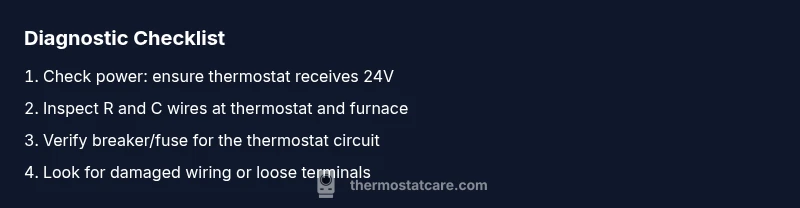
- easyCheck for damaged wires or loose terminals at the furnace and thermostat
- mediumTest voltage between R and C with a multimeter and correct wiring if needed
- hardIf the display remains blank after power and wiring checks, consider replacing the thermostat or contacting a pro
Questions & Answers
Why is my thermostat display blank even with fresh batteries?
A blank display with new batteries often points to power delivery or wiring problems rather than dead cells. Check the 24V supply, RC/RH wiring, and C-wire continuity. If the issue persists, continue with the diagnostic flow.
A blank display with new batteries usually means power or wiring issues; check the 24V supply and the connections, then continue with the diagnostic steps.
Could a blank screen indicate a wiring problem?
Yes. Loose, damaged, or disconnected wires at the thermostat or furnace can cause a blank screen. Re-seat connections and inspect the cables for wear before testing voltage again.
Yes. Wiring issues can blank the screen. Re-seat connections and inspect cables before testing power again.
Should I reset the thermostat to fix a blank display?
Resetting the thermostat can clear firmware glitches that blank the display. Follow the model's reset procedure and reconfigure settings afterward.
Resetting can clear firmware glitches. Follow your model's procedure and reconfigure settings afterward.
Is it safe to open the thermostat housing to check wires?
Only if you have power off and understand basic electrical safety. If you’re unsure, stop and hire a professional to avoid shocks or damage.
Only with power off. If unsure, hire a pro to avoid shocks or damage.
When should I call a professional?
If basic checks don’t restore the display or you suspect furnace control-board issues, a licensed technician should diagnose and replace faulty components.
If basic checks don’t fix it, call a professional to diagnose control-board issues.
Can a blank display be caused by a power outage?
A power outage can reset or disable the thermostat. After power returns, re-test and ensure 24V is present.
Power outages can blank the display; retest power when it returns.
Watch Video
What to Remember
- Check power first before anything else.
- Inspect R and C wiring for proper connection.
- Use a multimeter to confirm 24V after power is restored.
- If unresolved, replace thermostat or call a pro.