Nest Thermostat Power Issues: Troubleshooting Guide
A practical, urgent guide to diagnosing and fixing nest thermostat power issues, with a step-by-step flow, common causes, and prevention tips from Thermostat Care.


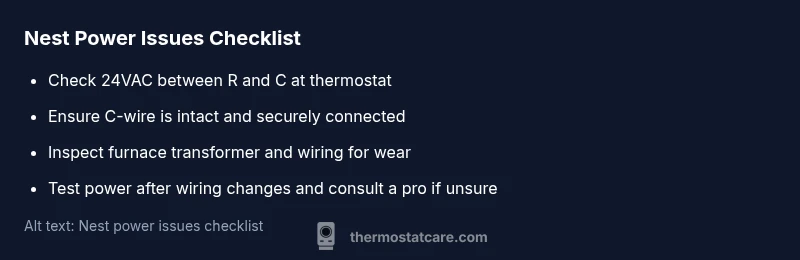
According to Thermostat Care, most nest thermostat power issues stem from a weak 24V supply, a loose or missing C-wire, or wiring faults at the HVAC control board. Start by checking that R and C terminals show about 24VAC, reseat any loose wires at the thermostat and furnace, and confirm the C-wire runs uninterrupted to the thermostat. If flickering continues, upgrade wiring or seek professional help.
Why Nest Power Issues Happen
Homeowners often notice the Nest thermostat flicker, reboot, or lose settings when power isn’t reliably delivered from the HVAC system. According to Thermostat Care, many problems stem from a weak 24-volt supply, a marginal C-wire connection, or wiring faults at the furnace control board. When the thermostat tries to power itself while the system is running, voltage sags can trigger brief outages that reset schedules. In practical terms, this means you should start by verifying that the 24-volt supply is steady and that the wires at both ends are secure. If your Nest display shows a blinking light or goes dark only when the HVAC is active, you’re likely dealing with a power issue rather than a software glitch. Persistent power issues can shorten the device life if left unfixed, so addressing them promptly matters for reliability and comfort.
Common Causes of Nest Thermostat Power Issues
There are several predictable culprits in nest thermostat power issues. The most frequent is an insufficient 24 VAC supply caused by long wiring runs, undersized conductors, or a weak transformer. A loose, damaged, or poorly connected C-wire at either the thermostat or the furnace can prevent a stable common path for power. Incorrect wiring at the HVAC control board (for example, R and C swapped) often mimics a power problem. Other times a failing transformer, blown fuse, or a faulty insulation path can cause intermittent voltage drops. Understanding these causes helps you prioritize testing steps and avoid unnecessary replacements. If you see voltage sag only when the thermostat is actively calling for heat or cool, you’re looking at a supply or wiring issue rather than a thermostat fault. Nest thermostat power issues frequently share these root causes, so check them in order.
Immediate Checks You Can Do Now
Before calling a technician, perform a quick triage to confirm whether the problem is with the wiring or the thermostat itself. First, inspect the thermostat wiring at both ends—tighten screws, re-seat connectors, and look for obvious damage. Then verify that the R and C terminals are connected to the furnace and that there is a continuous 24 VAC between them when the system is idle. If you can safely access the furnace, check for loose terminals or signs of corrosion near the control board. Finally, reset the thermostat after any wiring adjustment and observe whether the display stabilizes. For nest thermostat power issues, these checks cover the common failure points and often resolve the issue without replacing hardware.
Diagnosing Power Problems: A Flow You Can Follow
This section walks you through a practical diagnosis flow. Start by identifying the symptom, such as a flickering display or a heater that won’t engage. Then compare the symptom to potential causes like C-wire issues or a weak 24V supply. Use simple tests such as checking voltage between R and C, inspecting wire integrity, and tightening terminations. If the symptom persists after the basic checks, progress to more definitive steps like testing the transformer at the furnace or temporarily bridging R to C with caution (only if you understand the risk). The goal is to isolate whether the issue is wiring, supply, or a control board fault, before moving to more involved repairs.
Fixes for the Most Common Cause
The most common nest thermostat power issues stem from C-wire problems or an unstable 24V supply. Start by securing the C-wire at both ends and confirming consistent 24 VAC between R and C with a multimeter. If needed, reseat or replace the C-wire path to eliminate any micro-movements that break contact. For longer term reliability, consider adding a dedicated C-wire or a compatible power kit designed for thermostat installations, and ensure the furnace transformer and related fuses are in good condition. After any wiring changes, re-seat all connections, re-power the system, and monitor the Nest for a full cycle to confirm stability.
Steps
Estimated time: 45-60 minutes
- 1
Power cycle the system
Turn off power to the thermostat and HVAC at the breaker for at least 30 seconds, then restore power and observe behavior. This resets any minor faults and reestablishes voltage paths.
Tip: A full power cycle often clears intermittent glitches without tools. - 2
Inspect thermostat wiring at the block
Remove the thermostat cover and inspect each wire. Tighten screws, reseat connectors, and look for discoloration or loose strands that can cause intermittent contact.
Tip: Only do this with power off to avoid shocks. - 3
Check R and C at the furnace
Access the furnace or air handler panel and locate R and C terminals. Confirm screws are tight and there is no corrosion. If you have a multimeter, verify 24 VAC between R and C.
Tip: Record voltage readings to compare after fixes. - 4
Test the C-wire continuity
Trace the C-wire path from the thermostat to the furnace. Look for damaged insulation, crushed conduits, or unplugged connectors. Repair or replace damaged sections as needed.
Tip: Never assume a wire is intact; visually inspect along its entire length. - 5
Tighten and clean terminations
Re-seat all wire terminals, remove any corrosion, and apply a small amount of contact cleaner if available. This improves contact quality and voltage stability.
Tip: Avoid overtightening screws; snug is enough. - 6
Consider a dedicated C-wire or power kit
If the C-wire path is unreliable, install a dedicated C-wire or a compatible power kit recommended for thermostat installations. This provides a consistent common supply and reduces power stealing issues.
Tip: Follow manufacturer guidelines for any kit installation. - 7
Test after changes
Power the system back on and monitor for several cycles. If the Nest remains stable through heat and cool calls, the fix is likely successful.
Tip: Document the steps you took for future reference. - 8
Know when to call a professional
If voltage readings are off, wiring looks damaged, or you’re uncomfortable touching live components, contact a licensed technician. Electrical work in HVAC systems can be hazardous.
Tip: Safety first: never bypass safety features.
Diagnosis: Thermostat display flickers or resets during furnace operation
Possible Causes
- highInsufficient 24VAC supply due to heavy load or wiring faults
- highLoose or damaged C-wire connection at thermostat or furnace
- mediumIncorrect wiring at the HVAC control board (R/C swapped or disconnected)
- lowA failing furnace transformer or blown fuse affecting 24VAC
Fixes
- easyVerify 24VAC across R and C with a multimeter and tighten any loose terminations
- easyReseat or replace the C-wire between thermostat and furnace to restore common power
- mediumInspect furnace control board and transformer for signs of damage and replace if needed
- mediumIf power issues persist, install a dedicated C-wire or power kit as recommended by a qualified technician
Questions & Answers
What are the most common causes of nest thermostat power issues?
The top culprits are an insufficient 24VAC supply, a loose or damaged C-wire, and wiring faults at the HVAC control board. A faulty transformer or blown fuse can also cause intermittent power loss. Start with the simplest checks to verify power delivery and wiring integrity.
Common nest thermostat power issues usually come from a weak 24-volt supply, a loose C-wire, or wiring faults at the furnace. Start with the simplest power checks to locate the problem.
Can a Nest thermostat run without a C-wire?
In theory, Nest can operate with power stealing, but it is unreliable and prone to frequent reboots. For consistent performance, install a proper C-wire or a compatible power kit as recommended by installers.
It can run without a C-wire, but it won’t be reliable. Install a proper C-wire for stability.
How can I safely check the C-wire at the furnace?
Power down the system, then inspect terminal connections at the thermostat and furnace. Look for loose wires and signs of corrosion, and verify the C-wire is continuous. If unsure, contact a professional.
Power down first, then check for loose wires and corrosion at both ends. If you’re unsure, call a pro.
Is it safe to troubleshoot Nest power issues myself?
Basic checks are safe if you keep power off and avoid tampering with live components. More advanced tests should be performed by someone with HVAC electrical experience to prevent shock or equipment damage.
You can do basic checks with power off, but for advanced tests call a pro.
Will power issues damage the HVAC system?
Unstable voltage can cause the thermostat to reboot and, in rare cases, stress control circuits. However, persistent issues typically do not cause permanent damage if addressed promptly.
Power issues mostly reboot the thermostat and can stress circuits, but they don’t usually cause lasting damage if fixed quickly.
When should I replace the thermostat instead of repairing?
If the unit regularly fails despite wiring fixes and shows internal faults, replacing the stat may be more cost-effective than repeated repairs. Consider age, warranty, and the cost of professional service.
If it keeps failing after fixes, replacement might be more economical and reliable.
Watch Video
What to Remember
- Secure the C-wire to restore stable power.
- Verify 24VAC supply with a meter before major fixes.
- Avoid risky DIY steps on live HVAC components.
- Prevent future issues with regular thermostat maintenance.