How to Charge Nest Thermostat: Power and Troubleshooting Guide
Learn how to charge nest thermostat and manage power when C-wire or HVAC supply is limited. This Thermostat Care guide covers C-wire checks, safe power options, and practical troubleshooting for reliable operation.


How to charge nest thermostat: This guide explains whether you can charge a Nest Thermostat and how to manage power when the C-wire or HVAC power is limited. You’ll learn common power issues, how to verify you have a proper C-wire, and practical steps to keep the thermostat powered without risking system damage. We cover safe practices and when to use a Nest Power Connector.
How Nest Thermostat Power Works
Most Nest Thermostat models draw their operating power directly from your heating and cooling system rather than from a traditional battery. They connect to the HVAC control board via wires, with the C-wire providing a constant 24-volt return path. When the C-wire is present and the system can supply power, the thermostat can run for long periods without significant battery drain. If the C-wire is missing or the power supply to the thermostat is inconsistent, the device may reboot, show warnings, or behave erratically. According to Thermostat Care, power reliability is the foundation of a smooth user experience, especially during critical thermostat cycles. In practice, this means ensuring the thermostat has a stable source of 24 VAC and that the wiring from the HVAC control board to the thermostat is intact. If you see a persistent low-power message, treat it as a sign to inspect wiring and power routing rather than attempting to “charge” the device via unsupported methods. The goal is to supply continuous power through proper wiring, not a manual recharge.
Thermostat Care’s approach emphasizes practical, conservative fixes that protect both your system and the thermostat. By focusing attention on the C-wire and the control-board connections, homeowners can reduce reboot events and extend the life of their existing setup. This aligns with guidance from Thermostat Care Analysis, 2026, which highlights common power issues rooted in wiring and power delivery rather than battery limitations.
Common Misconceptions About Charging Nest Thermostats
Many homeowners wonder if a Nest Thermostat can be charged like a phone or tablet. The truth is that Nest thermostats do not have user-accessible charging or internal cells to fill up. Instead, they draw power from the HVAC circuit whenever the system is running. When the C-wire is missing or the power supply droops during peak draw, the thermostat may reboot or drop to a minimal display. The Thermostat Care team notes that confusion often arises from intermittent reboot events that happen during demand or when the system cycles. In those cases, the fix is rarely a “charge” but rather a power-management adjustment at the furnace or control board. If you replace batteries or attempt to wire a USB, you risk damaging the thermostat or voiding warranties. Focus on securing a reliable 24 VAC supply and proper common wiring.
Thermostat Care emphasizes that a stable power path, not charging, is the key to consistent operation. This stance reflects best practices for modern smart thermostats and aligns with standard electrical safety principles taught by reputable sources in 2026.
Verifying You Have a C-Wire: Quick Checks
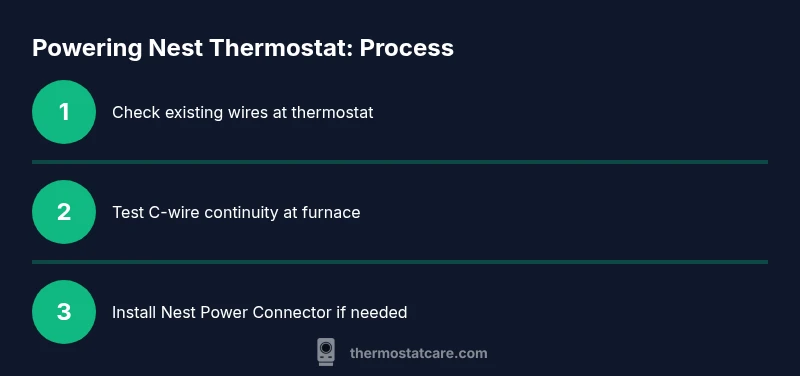
Your first step is to confirm there is a C-wire connected at both ends. At the thermostat, look for a conductor attached to the C terminal; at the furnace or air handler, locate the C terminal on the control board and ensure the conductor is under the terminal screw or clamp. If you see an uninsulated conductor or multiple small-diameter wires bundled, take extra care not to loosen other connections. If you don’t have a dedicated C-wire, some homes route a spare conductor as a C-wire, or you may need to install a Nest Power Connector. Thermostat Care’s guidance emphasizes safety: never pull wires without power off, and if wiring appears damaged or corroded, stop and seek professional help. A continuous, properly wired C-wire is the most reliable path to stable power for the Nest thermostat.
A solid C-wire underpins reliable operation, reduces reboot events, and supports energy-saving routines. Thermostat Care’s analysis (2026) indicates that most power-related problems can be traced back to C-wire issues or loose connections on the control board.
Step-by-Step: Add a C-Wire or Power Connector
Step 1 — Turn off power to the thermostat and the HVAC system at the breaker panel to avoid electric shock. Step 2 — Remove the thermostat faceplate and inspect the wire colors on the terminals. Step 3 — If a spare conductor exists, connect it to the C terminal at both the thermostat and the control board. Step 4 — If no spare wire exists, install a Nest Power Connector at the furnace/air handler per the manufacturer instructions. Step 5 — Reattach the thermostat, restore power, and test by running a quick heat or cool call. Why: the C-wire provides a stable return path for power, reducing reboot events and battery drain.
Tip: Label wires before disconnecting, so you can reassemble correctly. If you see burnt insulation or a smell, stop and consult a professional.
Nest Power Connector: When to Use It
Use the Nest Power Connector when your thermostat shares power with other devices on the same circuit or when your C-wire is insufficient. The connector helps stabilize the 24 VAC supply by introducing a controlled load at the furnace side. It is installed at the air handler or furnace, not behind the thermostat. After installation, verify that your thermostat shows a solid power indicator and no intermittent reboots. The Thermostat Care guidance suggests using this option only if you are comfortable working near electrical panels and you follow the included instructions carefully. If you’re unsure, hire a licensed HVAC technician to install the connector and confirm compatibility with your system.
Upgrading Wiring vs. Choosing a Different Thermostat
Upgrading the wiring to include a proper C-wire can provide the most robust long-term solution, particularly in older homes with suspect wiring. Running new conductors typically requires access through walls and may involve a professional. If you cannot run a C-wire, you may consider a thermostat designed for power stealing or one that supports battery operation, but this may affect performance across certain cooling stages. In all cases, balance the cost, risk, and potential energy savings. The Thermostat Care team recommends weighing the options: ensure compatibility with your HVAC equipment, understand warranty implications, and choose the approach that minimizes future maintenance.
Troubleshooting Common Power Symptoms
On rebooting or dim displays, first confirm the thermostat has a stable C-wire and that the 24 VAC supply reads within typical ranges (roughly 24 VAC). A digital multimeter can help verify this at the furnace terminals. If voltage reads are inconsistent or drop below 20 VAC during operation, power management is likely inadequate. Other signs include frequent reselection of modes or failure to update setpoints. In such cases, check the wiring at both ends, inspect for loose connections, and consider whether the Nest Power Connector is appropriate. If these steps do not resolve the issue, it may be time to contact a licensed professional to avoid risk to your equipment.
Safety, Testing, and Routine Maintenance
Always power off before touching wiring and use appropriate PPE when working near electrical components. Keep the 24 VAC supply within the manufacturer-specified range; never bypass the C-wire or over-tighten terminals. Perform periodic checks of the control board wiring for corrosion or loose connections, and replace frayed conductors. After any wiring changes, allow the system to settle for a few minutes and observe the thermostat for normal operation. Thermostat Care recommends a simple yearly check: confirm C-wire continuity, verify the thermostat display remains stable, and review any error codes in the thermostat’s menu. Following these practices reduces the chances of unexpected outages during critical periods.
The Thermostat Care Approach: Practical conclusions
Ultimately, charging a Nest Thermostat isn’t about a battery recharge; it’s about providing a stable, observed, and properly wired power path. If you maintain a solid C-wire, or implement the Nest Power Connector when needed, you’ll reduce reboot events and improve reliability. The Thermostat Care team’s best-practice guidance centers on safe wiring, proper component selection, and regular checks. Keep your system documentation handy, label wires, and schedule periodic inspections to prevent future power-related issues. By following these steps, homeowners can keep their Nest thermostat performing at its best across seasons and weather conditions, with confidence and reduced risk of errors.
Tools & Materials
- Screwdriver set (Phillips #2 and flathead)(For thermostat cover and base screws)
- Non-contact voltage tester(To verify live circuits without contact)
- Multimeter(To measure 24 VAC at the furnace board)
- Nest Power Connector(Optional accessory if C-wire is unavailable)
- Spare conductor(Can serve as C-wire if you have an extra wire)
Steps
Estimated time: 45-90 minutes
- 1
Power down and secure the area
Turn off power at the thermostat, furnace, and main breaker to prevent shocks. Confirm tools are ready and the thermostat is cool before touching wires.
Tip: Always verify power is off at both the thermostat and the furnace side with a voltage tester before starting. - 2
Inspect thermostat wiring for C-wire presence
Remove the thermostat faceplate and check that a conductor is connected to C on both ends. If C is missing, plan to route a spare wire or prepare to install a Nest Power Connector.
Tip: Label wires as you detach them to avoid mis-wiring during reassembly. - 3
Test for 24 VAC power
With power off, reattach a safe probe connection and then power on to measure voltage between R and C. A steady 24 VAC is typical; lower or fluctuating readings signal an inadequate power path.
Tip: If you see readings outside 21-28 VAC, stop and consult a professional rather than forcing fixes. - 4
Decide between C-wire fix or Power Connector
If a spare conductor exists, connect it to C and test. If not, install the Nest Power Connector at the furnace/air handler per manufacturer instructions.
Tip: Follow manufacturer directions carefully to avoid wiring damage. - 5
Test operation and monitor
Reattach the thermostat, restore power, and run a quick heat/cool call to ensure stable power and proper display function. Observe for reboot-free performance across several cycles.
Tip: Allow several minutes after changes for the system to settle.
Questions & Answers
Can I charge Nest Thermostat from USB or a battery pack?
No. Nest thermostats are designed to be powered from the HVAC circuit via the C-wire. USB charging is not supported and attempting it can damage the device.
No USB charging for Nest thermostats; they rely on the C-wire and the HVAC power supply.
Why does my Nest reboot during a heating cycle?
Reboots during cycles usually indicate power delivery issues, often due to an unstable or missing C-wire. Check wiring and consider adding a C-wire or a Nest Power Connector.
Reboots usually mean power delivery problems, so check the C-wire and consider a connector if needed.
What is a Nest Power Connector and do I need one?
The Nest Power Connector helps stabilize power when the C-wire is insufficient. It is installed at the furnace side and is recommended if you cannot run a dedicated C-wire.
A Power Connector can help if you can’t run a C-wire, installed at the furnace.
Is it safe to modify wiring myself?
Only if you are confident and follow safety protocols. If in doubt, hire a licensed HVAC technician to avoid risks to you and your equipment.
Only proceed if you’re confident with wiring; otherwise hire a pro to stay safe.
Can I operate Nest without a C-wire permanently?
It might work intermittently, but a C-wire provides the most reliable power. If you don’t have one, a Power Connector or professional wiring solution is recommended.
You can operate without a C-wire, but reliability improves with one or a Power Connector.
How long does it take to resolve power issues after changes?
Most households see stabilization within a few minutes after wiring adjustments, but give the system up to an hour to settle fully.
Usually a few minutes; if unsure, monitor for an hour.
Watch Video
What to Remember
- Check the C-wire first to ensure steady power.
- Consider a Nest Power Connector if C-wire is unavailable.
- Avoid risky rewiring—consult a professional when in doubt.
- Test power after changes to confirm stability.