Nest Thermostat Flashing Red: Urgent Troubleshooting Guide
A comprehensive, step-by-step guide to diagnose and fix the Nest thermostat flashing red. Learn common causes, safe fixes, and prevention to restore reliable climate control.


Most likely, a red flashing Nest thermostat signals a fault that needs attention. Start with quick, safe checks: confirm the thermostat has power, verify the C-wire is securely connected, and perform a simple restart. If the red blink remains after these steps, the issue is likely deeper and may require wiring inspection or professional help to avoid equipment damage.
Understanding the red flash on Nest thermostat
A Nest thermostat flashing red is a signal that something has gone wrong and needs attention. If you notice nest thermostat flashing red, treat it as urgent and proceed with safe checks before attempting any repairs. In many homes, this indicator is tied to power loss, wiring issues, or sensor faults. According to Thermostat Care, the majority of red-flash problems fall into three broad categories: power supply, wiring integrity, or software glitches. The goal of this guide is to help homeowners quickly identify the root cause and perform safe, incremental fixes. Start with the simplest checks: confirm the thermostat is receiving power, inspect the C-wire connections at both ends, and perform a basic reboot. If the light continues to blink after these steps, you’re likely facing a more serious fault that could affect heating or cooling performance. Safety first: never bypass safety switches or tamper with live HVAC components. By following the diagnostic flow, you can usually restore normal operation without risking equipment damage.
Common causes behind a red blinking Nest thermostat
The Nest thermostat red blink can be caused by several common issues. The most frequent are power or wiring problems: insufficient 24-volt power, a loose or disconnected C-wire, or a tripped breaker feeding the HVAC equipment. A software glitch or failed firmware update can also trigger a red blink if the thermostat loses communication with its internal modules. Less common but possible are extreme temperatures, which stress electrical components, or a defective sensor that misreports conditions to the control board. Thermostat Care's 2026 analysis shows that, when you’ve ruled out external equipment faults, the next most likely cause is a simple wiring fault that can be fixed with careful re-termination of wires. Document any observed symptoms (unresponsive display, delayed temperature changes, or unusual HVAC cycling) to guide the next steps and to assist a technician if you call for help.
Safety first: precautions before troubleshooting
Before touching any thermostat wiring or HVAC connections, power down the system to reduce the risk of shock or equipment damage. Do not work on live circuits; use insulated tools and wear safety gloves if you’re handling exposed terminals. Keep pets and children away from the work area. If your thermostat is mounted on a high wall or behind panels, avoid leaning or overreaching to reach wiring. Have a flashlight handy to inspect terminals and wire nuts. If you suspect a refrigerant leak or a dangerous electrical condition, stop and call a licensed HVAC technician. Even routine checks can create more problems if performed incorrectly, so approach each step methodically and unplug or switch off the breaker before disconnecting any wires.
Diagnostic flow: Symptom → diagnosis → solutions
This section explains a practical flow to diagnose a Nest red flash. Start with the symptom you observe (red blinking light, unresponsive display, or inconsistent heating/cooling). Next, rule out high-likelihood causes in order: power supply, wiring connections, and HVAC circuit status. If power and wiring check out, consider software issues by rebooting and applying any available firmware updates. For each potential cause, apply a corresponding fix and test the system after each step. If the red light returns, escalate to further diagnostics or professional help. Thermostat Care recommends keeping a quick-reference checklist handy so you can stay organized during the process.
Step-by-step fix for the most common cause
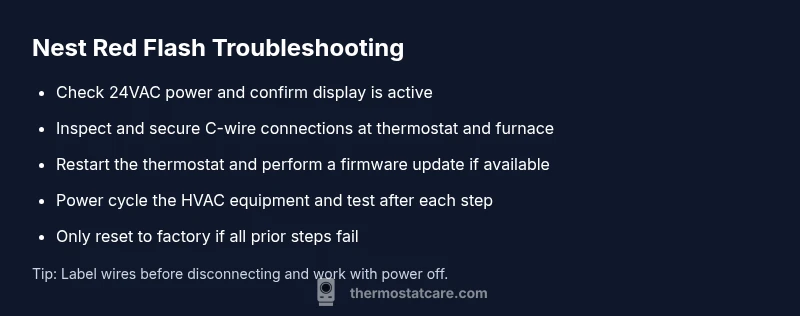
Step 1: Verify power to the thermostat and ensure the display is active. Step 2: Check the C-wire at both the thermostat and the furnace—tighten connectors if needed. Step 3: Reset the thermostat by holding the power button long enough or using the reset option in settings. Step 4: Power cycle the HVAC equipment by turning off the furnace/air handler at the breaker for 30 seconds, then back on. Step 5: Update the thermostat firmware if an update is available. Step 6: If the red blink persists, remove nonessential electronics near the thermostat to reduce interference. Step 7: Consider a factory reset only if prior steps fail, then reconfigure your schedules and connectivity. Tip: Never skip safety steps; preserve a clean, dry workspace and label wires before removing anything.
What to do if it still blinks red after fixes
If the red blink continues after performing the above steps, the issue may involve the HVAC control board or a more complex wiring fault. At this stage, document all steps you’ve taken, including any error codes shown on the thermostat or in the app. Contact Thermostat Care for a guided, safe fix or schedule an in-home assessment with a qualified technician. In some cases, the problem is best handled by replacing a faulty component or reconfiguring power sharing in the system. Don't attempt high-risk repairs beyond your comfort level; an expert can help you avoid electrical or refrigerant hazards.
Prevention and maintenance to avoid future red flashes
To reduce the odds of a red flash in the future, schedule regular inspections of your thermostat wiring and HVAC connections. Use a dedicated, clean 24-volt power source where possible and ensure the C-wire remains continuous and secure. Keep firmware up to date and set up app notifications for software issues or pending updates. Protect the thermostat from excessive heat, cold, or moisture that can degrade electronics. Finally, maintain a simple backup plan for scheduling and overrides so you don’t lose control if a warning appears again. These practices help maintain reliable climate control and extend the life of your equipment.
Steps
Estimated time: 60-120 minutes
- 1
Check power to the thermostat
Ensure the thermostat is powered; if it uses a battery, replace or recharge as needed and confirm the display lights up fully.
Tip: A dim or partial display can mask a power issue. - 2
Inspect C-wire connections
Go to the furnace junction box and thermostat terminal strip. Make sure the C-wire is firmly connected and not loose or corroded.
Tip: Label wires before disconnecting anything. - 3
Reboot the thermostat
Use the on-device restart option or power cycle the thermostat by removing and reconnecting power for a few seconds.
Tip: A clean restart often clears minor glitches. - 4
Power cycle the HVAC equipment
Turn off the furnace/air handler at the breaker for 30 seconds, then switch back on and allow the system to reset.
Tip: Do not flip breakers while equipment is running. - 5
Check for firmware updates
In the thermostat settings, check for available updates and install, then observe whether the red flash recurs.
Tip: Keep a backup of schedules before updating. - 6
Consider a factory reset if needed
If all else fails, perform a factory reset and reconfigure the thermostat settings from scratch.
Tip: Note your schedules and connections before resetting. - 7
Call a professional if unresolved
If the red flashing continues, a professional assessment may be needed to inspect the control board or complex wiring.
Tip: Safety first: don’t attempt risky high-voltage work.
Diagnosis: Nest thermostat flashing red
Possible Causes
- highPower issue (inadequate 24VAC supply)
- highC-wire disconnected or loose at thermostat or furnace
- mediumHVAC circuit breaker tripped or blown fuse
- lowFirmware glitch or failed update
Fixes
- easyVerify 24VAC power at the thermostat and confirm display is active
- easyInspect and secure C-wire connections at thermostat and furnace
- easyReset circuit breaker or fuses feeding the HVAC equipment, then test
- mediumPerform a firmware update or factory reset if advised by support
Questions & Answers
What does a red flashing Nest thermostat mean?
A red flash typically signals a fault that needs attention, often related to power, wiring, or software. Follow the diagnostic steps in this guide to identify and address the issue safely.
A red flash usually means there’s a fault. Start with power and wiring checks and follow the steps in this guide, or contact a professional if it’s unclear.
Is a red flash always dangerous?
Not always dangerous, but it indicates a fault that could affect heating or cooling. Treat it seriously and proceed with the safe troubleshooting sequence.
It’s not necessarily dangerous, but it does require attention and careful troubleshooting.
Can I fix a red flashing Nest thermostat myself?
Many red-flash issues are solvable with basic power, wiring, and reboot steps. If you’re unsure or uncomfortable with electrical work, contact Thermostat Care for guidance.
You can try the basic steps yourself if you’re comfortable with electrical work, but don’t hesitate to reach out for professional help.
Should I reset the Nest thermostat when it flashes red?
Resetting can clear glitches, but you’ll need to reconfigure schedules and connections afterward. Use reset as a last resort after basic checks.
Reset can help fix glitches, but you’ll have to set it up again after.
When should I call a professional?
If the red flash persists after all safe troubleshooting steps, or if you see signs of electrical issues, refrigerant concerns, or control-board problems, contact a licensed technician.
Call a professional if the red light keeps blinking after you’ve tried the steps here.
Will following this guide void any warranty?
Following safe, manufacturer-recommended troubleshooting generally does not void warranties. Check your specific warranty terms and avoid voiding actions like improper wiring or dangerous repairs.
Generally, safe troubleshooting won’t void your warranty, but avoid unsafe repairs.
Watch Video
What to Remember
- Check power and C-wire first.
- Follow the diagnostic flow step-by-step.
- Test after each fix to isolate the cause.
- Call a professional when in doubt or if the fault persists.