Lennox Thermostat Repair: A Practical How-To Guide
Step-by-step Lennox thermostat repair guide for homeowners. Diagnose power, wiring, and sensor issues safely with practical tips, when to repair, and when to replace for energy efficiency.


This quick guide helps homeowners diagnose and perform Lennox thermostat repair tasks safely, from power issues to sensor faults. You’ll learn essential checks, common failure modes, and when to replace instead of repair. Before you begin, gather basic tools, shut off power at the breaker, and follow the steps carefully to avoid damaging your HVAC system.
Introduction: Authority and Purpose
When a Lennox thermostat balks at regulating home comfort, you need a plan you can trust. This guide offers practical steps homeowners can take to diagnose and fix common Lennox thermostat repair issues without risking the safety of your HVAC system. According to Thermostat Care, many thermostat problems originate in basic power or wiring faults rather than advanced control-board failures. That means a careful, methodical approach often saves time and money. This article emphasizes safety, proven testing methods, and clear decision points so you can decide between repair and replacement with confidence. By following these steps, you’ll gain hands-on skills that reduce downtime and improve energy efficiency across seasons. The Thermostat Care team found that empowered homeowners resolve most routine issues through careful inspection and test measurements.
Symptom-Driven Diagnostics: What Failure Looks Like
Thermostat symptoms vary widely but share common roots. A blank screen, random temperature swings, improper hold settings, or failure to respond to touch often trace back to power issues, poor connectivity, or a loose wire. If your Lennox thermostat shows error codes or blinks in a particular pattern, note the sequence before testing. In many cases, reseating connectors, replacing weak batteries, or correcting a miswired C-wire resolves the problem without replacing the device. Thermostat Care analysis shows wiring faults and power supply problems are leading culprits in Lennox thermostat repair scenarios. By recognizing these symptoms early, you can prioritize testing that yields fast, reliable results.
Safety First: Power Down, Verify, and Protect
Always begin by cutting power to the thermostat and HVAC system. Use a non-contact tester to confirm the absence of voltage, and avoid working with live circuits. Remove the thermostat from the wall only after you confirm there is no power at the terminals. Keep tools insulated and avoid jewelry that could contact terminals. Working in a dry environment helps prevent accidental shocks. If you suspect a short or exposed conductor, pause and reassess before continuing. Safety is the cornerstone of any successful Lennox thermostat repair journey.
Tools, Materials, and Preparation
Before you touch a single screw, assemble a small toolkit tailored to thermostat testing. A digital multimeter, a non-contact voltage tester, insulated screwdrivers, a small pair of needle-nose pliers, wire nuts, and electrical tape cover the basics. Have spare batteries if your model uses them, and a simple wiring diagram of your exact Lennox unit. For organization, label wires as you disconnect and take photos to aid reassembly. A tidy workstation reduces mistakes and speeds up diagnosis, especially when you’re tracing wires through a wall plate.
Step-by-Step Diagnostic Flow: Where to Start
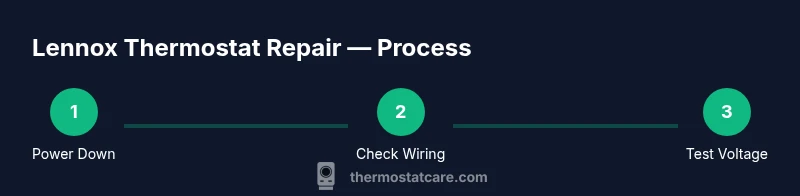
Start with the simplest checks and work toward the more complex tests. Confirm the display powers on, note any error codes, and inspect the wall plate for loose screws. Verify 24 VAC between R and C at the furnace panel or air handler, using the multimeter. If voltage is missing, check the HVAC fuse and the circuit breaker. If voltage is present, reseat all connectors, verify that the thermostat’s jumper settings match your system, and test each function (heat, cool, fan) individually. Following a logical diagnostic path reduces guesswork and keeps you safe, while Thermostat Care’s guidance emphasizes sticking to measurable steps rather than random probing.
Wiring and Power Checks: Verifying C-Wire, R, G, Y, and W
Power and wiring checks account for most Lennox thermostat repair tasks. Confirm that R has 24 VAC relative to C, then inspect each conductor for tightness and corrosion. Ensure G, Y, W, and C are all connected securely, with no frayed insulation or loose terminals. If the C-wire is missing or damaged, you may need to install a C-wire adapter or repurpose an available conductor. When testing, differentiate the thermostat circuit from any neighboring circuits to avoid misinterpretation of readings. Document wiring with photos to simplify reassembly and reduce the chance of mistakes.
Common Fixes: Batteries, Terminals, and Sensor Calibration
Many Lennox thermostat issues resolve with a few straightforward fixes. Replace old batteries and reseat all terminations to restore reliable connections. Tighten terminal screws to the manufacturer’s torque specification, if available, to prevent intermittent contacts. Some models offer a sensor calibration feature; use it if readings drift and compare the thermostat’s temperature reading against a nearby, accurate thermometer. If a control board fault is suspected, note error codes and consider replacement rather than endless testing. As Thermostat Care notes, most field issues are hardware-related rather than software-driven, so physical checks come first.
When to Replace vs Repair Lennox Thermostats
Repair remains cost-effective for aging devices with minor faults, but some scenarios justify replacement. Recurrent power shortages, unresponsive controls after multiple repairs, or a device that lacks essential features (like Wi‑Fi or smart integration) often warrants a new unit. Ensure the replacement matches the HVAC system’s voltage and wiring, and consider models with extended warranties and better energy efficiency. Keep in mind that older Lennox models may fall out of support as software updates end; weigh the long-term benefits of energy savings against upfront costs.
Maintenance Tips to Extend Life and Avoid Recurrence
Prevention beats repair. Schedule periodic visual checks of the wall plate, battery condition, and terminal tightening, especially after weather-driven cycles. Keep mounting hardware clean and secure to prevent vibration-related looseness. Periodically test the wiring path with a multimeter, particularly if you notice intermittent operation. Update firmware when available and reset to factory defaults only if guided by the model manual. A routine, proactive approach reduces the likelihood of future faults and keeps your Lennox thermostat performing at peak efficiency.
Tools & Materials
- Digital multimeter(Used to measure 24 VAC between R and C and verify voltages in circuits.)
- Non-contact voltage tester(Quick safety checks without touching live conductors.)
- Insulated screwdriver set(Essential for safe screw connections on thermostat terminals.)
- Needle-nose pliers(Helpful for gripping wires and gently bending conductors.)
- Wire nuts and electrical tape(For secure, insulated wire splices and terminations.)
- Replacement batteries (if model uses them)(Have fresh batteries on hand in case the unit relies on backups.)
Steps
Estimated time: 30-60 minutes
- 1
Power down and verify no voltage
Turn off power at the HVAC disconnect and the central breaker. Use the non-contact tester to confirm there is no voltage at the thermostat terminals before removing the faceplate. This prevents electric shock and protects the control board.
Tip: Double-check both the thermostat and the furnace panel are de-energized before touching wires. - 2
Remove the wall plate and access wiring
Carefully loosen screws, lift the thermostat from the wall, and label each wire as you detach it. Take detailed photos for reference. Ensure you do not yank the wires; loosen terminals gently to avoid wire damage.
Tip: Keep track of which wire goes to R, C, G, Y, W—misplacing a wire causes miscommunication with the HVAC system. - 3
Check for 24 VAC between R and C
With power still off, reconnect a tested instrument and confirm there is 24 VAC when power is restored. If voltage is absent, inspect the furnace fuse and circuit breaker. If voltage is present, proceed to reseat connectors.
Tip: If you don’t see 24 VAC, do not proceed with further wire testing until the power is safely restored and circuits re-inspected. - 4
Inspect and reseat all connections
Gently tug each wire to check for looseness and reseat all terminal screws. Clean any corrosion and ensure the wires are fully inserted under the terminal clamps. Replace damaged wires if needed.
Tip: A firm, not forced, seating prevents intermittent faults caused by loose contacts. - 5
Test system functions individually
Reconnect the thermostat and power the system. Test heating, cooling, and fan operations one by one. Note any non-responses or delays in switching modes. If codes appear, reference the manual for their meaning.
Tip: Document any codes; some Lennox units use blinking patterns that indicate specific faults. - 6
Evaluate sensor readings and calibration
Compare the thermostat’s temperature with an accurate reference near the device. If readings differ, use the device’s calibration features or adjust offset per the manual. If drift persists, consider sensor replacement.
Tip: Calibration should be performed in small increments to avoid overshoot. - 7
Decide on repair vs replacement
If the unit is old, or if power issues persist after several checks, weigh replacement versus repair based on cost, efficiency, and warranties. Replace only with a model compatible with your HVAC system.
Tip: Check warranty coverage before replacing; sometimes repairs are covered under service plans. - 8
Reassemble and test final time
Secure the wall plate, ensure screws are tightened, and reattach the thermostat face. Restore power and run a final test to confirm stable operation across modes and schedules.
Tip: Keep your notes handy in case you need to revisit any step later.
Questions & Answers
What are common Lennox thermostat problems?
Common Lennox thermostat problems include power or wiring faults, sensor drift, and connectivity issues. Many issues resolve with battery replacement, reseating wires, or model-specific calibration. If problems persist, consider checking the HVAC system components for broader faults.
Most Lennox thermostat problems come from power or wiring issues. Try battery checks and reseating wires first.
Can I repair a Lennox thermostat myself?
Yes, many basic repairs are doable for homeowners who follow safety steps and use the right tools. If you’re uncomfortable with electrical testing or the issue involves the control board, hire a professional.
You can do basic repairs yourself if you follow safety steps and use the right tools.
When should I replace vs repair?
Replace when the unit is old, unsupported, or frequently failing after multiple repairs. Replacement often yields better reliability and energy efficiency than continued repairs.
Replace if it’s old or not keeping up with features or energy efficiency.
How do I tell if the thermostat has no power?
Check for 24 VAC between R and C with a multimeter. If no voltage, inspect breakers and fuses, then check the furnace control board and wiring.
Test for 24 volts between R and C to confirm power; if not present, inspect breakers and fuses.
Is a factory reset safe?
Factory resets erase schedules and custom settings. Only reset if the manual directs you to, then reconfigure the device carefully.
Be careful—factory reset wipes schedules. Only do it if the manual instructs.
What safety steps should I follow?
Power down, confirm no voltage, and use insulated tools. Work on a dry surface and avoid loose jewelry near terminals.
Power off and verify no voltage; use insulated tools and stay dry.
Watch Video
What to Remember
- Power off before any testing to prevent shocks and equipment damage.
- Start with simple checks (batteries, loose connections) before deeper tests.
- Document wiring and codes to guide future repairs or replacement decisions.
- Choose replacement when the device is old, unsupported, or repeatedly failing despite fixes.