Is My Thermostat Bad? A 2026 Troubleshooting Guide
Urgent, practical tips to determine if your thermostat is bad and fix common issues safely. Learn quick checks, safety steps, and when to call a pro from Thermostat Care.


If your thermostat won’t respond, displays erratic readings, or won’t keep your home comfortable, the most likely cause is a simple power issue or a loose connection, not a bad thermostat itself. Start with the basics: check the thermostat’s power, verify battery status if applicable, and inspect the wiring or C-wire connections. If the issue persists, proceed to the diagnostic flow below.
Is My Thermostat Bad? Understanding the Question
When homeowners ask, is my thermostat bad, they often wonder whether the device itself is faulty or if something simpler is at fault. The short answer from the Thermostat Care team is that many symptoms point to power or wiring issues rather than a failed thermostat sensor. In 2026, the majority of thermostat-related problems we see are resolved by basic resets, battery checks, or reseating a loose connection. Recognizing this distinction early helps you avoid unnecessary replacement costs and keeps your system running smoothly. This section explains how to interpret common symptoms and what to check first, with practical steps you can take tonight. By focusing on safety and methodical checks, you’ll quickly determine whether you’re facing a minor fix or a larger electrical concern.
Quick Symptom Checklist: Spotting the Red Flags
- The display is blank or flickers intermittently.
- The temperature reading on screen doesn’t match room temperature.
- The HVAC system runs excessively or never kicks on when you change settings.
- The app or thermostat shows a fault code or generic error.
- The thermostat battery is swollen, corroded, or difficult to replace.
If you notice any of these signs, follow our diagnostic flow rather than guessing. Thermostat Care emphasizes starting with power and wiring checks, since many issues come from simple, repeatable mistakes. Remember: if you smell burning, hear buzzing, or see melted components, stop and call a professional immediately for safety. Keeping safety in mind protects you and your home while you troubleshoot.
Common Causes Behind Thermostat Troubles: From Quick Wins to Real Faults
Most thermostat hiccups fall into a few buckets: power, wiring, sensor glitches, or age-related failure. A dying battery on battery-powered models can mimic the symptoms of a faulty thermostat, and a tripped breaker or a loose C-wire connection can cause stubborn temperature drift. In many cases, the problem is not the thermostat’s internal sensor but the control circuit that powers it. Thermostat Care’s analysis shows that homeowners who inspect the power source, reseat wires, and update firmware see improvement without needing a replacement. Also consider environmental factors like extreme temperatures that affect battery life and electronics. While it’s tempting to assume a bad thermostat, most issues have cost-effective, quick fixes when approached systematically.
Safe, Systematic Testing You Can Do: A Step-by-Step Approach
Before you touch wires or open the wall, ensure safety by turning off the circuit breaker that powers the thermostat. If your model uses batteries, replace them with fresh ones and observe whether the display stabilizes. Next, check the C-wire connection at both the thermostat and the furnace control board; if you see loose or corroded terminals, reseat and clean them carefully. If the problem persists, reset the thermostat to factory defaults and re-enter your settings. Finally, reattach power and monitor for consistent temperature control over the next several hours. These steps are designed to be safe for homeowners while addressing the most common causes. Thermostat Care notes that many issues resolve after a simple reset or wiring fix, so follow the sequence and don’t skip ahead.
When to Call a Pro: Safety, Complexity, and Longevity
If you encounter sizzling or buzzing from wiring, a burning smell, or any sign of heat near the thermostat, stop immediately and contact a licensed professional. Some problems extend beyond a single device, involving HVAC wiring, power supply, or gas furnaces where incorrect wiring can create safety hazards. Even if you manage to stabilize the thermostat temporarily, persistent glitches could indicate underlying issues that require calibration or replacement. A pro can perform a controlled diagnostic with proper equipment, test continuity, and ensure your system operates safely and efficiently. Thermostat Care recommends seeking professional help for high-risk scenarios or when your thermostat is part of a combined cooling/heating system with complex controls.
Prevention: Keeping Your Thermostat Healthy Year-Round
Regular maintenance reduces the odds of recurring faults. Keep the thermostat area dust-free, verify that vents and rooms aren’t excessively sealed, and schedule a firmware check if your device supports updates. Periodic battery checks (for battery-powered models) and confirming the C-wire integrity can prevent subtle inconsistencies from escalating. Finally, invest in a modern thermostat if your current model relies on outdated hardware; newer units often offer improved sensors, better battery efficiency, and enhanced diagnostics. By adopting a proactive maintenance routine, you’ll minimize downtime and keep your home comfortable with fewer surprises.
Quick Practical Takeaways from Thermostat Care
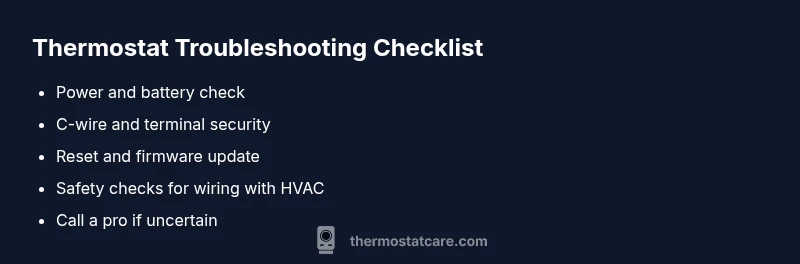
- Confirm power and battery health first; most issues start here.
- Inspect C-wire and wiring connections for looseness or corrosion.
- Use reset or firmware updates to clear glitches.
- Seek professional help for safety concerns or HVAC integration complexities.
- Maintain the device and surrounding environment to prevent future faults.
Steps
Estimated time: 1-2 hours
- 1
Power down and prep for inspection
Turn off the thermostat and cut power at the corresponding circuit breaker to prevent shocks. Gather a flashlight, a non-contact tester, and a small screwdriver if needed. This protects you while you check the basics.
Tip: Double-check that the display is entirely off before touching any wires. - 2
Check batteries and reset
If your thermostat uses batteries, replace them with fresh ones. After replacing, perform a soft reset as documented in your manual to clear temporary glitches.
Tip: Use high-quality alkaline or lithium batteries for reliability. - 3
Inspect wiring and C-wire
Remove the front plate carefully and look at the terminals. Reseat live wires and ensure C-wire is firmly connected at both ends. Look for loose screws or signs of corrosion.
Tip: Take a photo of the wiring before you disconnect anything to aid reassembly. - 4
Test the thermostat after wiring tweaks
Reapply power and set a simple temperature to see if the unit responds consistently. Note if there are any repeating error codes or unusual behavior.
Tip: If the display flickers, stop testing and call a professional. - 5
Factory reset and reconfigure
If issues persist, restore factory settings and re-enter preferences like schedules and connected devices. This clears potential software glitches.
Tip: Document your settings to speed up reconfiguration. - 6
Observe performance and plan next steps
Monitor for 24 hours to confirm stability. If the problem recurs, consider upgrading the unit or scheduling an HVAC check.
Tip: Keep a log of intermittent symptoms to share with a pro.
Diagnosis: Thermostat behaves unpredictably or fails to regulate temperature
Possible Causes
- highPower issue (dead battery or tripped circuit)
- mediumLoose or corroded wiring, especially C-wire
- lowMalfunctioning sensor or aging thermostat
Fixes
- easyCheck power supply; replace batteries if applicable and reset the thermostat
- easyInspect and reseat C-wire and other connections; ensure clean, secure terminals
- mediumIf issues persist, consider firmware update or upgrade to a newer model; consult a pro if wiring is unsafe
Questions & Answers
What are the most common signs that my thermostat is bad?
Erratic temperature readings, a blank or flickering display, or a failure to regulate heating or cooling are the most common signs. Start with power and wiring checks before assuming a full device fault.
Common signs include erratic readings and a flickering display. Start with power and wiring checks before replacing the thermostat.
Can a dead battery cause thermostat problems?
Yes. Many thermostats rely on batteries for operation. Replace with fresh batteries and verify the unit powers on correctly.
Yes. If the battery is dead, replace it and test if the thermostat responds.
Does a blank or flickering display always mean the thermostat is bad?
Not always. A blank or flickering display often indicates power or wiring issues rather than a failed sensor. Check breakers and wiring first.
A blank screen usually signals power or wiring issues, not necessarily the thermostat itself.
When should I replace vs repair my thermostat?
If your thermostat is old or repeatedly failing after fixes, replacement is often more reliable than ongoing repairs.
If it keeps failing after fixes or is very old, consider replacing it.
Is professional help always necessary?
Not always. For high-voltage wiring or complex HVAC-integrator setups, a licensed technician is safer and can ensure proper calibration.
Not always, but for wiring or complex HVAC setups, a pro is safer.
Watch Video
What to Remember
- Check power first; most issues are energy-related.
- Verify C-wire integrity and secure connections.
- Use resets/firmware updates to clear glitches.
- Call a pro for dangerous wiring or complex HVAC integration.