How to Know When Your Thermostat Isn’t Working
Urgent, practical guide to diagnose thermostat failures, verify signals, and fix common issues safely. Learn the diagnostic flow, DIY steps, and when to call a pro. Thermostat Care helps homeowners troubleshoot quickly.


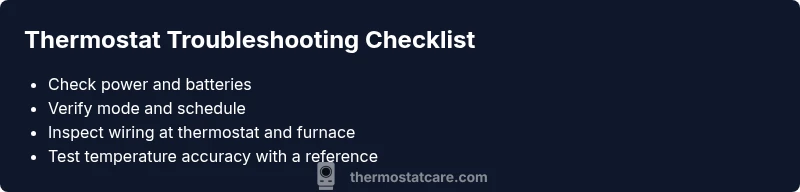
According to Thermostat Care, most thermostat problems come from power, wiring, or misconfigured settings. Start by verifying the device is powered, the battery is fresh if applicable, and that the thermostat is in the correct mode (heat, cool, auto). If readings still don’t match the actual temperature, follow the diagnostic flow below. Thermostat Care analysis shows that many fixes are doable without a professional.
Signs Your Thermostat Isnt Working
Urgent indicators include a blank or flickering display, frequent resets, or temperatures that doneel like the setting you chose. If the room never reaches the programmed temperature or if the system runs nonstop, you may be facing a thermostat issue rather than an HVAC problem. This section flags the most common symptoms and what they typically imply. In practice, homeowners often discover that the root cause is power-related, wiring, or a misconfigured setting that can be corrected without replacing equipment. The goal is to quickly separate easy fixes from problems that require professional attention.
According to Thermostat Care, many early symptoms are solvable with basic checks, which saves time, money, and frustration. If you notice any of these signs, move to the next checks methodically rather than jumping to conclusions about the HVAC system.
Safety First: What Not to Do
Safety should lead every troubleshooting session. Never poke around live electrical connections or furnace wiring unless you have explicit training. Before you touch anything, switch off power at the circuit breaker to the thermostat and HVAC equipment. Keep children and pets away, and do not bypass fuses or breakers in an attempt to force a fix. If you smell burning, hear buzzing, or notice melted insulation, exit immediately and call a licensed technician. Choosing the safe path protects your home and prevents further damage. This guide prioritizes safe, guided steps you can take without professional help unless clearly necessary.
Steps
Estimated time: Total time: 30-60 minutes
- 1
Power and Battery Check
Power off the thermostat at the circuit breaker to minimize shock. Check that the thermostat is receiving power and replace batteries if applicable. After replacement, power the system back on and confirm the display responds normally.
Tip: Use a non-contact tester to verify power at the thermostat circuit before touching wires. - 2
Inspect Wiring at Thermostat
Carefully remove the thermostat cover and inspect wire connections. Look for loose, corroded, or frayed conductors, and ensure wires are fully seated under their terminals (R, C, W, Y, G). Re-seat any loose wires and re-test.
Tip: Take a photo of the wiring before detaching anything to guide reassembly. - 3
Check the HVAC Control Board Connections
With power off, inspect the furnace/air handler control board for loose or disconnected wires going to the thermostat cable. Ensure the C-wire is firmly connected if your setup requires it.
Tip: A loose C-wire is a common cause of intermittent power to smart thermostats. - 4
Test Temperature Sensing
Compare the thermostat reading with a reliable thermometer in the same room. If there is a large discrepancy, the sensor may be miscalibrated or in a poor location. Consider relocating or calibrating as needed.
Tip: Calibrate if your model supports it, using the built-in recalibration option. - 5
Reset and Re-Program
Perform a factory reset if the issue persists, then re-enter your schedule, hold, and mode settings. Confirm the thermostat now responds to changes and reaches the desired temperature.
Tip: Keep a written record of your settings for easy restoration if needed. - 6
Decision Point: Pro Help
If readings remain inaccurate after the above steps, the issue may involve advanced electronics or HVAC integration. Schedule a professional evaluation—warranty coverage may apply.
Tip: Check your equipment warranty status before booking a service call.
Diagnosis: Thermostat display is intermittent or falsely reads room temperature
Possible Causes
- highPower or battery issue
- mediumLoose or damaged wiring at thermostat or furnace control board
- lowSensor miscalibration or sun exposure near the thermostat
Fixes
- easyCheck the power circuit to the thermostat and replace batteries if the model uses them
- easyInspect and reseat wires on the thermostat terminals (R, C, W, Y, G) and at the furnace control board
- easyReset the thermostat to factory defaults or re-pair it with the HVAC system following the manual
- hardIf the issue persists, schedule a professional evaluation for control-board or sensor replacement
Questions & Answers
What are the most common signs a thermostat isnt working correctly?
The most common signs are a blank or unreliable display, the room not matching the set temperature, or the system running continuously. These symptoms often point to power or wiring problems, or misconfigured settings.
Common signs include a blank display, mismatch between setting and actual temperature, and the system running nonstop.
Can I diagnose thermostat issues without calling a professional?
Yes. Start with power, battery, and wiring checks, plus verifying the thermostat mode and schedule. Use a diagnostic flow to isolate potential causes and perform safe, basic fixes that don’t require special tools.
Yes. Start with power and wiring checks and use our flow to isolate issues.
Should I replace batteries before calling a pro?
If your thermostat uses batteries, replace them to rule out power issues. If the unit still behaves strangely after a battery change, proceed with the diagnostic steps or contact a pro.
Yes, replace batteries first if you have a battery-powered model.
What is a C-wire and why is it important?
The C-wire provides a continuous 24-volt power source to smart thermostats. If the C-wire is loose or missing, the thermostat may power down or misread temperatures.
The C-wire is the common power line for many smart thermostats; a loose or missing C-wire can cause power and display issues.
When should I replace my thermostat rather than repair it?
If your thermostat is very old, unreliable, or repeatedly failing, replacement is usually more cost-effective and reliable than ongoing repairs.
Older units with recurring problems are usually best replaced for reliability.
Watch Video
What to Remember
- Check power and mode first to rule out obvious issues
- Secure all thermostat and furnace wiring before testing
- Use a diagnostic flow to isolate causes quickly
- Call a pro if the problem involves control boards or warranty areas