How to Tell If Your Thermostat Is Broken: A DIY Troubleshooting Guide
Urgent guide to diagnose and fix a broken thermostat. Learn quick checks, common causes, and step-by-step fixes to restore accurate temps and comfort in your home.


According to Thermostat Care, most thermostat failures stem from power or sensor issues rather than a faulty HVAC. Start with quick checks: replace the batteries, confirm power (breaker, outlet, or C-wire), and ensure the display responds to changes. If readings stay wrong, you likely need deeper testing or professional inspection.
The quick reality check: how to tell if thermostat is broken
If your home never reaches the set temperature, the thermostat may be at fault, not the HVAC system. This guide helps you determine whether the issue is with the thermostat itself. We'll cover common symptoms, how to reproduce them safely, and how to avoid misattributing problems to your furnace or air conditioner. According to Thermostat Care, many power, battery, or wiring problems masquerade as a thermostat failure. Start by noting when the problem occurs: does it happen only at certain times, with specific settings, or after a power outage? Keep a notebook of unexpected behavior to reference later, especially if you will involve a technician or support line.
Signs your thermostat may be broken
- The display is blank or unresponsive to button presses.
- Temperature readings drift significantly from the actual room temperature.
- The HVAC system runs constantly or won't turn on when setpoints change.
- Wi‑Fi or smart features show errors or fail to update.
- Programmable schedules ignore changes or reset randomly.
- The battery icon flashes or the thermostat seems powered by only a partial supply.
Safe, fast checks you can perform today
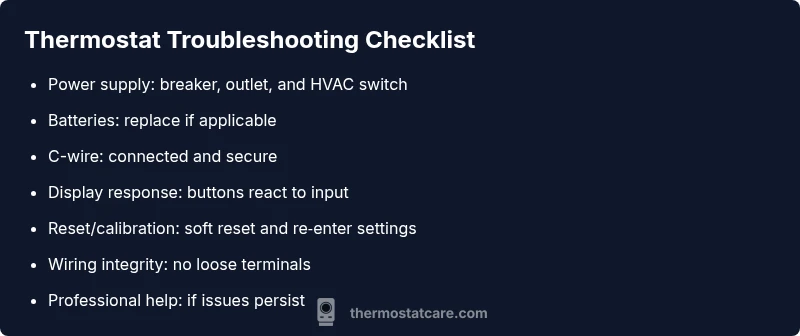
- Replace the batteries (if it has a battery) and observe response time.
- Verify the thermostat has power: check the circuit breaker, fuses, and any inline switches near the HVAC equipment.
- Confirm the C‑wire is connected and the terminal blocks are clean and tight.
- Try a soft reset or factory reset following the user manual, then re‑enter settings.
- If your thermostat is wired to a new smart hub, ensure the hub is functioning and compatible.
- Note any abnormal behavior for when to contact support.
Distinguishing thermostat issues from HVAC problems
Only a few symptoms clearly point to the thermostat. If your blower runs continuously even after setting a different temperature, or if the system responds to manual overrides but not to programmed schedules, the thermostat may be the culprit. If the home never heats or cools properly regardless of settings, the issue could be with the furnace, air conditioner, or ductwork. In many cases, a failing sensor or miscalibrated readings originate from the thermostat itself.
When to recalibrate, replace batteries, or call a pro
Recalibration or a simple reset often resolves minor drift. If the display still shows incorrect temp after a reset, replace the batteries and re‑pair the thermostat with your Wi‑Fi or hub. For wired units, inspect the C‑wire and terminals; a loose wire can cause intermittent readings. If problems persist after these steps, professional diagnosis is advised to avoid accidently damaging the control board or HVAC components.
How to prepare for a professional visit
Before you call a technician, document patterns: when the issue occurs, what settings you used, and how long it lasts. Take clear photos of the wiring terminals and thermostat backplate, note model numbers, and list any recent changes to power or Wi‑Fi setups. This information helps the pro reproduce the problem quickly and determine if a replacement is necessary.
Prevention tips to extend thermostat life
- Keep the thermostat away from direct sunlight, drafts, or heat sources that can skew readings.
- Schedule regular battery checks (if applicable) and keep the backplate clean.
- Update firmware or software for smart thermostats when new versions are released.
- Use a surge protector to guard the power supply and avoid outages that damage electronics.
Steps
Estimated time: 45-60 minutes
- 1
Check power supply
Confirm the thermostat has power. Reset the breaker, test the outlet with another device, and ensure no inline switches are off.
Tip: If you see a tripped breaker, identify what caused the trip before resetting. - 2
Test or replace batteries
If the unit uses batteries, replace them with fresh alkaline or lithium cells. Observe whether the display and sensors respond afterward.
Tip: Use the manufacturer’s recommended battery type. - 3
Inspect wiring and C-wire
With power off, check that all wires are fully inserted and terminals are clean. If a C-wire exists, ensure it’s connected securely.
Tip: A loose C-wire is a common cause of intermittent readings. - 4
Reset and recalibrate
Perform a soft reset, then re-enter your temperature schedule and preferences. If supported, run a calibration test.
Tip: Record settings after reset to restore quickly if needed. - 5
Test HVAC response
Change the setpoint and observe if the furnace/AC responds appropriately. If the system ignores changes, the thermostat may be at fault.
Tip: Check for any error codes on the HVAC control panel. - 6
Call a professional if needed
If problems persist after these steps, contact a qualified technician to diagnose wiring or control board issues.
Tip: Avoid opening the control board; it can pose safety risks.
Diagnosis: Your thermostat display is blank or the unit does not respond to changes
Possible Causes
- highPower issue (tripped breaker, blown fuse, no power at outlet)
- highDead or weak batteries (if battery-powered)
- mediumLoose or damaged wiring / faulty C-wire
- lowSoftware glitch or calibration drift
Fixes
- easyReset the breaker or replace fuses, and restore power to the thermostat circuit
- easyReplace the thermostat batteries and reseat terminals; clean corrosion if present
- mediumCheck wiring at the wall and at the HVAC control board; reseat or replace damaged wires
- easyPerform a factory reset and reconfigure settings; update firmware if available
Questions & Answers
What are the most common signs a thermostat is broken?
The display is unresponsive, readings drift from room temperature, the HVAC runs incorrectly, or Wi-Fi features fail. These often point to the thermostat or its wiring rather than the furnace or AC.
Common signs include a blank display or temperature drift. If unsure, test the unit's response to changes.
Can a bad thermostat cause higher energy bills?
Yes. If the thermostat misreads the room or ignores setpoints, your system runs longer than needed, driving up energy use. Fixing calibration or wiring usually helps.
A faulty thermostat can cause extra energy use due to inaccurate readings.
Should I replace batteries before calling a pro?
If your thermostat uses batteries, replace them first. Many issues are solved by fresh power. If the problem persists, proceed with further checks or professional help.
Start with new batteries; if it persists, get a professional check.
Do I need a professional to test a thermostat?
Not always, but a professional should inspect wiring, control boards, or non-replaceable sensors if basic checks fail. Faulty installations can risk safety or equipment damage.
A pro is advisable if basic checks don’t fix it.
What should I do if the thermostat screen is blank?
First check power and batteries. If still blank, inspect wiring or consider a replacement. If unsure, contact a technician for safety.
If the screen is blank, check power and wiring, and seek professional help if needed.
Watch Video
What to Remember
- Power and battery checks first
- Differentiate thermostat vs HVAC problems
- Document symptoms before calling tech
- Reset or recalibrate before replacement
- Call a pro if in doubt