How to Turn Off Thermostat: A Practical Guide
Learn safe, proven methods to turn off your thermostat—manual, app-based, or power-off breaker—with step-by-step guidance from Thermostat Care. Perfect for homeowners and DIY enthusiasts.


Quickly and safely turn off your thermostat using the device’s own controls, the mobile app or hub, or by cutting power at the breaker. This guide covers each method, explain when to use them, and how to verify devices are fully powered down without damaging HVAC equipment. Whether you’re at home or away, you’ll learn how to avoid common mistakes and ensure safety.
Why Turning Off a Thermostat Matters
According to Thermostat Care, turning off a thermostat when you leave home for an extended period or during maintenance can prevent unnecessary heating or cooling, reduce energy waste, and lessen wear on the HVAC system. Understanding what 'off' means for your device helps you choose the safest method without compromising comfort when you return.
In most homes, turning off a thermostat isn't the same as unplugging every component. A modern digital thermostat may have an OFF setting, a 'Hold' or 'Auto' mode, or a vacation mode. When you select Off, the thermostat stops calling for heat or cooling, but some systems may keep standby power to maintain memory or Wi‑Fi connectivity. If you rely on a smart thermostat, turning off through the app can also push a safety shutdown to the controller without changing wiring. This matters because the goal is to avoid overheating pipes in winter or frozen coils in cold snaps, while still preserving your system's health for when you turn it back on. The Thermostat Care team recommends planning ahead, especially during seasonal transitions, so you aren't surprised by a hot or cold return.
Understanding When to Turn Off a Thermostat
Knowing when to turn off is not only about leaving home. If you’re performing maintenance, experiencing frequent cycling, or troubleshooting a non-responsive unit, turning off can prevent unwanted operation or electrical noise from the equipment. For guests or long vacations, you may want to switch to a lower hold or set a vacation mode to keep humidity and temperature within safe ranges, while reducing energy use. According to Thermostat Care analysis, most thermostat-related issues stem from power or control wiring rather than mechanical failure, so a deliberate quiet shutdown can protect the system during stressful events. Always plan a safe return to normal operation and document any changes you make for future reference.
If you have a mixed system (gas furnace with electric air handler, or heat pump with auxiliary heat), the exact consequences of turning off can vary. Consult your manual for model-specific behavior because some devices still engage fan or compressor circuits for safety even when temperature calls are paused. With a smart thermostat, you can often program a temporary “off” while keeping the network aware of your status. This helps you avoid accidental reactivation by smart routines when you return.
A practical approach is to decide: do you want to completely cut power or simply halt activity? The answer depends on whether you’re protecting pipes in winter, preserving humidity in summer, or preserving calibration for your HVAC controls. The key is to understand how your specific model handles an Off command and how it interacts with any connected smart home ecosystem.
Methods to Turn Off: Manual, App, Breaker
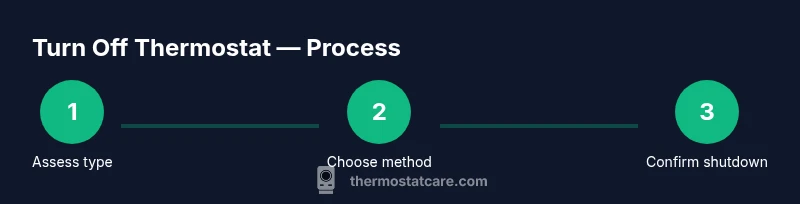
There are three core methods to turn off a thermostat, each with its own use cases. The simplest is the thermostat’s own control panel, which for many models includes an explicit OFF option or a mode switch to prevent calls for heating or cooling. If you rely on a smart thermostat, the app or hub often offers a direct shutdown or “Standby” setting that informs the controller without changing wiring. The most definitive method is cutting power at the HVAC circuit breaker or disconnect switch, which guarantees no power reaches the thermostat or furnace. This should be used with caution and only when other methods fail or during a service window where you must ensure the system is completely powered down. When using the breaker, wait a few seconds after switching off before restoring power, to let capacitors discharge and avoid a surge when you re-enable the circuit.
Safety Considerations and Best Practices
Safety first: always verify you’re working with de-energized components before handling any wiring. Use a non-contact voltage tester to confirm power is off before removing any cover plates. If you must open the thermostat, use the appropriate screwdriver and avoid touching exposed terminals. Never work on live wiring with wet hands or in damp environments. If you’re unsure about the process, contact a licensed HVAC technician. For smart thermostats, disabling via the app can be safer than flipping breakers repeatedly, as it preserves device state and reduces risk of short cycling when you turn the system back on. Remember, turning off a thermostat does not guarantee the entire house is free of energy usage; the HVAC system and connected devices may still draw standby power. Thermostat Care recommends documenting any shutdowns and labeling breakers to prevent accidental re-powering.
Troubleshooting Common Issues After Turning Off
After you turn the thermostat back on, some users notice delayed responses or unfamiliar startup sequences. Start by verifying the thermostat display is active and responsive. If the screen remains blank, check the power source again and confirm the breaker is fully on. If you use a smart thermostat, re-pair the device to the app or hub and ensure Wi-Fi connectivity is restored. If your unit continues to call for heat or cooling after powers are restored, check the wiring and C-wire connection in the control board. In some cases, a reset or reconfiguration within the app is required to recalibrate sensors and schedules. If issues persist, consult the manual or contact Thermostat Care for guidance.
A note on safety: if you smell burning or hear buzzing from the furnace or air handler, shut off power at the breaker immediately and call a professional. Do not attempt further troubleshooting while the system is energized.
Quick Alternatives for Energy Savings Without a Full Off
If you don’t want a full shutdown, consider lowering setpoints, enabling a vacation or away mode, or using time-based schedules. Modern thermostats often provide energy-saving options like Eco or Shield modes that reduce runtime while keeping essential climate control. For households with humidity-sensitive environments, you can maintain a minimum operational level to prevent condensation without fully powering down. These strategies help maintain system health and comfort while achieving significant energy savings. The aim is to avoid abrupt temperature swings while you’re away, and to ensure a safe and smooth re-entry when you return. The Thermostat Care team emphasizes planning ahead and using model-specific features to minimize risk and maximize efficiency.
Tools & Materials
- Flat-head screwdriver(For non-touch panels or covers that require a flat blade.)
- Phillips-head screwdriver(Standard household screws for thermostat faceplates.)
- Non-contact voltage tester(Verify power is off before touching any wiring.)
- Smartphone with thermostat app(Needed only if you’ll turn off via app or hub.)
- Owner’s manual for your thermostat(Model-specific instructions and safety tips.)
Steps
Estimated time: 20-40 minutes
- 1
Identify thermostat type and power source
Inspect the thermostat to determine if there is an OFF option, and note whether the unit is hardwired or battery-powered. This helps you choose the safest shutdown path and avoids unexpected reboots.
Tip: Consult the user manual for model-specific OFF behavior before proceeding. - 2
Turn off on the thermostat (if available)
If your thermostat has an OFF setting or a dedicated mode, switch to Off or a standby mode. Confirm the display stops calling for heat or cooling and that the system shows a neutral state.
Tip: If you use a vacation mode, verify it engages power-down without losing critical Wi-Fi or sensor data. - 3
Disable power from the control panel (breaker) if needed
If there’s no OFF option or the unit won’t stop, locate the HVAC circuit breaker and turn the corresponding switch to Off. Wait 30 seconds to ensure capacitors discharge, then verify no power reaches the thermostat.
Tip: Label the breaker to prevent accidental re-energizing. - 4
Turn off via the app or smart hub (optional)
Open the thermostat app or hub, select the device, and choose Off/Standby or a similar setting. This communicates a shutdown to the controller and often avoids fully powering down the home network.
Tip: If your app requires re-authentication after a long absence, sign back in before testing the device. - 5
Verify the system is powered down
Check that the thermostat display is blank or shows no active heat/cool calls. Listen for the HVAC to stop cycling and ensure the fan isn’t running. If required, re-check the breaker.
Tip: Use a second method (thermostat and breaker) to confirm a complete shutdown. - 6
Restore power and re-enable operation when ready
Turn the breaker back on or re-connect the thermostat, then wait for a full boot. Confirm the thermostat responds to commands and that the HVAC system operates normally under your preferred settings.
Tip: If you rely on schedules, re-enter them after power restoration to avoid unintended temperature changes.
Questions & Answers
Is it safe to turn off the thermostat during hot weather?
Turning off a thermostat during hot weather is generally safe, but it may cause the indoor temperature to rise and humidity to change. Plan ahead if you’re away and use vacation or away modes when available. If you rely on humidity control, consider a partial shutdown rather than a full power-off.
It's usually safe, but expect a warmer indoor environment. Use away modes when possible to balance safety and comfort.
Can turning off the thermostat damage the HVAC system?
Turning off the thermostat itself does not typically damage the HVAC system. Problems usually come from power issues or improper reactivation. Always follow the manual and use the breaker only if necessary.
No, but incorrect power restoration can cause issues. Follow proper steps and re-check settings.
What should I do before turning off power at the breaker?
Turn off the thermostat first if possible, then shut the breaker for the HVAC unit. Label the breaker and wait a moment before turning it back on to avoid surges.
Turn off the thermostat first, then the breaker. Label it so you don’t forget later.
If my thermostat is offline, can I still turn it off?
If the thermostat is offline, you can still shut off power at the breaker or use the app if it’s connected to a hub. Expect limited control when the device is not connected to Wi-Fi or the home network.
Yes, use the breaker or app if available, but offline devices may not respond to commands.
How do I restore settings after turning the system back on?
Turn the power back on, wait for the thermostat to boot, and reapply your preferred schedules or modes. If you use a smart system, re-sync the device with the app or hub.
Power up, let it boot, and re-enter your schedules. Reconnect in the app if needed.
Watch Video
What to Remember
- Turn off via the thermostat first when possible.
- Use the breaker only if necessary or when the thermostat won’t stop calling.
- Smart thermostats often require app-based shutdown for safety.
- Verify power is fully cut and re-establish settings when ready.
- Document changes and consult the manual for model-specific steps.