How to Control Thermostat: A Step-by-Step Guide for Homeowners
A complete, step-by-step guide to controlling a thermostat effectively—from manual models to smart systems—rooted in practical safety checks, energy-saving strategies, and troubleshooting tips for homeowners and DIY enthusiasts in 2026.


This guide teaches you how to control thermostat settings to improve comfort and cut energy waste. You’ll learn to operate manual controls, program schedules on programmable types, and troubleshoot common issues safely. The Thermostat Care team highlights practical steps and safety checks to get reliable results without professional help when possible at home.
Why controlling thermostat efficiently matters
Controlling thermostat settings effectively is one of the simplest ways to improve comfort while reducing energy waste. When you manage the temperature with intention, you avoid unnecessary cycles that heat or cool your home more than needed. The impact is not only lower utility bills; it also extends the life of your HVAC equipment by reducing strain during extreme weather. For homeowners and DIY enthusiasts, learning how to control thermostat behavior translates into a more comfortable living space and fewer temperature swings. According to Thermostat Care, establishing clear temperature bands and predictable routines helps your home reach and maintain comfort more quickly, without sacrificing performance. This is especially important in older homes where improper zoning or inefficient insulation can amplify temperature fluctuations. By understanding the basics of your thermostat, you gain a foundation for more advanced steps later in this guide. You’ll also learn how to distinguish between manual control, programmable settings, and smart features so you can pick the approach that best fits your lifestyle.
Understanding thermostat types and terms
Thermostats come in several styles: manual (dial or digital button interfaces), programmable (allows schedules), and smart (connects to Wi-Fi or home networks). Each type offers different levels of control, automation, and energy insights. In plain terms:
- Manual thermostats require you to adjust the temperature directly and don’t save schedules.
- Programmable thermostats let you set different temperatures for different times of the day or week.
- Smart thermostats learn your habits, optimize schedules automatically, and can be controlled from apps or voice assistants.
Key terms you’ll encounter include setpoint (your target temperature), hold (temporary override of the schedule), auto (fan operation with cooling or heating cycles), and mode (heat, cool, auto, off). Understanding these basics helps you choose the right device and use it effectively.
Safety and setup prerequisites
Before you touch any thermostat, ensure your safety and the system is ready. If you’re working on a gas furnace, electric heater, or heat pump, you should know where your main power disconnect is located and avoid working on live components. If you’re unsure, consult the unit’s manual or contact a licensed technician. For most residential thermostats, power safety simply means turning off the circuit breaker feeding the thermostat and, if needed, the HVAC equipment. Keep a clear workspace, use a flashlight if necessary, and never force stuck buttons or damaged wiring. The goal is to inspect for obvious issues like loose wires or corroded terminals and to confirm you have access to the thermostat’s interface (on-device or app) without exposing yourself to electrical components.
Overview of manual control: what to know
Manual control puts you in direct charge of the temperature without scheduling automation. It’s a good starting point for learning the basics, especially on older homes or when a smart system isn’t feasible. You’ll learn how to adjust the setpoint, switch between heat and cool modes, and use the fan to stabilize room temperature. While manual control is straightforward, it lacks the energy-saving features of programmable or smart models. The skill here is recognizing when a quick adjustment is enough to stay comfortable without over-cycling the HVAC system.
Programming a programmable thermostat: key steps
Programmable thermostats enable you to set temperature targets for different times of the day and days of the week, which helps minimize energy use while preserving comfort. The core idea is to align your home’s temperature with occupancy patterns and outdoor conditions. Start with a baseline schedule that matches your daily routine, then adjust after a week based on comfort feedback and bills. Pairing a programmable thermostat with proper zoning and insulation yields noticeable energy efficiency without sacrificing comfort. If your model supports smart features, you can blend a scheduled routine with learning algorithms for ongoing optimization.
Using a smart thermostat: benefits and setup
Smart thermostats bring remote control, real-time energy data, and adaptive learning. The setup typically involves connecting the device to your Wi-Fi network, linking to a mobile app, and agreeing to data permissions for energy insights. Once configured, you can adjust temperature from anywhere, create geofencing rules, and integrate with voice assistants. The biggest payoff comes from automatic optimization: the thermostat learns your patterns, makes small adjustments, and reduces energy use without constant manual input. Ensure your home’s Wi-Fi is reliable, and keep the app updated for best performance.
Troubleshooting common control issues
If your thermostat won’t respond or shows incorrect readings, start with basic checks: verify power to the unit, confirm display is on, and ensure the HVAC system responds when you change the setting. For non-responsive units, check for tripped breakers, blown fuses, or loose wiring at the thermostat or furnace control board. If a smart thermostat won’t connect to Wi-Fi, verify your network name and password, restart your router, and confirm the thermostat is within range. When calibrations drift, recalibrate per the user manual or reset to factory defaults and re-enter settings. Always consult the manual for model-specific steps.
In all cases, avoid forcing components or disassembling high-voltage sections. If you encounter unfamiliar wiring or safety concerns, stop and call a professional.
Energy-saving strategies and best practices
Energy efficiency comes from a combination of smart control, insulation, and sensible habits. Use scheduled temperatures that align with occupancy, enable eco or energy-saver modes, and program setback periods during nighttime or when away. Pair thermostat control with proper insulation, weather-stripping, and routine HVAC maintenance to maximize savings. If you have a smart thermostat, take advantage of learning capabilities, occupancy sensing, and weather data integration to optimize temperatures automatically. Remember: consistency is key—small, regular adjustments can yield more savings than drastic, infrequent changes.
Maintenance and common mistakes
Regular maintenance helps ensure accurate readings and reliable operation. Clean the thermostat’s interior and sensors when necessary and replace batteries if the unit relies on them. Common mistakes include ignoring a routine calibration, using extreme setpoints, or disabling energy-saving modes. Keep in mind that a well-maintained thermostat is more accurate and effective at delivering comfort with less energy use. Thermostat Care recommends scheduling a yearly check to verify that the device is functioning as intended and that firmware remains up to date.
Tools & Materials
- Screwdriver set (Phillips #2 and flat-head)(Essential for removing the thermostat cover and tightening terminals)
- Manual for your thermostat(Keep on hand for model-specific steps)
- Smartphone or computer with internet(Needed for smart thermostats and remote access)
- Non-contact voltage tester(Optional safety check for wiring work)
- Notepad and pen(Record settings and notes during the process)
- Flashlight(Improve visibility inside the thermostat mount)
Steps
Estimated time: 30-45 minutes
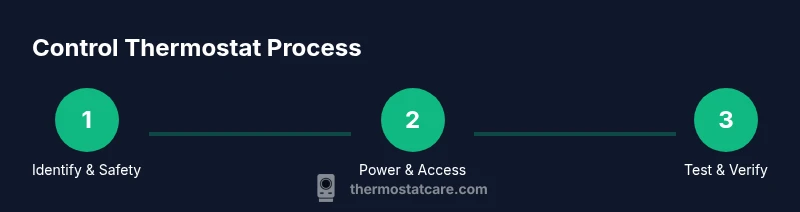
- 1
Identify thermostat type and safety steps
Confirm whether you have a manual, programmable, or smart thermostat. Review the manual for model-specific instructions and safety notes. If you’re unsure about wiring or power, stop and seek professional assistance.
Tip: Double-check model compatibility before attempting any upgrades. - 2
Power down the system and remove the cover
Switch off the thermostat at the unit and/or the corresponding circuit breaker to avoid shocks. Remove the faceplate or cover to access wiring and terminals. Do not touch exposed conductors; keep the area dry and clear.
Tip: Take a photo of wire connections before disconnecting anything. - 3
Check and secure wiring connections
Look for loose, frayed, or corroded wires. Re-seat any loose wires and ensure wire-nuts or terminals are snug without over-tightening. If a wire is damaged, tape it temporarily and plan a replacement.
Tip: Only tighten to the recommended torque if your manual specifies it. - 4
Set mode and adjust setpoint manually
Choose the appropriate mode (heat, cool, auto) and set a reasonable starting temperature. Ensure the fan setting corresponds to your comfort goals. Document the baseline so you can track changes.
Tip: Start with modest adjustments (2–3 degrees) to test system response. - 5
Program schedules if supported
Create a simple daily schedule that mirrors your routine. Avoid extreme setpoints during unoccupied periods to minimize energy waste. Save the schedule and test it for a day or two, adjusting as needed.
Tip: Label each schedule so you can reference it later. - 6
Test operation and document results
Power the system back on and verify that changes take effect. Confirm the HVAC responds to adjustments in all modes. Write down outcomes to compare against future tweaks.
Tip: Run a quick test cycle during different times of the day to check consistency.
Questions & Answers
What is thermostat control?
Thermostat control is the process of regulating heating and cooling to reach a target temperature using the device's modes, setpoints, and scheduling features. It varies by model—from manual adjustments to automated learning in smart thermostats.
Thermostat control means using the device to reach and hold your desired temperature, whether manually or via automation.
How do I reset my thermostat?
Reset steps vary by model but generally involve using the settings menu to restore factory defaults or performing a power cycle. Remember this may erase saved schedules and settings, so note them beforehand.
Most thermostats reset from the settings menu or by power cycling the unit.
Can I control my thermostat remotely?
Remote control is possible with smart thermostats via a mobile app or cloud service. You can adjust temperature, set schedules, and receive energy insights from anywhere with internet access.
Yes, if you have a smart thermostat and internet, you can control it from your phone.
Why isn’t my thermostat responding?
Common causes are power loss, outdated batteries, tripped breakers, or connectivity issues for smart models. Check power, verify the display, and ensure wiring is secure before seeking further help.
If it’s not responding, check power and the connections, and see if the display is on.
Is a smart thermostat worth it for control?
Smart thermostats offer convenience, remote access, and energy insights. Worth it depends on your routine, home insulation, and comfort preferences; for many homeowners, the benefits outweigh the costs.
It can be worth it if you want remote control and energy data.
How can I improve energy savings with thermostat control?
Use schedules, enable eco modes, and avoid extreme setpoints. Combine with good insulation and regular maintenance for best results.
Set sensible schedules, use eco modes, and keep your home well insulated.
Watch Video
What to Remember
- Identify your thermostat type before starting.
- Set a consistent temperature range for comfort and efficiency.
- Program schedules to automate control thermostat behavior.
- Test changes and monitor results across weather conditions.
- Maintain your thermostat regularly for accuracy and reliability.