What Are the Steps to Operate the Thermostat: A Practical Homeowner Guide
Learn the exact steps to operate the thermostat, program schedules, and optimize comfort safely. This Thermostat Care guide covers basics, safety tips, and practical techniques for homeowners and DIY enthusiasts.


You’ll learn how to operate a thermostat safely, set temperatures, and program schedules using common controls. This guide covers essential steps, safety reminders, and energy-saving tips that apply to most residential models. By the end, you’ll know exactly what are the steps to operate the thermostat for everyday comfort. This snippet is followed by a detailed, step-by-step guide.
Understanding the core goal of operating the thermostat
To understand what are the steps to operate the thermostat, according to Thermostat Care, think of it as three core goals: comfort, safety, and efficiency. Most residential models share common controls—mode, temperature setpoint, fan options, and scheduling. By mastering these elements, you gain predictable comfort and stronger energy savings without sacrificing safety. Before you begin, confirm power and access to the thermostat, and have the manual close at hand. This foundation helps you move through the rest of the guide with confidence, reducing trial-and-error and avoiding common mistakes that waste energy or cause discomfort during temperature swings.
A quick terminology refresher helps: mode selects heating, cooling, or auto; setpoint defines the target temperature; the fan can run independently of heating or cooling; and schedule or program options let you automate changes. Understanding these concepts makes the steps to operate the thermostat feel straightforward rather than mysterious.
How thermostats centralize control: a quick tour
Most modern thermostats present a consistent set of controls even across brands. You’ll typically find a few core elements: a display that shows current temperature and mode, a dial or touchscreen to adjust values, and navigation buttons to move between menus. The mode button toggles between heat, cool, auto, and off. When you switch to auto, the thermostat decides when to heat or cool to maintain the target range. Keeping a basic mental map of these controls saves time and prevents accidental changes. For homeowners, this section translates model-specific jargon into everyday language, so you can approach the device with clarity and confidence, not fear.
Safety and prep before you touch the thermostat
Safety first matters because even routine adjustments can affect heating or cooling performance. If your thermostat is wired into a furnace or heat pump, make sure any required power is on and the system is stable before making changes. If you must remove the thermostat cover for any reason, do so only with power off and hands dry. Keep pets and small children away during setup. If your model uses batteries, replace them if the display dim or the sensor seems unresponsive. Having a clean, well-lit working area and a current manual is invaluable for model-specific cautions and steps.
Understanding common controls: mode, hold, schedule, fan
Control panels generally cluster four primary capabilities: mode, hold, schedule, and fan. Mode sets heating, cooling, or auto behavior. Hold freezes the current temperature for a set period or indefinitely, which can be useful during travel or when you want a fixed comfort level. Scheduling lets you automate changes at specific times of day or days of the week, maximizing comfort while minimizing energy use. The fan setting determines whether air circulates continuously or only with the HVAC cycle. Grasping these four elements helps you tailor comfort and energy performance with precision and predictability.
Step-by-step overview of day-to-day operation
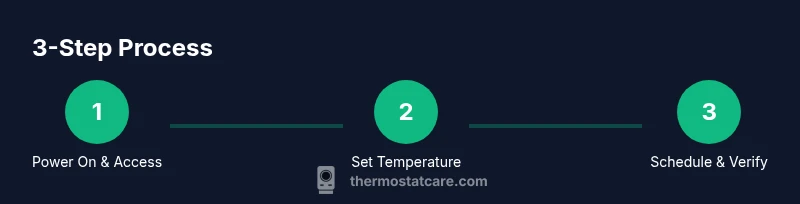
In daily use, you’ll typically begin by powering on and confirming the current temperature and mode. Next, set your target temperature for wake times, work hours, and overnight periods. Use the hold function for a temporary override if someone returns home early or a weather shift occurs. If your thermostat supports scheduling, create a weekday/weekend program that aligns with your routine. Finally, review the display after adjustments—ensure the HVAC equipment responds (listen for cycles, observe temperature change on the wall unit), and verify that comfort is achieved without excessive temperature drama.
Programming and scheduling for comfort and energy savings
A well-designed schedule reduces energy waste while maintaining comfort. Start with a baseline: higher temperatures when you’re away, cooler at night, and moderate during active mornings. Programs can be two separate profiles for weekdays and weekends. Use “hold” only for special occasions and return to the schedule after. Some models offer adaptive or learning capabilities that adjust based on historic patterns; if yours does, enable them cautiously and monitor results for a couple of weeks. Always test new schedules by monitoring room temperature and system cycling over an hour or two to ensure it behaves as expected.
Troubleshooting common issues when operating
If you notice the display is blank, first check power sources (batteries, breaker, or main supply). A faint display can indicate weak batteries or a loose connection. If the temperature you set does not match the room, recalibrate or verify the thermostat is paired correctly with the HVAC system and that no other sensors or remote thermostats are overriding the setting. If the HVAC nothing happens after changes, perform a soft reset according to the manual, wait a few minutes, and re-test. Persistent issues may require professional service to diagnose wiring or sensor faults.
Maintenance and best practices for longevity
Regular maintenance pays off in consistent comfort. Clean dust from vents around the thermostat, ensure the unit’s screen remains legible, and check battery life if applicable. Update firmware if your model offers updates, as these can improve reliability and efficiency. Keep the manual accessible and consider labeling common settings for quick reference. If you use a smart thermostat app, verify that the app remains connected to the device and monitor any notifications about sensor health or connectivity. Small routine checks prevent unexpected outages and keep your system running smoothly.
Adapting to climate needs and advanced features
Different climates demand different strategies. In winter, you might prefer a moderate baseline to prevent cold drafts while still saving energy; in summer, aim for a cool baseline that reduces peak loads. Explore advanced features like humidity control, adaptive scheduling, or geofencing if your model supports them. Geofencing uses your phone’s location to adjust temperature automatically when you leave or approach home, which can deliver noticeable comfort gains with minimal manual input. As you adopt these features, observe how changes affect comfort, energy use, and HVAC cycling to refine your setup.
Quick verification and next steps
After completing the steps above, perform a quick verification. Walk through a typical day, note the thermostat’s responses to programmed times, and verify that the heating and cooling cycles begin and end as expected. If you continue to experience minor inconsistencies, document the times and settings and compare them to the manual or online support for model-specific guidance. Remember, deliberate testing and gradual adjustments yield the best long-term results, so avoid large, untested changes in one sitting.
Tools & Materials
- Thermostat device(Ensure it is mounted, accessible, and powered on.)
- Owner's manual or model guide(Keep a recent copy for model-specific steps.)
- Screwdriver (flathead/Phillips)(Only if you need to remove the cover or panel.)
- Fresh batteries (if battery-powered)(Replace when display dims or sensors lag.)
- Smartphone or tablet with thermostat app(Useful for app-based controls and remote access.)
- Pen and notepad(For labeling schedules or recording changes.)
Steps
Estimated time: 25-45 minutes
- 1
Power on and access display
Confirm the thermostat has power, wake the display, and check that you can navigate the main menu. If the screen is blank, inspect batteries or power connections and reset if required. This ensures you’re starting from a known, responsive baseline.
Tip: If you’re unsure about wiring, avoid opening the enclosure; use the user interface. - 2
Identify current mode and setpoint
Note whether the thermostat is in heat, cool, or auto mode and observe the current setpoint. Understanding the current state helps you plan adjustments and prevents overshoot during temperature changes.
Tip: Take a quick before-and-after reading after any change to verify results. - 3
Set your target temperature
Use the arrows or dial to adjust the setpoint to the desired temperature for the current time of day. In auto mode, the system will switch between heating and cooling to maintain the target range.
Tip: Aim for a conservative change (2–3 degrees) to avoid sharp cycling. - 4
Enable hold or program a schedule
Choose a temporary hold if you won’t be home or build a schedule for typical days. Programming reduces manual changes and stabilizes comfort over the week.
Tip: Use hold sparingly; switch back to schedule when possible for energy savings. - 5
Adjust fan settings
Decide between auto (fan runs with heating/cooling) or on (fan runs continuously). Auto typically saves energy and avoids drafts when rooms aren’t actively heated or cooled.
Tip: Use auto during sleep hours to minimize noise and drafts. - 6
Create and test a daily schedule
Input wake, away, home, and sleep periods with target temperatures. Save the program and run a test cycle to confirm proper transitions between segments.
Tip: Test the schedule during a normal day to ensure comfort at each transition. - 7
Verify operation and finalize
Observe the system response after changes, listen for normal HVAC cycling, and confirm temperature stabilizes within the target range. If not, recheck settings and retry the relevant step.
Tip: Document the final settings for future reference.
Questions & Answers
What are the main controls on a typical thermostat?
Most thermostats share mode, setpoint, fan, and schedule controls. Learn how each function interacts with the HVAC system to optimize comfort and efficiency.
Most thermostats have mode, setpoint, fan, and schedule controls that determine how your HVAC runs.
How do I program a daily schedule?
Enter the schedule menu, set wake/leave/return/sleep times, assign target temperatures for each period, and save. Review the results after a day to adjust if needed.
Open the schedule menu, set times and temperatures, then save. Check results after a day.
What does 'hold' mean on a thermostat?
Hold keeps the current temperature fixed for a chosen period or indefinitely. It’s useful for temporary changes without altering your normal schedule.
Hold locks the current temperature until you change it or the hold ends.
Why isn't my thermostat turning on?
Check the power source, breakers, and batteries. If the device still won’t power up, consult the manual or contact support for model-specific steps.
Check power and batteries first; if it still won’t power, follow the manual or contact support.
How do I switch between Fahrenheit and Celsius?
Go to Settings > Units and choose Fahrenheit or Celsius, then save. This depends on your model, so refer to the manual if you don’t see the option.
In settings, pick your units and save.
Is it safe to tweak wiring for the thermostat?
Wiring should only be adjusted by qualified professionals. Do not touch live wires and avoid altering internal components unless you’re trained.
Don’t touch wiring unless you’re a pro.
Watch Video
What to Remember
- Know the basic controls and their functions.
- Program daily schedules for consistent comfort.
- Test changes and verify comfort after adjustments.
- Keep model manual for device-specific steps.