How to Program Your Thermostat: A Step-by-Step Guide
Learn the exact steps to program your thermostat for comfort and energy savings. This Thermostat Care guide covers model variety, scheduling, safety checks, and testing to ensure your home stays comfortable efficiently.


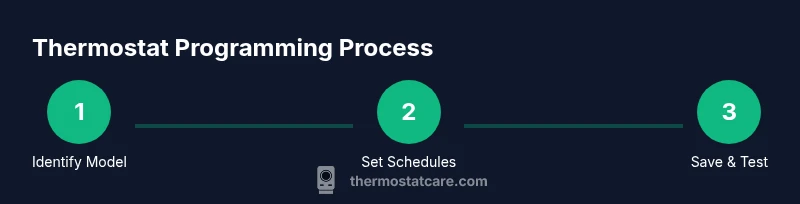
According to Thermostat Care, programming your thermostat correctly can boost comfort and energy savings. To get started, identify your model and locate the manual, ensure power is on, and open the programming section. Create a weekday schedule that matches your workdays and a weekend schedule for leisure times, set wake/leave/return/sleep temperatures, save, and test by switching modes.
Understanding why programming your thermostat matters
When you program a thermostat, you tailor heating and cooling to your daily routine, improving comfort while reducing energy waste. The Thermostat Care team emphasizes that a thoughtful schedule prevents unnecessary heating or cooling during the day when no one is home. In practice, a well-planned program can align indoor temperatures with occupancy, leading to steadier comfort and lower utility bills over time. Start by clarifying your daily patterns: wake times, work hours, meal times, and typical bedtimes. If you have weekends that differ from weekdays, plan separate schedules for those days as well. Remember that every home is different, and small tweaks can yield noticeable gains in both comfort and energy efficiency. By understanding your thermostat’s capabilities and limits, you can craft a reliable routine that reduces waste without sacrificing comfort.
According to Thermostat Care, familiarity with your device’s limits helps you tailor a schedule that stays comfortable while maximizing efficiency.
Know your thermostat model and features
Most modern thermostats include several core programming features: multiple daily schedules, hold modes, and energy-saving or eco settings. Some models rely on a traditional 7-day programming grid, while others use Smart Thermostat apps with learning algorithms. Check whether your unit supports separate weekday/weekend programming, temporary holds, and adaptive setback. Identify the display layout and navigation patterns, because abrupt button presses can recall incorrect settings. If you own a smart thermostat, confirm whether you can program from the physical panel, from the mobile app, or both. Keeping a copy of your model’s manual or the online guide handy will prevent guesswork later and reduce the risk of misconfiguring critical temperatures.
Safety and compatibility checks before programming
Safety first: power should be on, and if your thermostat is powered by batteries, ensure they’re fresh. For wired units, switch off the HVAC system at the breaker before performing any wiring checks to avoid shocks. If you’re replacing an old thermostat, verify that the new unit is compatible with your heating and cooling system (gas, electric, heat pump, or dual-fuel). Confirm the C-wire (common wire) is present or ensure you have an alternative power method for smart thermostats. Avoid changing connections while the system is actively heating or cooling; always complete the steps with power off and reconnect only after verifying terminals. If you’re unsure about wiring, consult a licensed technician. These checks help prevent damage and ensure your programming changes take effect correctly.
Preparing for programming: inputs and schedules
Gather occupancy patterns, preferred temperatures, and energy priorities. Decide a wake temperature, a daytime/away temperature, and a sleep temperature. For weekdays, many households target about 1–3 degrees cooler at night; for weekends you may prefer different times. If using a smart app, ensure you’ve connected your thermostat to Wi-Fi, created a user account, and downloaded the correct companion app. Note time zones and daylight saving time adjustments; misaligned clocks can shift your program. Once you’ve collected this information, you’re ready to enter the schedules and setpoints in the device’s programming interface.
Having a clear plan before you touch the device reduces guesswork and helps you implement a consistent routine.
Common mistakes and how to avoid them
Rushing through the setup without reviewing each time block; not testing after saving; using a single fixed schedule for all days; ignoring weekends. To avoid them: write a simple schedule first (weekdays vs weekends), test for 24 hours, make small adjustments, enable energy-saving features sparingly, and keep a log of changes; make sure you save each profile after editing. Also, avoid using overly aggressive temperature swings that can cause comfort complaints or higher energy use.
Energy savings verification and adjustments
After programming, monitor your energy usage for a full week. Compare indoor temperatures during occupied hours and remember that a 1–2 degree difference can produce meaningful savings depending on climate. Use your thermostat’s energy history or app dashboards to observe changes. If you notice discomfort or higher energy bills, revisit your schedules and adjust accordingly. The goal is to create a balance between comfort and efficiency.
Authority sources and further reading
For additional guidance, refer to trusted sources on thermostat programming and energy efficiency:
- https://www.energy.gov/energysaver/thermostats
- https://www.epa.gov/greenhomes
- https://www.nist.gov
These resources help homeowners understand best practices and recent research related to programmable thermostats and energy savings.
Tools & Materials
- User manual for your thermostat model(Keep model number handy for compatibility checks.)
- A charged smartphone or computer(Needed if using the app-based setup.)
- Stable Wi-Fi connection(Required for smart thermostats or remote programming.)
- Access to the thermostat (panel or app)(Have login credentials ready if using an app.)
- Notepad or digital notes(Record schedule decisions and changes.)
Steps
Estimated time: 30-60 minutes
- 1
Identify your thermostat model and locate the manual
Find the model number on the device and gather the user manual or online guide. Confirm system compatibility (gas, electric, heat pump) and note any wiring requirements. Having the exact model prevents misconfigurations.
Tip: Take a photo of the wiring diagram and current settings before making changes. - 2
Power on and access programming mode
Turn on the thermostat and navigate to Settings or Schedule. If using an app, ensure you’re logged into the correct account and connected to the device.
Tip: Capture a screenshot of the existing settings to use as a reference. - 3
Set up weekday schedule
Create blocks for wake, home/away, and sleep. Assign target temperatures for each block based on your routine.
Tip: Use gradual temperature changes (1–2 degrees) to avoid discomfort. - 4
Set up weekend schedule
Create distinct blocks for weekend days and adjust start times and temperatures to match different routines.
Tip: A weekend schedule can prevent energy waste when you’re home later than weekdays. - 5
Enter exact temperature setpoints
Fill in the setpoints for each block. Consider a nightly setback to improve efficiency without sacrificing comfort.
Tip: Document each setpoint for easy future tweaks. - 6
Enable hold or adaptive features
Choose Hold to lock a schedule temporarily or enable adaptive learning if your model supports it.
Tip: Use Hold when you’re away for extended periods. - 7
Save, test, and verify
Save the program, switch to different modes (heat/cool/auto), and confirm changes apply within minutes.
Tip: Run a quick test across the next day to confirm responsiveness. - 8
Review and adjust after the first week
Evaluate comfort and energy use, then tweak times and temperatures if needed.
Tip: Keep a simple log of changes and outcomes.
Questions & Answers
Do all thermostats require the same steps to program?
Most thermostats share core steps—access programming, set blocks, save, and test. However, the exact menu paths can vary by model. Always consult the manual for model-specific steps.
Most models follow the same basic flow, but check your manual for exact menu paths.
Can I program my thermostat from a mobile app?
Yes, many modern thermostats support app-based programming. You can create and edit schedules remotely, monitor energy use, and push changes to the device.
Yes. If your thermostat supports it, you can program from the app and adjust on the go.
What if my thermostat doesn't save changes?
Check that you pressed Save or Apply, ensure the device is not in a restricted Hold mode, and verify there are no conflicting schedules. If issues persist, consult the model’s troubleshooting guide.
Ensure you saved the changes and that no conflicting holds or schedules are active.
How do I determine the right temperature differences for energy savings?
A common approach is a 1–3 degree setback during unoccupied periods. Start conservative and adjust based on comfort, climate, and energy bills.
Start with a 1–3 degree setback and tweak as needed for comfort and savings.
Is programmable thermostat setup worth it for renters?
Yes, especially with models that support apps or temporary holds. Check landlord policies and consider temporary or non-permanent installation options if allowed.
It can be worth it, especially if the thermostat is easily removable and policy allows.</n>
Watch Video
What to Remember
- Plan your schedule before programming.
- Create separate weekday and weekend blocks.
- Test changes for a full day and adjust as needed.
- Use energy-saving features without sacrificing comfort.
- The Thermostat Care team recommends documenting changes for easy tweaking.