How to Install a Thermostat: Step-by-Step for Homeowners
Learn how to install a thermostat safely and efficiently. This Thermostat Care guide covers planning, compatibility, wiring basics, and a clear step-by-step process from power shutoff to system testing.


This guide shows you how to install a thermostat safely and correctly, from planning and compatibility checks to wiring, mounting, and configuring the device. You will learn the essential steps, required tools, and post-install testing to ensure reliable comfort and energy savings. By following these steps, homeowners can complete a proper install and avoid common wiring mistakes.
Why Installing a Thermostat Properly Matters
Installing a thermostat correctly matters because it directly impacts comfort, energy usage, and the lifespan of your HVAC system. A precise installation reduces temperature swings, helps reach your energy goals, and minimizes wear on components by ensuring the thermostat communicates reliably with the furnace or air handler. According to Thermostat Care, many service calls stem from loose wiring, incompatible models, or improper mounting. By prioritizing a clean install, you improve thermostat responsiveness, extend battery life if you use a battery-powered unit, and avoid issues like misreads or false holds. In this guide we cover planning, safety, compatibility, wiring basics, and a practical, home-friendly step-by-step approach that keeps things simple while remaining thorough.
Key takeaways: plan before you buy, verify compatibility, and follow safety steps to protect your system. Thermostat Care analysis shows that a well-executed install yields better comfort and energy efficiency across seasons.
Planning Before You Install and Choose the Right Model
Before you start, map your HVAC system type, confirm whether you have a traditional furnace or a heat pump, and check if your wiring supports a modern thermostat. Decide between a basic digital, programmable, or smart thermostat based on your needs and Wi-Fi access. If you have essential wires only, you may still use a basic digital model; if you want advanced scheduling and remote control, a smart thermostat is worth the upgrade. Review compatibility notes for your furnace or boiler, control board, and any heat pump configurations. If you are replacing an older analog unit, note the existing wire colors and terminals so you can translate them to the new thermostat’s labeling. This planning stage minimizes surprises during installation and helps you avoid buying a thermostat that won’t fit your system.
Safety First: Power, Wiring, and Codes
Safety is non-negotiable when installing a thermostat. Always shut off power to the HVAC system at the main breaker before touching any wires. Use a non-contact voltage tester to confirm there is no live current on the wires you’ll handle. Do not work on live circuits, and never disconnect power from the heating equipment without ensuring the system is safe. If you smell gas, hear unusual noises, or notice damaged wiring, stop and call a professional. Local codes may require certain mounting heights, box depths, or mounting plates; check your area’s guidelines and the thermostat’s installation manual for any compliance notes. Keeping these safety steps in mind protects you and your equipment.
Understanding Compatibility: What Your Thermostat Needs to Know
Compatibility goes beyond just ticking a model box. You need to confirm your system type (gas, electric, oil furnace, or heat pump) and the number of zones or stages. Some thermostats require a C-wire to power the display and connectivity; others offer power stealing as a workaround but may behave differently on certain systems. If you have a single-stage system with two heat/cool wires, most basic digital thermostats will work. For multi-stage, heat pumps with auxiliary heat, or systems with multiple zones, a more capable model is advisable. Read the wiring diagram from your furnace or air handler and map each wire to the terminal labels on the thermostat. Choosing the right model now saves you headaches later.
Wiring Basics: The C-Wire and Common Wiring Concepts
Understanding the C-wire is essential to a reliable install. The C-wire provides a continuous 24-volt power supply to the thermostat, enabling features like backlighting, Wi-Fi connectivity, and advanced scheduling. If your old thermostat operated on batteries and you want a smart device, you may still connect a C-wire by identifying the common terminal on your control board or using a C-wire adapter if your wires don’t include a dedicated common. Some older systems use power stealing, which can work but may cause instability on certain setups. Always refer to the thermostat’s wiring diagram and your HVAC equipment manual to identify the correct terminals for R, C, W, Y, G, and other signals.
The Step-by-Step Installation Overview (High-Level) You Can Expect
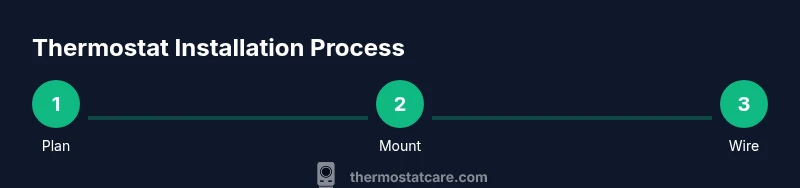
A typical install involves selecting the correct mounting location, removing the old unit, verifying wires, mounting the new base, connecting wires to the designated terminals, attaching the display, and configuring settings like schedule, comfort modes, and whether to enable remote access. If you encounter an unfamiliar wire or a color you don’t recognize, stop and consult the wiring diagram or a professional. Collect any required tools before you begin so you can work smoothly without interrupting the process. This overview helps you stay organized and reduces the chance of miswiring.
Post-Install Testing: Power, Display, and System Response
After wiring and mounting, turn the power back on and observe the thermostat display. Verify that the screen powers up, menus respond, and the thermostat communicates with the HVAC equipment. Run a quick heat and cool test to ensure the system triggers correctly and that the fan behaves as expected. Listen for unusual sounds from the furnace or air handler and check for error codes in the thermostat’s menu. If your system fails to respond or the screen does not illuminate, recheck wiring and confirm that the R and C lines are correctly connected. A miswired or loose connection is the most common culprit.
Maintenance Tips and Energy-Saving Best Practices
Keep your thermostat updated with the latest software if you have a smart unit. Periodically verify battery health on battery-powered models and replace batteries as needed. Clean the thermostat faceplate and ensure the vent openings around the display are free from obstructions. To maximize energy savings, set reasonable temperature schedules aligned with your daily routine and use smart features such as adaptive recovery and occupancy sensing if available. A well-maintained thermostat leads to more consistent comfort and lower energy bills over time.
Thermostat Care’s Verdict: Practical Guidance for Homeowners
The Thermostat Care team recommends starting with a compatible, user-friendly model and following a clear installation plan. A careful installation yields better control over your home environment and energy usage. If you are unsure about any wiring or you encounter unusual system behavior, don’t hesitate to seek help from a professional. A solid install reduces call-backs and supports reliable operation for years to come.
Tools & Materials
- Multimeter or voltage tester(Verify wires and power at the control board safely)
- Screwdriver set (Phillips and flathead)(For terminal screws and mounting screws)
- Non-contact voltage tester(Optional but recommended for safety)
- Wire stripper/crimping tool(Trim and prepare wires for terminals)
- Mounting screws and wall anchors(Use appropriate size for your mounting box)
- Thermostat base and faceplate(Includes terminal labels and mounting plate)
- C-wire adapter or common wire(Only if your system lacks a dedicated C-wire)
- Level(Helps ensure straight installation)
- Owner's manual for your thermostat(Model-specific wiring and mounting details)
Steps
Estimated time: 1-2 hours
- 1
Turn off power
Begin by switching off the HVAC circuit at the main breaker to prevent shock or equipment damage. Confirm there is no voltage on the thermostat wires using a tester.
Tip: Double-check the breaker to ensure full power is cut before touching wires. - 2
Remove old thermostat
Carefully disengage the old unit from its mounting plate and take a photo of the wiring for reference. Label each wire to correspond with the new thermostat terminals.
Tip: If wires are too short, gently tug to reveal enough length for safe handling. - 3
Inspect wires and C-wire
Inspect wire colors and terminals to determine if a C-wire is present. If not, plan for a C-wire adapter or alternate power option based on your system.
Tip: Avoid guessing; misplacing a C-wire can prevent power to the thermostat. - 4
Mount new base
Attach the thermostat base to the wall using the mounting plate and screws. Use a level to ensure the base sits straight before tightening.
Tip: Ensure the box is secure and the base sits flush against the wall. - 5
Connect wires to terminals
Insert each wire into the corresponding terminal on the new thermostat (R, C, W, Y, G, etc.). Tighten screws firmly but avoid over-tightening.
Tip: Reconfirm each connection by giving a gentle tug on the wire at the terminal. - 6
Attach display and cover
Snap the display module into the base or attach the front cover, following your model’s instructions. Ensure nothing is loose or protruding.
Tip: Keep the display orientation consistent with the wiring diagram. - 7
Power on and configure
Restore power at the breaker and power up the thermostat. Begin with basic settings: language, date/time, and location. Enable Wi-Fi if using a smart model.
Tip: Have your Wi-Fi password handy for easy setup. - 8
Test HVAC function
Run a quick heat and cool test to verify that the system responds to temperature changes. Check for normal fan operation and absence of error codes.
Tip: If the system does not respond, recheck wiring and settings, starting with the R and C connections.
Questions & Answers
Do I need a professional to install a thermostat?
Many standard installations are DIY-safe if you follow safety steps and keep wiring organized. Complex systems with multiple zones or unusual wiring may require a pro.
Most homeowners can install a thermostat themselves if they follow safety steps, but call a professional for complex setups.
Can I install a thermostat on any HVAC system?
Most digital thermostats work with common systems, but always verify compatibility with your furnace, boiler, heat pump, and any multi-stage configurations.
Check your HVAC type and model compatibility before purchasing.
What tools do I need for installation?
You’ll typically need a screwdriver, wire strippers, a tester, mounting hardware, and a compatible thermostat. Refer to the installation guide for model-specific requirements.
A basic toolkit and the thermostat manual are usually enough.
What if my old thermostat is not powering on?
First, verify power to the HVAC system and confirm correct wiring. A dead display can indicate a blown fuse, loose wire, or a missing C-wire.
Check power and wiring; if in doubt, consult a pro.
Is a C-wire always required?
Not always, but many smart thermostats require a C-wire for consistent power. If you lack a C-wire, you may use an adapter or choose a model that supports power stealing.
C-wires help power smart features reliably.
How long does installation typically take?
Most standard installations take about 1-2 hours, depending on wiring complexity and mounting conditions.
Plan for about an hour or two.
What to Remember
- Plan compatibility before buying.
- Power safety first to avoid shocks.
- Label wires to match terminals precisely.
- Test thoroughly after installation.
- Consider professional help for complex systems.