How to Change a Thermostat: A Homeowner's Step-by-Step Guide
Expert guidance from Thermostat Care on safely changing a thermostat—select a compatible model, install, configure, and test for comfort and energy savings.


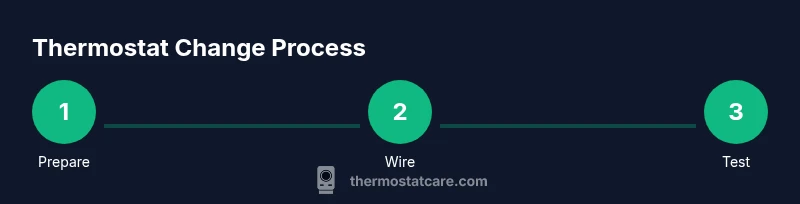
This guide shows you how to safely change a thermostat in your home. You'll learn to power down, detach the old unit, wire in the replacement, mount the new thermostat, and test your system for proper operation. We cover safety, compatibility, and common pitfalls to avoid. By following these steps, you can upgrade without affecting system performance, and you’ll minimize energy waste.
Why Changing a Thermostat Matters
Upgrading or replacing your thermostat is one of the most effective ways to improve home comfort and reduce energy use. A modern thermostat can automatically adjust heating and cooling schedules, respond to occupancy patterns, and integrate with smart home ecosystems. According to Thermostat Care, upgrading to a programmable or smart model often yields better temperature control and energy savings for typical homes. By choosing the right device for your HVAC system and climate, you can maintain even temperatures, avoid temperature swings, and minimize wasteful heating or cooling. This section explains why a change is worth considering and how the right model aligns with your goals, whether you want hands-off optimization or more precise control over every room. We’ll cover common system types, compatibility considerations, and practical expectations so you can make an informed decision without getting overwhelmed. The goal is to help homeowners understand the practical benefits, anticipate the adjustment period, and choose a replacement that fits both budget and lifestyle.
Safety First: Power and Wiring Basics
Safety comes first when you work with thermostat wiring. Begin by turning off power to the thermostat at the main breaker and, if possible, at the furnace or air handler switch. Use a non-contact voltage tester to confirm there is no live current on the wires you’ll handle. Do not rely on the wall switch or a battery alone to render the unit safe. If you have a gas furnace or a heat pump with auxiliary heat, understand that some procedures may differ and certain tasks should be performed by a qualified technician. This Thermostat Care guide emphasizes conservative steps: verify power, remove the existing unit gently, and work in a dry, well-lit area. Keep a metal-free workspace to avoid accidental shorts, and label any wires as you detach them so you can reconnect correctly on the new device. When in doubt, pause and consult the installation manual or contact a professional.
Choosing the Right Replacement Thermostat
Selecting a replacement thermostat starts with compatibility. Identify your HVAC system type (gas furnace, electric furnace, heat pump, or boiler) and how many stages of heat and cooling you have. Most homes use a single-stage system; however, multi-stage units can benefit from thermostats that support staging. If your current setup uses a C-wire to power the thermostat, verify that the new model can connect to C-wire or provide an alternative power method. For older homes, a battery-powered model may be a simple option, but you’ll trade some advanced scheduling features. If you want remote control, look for Wi‑Fi or smart features that are compatible with your home network and platform (Alexa, Google Home, or Apple HomeKit). Check the installer’s label or the HVAC equipment manual for voltage and wire color conventions, and ensure the thermostat’s voltage range matches your system. Finally, consider energy-saving features such as adaptive schedules, geofencing, and learning algorithms, and balance them against cost and installation complexity. This upfront step saves time during installation and reduces the need for rework.
Preparation: Removing the Old Thermostat and Labeling Wires
Start by taking a clear photo of the existing wiring and display before you remove anything. Use the screwdriver to remove the faceplate and gently lift the backplate away from the wall. As you detach each wire, label it with the terminal letter (R, C, W, Y, G, etc.) using tape or small stickers. Keep track of which wire goes where, because the new thermostat may have slightly different labeling. If any wires appear damaged or corroded, trim the exposed copper ends and retape for a clean connection. Inspect the wall box for damage or paint that could affect mounting. Set the faceplate and screws aside in a safe location. Finally, unplug the old thermostat from the wall with care to avoid twisting wires, which can loosen connections later.
Understanding the Terminal Labels and Wiring
Thermostats use a set of standard terminals to control heating and cooling functions. R or Rh usually supplies power, while C is the common wire that powers many smart models. W is for heat, Y for cooling, and G for the fan. Some systems use O or B for heat pump reversing valves. When you compare the old and new devices, ensure you know which wires connect to which letters on the terminals. If you are missing a wire (for example, no C-wire), you may need a thermostat that can operate on batteries or a power extender kit. Always refer to the thermostat’s installation manual for the correct terminal mapping. If your HVAC system includes auxiliary heat or multi-stage operation, confirm that the new thermostat supports those features and adjust settings accordingly during setup. The goal is to preserve the original control logic while enabling any new capabilities you’re paying for.
Installing the New Thermostat Backplate and Wiring
Mount the new backplate to the wall using the supplied screws, ensuring it is level. Thread the labeled wires through the appropriate openings and begin attaching them to the corresponding terminals on the new base. Tighten each connection firmly, but avoid overtightening that could damage the wire or terminal. If the thermostat requires a C-wire, secure it to the C terminal. If your wires are very short, you may need to extend them carefully, but only if the manufacturer permits it. Once all wires are connected, gently tuck them into the wall box and attach the thermostat body to the backplate. Confirm the device sits flush against the wall and that no loose wires are exposed. Keep the wiring neat and avoid crossing or pinching wires behind the unit. Finally, replace the faceplate if included, or install the new one that ships with the device.
Mounting, Powering On, and Basic Configuration
Power up the system by restoring power at the breaker, and observe the thermostat display for boot messages. Follow the on-screen prompts to select your system type (heat, cool, fan), heat source, and whether you have a conventional or heat pump system. If pairing with Wi‑Fi or a smart home platform, connect to your network and grant the necessary permissions. Some models offer guided setup, temperature hold settings, and schedules; you can customize these to fit your daily routine. If you had a C-wire connected, ensure that the thermostat recognizes it; if not, monitor the voltage indicators on the display to confirm power is stable. Take time to label a few frequently used settings (temperature range, schedule, hold) for quick future adjustments. The installation may trigger a brief calibration period as the thermostat learns your home’s energy profile and environmental conditions. Thermostat Care notes that proper setup yields the best performance and energy savings.
Testing, Calibration, and Final Checks
After setup, test the system by setting to heat and then cool to confirm the HVAC responds correctly. If you have a smart thermostat, run a quick energy-use test and verify schedule accuracy. Observe the temperature readings and, if available, review the learning algorithm’s suggestions. If you notice any errors or the system doesn’t respond as expected, recheck wire connections and terminal mappings. If you have multi-stage equipment, confirm that stage transitions occur smoothly and that the thermostat’s fan control aligns with your comfort preferences. Finally, keep the user manual handy for model-specific steps and precautions. A successful test means you’ve achieved reliable control and potential energy savings over time.
Common Pitfalls and Quick Fixes
Even with care, mistakes happen. Common issues include mislabeling wires, choosing a non-compatible thermostat, or failing to connect the C-wire if required. If the display shows an error, re-check wiring and reference the installer’s guide. Do not force terminals or bend wires back into the wall; replace damaged conductors. After installation, never skip the calibration step—allow the thermostat to learn your home’s energy profile. For Wi‑Fi models, ensure you have a stable network and that the device is within range of the router. Following these cautions reduces callbacks and prolongs equipment life.
Tools & Materials
- Screwdriver set (Phillips and flathead)(Flathead for terminal screws; Phillips for faceplate screws)
- Voltage tester (non-contact)(Check power before touching wiring)
- New thermostat compatible with your system(Check compatibility with heat/cool and wiring type)
- Wire labels or tape(Label wires as you detach them)
- Wire stripper/cutter(Useful for clean wire tails)
- Notepad and pen(Record wiring and settings)
- Step ladder(Optional for wall height)
- User manual or installation guide for thermostat(Manufacturer-specific steps)
Steps
Estimated time: 45-75 minutes
- 1
Power down
Turn off the electrical power to the thermostat at the breaker panel to ensure no current flows to the furnace/air handler.
Tip: Double-check with a tester before touching wires. - 2
Remove the existing faceplate
Gently pry off the thermostat faceplate to access screws and wiring. Keep screws safe.
Tip: Take a photo of the wiring before disconnecting. - 3
Label and detach wires
Label each wire with the terminal letter (R, C, W, Y, G, etc.) and disconnect.
Tip: Use color-coded labels for clarity. - 4
Remove old mounting plate
Uninstall the backplate from the wall after wires are detached.
Tip: Inspect wall box for damage; repair if needed. - 5
Prepare the new thermostat base
If the new device requires a different mounting plate, install it on the wall.
Tip: Ensure level alignment for an even display. - 6
Connect wires to new terminals
Attach each wire to the corresponding terminal on the new thermostat (R to R, W to W, etc.).
Tip: Do not force wires—if a terminal is full, trim slightly. - 7
Mount new thermostat
Attach the thermostat to the wall and secure it with screws.
Tip: Gently press to seat the gasket and avoid air gaps. - 8
Power on and configure
Restore power, follow the on-screen setup to configure system type and network settings.
Tip: If wiring is wrong, the thermostat will indicate an error. - 9
Test system
Set to heat and cool to verify operation and listen for calls from the HVAC.
Tip: If there’s no call, recheck wiring or consult a pro.
Questions & Answers
Do I need to turn off the power at the breaker to change a thermostat?
Yes. Power should be turned off at the breaker before touching any thermostat wiring. Use a non-contact tester to confirm there is no live current.
Always switch off the breaker and verify there’s no power before you begin.
Can I replace a thermostat myself?
In most homes, a DIY replacement is feasible if you follow safety guidelines and choose a compatible thermostat. If you have a complex system or high-voltage wiring, consult a pro.
You can replace most thermostats yourself if you’re careful, but call a pro for uncertain cases.
What if there’s no C-wire in my current setup?
Some thermostats require a C-wire for power. If there isn’t one, you can use a battery-powered model or install a power extender kit as per the manufacturer’s instructions.
If you don’t have a C-wire, consider a model that runs on batteries or a power extender kit.
How long does it take to change a thermostat?
Most installations take 30 to 75 minutes depending on wiring and wall condition. Allow extra time for smart features or Wi-Fi setup.
Typically, it takes under an hour, but plan for a bit more if you’re adding smart features.
Will a smart thermostat save energy?
Smart thermostats optimize schedules automatically and can reduce energy use. Real savings depend on your routines, insulation, and local climate.
Smart thermostats can help save energy when you set them up properly.
What should I do if the thermostat screen goes blank after install?
Check power connections and fuses. Re-seat wires and verify that the backplate is correctly mounted. If the issue persists, consult the manufacturer support.
If the screen goes blank, recheck wiring and power, and contact support if needed.
Watch Video
What to Remember
- Plan and safety first: power down before touching wiring
- Label and verify each wire to prevent miswiring
- Choose a thermostat compatible with your HVAC system
- Test the system thoroughly after installation
- Keep manufacturer guides handy for model-specific steps