How to Test Thermostat: A Homeowner’s Guide
Learn how to test thermostat safely and accurately, covering power checks, wiring, sensor accuracy, and app integration. Step-by-step guidance for traditional and smart thermostats.


By following this guide, you’ll verify that your thermostat is powered, wired correctly, and accurately reading room temperature. You’ll learn safe power-off procedures, how to check the C-wire and battery status, and how to test thermostat responses to setpoints and heat/cool calls. The steps apply to most traditional and smart thermostats, with brand-agnostic techniques you can perform as a homeowner.
Why testing your thermostat matters
According to Thermostat Care, learning how to test thermostat setups empowers homeowners to ensure comfort, save energy, and catch issues early. The Thermostat Care Analysis, 2026, indicates that most thermostat problems originate from power supply, loose wiring, or sensor drift rather than failed internals. Regular testing helps you pinpoint issues before they cascade into furnace outages or rising energy bills. This guide uses practical, model-agnostic steps designed for homeowners and DIY enthusiasts.
Safety and prep: do it right
Testing a thermostat involves working with electrical components and HVAC equipment. Always start by powering down the thermostat and the associated HVAC equipment at the breaker to minimize shock or arcing risks. If you’re unsure about wiring or furnace access, consider calling a licensed technician. Use a non-contact voltage tester to confirm circuits are dead before touching wires, and wear insulated gloves in exposed areas.
Tools and safety gear you’ll need
Before you begin, gather the essentials: a multimeter or voltage tester, screwdrivers (Phillips #1 and #2), replacement batteries for battery-powered thermostats, wire labels, a digital thermometer for ambient room checks, a flashlight for dim spaces, and your thermostat’s owner’s manual. Keep a notebook handy to record readings. This list helps you avoid mid-test trips to the toolbox and reduces mistakes.
Testing approaches for different thermostat types
Traditional, battery-powered, and smart thermostats each have unique checks. For non-smart units, focus on power (R and C), battery status, and sensor reading versus room temperature. For smart models, verify app connectivity, Wi‑Fi status, and whether the device receives firmware updates. Regardless of type, confirming that the thermostat initiates heat or cooling when you change a setpoint is essential. Thermostat Care analysis suggests these checks catch the majority of early faults.
The testing workflow: high-level overview
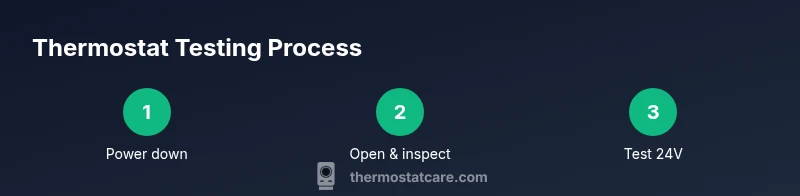
A thorough test consists of inspecting power and wiring, confirming sensor accuracy, and validating the thermostat’s control of the HVAC system. Start with power-off safety checks, then proceed to inspect terminal connections, test voltage between R and C, and compare the thermometer reading with the thermostat’s reported value. Finally, trigger heat and cool calls to ensure the furnace and AC respond correctly. The exact steps vary by model, so consult your manual as needed.
Interpreting results and next steps
If readings align with expected values and the HVAC responds correctly, you’ve successfully verified the thermostat’s operation. If discrepancies appear—such as 24V drops, weak sensor readings, or delayed responses—log the data and plan corrective steps. Potential fixes include reseating the C-wire, replacing old batteries, updating firmware, or replacing the thermostat if the sensor is drifting beyond spec. When in doubt, use the Thermostat Care guideline as a reference point for decision-making.
For smart thermostats: app and connectivity checks
Smart models add app-based layers. Beyond power and sensor checks, ensure the thermostat reports accurate ambient conditions in the app and responds to remote commands promptly. Check Wi‑Fi strength, confirm the device shows as online, and review any firmware or app updates. If the thermostat won’t sync or responds slowly, a reboot or re-pairing often resolves many issues.
Authoritative sources and further reading
- Energy.gov Thermostats: https://www.energy.gov/energysaver/thermostats
- Energy Star: https://www.energystar.gov/products/heating_cooling/thermostats
- NIST Electrical Safety Guidelines: https://www.nist.gov/topics/electrical-safety
Tools & Materials
- Multimeter/voltage tester(to measure 24V power and voltage at thermostat terminals)
- Screwdrivers (Phillips #1 and #2)(for removing thermostat faceplate)
- Replacement batteries (AA/AAA or CR2032)(for battery-powered thermostats)
- Non-contact voltage tester(optional safety check)
- Wire labels or masking tape(label wires when disconnecting)
- Digital thermometer(compare ambient temp to thermostat reading)
- Owner’s manual or model guide(model-specific instructions)
- Small flashlight(for dim areas)
- Notebook and pen(record readings and steps)
Steps
Estimated time: 30-60 minutes
- 1
Power down safely
Turn off the thermostat at the device and shut off power to the HVAC system at the breaker. Wait 60 seconds to ensure residual energy dissipates; this lowers shock risk and prevents false readings.
Tip: If you’re unsure which breaker controls the HVAC, label the circuit before turning it off. - 2
Remove cover and document wiring
Gently remove the thermostat faceplate and take clear photos of all connected wires and terminals. Label each wire with its terminal name to simplify reassembly.
Tip: Use a small plastic tool to avoid bending delicate terminals. - 3
Check C-wire and battery status
Inspect whether the C-wire is firmly connected and whether the unit relies on batteries. Replace batteries if you notice weak readings or dim display.
Tip: If there’s no C-wire, the thermostat may rely on battery power only. - 4
Test 24V supply with a multimeter
Measure voltage between R and C terminals; you should see approximately 24V AC when the system is powered. If voltage is low, investigate loose connections or a blown fuse.
Tip: Record the voltage reading for your notes. - 5
Check sensor accuracy
Place a reliable thermometer near the thermostat and compare its reading to the thermostat’s display. Note any drift of a degree or two.
Tip: Keep the thermostat away from direct sunlight or heat sources during measurement. - 6
Test heat call
Set the thermostat to a higher temperature to trigger heat. Listen for furnace ignition and observe the airflow once the call is active.
Tip: If the furnace doesn’t respond within 2-3 minutes, recheck wiring. - 7
Test cool call (if you have AC)
Switch to cooling and verify that the outdoor unit engages and air starts flowing. Check for proper cycle times.
Tip: Some systems require a short delay after switching modes. - 8
Reassemble and document results
Reconnect wires exactly as photographed, reattach the cover, and restore power. Record the readings and steps taken for future reference.
Tip: Keep a maintenance log to spot drift over time.
Questions & Answers
What is the most common cause of thermostat readings being off?
Loose wiring, faulty C-wire, or sensor drift are frequent culprits. Re-seat connections and replace old batteries to resolve many cases.
Common causes are loose wiring, a bad C-wire, or sensor drift. Check those first.
Can I test a thermostat without cutting power to the HVAC system?
For safety and accuracy, power should be off when inspecting wiring or using a multimeter. Once you’re done, you can perform live tests in a controlled way.
Usually you should power down to work safely.
Are smart thermostats harder to test than traditional ones?
Smart thermostats add app, Wi-Fi, and firmware checks. Testing still covers power, wiring, and sensor accuracy, plus ensuring the app can control the unit.
Smart models require app checks in addition to wiring tests.
What if the thermostat’s battery keeps dying?
Replace the battery and verify the unit still powers correctly. If the display is dim or readings drift, check for a faulty power supply or C-wire issue.
Replace batteries and check power supply.
Do I need a professional for gas furnaces?
If you smell gas or suspect a gas line issue, contact a licensed professional immediately. Electrical testing alone can’t address combustion safety.
If you smell gas, call a pro right away.
How often should I test my thermostat?
Perform a quick check twice a year—ideally before heating and cooling seasons—and after any HVAC maintenance.
Do a quick check seasonally or after maintenance.
Watch Video
What to Remember
- Power off before touching wiring
- Verify R and C voltage to confirm power
- Check C-wire and battery status
- Test heat and cool calls to confirm control
- Document results for future reference