How to Take a Thermostat Off the Wall
Learn safe, practical steps to remove a wall-mounted thermostat, document wiring, and prepare for a replacement. A thorough homeowner guide by Thermostat Care.


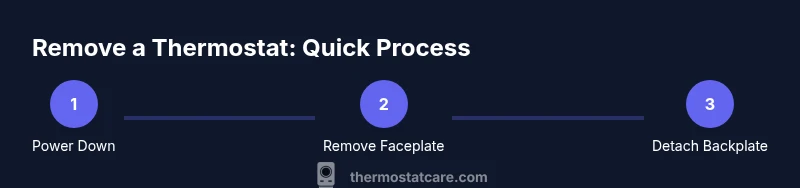
You can safely remove a wall-mounted thermostat by powering off at the breaker, removing the front cover, labeling the wires, and disconnecting the backplate. This 6-step guide shows exact actions to avoid damaging wiring or the wall, and to prepare for a successful replacement or reinstallation.
Prepare your space and safety
If you're wondering how to take thermostat off wall, the first thing to do is prepare your workspace and set safety expectations. Begin by clearing a stable stool or ladder under the thermostat so you can access it without stretching or straining. Make sure you have ample lighting and a small tray to collect screws and the backplate so nothing gets lost. Locate the circuit breaker that powers the thermostat and switch it to OFF. Double-check with a non-contact tester if you have one, since some older systems still carry a small amount of voltage even when dormant. This reduces the risk of electric shock and protects sensitive control wiring. In addition to power safety, protect the surrounding wall surface with a soft pad or cloth to prevent scratches. According to Thermostat Care, safety and labeling are essential when removing a wall thermostat. Finally, keep notes or photos as you go; this will help you reassemble or install a new unit later.
Identify thermostat type and backplate
Not all thermostats use the same backplate. Some have snap-on covers, others use screw-in plates, and some attach directly to a single-gang box. Before touching anything, confirm the model by removing the front cover and inspecting the mounting screws or nameplate. If you have the user manual, locate the wiring diagram and backplate type. According to Thermostat Care, recognizing the backplate design helps you choose the right removal technique and reduces the risk of bending terminals or damaging the wall box. If you’re unsure, take a quick photo of the faceplate and wiring for reference, which will be invaluable if you decide to replace with a different model.
Turn off power and confirm mains is dead
Powering down at the breaker is essential, but you should also verify there’s no voltage present at the thermostat terminals. Use a non-contact voltage tester to check the wires after removing the faceplate. If the tester indicates voltage, wait and recheck at the source. Do not attempt to disconnect wires while power is on. This step protects you from electric shock and prevents damage to the HVAC control circuit. Thermostat Care emphasizes that confirming de-energization is one of the simplest yet most critical safety checks when taking a thermostat off the wall.
Remove the faceplate and observe wiring
Gently pry the front cover away from the mounting frame using a plastic pry tool or a small screwdriver, keeping pressure even to avoid cracking the plastic. Once the cover is off, observe how wires are connected to terminals. Do not pull wires from the wall or yank on conductors. Note which wire goes to which terminal, and keep a close eye on color codes. If the faceplate or screw holes show signs of wear, handle with extra care to avoid stripping screws. This stage sets you up for clean labeling and safe removal of the backplate.
Label wires and document connections
Label each wire with a small piece of tape that you color-code to its terminal. Take clear photos from multiple angles, showing the wires, terminals, and the backplate orientation. If you’re unsure about a wire’s function, label it as unknown and revisit after you consult the manual or online resources. After labeling, carefully disconnect the wires one by one, keeping screws in a labeled container. Recording this information now saves time and prevents reassembly mistakes when you install a new thermostat.
Detach the backplate from the wall
With the wires safely labeled and stored, locate the mounting screws that secure the backplate to the wall box. Use the correct screwdriver to remove these screws, keeping them in a labeled container so you don’t lose them. If the backplate is stubborn, apply gentle, even pressure and avoid bending the metal or plaster. Once free, pull the backplate straight back to avoid dragging wires through the wall opening. This step frees the wall box for future work.
Inspect wall and backplate for damage
Now that the backplate is removed, inspect the wall for any cracks, dents, or plaster damage around the electrical box. If you see damage, avoid reinstalling a new thermostat in the same spot until you’ve repaired the wall and ensured a solid mounting surface. Inspect the backplate for bend, corrosion, or stripped screw holes. Cleaning and reseating the box ensures a secure future installation and reduces the risk of future wiring issues. Thermostat Care highlights that a clean, solid mounting surface is key to a reliable, long-term installation.
Replacing or upgrading to a new thermostat
If you plan to install a new thermostat, verify the new unit’s compatibility with your existing backbox and wiring. Some modern thermostats require a common wire (C-wire) or a different mounting height. If necessary, upgrade the wall box or choose a model that fits your current box. When in doubt, consult the installation guide for the new thermostat and ensure you can safely connect power, wires, and the mounting bracket without crowding the wall opening. This sets the stage for a smooth transition and reliable operation.
Safety and cleanup after removal
After removal, restore the work area: patch any untouched holes, reinstall a blank wall plate if you’re not immediately replacing the thermostat, and secure the area with painter’s tape and a gentle cleanup. Recheck the power at the breaker after any future work and document the wiring for future reference. Store the screws and backplate components in a labeled container for reassembly or disposal. Proper cleanup helps prevent dust build-up and ensures your next installation starts on solid ground.
Tools & Materials
- Phillips head screwdriver(Medium size; used for mounting screws on most backplates.)
- Flathead screwdriver(Useful for prying the faceplate gently if needed.)
- Non-contact voltage tester(Verify power is off at the thermostat circuit before touching wires.)
- Labeling tape(Color-code wires and label terminals clearly.)
- Camera or smartphone(Capture wiring layout for reference during reinstallation.)
- Small container or zip bag(Keep screws and small parts organized and prevent loss.)
- Notebook and pencil(Record terminal designations and any notes about wiring.)
- Insulated gloves(Extra protection if you’re uncertain about wiring conditions.)
Steps
Estimated time: 15-40 minutes
- 1
Power down and verify off
Switch off the thermostat circuit at the main breaker, then re-check with a non-contact tester to confirm there is no voltage present. This prevents electric shock and protects the HVAC control wiring during removal.
Tip: If the tester lights up, wait a few minutes and re-test before proceeding. - 2
Remove the faceplate
Gently pry the front cover away from the mounting frame, keeping even pressure to avoid cracking the cover. Observe how it attaches and note any screws that may be hidden behind trim.
Tip: Use a plastic pry tool to avoid marring the plastic. - 3
Label and disconnect wires
Label each wire with tape and numbers corresponding to the terminals. Take a clear photo from multiple angles to capture the wiring layout before you disconnect anything.
Tip: Disconnect one wire at a time and keep track of terminal positions. - 4
Detach the backplate
Remove the mounting screws that secure the backplate to the wall box. Keep screws in a labeled container and gently pull the backplate straight away from the wall.
Tip: If screws resist, apply steady pressure rather than forcing the backplate. - 5
Inspect and store components
Inspect the backplate and wall box for damage. Store screws and components in a labeled container, and consider replacing the backplate if it shows wear.
Tip: Document any wall damage to guide future repairs. - 6
Plan next steps
Decide whether you’ll install a new thermostat or cover the wall and wait for a later upgrade. Ensure the new device is compatible with the existing wiring and box mounting.
Tip: Double-check the new thermostat’s wiring requirements before proceeding.
Questions & Answers
Is it safe to remove a thermostat without turning off power?
No. Always turn off power at the breaker before touching thermostat wiring to prevent electric shock and equipment damage.
Always power down the circuit at the breaker before handling thermostat wiring.
What should I do with the wires after removal?
Label each wire and cap or tuck them safely inside the wall box. Keep reference photos for reinstallation.
Label the wires, cap them, and store them safely with reference photos.
Will removing a thermostat damage the HVAC system?
Removal of the thermostat wiring itself won’t damage the HVAC system if you don’t disturb the control board. Only miswiring could cause issues.
Removing the thermostat wiring won’t harm the HVAC system if you don’t disturb other components.
Can I reuse the backplate with a new thermostat?
Usually yes, if the backplate is in good condition and compatible with the new thermostat’s mounting. Check compatibility before reuse.
Most backplates can be reused if compatible with the new thermostat.
Do I need a professional to remove a thermostat?
Not typically, but seek professional help if wiring looks damaged, you’re unsure about terminal functions, or you encounter unfamiliar wiring.
You usually don’t need a pro, but call one if wiring seems unsafe or unclear.
What if the wall behind the thermostat is damaged?
Patch and repair the wall, then ensure the box is flush and secure before mounting a new device. Don’t mount into damaged plaster.
Repair any wall damage and secure the box before reinstalling any device.
Watch Video
What to Remember
- Power off before touching any wiring.
- Label and document wiring carefully.
- Handle backplate and wall box with care to avoid damage.
- Inspect for wall damage and plan for patching if needed.
- Choose a compatible thermostat or contact a pro for upgrade.