How to Get a Thermostat Out of Housing: A Step-by-Step Guide
Learn to safely remove a thermostat from its housing for testing or replacement with a clear, practical, step-by-step guide, safety tips, and troubleshooting from Thermostat Care.


Goal: how to get thermostat out of housing safely and effectively. You’ll need basic hand tools, a low-voltage safety approach, and a clear work area. For best results, power down the system, remove the faceplate, and document wire positions. According to Thermostat Care, never force components and reassemble only after testing.
Safety first: Power down and PPE
Before you touch any thermostat, ensure power to the thermostat and the related control circuit is fully off. This means switching off the HVAC circuit breaker and, if possible, the transformer feeding the thermostat. Use a non-contact voltage tester to confirm that the terminals are de-energized. With low-voltage systems, you might be dealing with 24 VAC, which can cause a mild shock but can still harm electronic components. Put on safety glasses and insulated gloves; tie back long hair and remove jewelry that could contact live parts. Keep the work area dry and well-lit; avoid working on carpet or damp surfaces that could conduct electricity. Work on a clean, uncluttered surface, ideally a tray or shallow bin to hold screws. If you’re unsure about the wiring or the equipment is integrated into a furnace or air handler, consult the manual or a licensed HVAC technician. According to Thermostat Care, following manufacturer guidelines reduces the risk of damaging the control board or voiding warranties. Do not rush this step; a brief pause to re-check power can prevent costly mistakes.
Identify thermostat type and housing design
Thermostats come in several housing styles, from wall-mounted units to control panels integrated into furnaces or air handlers. The removal method depends on the design: some have a simple faceplate and a few screws; others use snap-in modules with locking tabs. Start by locating the user-facing cover and any screws or tabs that hold the unit to its mounting plate. If you have a smart thermostat, confirm whether the device can be removed without powering down the entire system. Note the shape of the housing, the position of the mounting screws, and any hidden fasteners behind label decals. Keep track of wire routing and the number of connectors. By understanding the specific design, you’ll minimize the risk of damaging the housing or wiring. Thermostat Care recommends reviewing the manual for your model before attempting removal, as missteps can affect function or warranty standings. Where possible, take a quick photo of the installed unit and wire routing to guide reassembly.
Tools and materials you’ll need
To get thermostat out of housing safely, assemble a minimal toolbox. Essential tools include a screwdriver set (Phillips and flat-head), a non-contact voltage tester, and insulated gloves. A labeling method (masking tape and a pen) helps map wires to their terminals, while a small parts tray keeps screws organized. A camera or smartphone is handy for documenting wire positions, and a flashlight helps illuminate dark spaces inside the housing. Optional items that reduce risk include a low-voltage multimeter for live testing and tweezers for delicate connectors. Lay out the items on a clean mat before starting so you won’t lose small parts. Having the right tools reduces the chance of slipping and accidentally damaging connectors. Thermostat Care emphasizes caution: using the correct tools makes the process smoother and safer.
Prepare the work area and labeling
Clear a dry, well-lit workspace with a stable surface. Remove any small items that could get knocked into the HVAC cabinet. Place a tray or towel under the thermostat to catch dropped screws. Before touching wires, label each wire or terminal with a simple code so you can map them back later. If you take photos, capture multiple angles: front, back, and the wiring from above. Keep a clean environment to avoid introducing dust into the control module. A tidy workspace reduces the risk of misplacing components. Thermostat Care notes that meticulous preparation pays off during reassembly by preventing mismatched wires and short circuits.
Remove the faceplate carefully and set it aside
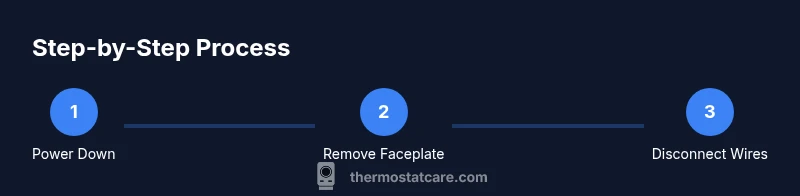
Most thermostats begin with removing the outer faceplate. Use a gentle prying motion or locate small screws and remove them in a cross pattern to minimize stress. Support the base housing with one hand so you don’t bend the mounting plate while removing the cover. As you loosen the faceplate, watch for ribbon cables or snap-fit connectors; disconnect them only if required and labeled. Turn off any indicators or screens to verify no power is leaking into the display. Place the faceplate on a soft, static-free surface to prevent scratches. This step exposes the mounting screws and the internal wiring connected to the thermostat. According to Thermostat Care, taking your time here protects the internal electronics from flexing stress.
Label wires and disconnect terminals methodically
With the faceplate removed, focus on the wiring connections. Loosen each terminal screw with the appropriate screwdriver and observe whether wires are push-fit or screw-down. Carefully undo the wires one by one, taking care not to tug on any insulation. Keep each wire aligned with its original terminal and note its color and position. If a wire is stuck, do not force it—revisit the labeling or consult the manual. After disconnecting, place wires into the tray in the same order you removed them. Now you have free access to the mounting hardware while minimizing the risk of cross-connections during reassembly. Thermostat Care reminds readers that slow, deliberate work reduces the chance of damaging the control board.
Free the thermostat from the housing without damage
Loosen mounting screws or release clips that hold the thermostat in place. Gently rock the unit outward from the wall, keeping the wires slack to avoid bending pins. If the thermostat resists, check for hidden anchors or space behind the housing; avoid forcing it. Once the base is free, slide the unit straight out rather than twisting, which can fracture connectors. Inspect the back of the thermostat for any signs of damage or corrosion that could indicate a faulty component. Place the removed thermostat on a non-conductive surface. A careful, straight withdrawal minimizes the risk of damaging the wall or the wiring harness.
Inspect for damage, corrosion, and clean contacts
With the thermostat out of the housing, inspect terminals and connector blocks for corrosion, burnt marks, or loose pins. If you see oxidation, gently clean it with a small amount of isopropyl alcohol on a lint-free cloth; never pour liquid directly onto the circuitry. Look at the housing interior for cracks, warping, or misaligned mounting points. If you discover damaged components, do not attempt to reuse them; note the issue and plan replacement. While cleaning, avoid applying excessive force to delicate connectors. Thermostat Care advises taking photos during inspection to guide repairs and avoid confusion during reassembly.
Reassembly, testing, and safe follow-up steps
After inspection and any cleaning, reassemble in the reverse order of removal. Reconnect wires to their labeled terminals, secure the mounting screws, and snap the faceplate back into place. Restore power at the breaker and verify that the thermostat powers on and communicates with the HVAC system. If the display remains blank or you notice error messages, revisit the wiring map and test again. Once reinstalled, observe system behavior for a short period to ensure stable operation. If you plan to replace the thermostat, use the step-by-step approach again on the new unit. Thermostat Care recommends documenting the process for future maintenance; a simple note can save hours if a future issue arises.
AUTHORITY SOURCES
- https://www.energy.gov/eere/buildings/articles/thermostats-and-energy-savings — Thermostat use and energy savings guidance.
- https://www.nist.gov/topics/thermostats — NIST overview of thermostat technologies and safety considerations.
- https://www.epa.gov/iaq/thermostats-and-hvac-systems — EPA safety and indoor air quality related guidelines.
Tools & Materials
- Safety gloves(ANSI-rated, insulated for electrical work)
- Safety glasses(Wrap-around eye protection)
- Non-contact voltage tester(Confirm de-energized terminals)
- Screwdriver set (Phillips and flat-head)(Phillips #1 or #2; small flathead for screws)
- Labeling materials (masking tape + marker)(Map wires to terminals)
- Camera or smartphone(Document wire positions)
- Small parts tray(Organize screws/connectors)
- Needle-nose pliers(Assist with delicate connectors)
- Flashlight(Illuminate dark housing)
- Isopropyl alcohol (70%) and lint-free cloth(Clean contacts if needed)
- Low-voltage multimeter(Optional for live checks)
Steps
Estimated time: 40-60 minutes
- 1
Power down and verify de-energization
Shut off the HVAC circuit at the main breaker and, if accessible, turn off the thermostat transformer. Use the non-contact tester to confirm there is no voltage at terminals before touching wires. This prevents shocks and equipment damage.
Tip: If the tester beeps, re-check the breaker or call a professional. - 2
Remove the thermostat faceplate
Gently pry or unscrew the faceplate to expose mounting screws. Support the base housing to avoid bending or snapping connectors. Set the faceplate aside on a soft surface.
Tip: Label any connectors or ribbons before detaching them. - 3
Document wire positions
Take photos from multiple angles and label each wire with its terminal reference. This ensures accurate reassembly if you plan to reuse the old thermostat.
Tip: Keep photos in a labeled folder for quick access. - 4
Disconnect wires from terminals
Loosen each terminal screw and carefully remove wires one by one. Avoid pulling on insulation; keep wires in order in your tray.
Tip: If a wire resists, stop and re-check the label to prevent cross-wiring. - 5
Remove mounting screws/clips
Unscrew or release any brackets holding the thermostat to the wall or mounting plate. Keep screws in a tray for reuse.
Tip: Note the screw type; some units use hidden fasteners. - 6
Free the thermostat from the housing
Gently pull straight outward, keeping wires slack. Do not twist or yank to avoid damaging connectors.
Tip: If you feel resistance, inspect for hidden clips or space behind the unit. - 7
Inspect and prepare for cleaning or replacement
Check terminals for corrosion or damage. If necessary, clean contact surfaces with isopropyl alcohol on a cloth and dry before reassembly.
Tip: Document any signs of wear to inform replacement decisions. - 8
Reassembly and wire reconnection
Reconnect wires to their labeled terminals, reattach mounting hardware, and snap the faceplate back in place. Ensure all connections are secure but not overtightened.
Tip: Double-check wire order against your photos before powering on. - 9
Power up and test
Restore power at the breaker and verify the thermostat powers on and communicates with the HVAC system. Look for error codes or blank displays and troubleshoot as needed.
Tip: Run a quick function test (set temperature, observe system response) to confirm proper operation.
Questions & Answers
Do I need to turn off power before removing the thermostat?
Yes. Always switch off the breaker and verify there is no voltage at the terminals before handling wires.
Yes—power off and verify no voltage before handling wires.
Can I remove the thermostat without removing the wall plate?
In many cases you’ll need to remove the faceplate first to access screws or clips. Removing the plate can make wiring easier to reach and reduce risk of damage.
Usually you need to remove the faceplate to access the mounting hardware.
Will removing a thermostat void the warranty?
Warranties vary by model. Check the manual and manufacturer guidelines; reassembly should follow exact steps to avoid warranty issues.
Check the manual; improper reassembly can affect warranty status.
What if wires won’t disconnect easily?
Stop and reassess labeling and connections. Forcing wires can bend terminals or pull out internal connectors.
Don’t force wires—reassess labeling and connectors.
How do I test the thermostat after reassembly?
Power up the system and verify the thermostat display lights and responds to changes. Use a multimeter if needed to check continuity.
Power it up and test; use a meter if you’re unsure.
Watch Video
What to Remember
- Power down before touching the thermostat
- Document wire positions before disassembly
- Label wires and photograph connections for reassembly
- Inspect housing and connectors for damage