How to Stop a Thermostat: Safe Troubleshooting Guide
Learn how to stop thermostat activity safely with a clear, step-by-step troubleshooting approach. Includes safety checks, common issues, and tested methods to pause HVAC calls and protect your system.


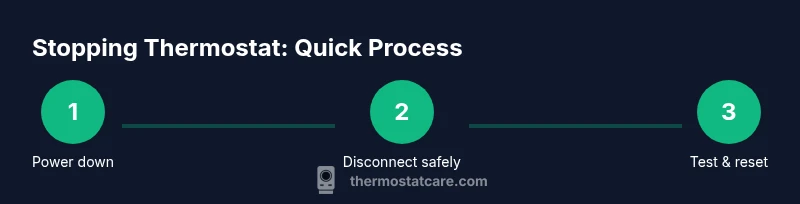
To stop thermostat activity safely, begin by powering down the HVAC system, then switch the thermostat to OFF or remove the batteries if it’s battery-powered. Next, isolate power at the breaker, verify wiring and mode, and perform a controlled reset. This quick answer outlines the essential steps and safety checks homeowners can follow before deeper diagnostics.
Why stopping a thermostat matters when troubleshooting
If you're learning how to stop thermostat activity, the goal is to pause the system safely while you diagnose the root cause. According to Thermostat Care, pausing thermostat function reduces the risk of unintended heating or cooling cycles and protects both the equipment and the home from stress during testing. In practice, stopping the thermostat gives you time to inspect power, wiring, sensors, and software without creating dangerous conditions or costly damage. This section explains why a pause is a prudent first step and how it fits into a broader diagnostic plan.
Safety prerequisites and risk awareness
Before you touch any wires or panels, acknowledge the safety risks and prepare properly. Turn off power at the main breaker to the HVAC system, then confirm the absence of voltage with a non-contact tester. If you’re working near wiring or a control board, use insulated tools and wear safety glasses. Avoid working on live circuits, and never bypass protective fuses or breakers to force the system off. This careful approach reduces shock risk and prevents further damage to the thermostat or furnace.
Diagnostic framework: isolate power, mode, and sensors
A structured approach helps you determine whether the problem is mechanical, electrical, or software-related. Start by ensuring the thermostat is truly off and the HVAC unit is de-energized. Check the thermostat mode (heat, cool, auto) and confirm it matches the intended setting. Inspect the C-wire for secure connections and look for loose terminals. If the unit has batteries, remove them momentarily to reset internal logic. By isolating power, mode, and sensor signals, you can identify which subsystem is misbehaving and which steps are safe to skip.
Handling common scenarios: power, mode, and wiring faults
Power faults are the most common culprits behind thermostats that won’t stop calling for heat or cooling. Start by ensuring the breaker isn’t tripped and that any inline fuses are intact. If you’re wired with a C-wire, verify the common is continuous and not disconnected. For battery-powered units, a depleted battery can cause erratic behavior; replace them with fresh batteries. If the thermostat is older or has corroded terminals, cleaning or reseating connections can resolve intermittent signals. These checks cover the majority of stop/start issues homeowners encounter.
Reset, test, and verify operation
After confirming safety and basic wiring, perform a controlled reset per your brand’s manual. Re-energize the system at the breaker, reinsert batteries if applicable, and observe how the thermostat responds when you set it to OFF. If the unit returns to normal operation, you’ve likely resolved a transient software issue. If the problem recurs, document the exact sequence that triggers it—this helps you or a technician diagnose whether a sensor fault, control board issue, or wiring fault is at play.
When to call a pro and what to expect next
If you notice burning smells, buzzing sounds, or a tripped breaker after attempting a reset, stop immediately and seek professional help. A certified HVAC technician can diagnose deeper issues like faulty relays, compromised control boards, or dangerous wiring conditions. When you call, share the steps you’ve taken, any error codes displayed, and whether the issue happens across multiple modes or only in one. A professional evaluation often prevents further damage and ensures safe operation.
Tools & Materials
- Breaker panel access(Know which switch controls the HVAC circuit)
- Non-contact voltage tester(Verify no live voltage before touching wires)
- Insulated screwdriver set(Use appropriate size and insulated handle)
- Multimeter (optional)(For precise voltage and continuity checks)
- Thermostat user manual or app access(Reference brand-specific reset and safety steps)
- Spare batteries (AA/AAA, as applicable)(Only if the unit is battery-powered)
Steps
Estimated time: 30-60 minutes
- 1
Power down the HVAC system
Go to the main breaker panel and switch off the breaker that supplies power to the furnace/air handler. This eliminates risk of shock while you inspect terminals. Wait 60 seconds for residual charge to dissipate.
Tip: Label the breaker to avoid re-energizing by mistake. - 2
Set thermostat to OFF or remove batteries
If your thermostat uses batteries, remove them. If it’s wired, switch the thermostat’s display to OFF, if available, to prevent any call for heat or cool during inspection.
Tip: Hold the device away from metal surfaces to prevent static discharge. - 3
Inspect wiring and mode
Check that all wires are firmly seated in their terminals and that the current mode matches your intended setting. Confirm the C-wire is connected and intact if your unit uses one.
Tip: Take a photo of the terminal block before unplugging anything for later reference. - 4
Test for power with a tester
Using a non-contact tester, verify there is no live voltage on the thermostat circuit before you touch any wires. If you detect voltage, stop and consult a professional.
Tip: Never rely on guessing; confirm with a tester before handling wires. - 5
Reset the thermostat
Follow the manufacturer’s reset steps found in the manual or app. Do a controlled reset rather than a full de-energize reset; this preserves intended software behavior while clearing glitches.
Tip: Don’t skip the reset if you’ve just replaced batteries or made node changes. - 6
Reconnect power and verify
Restore power at the breaker and re-insert batteries if used. Set the thermostat to OFF, then test heating and cooling commands to confirm proper shutdown behavior.
Tip: If the system ignores OFF, stop and seek pro support immediately.
Questions & Answers
What should I do first if my thermostat keeps calling for heat after I set it to off?
Begin by powering down the HVAC system at the main breaker and removing any batteries if applicable. Verify the thermostat is truly OFF and that there are no stray wires shorting the circuit before proceeding with diagnostics.
First, switch off the HVAC breaker and remove batteries if there are any, then confirm the thermostat is off before diagnosing.
Can resetting my thermostat stop the problem for good?
Resetting can fix software glitches that cause phantom calls for heat or cool. If the issue recurs after a reset, you may have a wiring, sensor, or control board fault that requires deeper inspection.
Resetting can fix glitches, but if it repeats, there may be a hardware issue needing a professional check.
Is it safe to disconnect thermostat wiring myself?
Only when the power is off and you have a clear reference or manual. If you’re unsure about wire functions or control board connections, contact a licensed HVAC technician.
Only if the power is off and you’re confident in wiring. If not, call a pro.
Should I replace the C-wire if it’s loose or damaged?
A loose or damaged C-wire can cause power instability. Re-seat or replace the wire if you have the skills, but verify compatibility with your thermostat and furnace. If you’re uncertain, a pro can handle it safely.
If the C-wire is loose or damaged, re-seat or replace it if you know how; otherwise, get a pro.
When is it essential to call an HVAC professional?
If you smell burning, hear buzzing, or see tripped breakers after attempting a fix, stop and contact a professional. Persistent misbehavior in multiple modes indicates a deeper electrical or control issue.
Call a professional if you smell burning or the issue persists after basic checks.
What are common hardware issues that cause thermostat problems?
Common hardware culprits include faulty relays, damaged control boards, or corroded terminals. Diagnosing these requires professional equipment and expertise beyond typical DIY steps.
Relays or control boards can fail; a pro diagnosis is often needed.
Can a malfunctioning thermostat affect energy savings?
Yes. If the thermostat misreads temperature or runs HVAC when not needed, energy use rises. Correcting wiring or software faults typically improves efficiency.
A malfunctioning thermostat can waste energy, but fixes usually restore efficiency.
Watch Video
What to Remember
- Turn off power before inspecting wiring
- Confirm mode and battery status to stop calls
- Use a controlled reset to fix software glitches
- Document steps and seek help if symptoms persist