How to Put Thermostat Back on Wall: A Step-by-Step Guide
Learn how to safely put a thermostat back on the wall with this practical, step-by-step guide from Thermostat Care. Safety, tools, wiring basics, and troubleshooting for homeowners.


You will learn to safely put a thermostat back on the wall, reattach the backplate, reconnect wiring, restore power, and test the unit for accurate readings. This guide covers safety prerequisites, tool checklists, step-by-step mounting, and quick troubleshooting tips so you can complete the task with confidence.
Safety and Preparation
According to Thermostat Care, the safety foundation of any reinstallation begins with power control and a clean workspace. Before touching wires or removing the faceplate, cut power to the thermostat at the circuit breaker that serves the HVAC system. If the thermostat relies on a battery, remove the battery if accessible to avoid misreads while you work. Use a non-contact voltage tester to confirm the absence of live voltage on the thermostat terminals. Arrange your tools and create a small, organized workspace; a cluttered area invites mistakes. Note the thermostat model and backplate design, because some systems use a four-screw backplate, while others rely on a single mounting plate. If you have a heat pump or multi-stage system, wiring may differ, and guessing can damage components. Do not proceed without documenting the current wiring with photos from multiple angles; this simple step makes reassembly easier and reduces error. Safety isn’t optional here—it’s the foundation for a reliable, long-lasting reinstallation. Thermostat Care’s guidance emphasizes careful preparation as the leading predictor of success.
Removing the old unit and inspecting backplate
Start by removing the thermostat screws and gently pulling the unit away from the wall. Once the faceplate is free, you’ll see the backplate and wiring inside. If the backplate is bent, loose, or cracked, you should replace it; a damaged backplate can misalign the thermostat and cause inaccurate readings. Inspect every wire for damaged insulation, frayed strands, or corroded terminals. If you find any damage, stop and address it before continuing. Take additional photos of terminal blocks after you’ve exposed them, so you have an unambiguous reference for reassembly. If you’re dealing with a modular backplate, keep the thermostat body safe while you prepare the wall for mounting. This step often trips DIYers who skip a careful inspection of the backplate and wiring—taking a few extra minutes now prevents bigger problems later.
Aligning the new backplate and preparing wires
Position the backplate against the wall and use a level to ensure it sits perfectly straight. Mark the screw holes with a pencil, then drill or insert wall anchors as needed. Thread the wires through the backplate opening, arranging them so they’re neat and won’t be pinched when the plate is secured. If your system uses a common (C) wire, verify a solid connection on the C terminal; otherwise, the thermostat may power down unexpectedly. Secure each conductor to its corresponding terminal, following the thermostat’s wiring diagram rather than color alone, since colors vary by model. Temporarily attach the backplate and run each wire to its terminal to confirm fit before final mounting. Small misalignments ruin readings, so take extra time on this alignment stage. Thermostat Care notes that precise backplate positioning improves sensor accuracy and display stability.
Reconnecting wires and mounting the backplate
Attach each wire to the proper terminal as described in your model’s wiring diagram. Typical colors map to R (power), W (heat), Y (cool), G (fan), and C (common), but exact terminals differ by model. Ensure a secure, clean connection on every terminal and avoid over-tightening screws, which can damage both wiring and the backplate. When the wires are connected, snug the backplate to the wall and insert mounting screws with even pressure to avoid warping. Re-check the level after the plate sits flush; an angled backplate can skew sensor readings and shorten thermostat life. If you’re using a modular backplate, confirm all connectors click fully into place before mounting the thermostat body. This step lays the groundwork for reliable operation and accurate temperature control.
Attaching the thermostat and powering up
Mount the thermostat body onto the backplate and tighten the mounting screws evenly to avoid stressing the housing. Restore power at the circuit breaker, and if your unit uses batteries, insert fresh cells as a backup. Power up the thermostat and observe the startup sequence; a blank screen or error codes indicate wiring or power issues that require re-checking connections. Reassemble the decorative cover only after you’ve confirmed the screen and status lights operate correctly. If your model supports quick calibration, allow a few minutes for it to learn your HVAC patterns. This stage confirms a solid physical mount and properly wired thermostat ready for testing.
Testing and verification
Set an easy target temperature (for example, 72°F) and verify the system responds within a few minutes. Listen for a successful heat or cooling cycle and confirm the fan engages with the appropriate mode. If the thermostat uses a battery, confirm the battery indicator is gone and the device maintains power. Place a separate thermometer near the thermostat to validate that the displayed reading matches ambient room temperature within a reasonable margin. If the setpoint isn’t reached, double-check that the wires are correctly connected to the terminal blocks and that no wires are loose or shorted. Finally, revisit the wall to ensure there’s no gap around the backplate that could allow dust or insects to enter, and re-test after closing up. A well-mounted thermostat delivers stable comfort and energy savings over time.
Authority Sources
- Energy.gov: Thermostats and energy savings overview: https://www.energy.gov/eere/buildings/articles/thermostats
- NIST: Electrical safety guidelines for residential wiring: https://www.nist.gov/topics/electrical-safety
- NFPA: Home electrical safety tips: https://www.nfpa.org
Tools & Materials
- Screwdriver (Phillips #2)(For mounting screws)
- Voltage tester(Confirm power is off)
- New mounting screws(If old screws are damaged)
- Backplate(Compatible with your thermostat model)
- Level(Keep backplate straight)
- Pencil(Mark wall holes accurately)
- Wall anchors (optional)(For hollow walls or lightweight backplates)
- Electrical tape (optional)(Neaten exposed wires if needed)
Steps
Estimated time: 30-60 minutes
- 1
Power off and verify
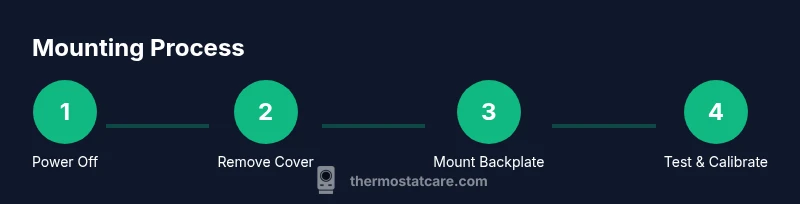
Switch off the circuit breaker feeding the HVAC/thermostat. Use a non-contact tester to confirm no live voltage at the terminals. This prevents electric shock and protects equipment during disassembly.
Tip: If you’re unsure which breaker controls the thermostat, switch off the main panel and test the thermostat after the first cut. - 2
Remove cover and base
Unscrew and gently remove the thermostat cover, then detach the thermostat from the backplate to reveal wiring. Keep track of screws and place them in a labeled container. Photograph each wiring step before removal for reference.
Tip: Keep the thermostat body supported to avoid stressing wires as you free the backplate. - 3
Inspect and prepare wires
Check insulation for damage and confirm terminal blocks are clean. If any wire is frayed, replace or trim with care. Prepare the backplate alignment by ensuring the wall surface is flat and free of debris.
Tip: If a wire looks damaged, do not reuse it—safely cut back to sound copper and re-strip with proper length. - 4
Mount backplate and align
Hold the backplate against the wall and level it. Mark hole centers with a pencil, drill, and insert anchors if necessary. Ensure the plate sits flush against the wall with no gaps.
Tip: Double-check alignment before driving screws; a small misalignment now causes long-term sensor drift. - 5
Reconnect wires to terminals
Attach each wire to its corresponding terminal on the backplate per the model’s wiring diagram. Avoid relying on color alone; verify labeling. Tighten terminals just enough to secure, then gently tug to confirm solid connections.
Tip: Label wires if you removed more than one; keep track of R, W, Y, G, C, and any auxiliary terminals. - 6
Attach thermostat and restore power
Mount the thermostat body onto the backplate and tighten screws evenly. Reconnect power at the breaker; replace or recharge batteries if applicable. Verify the display powers up and the device boots normally.
Tip: If the screen stays blank, recheck the wiring connections and ensure the backplate is fully seated. - 7
Test function and calibration
Set a comfortable target temperature and observe the HVAC response. Confirm mode (heat/cool) and fan operate correctly. Allow a short calibration window for learning your schedule.
Tip: Record any odd readings or delays and revisit wiring if results are off by more than a few degrees.
Questions & Answers
Do I need to turn off power at the breaker before starting?
Yes. Turning off the breaker minimizes the risk of electrical shock and prevents the thermostat from triggering the HVAC system during work. Always confirm with a tester before touching any wires.
Yes. Turn off the breaker and check with a tester before you touch any wires to stay safe.
What if the backplate won’t level or align properly?
Use a level, adjust mounting holes, and consider wall anchors if the wall is hollow or uneven. Take your time to get a perfectly flat mount, as misalignment leads to sensor drift and unreliable readings.
If the backplate isn’t level, realign it with anchors if needed and verify it’s perfectly flat.
Can I reuse old wires or backplate?
Wires can be reused if they are undamaged and the terminals remain clean. If any insulation is worn or terminals corroded, replace those sections or the whole backplate to ensure reliable operation.
You can reuse wires if they’re undamaged, but replace any worn insulation or corroded terminals.
How long does a thermostat calibration take?
Calibration typically completes within minutes as the device learns your schedule. Allow a short warm-up period after installation for readings to stabilize and confirm consistent performance.
Calibration usually takes a few minutes; give it a little time to settle in.
My display is blank after mounting. What should I check?
First, verify power at the breaker and ensure batteries are fresh if used. Check that all wires are securely connected to the correct terminals and that the backplate is seated properly against the wall.
If the display is blank, check power and the wiring connections, then reseat the backplate if needed.
Watch Video
What to Remember
- Power down before touching any thermostat wiring.
- Align and secure the backplate for accurate readings.
- Follow the wiring diagram, don’t rely on color alone.
- Test system response and verify readings after mounting.
- Keep safety and documentation as priorities to protect your HVAC system.