How to Keep a Thermostat at One Temperature
Learn practical steps to keep your thermostat at a single temperature, reduce drift, and improve comfort. This Thermostat Care guide covers hold modes, sensor placement, and troubleshooting.


You can keep a thermostat at a single temperature by using hold mode or smart scheduling, verifying sensor placement, and minimizing door openings. This guide explains practical steps, sensor checks, and common fixes to reduce temperature drift and improve comfort. Follow the steps for reliable cooling or heating consistency at home.
What it means to keep a thermostat at one temperature
A stable temperature throughout the day is more than comfort—it's energy efficiency and consistent comfort. When a thermostat stays at one temperature, the HVAC system runs in predictable cycles, avoiding the frequent on/off cycles that can create temperature swings near setpoints. In practice, you want a single target that your thermostat maintains, regardless of schedule changes or minor room changes. The most reliable way to achieve this is to use the device’s Hold mode or a fixed setpoint, combined with thoughtful placement and routine checks. According to Thermostat Care, many homes drift from their target temperature due to sensor placement and misapplied scheduling. By laying out a plan that addresses both software (hold mode, schedules) and hardware (sensor, wiring, airflow), you can lock in a comfortable, energy-efficient environment.
Common causes of temperature drift
Temperature drift happens when the system reads a different ambient temperature than the room’s actual temperature, or when the HVAC cycles do not align with the desired setpoint. Common culprits include sensor misplacement (placed near a sunlit window, appliance, or thermostat in the hallway far from the living area), frequent door openings, drafts, or stale air in the return duct. In addition, some thermostats default to routines that override the current setpoint during certain hours. Finally, calibration or a loose wire can cause the device to report the wrong temperature or fail to respond promptly. Recognizing these causes helps you target the right fix and avoid unnecessary changes.
Sensor placement, air flow, and room layout
The location of your thermostat matters almost as much as the setpoint itself. A sensor tucked behind a curtain, near a heat vent, or in a hallway far from the main living space can read a biased temperature, causing the unit to compensate with extra heating or cooling. Ideal placement is away from direct sun, drafts, or heat sources like lamps and appliances. Also consider room layout—an open floor plan with consistent airflow typically yields more stable readings than a long, narrow corridor. If you’re unsure where to place the sensor, start by measuring two or three spots around the main living area and compare readings with a simple room thermometer. This approach aligns with best practices recommended by Thermostat Care.
Using built-in hold modes and scheduling to stabilize temps
Most modern thermostats offer a Hold or Permanent Hold feature that preserves a single setpoint. Smart thermostats often permit you to create a fixed schedule with minimal fluctuations, while non-smart models rely on manual hold settings. The key is to select Hold, set your exact temperature, and avoid automatic overrides by changing schedules during the day. If your model supports it, disable dynamic features that adjust the setpoint automatically for energy-saving purposes during critical times. Consistently using Hold with a stable target reduces drift, improves comfort, and can lower energy use when configured correctly.
Quick checks you can do today (no tools)
Before you dive into wiring or sensor adjustments, perform a quick, practical audit: (1) Ensure the current setpoint is locked with Hold or a fixed temperature. (2) Confirm that the thermostat is not overridden by an active schedule. (3) Check for obvious drafts near the thermostat’s location (windows, doors, or vents). (4) Make sure the filter is clean—restricted airflow makes the system work harder and can affect temperature regulation. (5) Verify the display matches an accurate room thermoscope with a separate thermometer. (6) Note any recent changes to home orientation (new furniture, sun exposure) that could affect readings. In all cases, take a day or two to observe whether the situation improves after these checks. This approach aligns with guidance from the Thermostat Care team.
When to upgrade or call a professional
If drift persists after optimizing placement, hold settings, and airflow, consider hardware issues such as sensor calibration, wiring faults, or a failing control board. A professional can test the sensor accuracy, inspect wiring for loose connections, and inspect the furnace or heat pump for abnormal cycling. If your thermostat is old or incompatible with your HVAC system, upgrading to a compatible model with better sensors and hold capabilities may deliver more consistent results. The Thermostat Care team recommends evaluating your system’s overall health and whether a newer thermostat could improve stability.
Tools & Materials
- Phillips screwdriver(Size #2 is common for thermostat plates)
- Flathead screwdriver(Forscrew heads or wall plates)
- Room thermometer(Place away from vents to compare readings)
- Multimeter (optional)(For measuring voltage on the thermostat terminals)
- Spare batteries(If your thermostat uses battery power)
- Ladder or step stool(If the thermostat is mounted high)
Steps
Estimated time: 60-90 minutes
- 1
Enable hold mode or set fixed setpoint
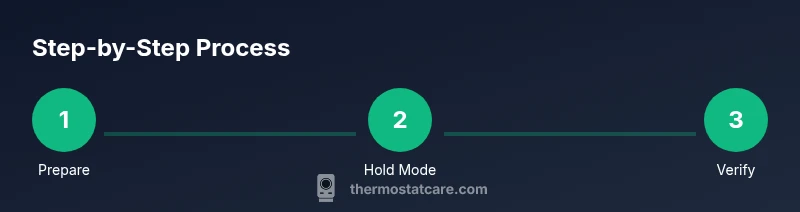
Access the thermostat menu and select Hold, Permanent Hold, or an equivalent option. Set your target temperature and confirm that the device will maintain this setting regardless of schedule changes.
Tip: If your model lacks a Hold option, use a fixed schedule with minimal variations and avoid adjusting the setpoint during active HVAC cycling. - 2
Lock the exact setpoint
Ensure the current target temperature is applied continuously by choosing a Single Setpoint or Lock option if available. Verify the setting remains unchanged after 15 minutes.
Tip: Some models allow a passcode or screen lock; enable it to prevent accidental changes. - 3
Check sensor placement
Move the thermostat away from direct sunlight, vents, and heat-generating appliances. Aim for a thermostat in the living area with good air circulation, roughly at eye level.
Tip: Avoid placing the device in drafty hallways or behind furniture that could block airflow. - 4
Minimize door openings and drafts
Close interior doors to reduce thermal exchange between rooms. Seal gaps around doors and install weatherstripping where needed to minimize fluctuations.
Tip: Drafts near the thermostat can fool readings; keep the area tidy and sealed. - 5
Validate with an external thermometer
Place a room thermometer near the thermostat and compare readings over several hours. If there’s a persistent discrepancy, you may need sensor calibration, or check the wiring.
Tip: Calibration often requires accessing deeper menus; consult your model’s manual or Thermostat Care guidance. - 6
Monitor for a full cycle
Let the system run for a full 24-hour period and observe whether the actual room temperature remains within a narrow range of the setpoint. Note any drifts and adjust as needed.
Tip: Document times of drift to identify whether specific conditions cause changes.
Questions & Answers
Why does my thermostat drift from the set temperature?
Drift usually happens when readings don’t reflect the actual room temperature, often due to sensor placement, drafts, or HVAC cycling. Rechecking sensor location and hold settings can resolve most drift scenarios.
Drift happens when the thermostat reads a different room temperature than what you actually feel. Check placement and hold settings to fix most cases.
Is hold mode the same on all thermostat brands?
Most thermostats offer a hold feature, but the steps to enable it vary by model. Consult your manual or Thermostat Care guidance for model-specific instructions.
Hold mode exists on most models, but the path to it differs by brand; check the manual for exact steps.
How long should I test after enabling hold mode?
Allow the system to run for at least 24 hours to assess stability across day and night conditions. Shorter periods may not reveal drift patterns.
Test for a full day to see how well the hold setting works through day and night.
Can extra sensors help stabilize temperature?
Additional sensors or zoning can improve accuracy if you have compatible equipment, but they require compatible hardware and setup.
Yes, more sensors can help, provided your system supports it.
When should I call a professional?
If the system drifts despite checks or shows unusual behavior, a professional can diagnose wiring, sensor calibration, or control board issues.
If drift continues after checks, consider a professional diagnosis.
Watch Video
What to Remember
- Lock in a single setpoint with Hold mode
- Place sensors away from heat sources and drafts
- Use a room thermometer to verify readings
- Monitor performance for a full 24-hour cycle
- Upgrade or consult a pro if drift persists