How a Thermostat Is Connected: Step-by-Step Wiring Guide
Learn how a thermostat is connected to your HVAC system, from power sources and wires to testing and safety tips. A practical, DIY-friendly guide for homeowners troubleshooting common wiring questions.


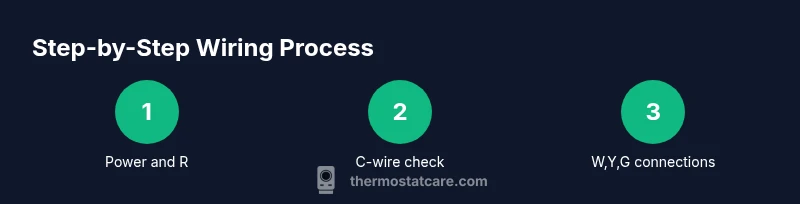
By the end of this guide you will understand how a thermostat is connected to your HVAC system, including basic wiring, power sources, and common safety checks. You’ll need a screwdriver, a multimeter (optional), compatible thermostat, and clear access to the furnace or air handler. This quick path sets you up for a safe, successful install or troubleshooting.
What it means when we say how thermostat is connected
Understanding how thermostat is connected starts with recognizing that most home thermostats operate a low-voltage 24-volt control circuit that links the thermostat, the furnace control board, and the air conditioner. When you adjust the temperature, the thermostat completes a circuit that signals the HVAC equipment to turn on the appropriate components. In practice, this means you’ll be dealing with wires and terminals, a power source such as the R and C lines, and a set of signals (W, Y, G) that instruct heat, cooling, and fan functions. By mastering these basics you can diagnose many common issues without unnecessary frustration. According to Thermostat Care, understanding how thermostat is connected reduces troubleshooting time and helps homeowners safely fix common issues.
Core components and wiring basics
Most residential thermostat connections revolve around a 24-volt AC control circuit. The thermostat acts as a switchboard, sending signals to the furnace/air handler via labeled terminals: R (24V supply), C (common), W (heat), Y (cool), and G (fan). Some systems use a separate RC and RH with a jumper, while others bridge them internally. Do not assume color codes are universal; use the terminal labels on the thermostat and furnace control board rather than wire color alone. Knowing these basics helps you interpret a wiring diagram and anticipate how a miswire will affect system behavior.
Safety first: power off and shocks
Work on thermostat wiring only after you have completely de-energized the HVAC circuit. Turn off the power to the furnace/air handler at the main breaker and, if accessible, the dedicated HVAC disconnect. Never touch exposed conductors with power present; always use insulated tools and verify absence of voltage with a tester. If you smell gas, hear buzzing, or notice scorch marks, stop and call a licensed professional—do not proceed.
System types and what you can expect
Different systems require different wiring conventions. A two-wire heat-only setup is very simple, usually just R and W. A standard cooling combo adds Y and G, while a heat pump often uses multiple O/B signals in addition to R, C, W, Y, and G. Modern smart thermostats may require a C-wire for consistent power. Before you begin, identify whether you have a conventional furnace, a heat pump, or a combined system, and check any existing documentation. Your goal is to map wires to the correct terminals on both the thermostat and the furnace control board.
Reading wiring labels and diagrams
Most HVAC systems include a wiring diagram on the furnace cabinet or in the installation manual. If labels are visible, label each wire before disconnecting. Look for common terminal marks such as R, C, W1, W2, Y1, Y2, G, and O/B. If your thermostat’s wiring corresponds to a different layout, consult the equipment’s documentation or the thermostat’s wiring guide. A clean mapping reduces the risk of cross-connections that could damage components or lead to unsafe operation.
Common wiring configurations
In a typical 5-wire system, you’ll see R (red), C (blue or brown), W (white), Y (yellow), and G (green). Heat-only systems may omit Y and G; heat-pump configurations may add O/B and AUX/E signals. When upgrading to a smart thermostat, ensure that you have a C-wire for reliable power; if not, consider a Power Extender Kit (PEK) or professional assistance. Always confirm compatibility with your thermostat’s installation guide and your HVAC equipment.
Common mistakes and fixes
Common errors include misplacing wires on the wrong terminal, leaving the old jumper in place, or skipping the C-wire entirely. Loose connections can cause intermittent operation, voltage drop, or false readings. If a thermostat display flickers or behaves oddly after installation, recheck each wire against the diagram, reseat terminals, and ensure the power is off before touching conductors. When in doubt, revert to the original wiring configuration and reattempt with careful labeling.
Testing after connection
Power up the system and observe the thermostat display for a stable readout. Manually trigger heat, cool, and fan to confirm each function activates the corresponding equipment. Listen for the furnace relay clicking and watch for the outdoor condenser engaging on cooling calls. If a function fails, recheck the wiring mapping, confirm the thermostat is configured for your system type, and verify the breaker remains on. A failed test is often a sign of a miswire or a compatibility issue.
Maintenance and safety considerations
Regularly inspect thermostat and wiring for signs of wear, insulation damage, or loose connections. Keep the area around the furnace and thermostat free of dust and debris. For safety, never replace high-voltage components from the thermostat area; rely on a qualified technician for anything beyond low-voltage wiring checks. Routine checks help prevent intermittent faults and extend the life of your HVAC system.
Energy efficiency and best practices
A well-connected thermostat improves energy efficiency by ensuring accurate temperature control and proper cycling of equipment. Use the appropriate mode settings, especially in shoulder seasons, to minimize unnecessary runs. When upgrading, choose a thermostat compatible with your HVAC system that supports smart scheduling and remote access, but verify that all wiring is correctly connected before enabling advanced features.
Tools & Materials
- Screwdrivers (Phillips and flathead)(Assorted sizes; used to remove plates and terminal screws)
- Non-contact voltage tester(Verify power is off before touching wires)
- Wire stripper/cair cutter(Prepare wires for clean insertion into terminals)
- Electrical tape(Seal exposed conductors and label wires)
- Labeling tape or wire labels(Record wire-to-terminal mappings for reassembly)
- Replacement thermostat(Ensure compatibility with your HVAC system (heat/cool/auxiliares))
- Multimeter (optional)(Useful for verifying voltage and continuity if needed)
Steps
Estimated time: 45-90 minutes
- 1
Turn off HVAC power
Shut off power to the furnace/air handler at the main breaker. Confirm no electrical power is present using a non-contact tester. This prevents shock while you work on thermostat wiring.
Tip: Double-check the power switch or disconnect near the unit; some systems are hard-wired. - 2
Remove the old thermostat cover
Carefully unfasten screws or release clips holding the thermostat cover. Gently pull the display away to expose the wiring. Do not tug on wires; note how each is connected before removal.
Tip: Take a photo of the existing wiring for reference during reassembly. - 3
Label and photograph wires
Label each wire using the terminal letter it’s connected to (R, W, Y, G, C, etc.). Take multiple photos from different angles to capture both the wall plate and the furnace terminals.
Tip: If your wires are color-coded, rely on the terminal labels rather than color alone. - 4
Detach wires one by one
Loosen each terminal screw just enough to release the wire. Remove and set aside each wire in a labeled bundle. Keep track of which wire goes to which terminal on the old thermostat.
Tip: Do not pull on the wire insulation—loosen screws fully for clean withdrawal. - 5
Check for a C-wire and assess compatibility
Identify whether a C-wire is present on both your furnace board and the new thermostat. If no C-wire exists, plan for a power extender kit or consider a thermostat that supports power-sharing.
Tip: If you’re unsure about C-wire availability, consult your furnace diagram or manufacturer guide. - 6
Prepare the wall plate and mounting
Install the mounting plate on the wall as per the thermostat’s instructions. Use a level to ensure it sits straight. If you must adjust the box, do so before wiring.
Tip: Mark and predrill screw holes to avoid cracking the wall. - 7
Connect wires to the new thermostat
Attach each wire to its corresponding terminal on the new thermostat (R, C, W, Y, G, and any O/B signals). If your thermostat has separate RC and RH terminals, place a jumper if required by the manual. Ensure snug, straight connections.
Tip: If a terminal label is unclear, refer to the thermostat’s wiring guide; mismatched wires can damage equipment. - 8
Attach the thermostat to the wall and restore power
Secure the thermostat housing to the wall plate. Restore power at the main breaker and the HVAC disconnect. Confirm the thermostat powers on with a stable display.
Tip: If the screen stays blank, recheck wire seating and power sources before troubleshooting further. - 9
Test heating and cooling functions
Set a test temperature and trigger heat, cool, and fan operations. Watch for the furnace relay and outdoor unit activation. If something doesn’t respond, re-check wiring or seek professional help.
Tip: Test in stages to isolate which function may be miswired. - 10
Document and finalize
Record wire-to-terminal assignments and any settings adjusted in the thermostat. Save photos and notes for future reference and maintenance.
Tip: Keep a copy of your wiring diagram with the thermostat installation paperwork.
Questions & Answers
What is the C-wire and why is it important?
The C-wire provides a continuous 24V return path, powering the thermostat. Without a C-wire, many smart thermostats won't operate reliably. If you lack a C-wire, consider a power extender kit or consult a pro.
The C-wire is the common power line for the thermostat. If you don’t have it, a power extender kit can be used, or you may need professional help.
Can I connect a thermostat without a C-wire?
Yes, but it may limit features or cause power issues for smart thermostats. Some models offer power-sharing options, while others require installation of a C-wire.
You can install without a C-wire in some cases, but many smart thermostats need it for reliable power.
How do I know which wire goes to which terminal?
Refer to the furnace control board labels and the thermostat manual. Label wires during removal and map them to the corresponding terminals on the new device.
Check the board labels and the thermostat guide. Label wires and map them carefully.
What are common mistakes when wiring a thermostat?
Common mistakes include misplacing wires, leaving a jumper in place, and forcing wires into incorrect terminals. Double-check diagrams and power off before adjustments.
Common mistakes are miswiring and leaving jumpers; double-check with diagrams and power off.
Do I need a professional to connect a thermostat?
Not always. A simple wiring upgrade can be DIY-friendly, but complex systems (heat pumps, multi-stage, or no C-wire) may benefit from a professional.
For complex systems or if you’re unsure, consider hiring a professional.
How can I test the thermostat after wiring?
Power the system, verify the display, and run test calls for heat and cool. If responses lag, recheck connections and mode compatibility.
Power up, check the display, and test heat and cool calls to verify wiring.
Watch Video
What to Remember
- Identify all terminals before wiring.
- Power must be off before touching any conductors.
- Verify wire-to-terminal mappings with diagrams.
- Ensure a C-wire is available for reliable thermostat power.
- Test each function (heat, cool, fan) after wiring.