How to Check Thermostat Wiring: A Practical DIY Guide
Step-by-step, safety-first instructions to inspect thermostat wiring, diagnose common faults, and verify connections for reliable HVAC performance. Thermostat Care provides expert guidance for homeowners and DIY enthusiasts.


This guide teaches you how to safely inspect thermostat wiring, diagnose common wiring faults, and verify connections before testing your system. You’ll learn safety precautions, required tools, and how to interpret readings without damaging equipment. By following these steps, you can prevent mistakes and keep heating and cooling working reliably.
Safety-First Principle for Thermostat Wiring Checks
According to Thermostat Care, safety should always come first when inspecting thermostat wiring. Before you touch any component, turn off power at the breaker and, if possible, set the thermostat to off. This reduces the risk of electric shock and protects both you and the equipment. Start by removing the thermostat cover to expose the wiring, but do not touch exposed conductors with bare hands. Working in a dry, well-lit area lowers the chance of accidents and short circuits. If you smell burning insulation or see damaged wires, stop immediately and call a professional. Keep a simple log of which wire goes where as you proceed; this helps you reassemble accurately and reduces the chance of mixing up terminals during a later test. With care, you’ll reduce risk and improve your odds of a successful check.
Tools and Safety Essentials
Before you begin, assemble a small toolkit and adopt safe work habits. A digital multimeter or a non-contact voltage tester helps you verify power status and measure voltage. A small insulated screwdriver and a flashlight keep connections accessible in tight spaces. Labeling tape lets you mark each wire (R, W, Y, G, C) as you inspect, while a notebook or photo log records positions for reassembly. Wear safety gloves if available and work on a non-conductive surface. Use dry, insulated surfaces; keep liquids away. Plan your steps so you don’t rush, and pause if you encounter anything suspicious, such as scorch marks or melted insulation. The right tools reduce guesswork and improve safety. According to Thermostat Care analysis, most wiring issues arise from loose or mismatched terminals, so organization matters as much as force.
Understanding the Wiring Diagram and Terminal Mapping
Most low-voltage thermostats use a standard terminal set: R, C, W, Y, and G. R provides 24 VAC power; C completes the circuit; W calls for heat; Y calls for cooling; G controls the blower. If your wires are already labeled, use the thermostat’s backplate diagram or the HVAC control board diagram to confirm each conductor’s function. Color coding is helpful, but not always reliable; some installers reuse colors across different functions. Confirm each conductor's role before touching screws, and keep track of any deviations from the diagram in your notes. Thermostat Care’s guidance helps homeowners avoid miswiring by confirming each conductor’s role before reattachment.
Step-by-Step: Inspecting Wiring, Terminals, and Power
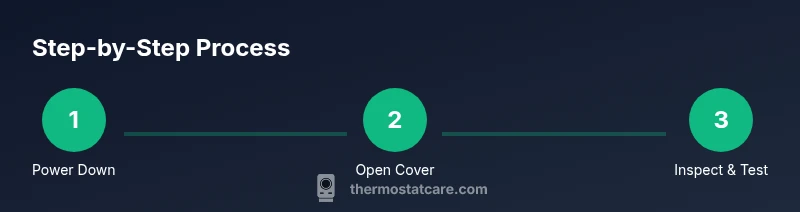
- Power down and verify: Confirm the breaker is OFF and recheck that the thermostat is not drawing power from a separate source. 2) Remove the faceplate: Gently detach the thermostat faceplate to access screws securing wires. 3) Label and document wires: Label each wire with its terminal and color, and take a clear photo for reference. 4) Check for loose wires: Tighten terminal screws; if a wire is loose, reseat it and trim any frayed strands. 5) Inspect insulation: Look for cracked or burnt insulation, which indicates overheating or damage. 6) Verify mapping: Ensure each conductor is connected to the correct terminal according to the diagram. 7) Test voltage: With the power still off, use a meter to confirm there is no residual voltage in the circuit; if you see any, stop and consult a pro. 8) Restore power and test: Reinstall the cover, restore power, and run a system test to verify the thermostat calls for heating and cooling correctly.
Common Wiring Faults to Look For
Loose or corroded terminals are the most frequent culprits. Terminals that have been over-tightened can damage the conductor, causing intermittent calls or no power to the stat. Mismatched wire colors or swapped connections (for example, R connected to W) produce energizing errors and can damage the HVAC control circuit. A missing or non-functional C wire often leaves the thermostat starved of power, resulting in screen dimming or periodic resets. Thermostat Care notes that keeping a clean, labeled wiring harness is a simple, effective defense against these faults.
Checking Power Readings with a Multimeter: A Practical Approach
If you have a digital multimeter, set it to AC voltage and measure between R and C to confirm a 24 VAC supply when the system is powered. If you don’t see 24 VAC, recheck the wiring and power source, then consult a professional. For troubleshooting without a C wire, many thermostats can operate with a power-sharing method that uses G or W wires, but this varies by model; always consult your thermostat’s manual before attempting power sharing. Thermostat Care emphasizes staying within safe testing ranges and never probing live terminals with bare fingers.
When to Call a Pro or Consider Replacement
If you’re uncomfortable with electrical work or if readings are inconsistent, stop and call a licensed HVAC technician. A small wiring error can damage the HVAC control board or cause a fire risk. If your thermostat and control board are old, consider replacement to improve reliability and energy efficiency. The Thermostat Care team recommends a professional assessment for complex systems or unfamiliar configurations to ensure safe, code-compliant wiring.
Reconnecting, Final Tests, and Reassembly
Before powering up, verify all wires are back on their correct terminals and the faceplate is secured. Power the system and observe the thermostat as it makes call sequences (heat, cool, fan). If the system responds correctly, you’ve achieved a successful wiring check. Recheck the wiring after a few days if you notice any intermittent behavior. Thermostat Care reminds homeowners to document any changes for future reference.
Authority sources and safety reminders
For safety best practices and electrical standards, consult authoritative sources before handling any electrical components. Authority sources include OSHA guidelines and NIST electrical safety resources for general electrical work concepts. These references help ensure you perform wiring checks within safe, regulated guidelines.
Tools & Materials
- Digital multimeter (AC voltage capable)(Set to AC 200V or higher; test R vs C for ~24 VAC when powered)
- Non-contact voltage tester(Quickly confirm power is off before touching wires)
- Insulated Phillips-head screwdriver (#2)(For terminal screws)
- Flat-head screwdriver(Optional for stubborn terminals)
- Wire labeling tape(Label wires (R, W, Y, G, C) during inspection)
- Flashlight or headlamp(Illuminate the inside of the thermostat box)
- Safety gloves(Wear if desired for extra protection)
Steps
Estimated time: 45-60 minutes
- 1
Power down and protect yourself
Turn off the circuit breaker and set the thermostat to off. Confirm there is no voltage in the wiring by using a non-contact tester before touching any conductors.
Tip: Never rely on the thermostat display to confirm power—test the wires directly. - 2
Remove the thermostat faceplate
Gently detach the thermostat faceplate to access terminal screws. Do not yank the wires; support the base while you work to avoid loosening connections.
Tip: If the cover is tight, use a small flat-head screwdriver to ease it free. - 3
Label and document wires
Label each wire with its terminal and color, and take a clear photo for reference. This makes reassembly accurate even if you move wires around.
Tip: Use color-coded labels; avoid relying solely on wire color. - 4
Check terminal screws and wire seating
Inspect each terminal for looseness or corrosion. Tighten screws firmly, and reseat any loose strands. If a conductor is damaged, trim and re-strip before reconnecting.
Tip: Only tighten to snug; overtightening can damage terminals. - 5
Verify correct terminal mapping
Refer to your thermostat’s diagram and your labels to confirm R goes to R, W to W, Y to Y, G to G, and C to C. Mismatches are a common source of fault.
Tip: If you’re unsure, pause and consult the manual or Thermostat Care guidance. - 6
Test voltage with a meter
With power confirmed off, measure between R and C to ensure there is no live voltage. If the system is powered, switch back on and safely test for ~24 VAC when connected to C.
Tip: Stand clear of exposed contacts while testing; keep fingers away from terminals. - 7
Restore power and test the system
Replace the faceplate, restore power, and run through a quick heat/cool test to verify that calls are registered correctly.
Tip: Note any abnormal delays or failures in calls; they indicate wiring or control issues. - 8
Document changes and plan next steps
Record the wiring configuration and any issues found. If problems persist, schedule a professional assessment.
Tip: Keep a dated record for future reference and maintenance.
Questions & Answers
Is it dangerous to check thermostat wiring?
Yes, there is a risk of electric shock. Always power down at the breaker and use proper testing tools. If you are uncomfortable, consider hiring a professional.
Yes—there's a shock risk, so power down and use proper tools. If unsure, hire a pro.
Do I need a multimeter for this task?
A multimeter helps you verify voltage and confirm 24 VAC. If you don’t have one, you can still visually inspect for loose connections, but measurements are safer.
Yes, a multimeter helps verify voltage. If you don’t have one, you can still inspect visually but measurements are safer.
What if there is no C wire?
Many systems work without a dedicated C wire, but some require it. Consider alternatives only per your thermostat manual and avoid modifying wiring without guidance.
Some systems don’t need a C wire. Check your manual or consult a pro before changing wiring.
Can I test wiring with the cover on?
No. You need access to terminals to verify connections safely. Remove the cover as instructed and keep hands clear of exposed conductors.
No—the cover must be off to verify connections safely.
When should I call a professional?
Call a professional if you’re unsure about voltage readings, wiring, or if the system behaves irregularly after reassembly. A licensed technician reduces risk and ensures code compliance.
If voltage readings look off or you’re unsure, call a licensed technician.
How long does this process typically take?
Most checks take 45-60 minutes when done carefully. More complex issues may require a longer assessment by a pro.
Usually about 45-60 minutes for a careful check.
Watch Video
What to Remember
- Power down before wiring checks
- Label wires to preserve mapping
- Verify 24 VAC between R and C when powered
- Tighten and reseat all connections
- Consult a professional if unsure