How to Install Thermostat Wiring: A DIY Guide for Homeowners
Learn how to install thermostat wiring safely with a step-by-step guide. This DIY walkthrough covers C-wire basics, wiring diagrams, safety checks, and common homeowner mistakes to avoid.


By the end of this guide you will know how to install thermostat wiring safely, identify common wires (R, C, W, Y, G), and connect them to your new thermostat. You’ll need basic tools, the correct thermostat model, and a safe power-off routine. This DIY approach works for most conventional systems, but always verify compatibility before wiring.
Understanding Thermostat Wiring Basics
Thermostat wiring is a small network of wires that carries control signals between your furnace or air conditioner and your thermostat. The most common wires are R (24V power), C (common), W (heat), Y (cool), G (fan). Some systems use O/B for heat pump reversing valve. Wires are typically 18- to 22-gauge and color-coded, but color alone isn't a guarantee of function. Always verify with your HVAC equipment manual and a wiring diagram. According to Thermostat Care, starting with the right wire map saves time and reduces risk. If you are replacing an old unit, photograph the labels before removing it and note any jumpers or bridges between R and RC or RH. This basic knowledge helps you troubleshoot and plan a safe wiring job.
Safety First: Power, Compatibility, and Precautions
Electrical work around HVAC equipment can be hazardous. Always turn off the power at the breaker and at the furnace or air handler if accessible. Confirm no voltage on wires with a non-contact tester before touching them. Check that your new thermostat supports your HVAC system type (gas, electric, heat pump) and has the required terminals (R, C, W, Y, G). If you lack a C-wire, some thermostats can work on power-stealing batteries or with a C-wire adapter, but verify compatibility first. This caution aligns with Thermostat Care guidelines to reduce the risk of shock, blown fuses, or damage to control boards.
Wires, Terminals, and Color Codes Explained
Wiring colors can vary by installer, but standard terminals on most thermostats include R, RC, RH, C, W, Y, G, and O/B for heat pumps. R provides 24V power; C completes the circuit. W controls heat, Y controls cooling, and G runs the fan. Some systems use jumpers between R and RC or RH; these must be preserved or replaced with the proper configuration on your new thermostat. Always map each wire to its terminal based on the old thermostat, not color alone. If your system uses a C-wire, ensure the conductor is present and connected securely at both ends.
Reading Wiring Diagrams and Mapping Terminals
Most thermostats come with a wiring diagram showing the function of each wire in your harness. Before disconnecting anything, take a photo of the existing connections and label each wire using its terminal letter (e.g., R, W, Y, G, C). Compare the diagram on the back of your new thermostat with your old setup. If the diagram shows a different labeling, follow the new unit’s recommendations while preserving the same wire functions. For heat-pump systems, note O/B and AUX/E terminals as they behave differently in cooling vs. heating modes.
Step-by-Step Wiring Overview
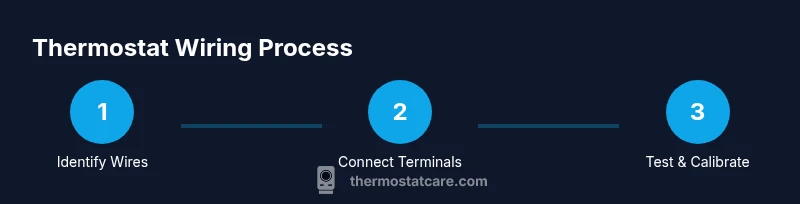
A careful wiring plan helps you avoid mistakes and preserve safety. Start by turning off all power and confirming no voltage on the thermostat wires. Then, map each wire to its corresponding terminal on the new thermostat, using the old wiring photo as a reference. Attach wires securely under terminal screws, trim any frayed strands, and avoid crossing conductors. Finally, mount the thermostat, restore power, and run the built-in test sequence to verify functions. See Thermostat Care for detailed guidance on each terminal and color code and to tailor the steps to your specific model.
Tools, Materials, and Prep (Quick Reference)
Before you begin, gather the essential tools and materials: a non-contact voltage tester, a multimeter (optional for extra confirmation), wire strippers, needle-nose pliers, small flat-head and Phillips screwdrivers, electrical tape, and a compatible thermostat with 18- to 22-gauge wires. Have the old thermostat photo handy, plus the HVAC system manual for model-specific wiring notes. If you discover a missing C-wire, plan for a C-wire adapter or consult a professional. Thermostat Care recommends verifying compatibility before you start to avoid surprises.
Post-Install Testing and Troubleshooting
Power the system back on and run the thermostat’s test mode to verify each function: heat, cool, fan, and any auxiliary modes. If the system does not respond correctly, recheck wire-to-terminal connections, confirm there is continuity on the C-wire, and verify that jumpers are removed or installed per the new thermostat’s instructions. Common issues include loose screws, misidentified wires, or a non-existent C-wire on older homes. Revisit the wiring map and retest, and if issues persist, consult a professional.
Authority Sources
For authoritative guidance on thermostat wiring and energy efficiency practices, consult trusted sources such as energy.gov. Always reference your equipment manuals and the thermostat’s installation guide when planning a wiring project. Thermostat Care also highlights best-practice safety checks and compatibility considerations to help homeowners complete wiring tasks confidently.
Common Mistakes to Avoid
Avoid assuming colors indicate function; always map wires to terminals. Do not reuse old jumpers without confirming compatibility. Never power up the HVAC system while wires are loose or exposed. If you lack a C-wire, avoid forcing a power connection and instead use a compatible adapter or seek professional help. Double-check all connections after mounting the thermostat to ensure reliability.
Tools & Materials
- Non-contact voltage tester(Verify power is off before touching wires)
- Wire strippers(For 18-22 AWG thermostat wire)
- Needle-nose pliers(For bending and pinching conductors)
- Screwdrivers (flat-head and Phillips)(Sizes #1-3 and #0-1)
- Electrical tape(Insulate exposed conductors)
- Thermostat wire (18-22 AWG, 5-7 conductors)(Have extra color options)
- Multimeter (optional)(For extra voltage checks)
- C-wire adapter (if needed)(Used when C-wire is missing)
Steps
Estimated time: 60-90 minutes
- 1
Power down and remove the old thermostat
Turn off the HVAC power at the main breaker and at the furnace if accessible. Remove the thermostat cover and take a clear photo of all wire connections before disconnecting anything. Label wires as you remove them to preserve function mapping.
Tip: A labeled photo is your best reference if you get confused later. - 2
Identify and label wires
Inspect each wire and note its terminal function (R, C, W, Y, G, O/B). Use a single piece of tape to label each wire with its terminal letter. If you’re unsure, consult the old thermostat’s wiring diagram or the HVAC manual.
Tip: Consistency matters—mislabeling can cause incorrect wiring and system failure. - 3
Check thermostat compatibility
Review the new thermostat’s wiring diagram and confirm it supports your HVAC type (gas, electric, heat pump) and has the required terminals. If there is no C-wire, decide whether to use a power extender kit or a C-wire adapter before proceeding.
Tip: Some thermostats are battery-powered and don’t require C-wire; always verify first. - 4
Connect wires to the new thermostat
Attach each labeled wire to its corresponding terminal on the new thermostat (R to R, W to W, etc.). Tighten screws firmly without overtightening. If your new unit uses Rc and Rh separately, place a jumper if required by the diagram.
Tip: Double-check that wires are fully seated and not frayed. - 5
Mount the thermostat and restore power
Secure the wall plate, attach the thermostat body, and restore power at the breaker. Ensure the thermostat powers up and runs its initial configuration prompts.
Tip: If the unit doesn’t power on, recheck connections and wait a minute for the system to initialize. - 6
Test heating, cooling, and fan functions
Use the thermostat’s test mode to run heat, cool, and fan cycles. Confirm each function engages the appropriate HVAC equipment. If a function doesn’t respond, recheck wire-to-terminal connections and consult the diagram.
Tip: Document any anomalies and adjust wiring as needed before finalizing.
Questions & Answers
Do I need a professional to install thermostat wiring?
For most basic setups, homeowners can install thermostat wiring using the provided diagrams and safety checks. If you have a complex system, high-voltage components, or unfamiliar with wiring, consider hiring a professional.
Most simple thermostat wiring projects are doable for homeowners, but seek help if your system is complex or you’re unsure about any step.
What if there is no C-wire in my thermostat cable?
If the C-wire is missing, you can use a C-wire adapter or a power extender kit, depending on the thermostat model. Always verify compatibility with the new unit before proceeding.
No C-wire? Use a compatible adapter or extender kit, but first check your thermostat’s requirements.
Can I mix wire colors when wiring a new thermostat?
Wire colors can vary by installer; never assume function based on color alone. Use the terminal labels from your old thermostat and the wiring diagram for the new unit.
Don’t rely on color alone—map wires by terminal labels and the diagram.
How do I know if the wiring is correct after installation?
Run the thermostat’s built-in tests for heat, cool, and fan. If any function doesn’t respond, recheck the wiring map and terminal connections.
Test all functions with the thermostat’s test mode and recheck any non-responsive parts.
Is there a risk of electrical shock during this work?
Yes. Always shut off power at the breaker and verify no voltage on wires before touching them. Use appropriate testers and follow safety guidelines.
Yes, there’s a shock risk—power down and test before you touch any wires.
What to Remember
- Power off before wiring to prevent shocks.
- Map wires to the correct terminals, not by color alone.
- Verify compatibility and test all functions after install.
- Document wiring changes and seek help if unsure.