How Should a Thermostat Be Set? A Homeowner's Guide
Learn how to set your thermostat for comfort and energy savings. This guide covers seasonal baselines, programming, and best practices for DIY homeowners.


When you ask how should thermostat be set, start with a reliable baseline, then adjust for comfort and energy savings. Use a programmable or smart thermostat to follow a seasonal schedule, set reasonable winter and summer targets, and allow your system to cycle naturally. A common starting point is about 68°F (20°C) in winter and 78°F (26°C) in summer. Fine-tune based on comfort, bills, and climate.
Why the right thermostat setting matters
According to Thermostat Care, the right thermostat setting is more than comfort — it’s a practical lever for energy savings and consistent indoor climate. Small adjustments can reduce cycling, lessen humidity fluctuations, and lower monthly bills. The goal is to balance personal comfort with energy use, keeping you warm in winter and cool in summer without overworking the HVAC system. Establishing a reliable baseline helps you quantify changes and stay on track even when the weather shifts. For DIY homeowners, the most important step is to define a practical starting point, then test and refine over a few weeks as conditions change. In this guide you’ll learn how to set seasonal baselines, how to choose between manual, programmable, and smart devices, and how to verify that your changes are actually delivering the comfort you want while minimizing energy waste.
How settings impact comfort vs energy use
Your thermostat setting is a trade-off between immediate comfort and long-term energy costs. Lowering cooling demand or increasing heating demand by a few degrees changes how often the system cycles and how hard it works. A well-chosen baseline minimizes temperature swings, reduces wear, and can improve air quality by avoiding overly long run times. For most homes, comfortable living involves stable temperatures with moderate humidity, but the exact target depends on insulation, window coverings, and occupant preferences. By documenting your baseline and tracking bills, you’ll learn how different settings translate into real-world results.
Seasonal setpoints: winter and summer targets
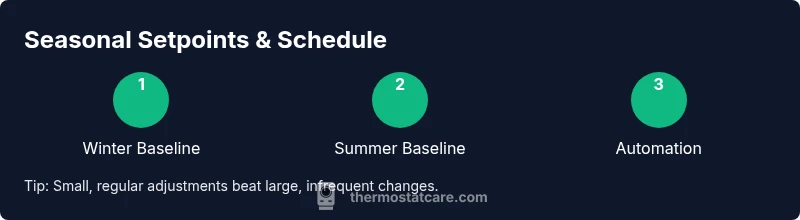
Winter targets typically favor warmth without overspending. A practical winter baseline around 68°F (20°C) often strikes a balance between comfort and energy use, with adjustments for drafts or room-specific needs. In summer, higher setpoints reduce cooling load; many households find 78°F (26°C) to be a reasonable starting point, shifting based on humidity and occupancy. The key is consistency: use a schedule that reflects when you’re home, away, or asleep, and reassess after a few weeks of steady use.
Programmable vs non-programmable thermostats: what to choose
If you’re upgrading, a programmable thermostat helps lock in seasonal targets automatically. Manual thermostats can work, but they require repeated adjustments each day. A smart thermostat adds remote control, learning capabilities, and occupancy-based adjustments that adapt to your routines. For DIY homeowners, a smart model with a simple setup can offer the greatest long-term savings, especially when paired with a reliable schedule.
Smart thermostats: learning and remote control
Smart thermostats can learn your patterns and adjust temperatures without manual input. They also offer geofencing, which adapts to your location, and remote control via apps. The payoff lies in consistent comfort with fewer energy spikes, but benefits depend on accurate input and proper calibration. If you rely heavily on comfort presets, a smart thermostat can reduce energy use while maintaining convenience.
How to determine your ideal baseline temperature
A practical approach begins with your current comfort level and energy bills. Start with a winter baseline around 68°F (20°C) and a summer baseline around 78°F (26°C). Record how you feel at these temperatures and compare monthly energy usage. If rooms feel drafty or consistently too warm, incrementally adjust by 1–2 degrees and monitor changes for a two-week period. Use a room thermometer to verify actual ambient temperature and adjust expectations accordingly.
Step-by-step: adjust your thermostat for the season
To align with seasonal needs, implement gradual adjustments and test outcomes over at least a two-week period. If possible, enable occupancy-based scheduling to minimize heat losses when nobody is home. Small, incremental changes are more effective than large shifts, and keeping a consistent schedule yields the best balance of comfort and savings.
Optimizing with occupancy and weather-based adjustments
Occupancy-aware settings prevent energy waste. When the house is empty, raise the temperature in winter or raise the cooling setpoint in summer by small amounts. Weather-based adjustments, like accounting for cloudy days or cold drafts, help maintain comfort without excessive cycling. Pairing humidity control with temperature targets can dramatically improve perceived comfort in humid climates.
Verifying changes: checking actual vs setpoint
After changes, verify that the actual room temperature tracks the thermostat’s setpoint. Use a room thermometer and compare readings in different zones if you have multiple thermostats. If discrepancies appear, inspect wall insulation, door/wand gaps, and air leaks around windows. Consistent verification ensures your adjustments yield real-world comfort and savings.
Maintenance and long-term best practices
Periodically review thermostat firmware or app updates, recalibrate sensors if your readings drift, and keep the device accessible for easy adjustments. Document changes and revisit your targets seasonally to accommodate climate shifts or occupancy changes. Regular checks help maintain reliability and maximize energy efficiency over time.
Tools & Materials
- Thermostat (manual or smart)(Access to settings; ensure compatibility with HVAC system)
- User manual or installer app(Navigate settings; verify baselines and schedules)
- Room thermometer or accurate ambient display(Verify actual room temperature vs thermostat reading)
- Notepad or digital note app(Record setpoints and adjustments for tracking)
Steps
Estimated time: 15-30 minutes
- 1
Access thermostat settings
Open the thermostat interface and locate the current setpoint, mode, and schedule. If you’re using a smart model, open the companion app to view live temperature and mode. Confirm you’re editing the correct zone if you have multiple thermostats.
Tip: Take a quick photo of current settings so you can revert if needed. - 2
Set a winter baseline
Choose a winter baseline around 68°F (20°C) for comfort and energy savings. Ensure the mode is set to heat or auto and save the new setting.
Tip: Enable a temporary hold to evaluate comfort for 4–8 hours before finalizing. - 3
Set a summer baseline
Set a summer baseline around 78°F (26°C). Use cool or auto mode and adjust for humidity if necessary.
Tip: If humidity feels high, pair with dehumidification or adjust humidity settings if available. - 4
Create a schedule
Program a daily schedule that matches your routine (different weekdays vs weekends). If you have a smart thermostat, enable adaptive learning or occupancy-based scheduling.
Tip: Program gradual changes (not abrupt 10-degree shifts) to minimize system stress. - 5
Test and assess
Monitor how the space feels after changes and compare energy usage on your utility bill or app analytics.
Tip: Use a room thermometer to verify actual temperatures across key rooms. - 6
Document and refine
Record final setpoints, schedule details, and observed comfort vs. energy use. Plan a quarterly review to adjust seasonally.
Tip: Keep a running log to simplify annual recalibration.
Questions & Answers
What is the recommended winter thermostat setting for energy savings?
A common starting point for winter is about 68°F (20°C) to balance comfort and efficiency. Adjust for drafts or room-specific needs, and monitor energy use as weather changes.
Start around 68°F in winter and adjust for comfort and drafts. Monitor energy use as temperatures shift.
Should I use hold or schedule on my thermostat?
A schedule matches occupancy and climate patterns, maximizing savings. Hold is useful for testing or when away unexpectedly, but it requires manual resets when you return.
Use a schedule for daily patterns; hold temporarily when you’re away or testing changes.
Do smart thermostats really save energy?
Yes, when configured correctly. Smart thermostats learn routines, optimize schedules, and can adjust remotely, helping reduce energy use without sacrificing comfort.
Smart thermostats save energy by learning your routines and adjusting automatically.
Why won’t my thermostat respond when I change the settings?
Check power or batteries, confirm the device is in the correct mode, and inspect the HVAC fuse or circuit. If issues persist, consult the manual or support.
Make sure the thermostat has power, the mode is correct, and there are no tripped fuses.
How often should I recalibrate my thermostat?
Recalibration isn’t usually needed unless readings drift noticeably from actual room temperatures. Use a room thermometer to verify accuracy periodically.
It’s not often needed unless readings drift; verify with a room thermometer.
Is 68°F a good baseline for winter in all climates?
68°F is a solid starting point for many homes, but climate, insulation, and drafts affect comfort. Adjust by 1–2 degrees as needed and monitor comfort.
68°F is a good starting point, but adjust based on your home and climate.
Watch Video
What to Remember
- Set a winter baseline around 68°F (20°C) and a summer baseline around 78°F (26°C).
- Use schedules or smart learning to automate comfort and savings.
- Verify with a room thermometer and adjust for occupancy and humidity.
- Make incremental changes; test for 1–2 weeks before finalizing.
- Document changes and review seasonally for continued efficiency.