How to Troubleshoot a Honeywell Thermostat That Won't Turn On
Urgent, step-by-step troubleshooting for a Honeywell thermostat that won't turn on. Power, battery, wiring, resets, and safety tips from Thermostat Care.


The Honeywell thermostat not turning on is most often caused by a power issue, a dead backup battery on models that use one, or a blown fuse. Start by checking the power at the furnace/air handler, replacing batteries if needed, and ensuring the thermostat is receiving 24V. If this doesn’t work, reset the thermostat and verify the wiring.
What it means when a Honeywell thermostat won't turn on
When a Honeywell thermostat refuses to power up, it is almost always a sign that the thermostat isn’t receiving the required power. The issue can be as simple as a tripped circuit, a blown fuse, or a loose power disconnect near the furnace. For some battery-powered or hybrid models, a dead backup battery can cause the screen to stay dark even when the main power is present. The Thermostat Care team found that most power-related failures are resolved by a few safety checks and a quick reset. With the right steps, you can restore control over your home climate without expensive service calls. When you encounter this issue, treat it as a power problem first, then move to battery or wiring checks as needed.
In many cases, the fix is straightforward: restore power, swap in fresh batteries if applicable, and ensure the thermostat is properly wired to a 24-volt supply. If the thermostat still won’t turn on after these checks, there may be a deeper issue like a transformer problem or a loose connection in the HVAC control wiring. This guide walks you through a safe, methodical approach to diagnosing and fixing the most common causes. For homeowners and DIY enthusiasts, a calm, step-by-step workflow minimizes risk and speeds up resolution.
Quick checks you can do safely
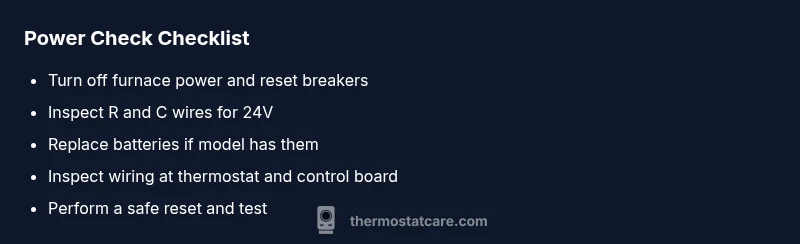
- Verify that the home circuit breaker for the furnace or air handler is not tripped. Reset if needed.
- Check the thermostat’s display presence. If it’s completely dark, it may indicate a power issue rather than a fault in the HVAC system.
- If your Honeywell model uses batteries, replace them with a fresh set of high-quality alkaline or lithium batteries. Ensure the battery compartment is clean and the terminals are not corroded.
- Confirm the thermostat is firmly connected to its wires. Loose or disconnected wires can prevent power from reaching the thermostat.
- For wired systems, listen for a small click from the air handler or furnace when power is cycled; this can indicate the 24V supply is attempting to engage. If you don’t hear this, there is likely a power issue upstream.
- Never work on live electrical components. If you see damaged wiring, burned components, or you smell something burning, stop and call a professional immediately.
Power and circuit basics for Honeywell thermostats
Most modern Honeywell thermostats belong to a 24V low-voltage control system. The thermostat draws power from a dedicated transformer that feeds 24 volts to the thermostat through the R (hot) and C (common) wires. When the R wire is energized and the C is properly connected, the thermostat powers on. If the furnace or air handler disconnects power due to a tripped breaker or a blown fuse, the thermostat will stay dark. Diagnosing this requires safe checks on the electrical panel and testing for 24V at the thermostat terminals. If you’re unsure about measuring voltage, consider using a non-contact voltage tester and consult the manual for your model’s wiring diagram. Remember: correct polarity and secure connections are essential for reliable operation.
Battery vs hardwired models: what to inspect
Battery-powered Honeywell thermostats rely entirely on fresh batteries to operate when the main power is interrupted. If the display dies after you replace batteries, the unit may still be wired to a C-wire that isn’t providing power, or the wiring could be loose at the furnace control board. In hardwired setups, the device should turn on as soon as 24V is present; a dead transformer or faulty wiring can prevent startup. If you’re unsure whether your model uses batteries or is hardwired, check the user manual or the thermostat’s settings menu for a power source indicator. Replacing batteries is often a quick-win fix for older or hybrid models.
Wiring and connections: how to spot loose wires
Loose, disconnected, or corroded wires are a frequent cause of a dark thermostat. Start by turning off power at the breaker, then carefully remove the faceplate and inspect the wires connected to R, C, W, Y, and G terminals. Look for loose screws, frayed insulation, or green oxidation on copper terminals. Re-seat any loose wires firmly, and tighten terminal screws to the manufacturer’s recommended torque. After reassembly, power the system back on and check if the display activates. If the thermostat still won’t turn on, you may have a back-end fault in the furnace control board or a failed transformer.
Resetting and reinitializing the device
A full reset can clear minor software glitches that prevent a startup. For many Honeywell models, you can perform a reset by removing the thermostat from the base, powering down the furnace, waiting 30 seconds, and reconnecting power. Some models require a specific reset sequence in the menu, while others can be reset by removing the batteries for a minute. After performing a reset, re-enter your settings and confirm that the thermostat powers on and displays the current temperature. If the reset doesn’t help, the issue may be hardware-related or tied to the 24V supply from the furnace.
When to replace vs repair and prevention tips
If the thermostat is old or has multiple recurring power issues, replacement may be more cost-effective than repair, especially if the transformer or control board shows signs of wear. Prevention is about regular maintenance: check the furnace filter, inspect wiring connections annually, and ensure the thermostat is compatible with your HVAC system. Keep the thermostat in a location away from direct sun and heat sources to avoid temperature-induced sensor faults. Also, use a surge protector for the HVAC circuit to minimize power spikes that can damage the thermostat circuitry.
Steps
Estimated time: 30-40 minutes
- 1
Power off and safety check
Turn off power at the furnace/air handler and at the breaker. Use a non-contact tester to confirm no voltage present before touching wiring. This prevents shock and equipment damage.
Tip: Always start with power isolation to avoid hazards. - 2
Inspect power supply sources
Check the furnace panel for a tripped breaker or blown fuse. Reset the breaker and replace fuses if needed. Confirm the HVAC system receives power when triggered manually.
Tip: If the breaker trips again, there may be an underlying fault. - 3
Check thermostat power and battery
If your model uses batteries, replace with fresh ones and ensure correct polarity. For hardwired units, use a multimeter to verify 24V between R and C at the thermostat. Re-seat any loose wires.
Tip: Clean battery contacts to remove corrosion before reinserting batteries. - 4
Test thermostat wiring at the control board
Power down again, remove the thermostat wires from the terminal block, and inspect for damaged insulation or loose screws. Reconnect firmly and ensure clean contact with the terminal screws.
Tip: Document wire colors before removing to avoid miswiring. - 5
Try a safe reset
Follow your Honeywell model’s reset procedure found in the manual or on-screen menu. If you can access the menu, perform a soft reset first; if needed, a full factory reset can be attempted per manufacturer guidance.
Tip: Backup your settings if a factory reset is planned. - 6
Reassemble and test
Reattach the thermostat faceplate, power the furnace back on, and check if the thermostat powers up and shows current temp. If it still won’t turn on, the issue may be hardware-related.
Tip: Take photos of wiring before disassembly for reference.
Diagnosis: Thermostat screen is blank or the unit won’t turn on
Possible Causes
- highPower issue (tripped breaker, blown fuse, or disconnected power)
- mediumDead or weak thermostat batteries (for battery-equipped models)
- lowLoose or damaged wiring or a bad 24V transformer
Fixes
- easyCheck the furnace/air handler breaker and reset if tripped; replace fuses as needed
- easyReplace batteries in battery-powered models and reseat all battery contacts
- mediumInspect thermostat wiring at both ends and reseat loose connections; test 24V at R and C
- hardIf 24V is present but the thermostat stays off, consider transformer or control board issues and call a pro
Questions & Answers
Why won't my Honeywell thermostat turn on even after replacing the batteries?
If batteries don't solve the issue, check for a power supply problem at the furnace and confirm the thermostat is receiving 24V. Loose wiring or a failed transformer can keep the unit from powering up. Also verify the C-wire is connected if your model uses it.
If new batteries don’t fix it, inspect power at the furnace and ensure 24V is reaching the thermostat. Loose wiring or a bad transformer could be the culprit.
Is it safe to reset the thermostat myself?
Yes, most resets are safe when power is off and you follow the model's instructions. Avoid excessive resets in quick succession and back up settings if the device offers a factory reset option.
Resetting is usually safe if you follow the manual, but don’t overdo resets and back up your settings.
Display blank but the HVAC system still runs—what should I check?
This typically points to a control-power issue to the thermostat rather than the HVAC itself. Check the power supply, battery status, and wiring, then test 24V at the thermostat terminals. If the issue persists, a transformer or control board fault may exist.
If the HVAC runs but the display is blank, inspect the thermostat power and wiring, and test the 24V supply. You may need a pro for transformer issues.
Can a bad 24V transformer cause ongoing issues?
Yes. A failing transformer can prevent the thermostat from powering on even when the circuit is intact. If you suspect this, measure voltage with a multimeter or hire a pro to diagnose the transformer and related wiring.
A bad transformer can stop power flow to the thermostat; testing or professional diagnosis is usually needed.
How can I prevent future power or wiring problems with my Honeywell thermostat?
Perform regular HVAC maintenance, keep connections clean, replace old batteries timely, and avoid DIY wiring changes unless confident in the wiring diagram. Use a surge protector for the HVAC circuit to minimize spikes.
Regular maintenance, clean connections, timely battery replacement, and surge protection help prevent future problems.
Watch Video
What to Remember
- Start with power checks and replace batteries if needed.
- Inspect wiring and 24V supply before replacing hardware.
- Use a safe reset and re-seating procedure to rule out software glitches.
- Know when to call a pro for transformer or control-board issues.
- Prevent future failures with regular maintenance and correct thermostat placement.