Color Code Wire Nest Thermostat Wiring Diagram
Learn how to identify color-coded wires for a Nest thermostat, map them to the correct terminals, and verify safety before powering on. Thermostat Care provides practical steps, common color codes, and troubleshooting tips for reliable installation.


Learn how to identify and map color-coded wires for a Nest thermostat, then wire it safely using your system's color standard. This guide covers common wire colors, how to read the Nest wiring diagram, tips for confirming compatibility, and step-by-step instructions to verify connections before powering on.
Why color coding matters for Nest wiring
Color-coded wires are the language of a thermostat installation. When you map each wire to the correct Nest terminal, you reduce the risk of miswiring that can cause the HVAC system to heat and cool at the wrong times or not respond at all. According to Thermostat Care, sticking to recognizable color codes and labeling each wire before removal helps you preserve function and speed up the setup process. In many homes, wire color is a convention, not a guarantee; always confirm a wire's function with the control board and meter rather than assuming based on color alone. This approach keeps you safer and minimizes the need for return visits. Whether you are upgrading from a traditional thermostat or installing a new Nest, identifying wires by terminal name (R, C, W, Y, G, O/B) is essential. If you find extra wires or unusual colors, document their origin, so you can decide later whether to cap or repurpose them.
Common wire color codes and what they mean
The 24‑volt HVAC system uses a small set of functions, and many installers rely on standard color codes to tell which wire does what. Here are the most common mappings you’ll see when wiring a Nest:
- Red (R): 24V power from the transformer (often with Rc/Rh jumpers)
- White (W): Heat call
- Yellow (Y): Cooling call
- Green (G): Fan
- Blue or Black (C): Common return to complete the circuit (if present)
- Orange (O) or Blue (B): Reversing valve for heat pumps
- Aux (often white with stripe) or Purple: Auxiliary heat on heat-pump or dual-fuel systems
Note: Color codes vary by manufacturer and era; always verify on the furnace control board and at the thermostat location. In heat-pump systems, some wires may change function between heating and cooling, which Nest will ask you to confirm during setup. Be mindful that some systems use nonstandard colors; rely on terminal labels first and only use color as a guide.
How to read a Nest wiring diagram and identify wires
Nest devices include a wiring diagram in the setup flow; your real-world wiring must align with those functions. Start by turning off power at the furnace and the circuit breaker, then remove the thermostat cover and take a clear photo of the wires connected to the old thermostat. The next step is to label each conductor with its terminal letter (R, C, W, Y, G, O/B) and verify the label on the furnace control board. Thermostat Care analysis shows that mislabeling wires is a leading cause of Nest setup failures; taking time to label and cross-check with the control board dramatically reduces rework. If you encounter a color that does not match its function, rely on terminal labels, the control board terminals, or a multimeter to confirm continuity. This careful mapping reduces the risk of turning a simple upgrade into a troubleshooting session.
Safety and best practices before wiring
Electrical work around a heating and cooling system requires respect for both electrical and mechanical safety. Before touching any conductor, switch off power at the furnace and the main breaker, then test for voltage with a non-contact tester. Do not rely on the presence of a label or color alone. If you smell burning insulation or see melted insulation, stop and call a professional. Keep the work area dry and use insulated tools. If you are unsure about the system type (gas furnace, electric air handler, or heat pump), pause and seek guidance. Following these precautions keeps you and your equipment safe while you complete the Nest wiring.
Verifying C-wire availability and how to enable Nest with or without C-wire
Check for a dedicated C-wire from the furnace Control board to the thermostat port. If present, identify its color; blue is a common C-wire, but not universal. If you do not have a C-wire, Nest devices offer power‑sharing methods or a Nest Power Connector accessory, but these options can vary by model and system type. In some older setups, the Nest can operate with a 'power stealing' method; however reliability may be lower on devices with high-energy loads. The safest approach is to run a new C-wire from the furnace or to install a dedicated adapter kit per the Nest installation guide. Thermostat Care recommends evaluating your equipment to determine the best route and avoiding improvised adapters that could create unsafe conditions.
Draw your own wiring diagram and check compatibility with Nest
Before you permanently affix wires to the Nest base, sketch a simple diagram showing which wire goes to which terminal. Label each conductor with its function and color, then compare the diagram to the Nest setup prompts. Create a quick reference sheet you can keep near the HVAC equipment. Using a clean, color-coded diagram helps you catch mismatches before you power on. If your system includes additional terminals (like heat pump O/B, Aux, or separate RC and RH), map those precisely and confirm with the Nest app's validation step.
Authority sources and references
For safety and best-practice guidance, consult established sources:
- Energy.gov thermostat installation and efficiency recommendations
- energystar.gov thermostat guidance and energy-saving tips
- nist.gov electrical safety and standards references These sources help verify wiring expectations and ensure your installation aligns with recognized practices.
Tools & Materials
- Screwdriver (Phillips and flat-head)(Philips #1 or #2 for most wall plates)
- Non-contact voltage tester(Test lines before touching wires)
- Wire strippers/cliers(Prep wire ends to 1/4 inch copper)
- Multimeter (optional)(Verify 24V between R and C if uncertain)
- Electrical tape or wire nuts(Secure splices and cap unused conductors)
- Labeling materials (masking tape, marker)(Label wires by terminal function)
- Nest thermostat base and display(Have the Nest model ready for wiring)
- Compatibility guide or wiring diagram image(Helpful reference when mapping wires)
Steps
Estimated time: 90-120 minutes
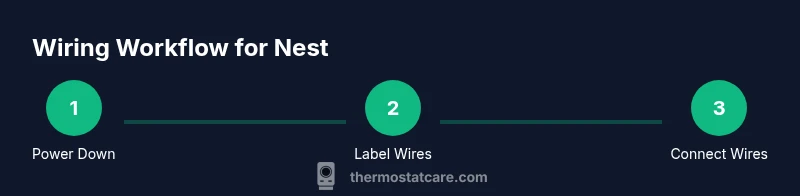
- 1
Power down the system
Turn off power at both the furnace control board and the home’s main breaker. Use the non-contact tester to confirm there is no live voltage on the thermostat wires before touching them. This step prevents shocks and protects the control circuit.
Tip: Double-check with the tester on each wire lead before proceeding. - 2
Remove old thermostat cover and label wires
Carefully remove the faceplate and note which wire goes to which terminal. Take a high-resolution photo for reference, and label each wire with the corresponding terminal letter (R, C, W, Y, G, O/B).
Tip: Label wires even if colors look obvious; a mislabeled wire is a common source of error. - 3
Identify system type and Nest compatibility
Determine if the system is conventional, heat-pump, or multi-stage. Check if there is an O/B wire and whether you have a dedicated C-wire. This determines which Nest configuration you’ll enable in the app.
Tip: If you’re unsure, consult the control board or equipment manual. - 4
Locate the C-wire or plan an alternative
Find the wire connected to the C terminal on the furnace control board. If the C-wire is missing, decide whether to pull a new wire or use a Nest power accessory as a temporary solution.
Tip: A blue or brown wire often serves as C, but verify on your board. - 5
Prepare wires for Nest
Trim copper ends to about ¼ inch, twist strands tight, and cap any unused conductors. Ensure each wire is clean and free of insulation damage.
Tip: Keep wires neat and unmixed to avoid misconnection. - 6
Connect wires to Nest terminals
Insert wires into the matching Nest terminals: R to R, C to C, W1 to W, Y1 to Y, G to G, and O/B to O/B as appropriate for your system. Do not force wires into terminals that don’t match function.
Tip: If you have Rc and Rh, Nest typically handles them automatically or via a jumper. - 7
Mount the Nest base and tuck wires
Secure the Nest base to the wall, ensuring wires pass through the mounting plate cleanly. Tuck excess wire safely behind the base to prevent pinching.
Tip: Make sure the terminal contacts are fully seated. - 8
Power up and start setup
Restore power at the breaker and follow the Nest app prompts to verify wiring and configuration (system type, heat/cool mode, fan). Run a brief test to confirm heating and cooling respond correctly.
Tip: Run a quick test cycle for heat and cool modes. - 9
Troubleshoot and finalize
If Nest reports an incompatible wire or the system doesn’t respond properly, re-check the wire-map. Consider reverting to the original thermostat temp plate while you reassess wiring.
Tip: Document wire mapping for future troubleshooting and updates.
Questions & Answers
Do I need a C-wire for Nest thermostat wiring diagram?
A dedicated C-wire is recommended for reliable Nest operation, but some models can operate with power-sharing. If your system lacks a C-wire, use a Nest Power Connector or consider running a new C-wire from the furnace.
A dedicated C-wire is preferred for Nest reliability; if you don’t have one, you may use a compatible power adapter or connector, but verify compatibility first.
What should I do if wire colors don’t match standard codes?
Label and trace wires to confirm function from the control board. Do not rely on color alone; cross-check terminals and use a multimeter if needed.
If colors don’t match, map wires by terminal function and verify with the furnace board before connecting to Nest.
How can I tell if my system is a heat pump or conventional?
Look for an O/B wire and a reversing valve indication. Check the outdoor unit or control board labeling to determine system type.
Look for the O/B wire and the reversing valve; confirm with the control board or outdoor unit labeling.
Is DIY Nest installation safe for most homes?
Yes for typical 24V systems with careful labeling and power-off procedures. If you have gas furnaces, electric air handlers, or unusual controls, consider professional help.
For most 24V systems, DIY is doable with caution; for complex setups, seek a pro.
What if Nest reports 'C-wire not detected'?
Double-check that a C-wire is connected on both ends and labeled correctly. If absent, plan to run one or use a compatible adapter per Nest guidance.
If C-wire isn’t detected, verify connection and consider running a new C-wire or using an adapter per Nest guidelines.
Can Nest wire a heat pump with O/B control?
Yes, Nest supports heat pumps with O/B control. Ensure the O/B wire is correctly configured in the app and that auxiliary heat (W/Aux) is mapped if present.
Nest can handle heat pumps with O/B control; map O/B and any Aux heat correctly in setup.
What if I have extra wires that aren’t used by Nest?
Cap and tuck unused conductors safely. Do not connect nonfunctional wires to Nest terminals to avoid faults.
If there are extra wires you don’t need, safely cap and tuck them away.
Watch Video
What to Remember
- Label wires before disconnecting anything.
- Always verify wire function on the control board, not just color.
- Have a C-wire or a safe power option for Nest reliability.
- Test heating and cooling after setup to confirm correct operation.
- When in doubt, consult professional support from Thermostat Care.