Change Thermostat Battery: A Homeowner’s Step-by-Step Guide
Learn how to safely change a thermostat battery with our comprehensive, step-by-step guide. Tools, safety tips, and maintenance guidance to keep your thermostat accurate and reliable.


You’ll learn how to safely change a thermostat battery and keep your heating and cooling system responsive. This guide covers identifying the correct battery type, preparing the workspace, and performing a clean replacement with minimal risk. Expect a quick, under-15-minute process using the right battery and basic tools.
Why changing thermostat battery matters
A healthy battery is the quiet workhorse behind reliable climate control. When the battery begins to run low, your thermostat may misread room temperature, fail to wake from sleep, or lose its programmed schedules. This guide shows homeowners and DIY enthusiasts how to safely change a thermostat battery, ensuring your heating and cooling system stays responsive and accurate. According to Thermostat Care, routine battery checks are a simple, effective maintenance habit that prevents avoidable HVAC glitches and saves energy in the long run. By learning to replace the battery correctly, you protect the consistency of your home's comfort and prevent unexpected outages during extreme weather. Changing the battery is usually quick, inexpensive, and within reach of most homeowners. The steps that follow apply to most common thermostat models and major brands, though you should always consult your user manual for model-specific details. Regular battery replacement also ensures time and date stamps stay correct, which keeps scheduling, remote access, and energy reports accurate. If you share your thermostat with other family members, this maintenance habit reduces confusion caused by a dead display. With the right battery type and some careful handling, you can complete the job in under 15 minutes.
Safety considerations before you begin
Safety should come first, even with a simple battery change. Start by ensuring your thermostat is the correct model for battery replacement and that you have the right battery type. When in doubt, power off the HVAC circuit at the breaker to avoid any risk of short circuits while you access the unit. Use dry hands and work in a dry area; moisture can cause corrosion on metal contacts. If your thermostat is wire-connected to other components, avoid touching wiring unless you are trained to handle it. If your unit is installed behind a wall panel, be mindful of sharp edges. Always follow the manufacturer’s guidelines. Thermostat Care recommends verifying that the thermostat display is not showing error codes before starting, and never force-fit a battery that doesn't seat easily—this can cause damage.
Battery types and compatibility explained
Thermostats typically use coin-cell batteries (like CR2032) or standard AA/AAA batteries, but there is no one-size-fits-all rule. The exact type and voltage are printed on the battery compartment cover or in the user manual. Use only the specified battery, as incorrect voltage or size can impair performance or damage the circuit board. If your display design shows a recessed battery holder with a metal contact on one side and a spring on the other, you may be dealing with a coin cell; in other models, a single hidden compartment may hold a larger replacement. Before purchasing, confirm the model number (often found on the back of the thermostat or in the manual) and what the manufacturer recommends. If you are unsure, contact the manufacturer’s support line for a quick confirmation. In all cases, avoid mixing old and new batteries; replace all cells at once to maintain consistent power delivery.
Tools and materials you’ll need (and why)
To complete the battery change smoothly, gather a few simple supplies before you begin. A fresh battery of the exact type specified by your thermostat is essential. If your model uses a stubborn cover, a small screwdriver will help—use the correct size to avoid stripping screws. A clean, dry cloth helps wipe fingerprints or corrosion from contacts, ensuring a clean connection. Some models have a cover that slides or snaps off; if so, you may not need tools at all. Keep a tray to hold screws or small parts so you don’t lose them. Finally, a copy of your thermostat manual or quick-reference guide helps resolve any unexpected fitment issues without guessing.
Step-by-step overview (high-level)
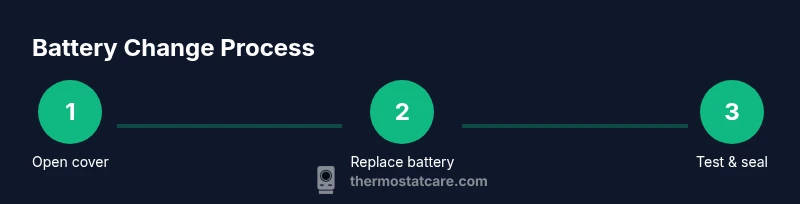
These are the high-level actions you’ll perform, with the actual, detailed steps described in the sections below. Plan for a 10–15 minute task if your model is straightforward. Always start by verifying you have the correct replacement battery, then proceed to access the compartment, replace the battery, reseat the cover, and test the thermostat's basic functions. The steps map to the more detailed instructions in the following sections.
Step-by-step: Step 1 – Prepare and access the battery compartment
Begin by locating the thermostat and removing the cover to access the battery compartment. If your unit uses a spring-loaded metal clip, gently lift to release. Ensure your hands are dry and free of static; a small amount of patience prevents dropped screws or broken clips. Tip: Wear safety glasses if you have any doubts about screws or sharp edges.
Step-by-step: Step 2 – Remove the old battery and inspect contacts
Carefully remove the old battery, noting orientation (which side faces up). Inspect battery contacts for corrosion, residue, or bending. If you see corrosion, lightly clean with a dry cloth or a pencil eraser, then let the area dry. Do not use metal tools to scrape contacts aggressively, which can damage the terminals. Tip: Take a quick photo for reference if you’re unsure about alignment when placing the new battery.
Step-by-step: Step 3 – Install the new battery with correct orientation
Insert the new battery with the correct polarity as indicated in the manual (usually the positive side facing up). If the battery has a specific orientation cue on the housing, align it precisely before seating. After placement, gently press down to ensure a snug fit and full contact with the terminals. Tip: If the battery doesn’t sit easily, double-check compatibility rather than forcing it.
Step-by-step: Step 4 – Reassemble the unit and restore power
Replace the cover securely and return any screws or clips to their original positions. If you turned off power to the HVAC system, switch it back on at the breaker or disconnect rail as previously advised by the manual. Ensure the thermostat display lights up or indicates normal status when powered. Tip: Do a quick visual check to confirm there are no loose parts before powering on.
Step-by-step: Step 5 – Test basic thermostat functions
Set a target temperature and observe whether the thermostat responds promptly. Check that the display is legible, the clock is accurate, and that any scheduled programs run as expected. If your thermostat has smart features, try a quick remote test from a phone app to confirm connectivity. Tip: Run through a simple hold/resume scenario to verify scheduling behavior.
Step-by-step: Step 6 – Final verification and cleanup
Observe the HVAC system for a few minute intervals to ensure consistent operation. Listen for normal fan activity and verify that the system engages on demand. Replace any paperwork or manuals you touched and store the old battery properly. Tip: Keep a note of the replacement date for future maintenance.
Battery life, maintenance, and disposal
Battery life varies by model, usage, and environmental conditions. To maximize lifespan, avoid exposing the thermostat to extreme temperatures and check the battery’s status during seasonal maintenance. When disposing of used batteries, follow local recycling rules—many coin cells and batteries contain materials that should not go into regular trash. Thermostat Care notes that proper disposal helps protect the environment and ensures safe handling of hazardous materials.
External references and authoritative sources
For additional guidance on safe battery handling and thermostat maintenance, refer to reputable sources:
- https://www.energy.gov
- https://www.energystar.gov
- https://www.nist.gov
Authority sources
For deeper guidance on thermostat maintenance and safe battery handling, you can review external resources from government and educational institutions. The links above provide general safety and energy efficiency information that supports best practices when changing thermostat batteries.
FAQ and common questions recap
This section is a quick reference with practical answers to frequent concerns about changing thermostat batteries. You’ll find guidance on safety, battery types, and what to do if a replacement doesn’t work as expected.
Tools & Materials
- New replacement battery (type as specified by your thermostat model, e.g., CR2032 or AA/AAA)(Verify exact size and voltage from your manual or the label inside the battery compartment.)
- Small screwdriver (Phillips #1 or #2, or flathead as needed)(Only necessary if your thermostat cover is secured with screws.)
- Soft lint-free cloth(For cleaning any corrosion on contacts before seating the new battery.)
- Protective gloves or finger protection(Optional for sensitive skin or to avoid fingerprint oils on metal contacts.)
Steps
Estimated time: 10-15 minutes
- 1
Prepare and access the battery compartment
Power considerations depend on your model; if not required, simply open the cover to access the compartment. Ensure dry hands and a clean work area before touching any components.
Tip: Verify you have the correct replacement battery before opening the unit; incorrect type can damage the contacts. - 2
Remove the old battery
Gently lift or slide the old battery out while noting its orientation. Do not use excessive force; if it sticks, re-check the orientation and model compatibility.
Tip: Take a quick photo of battery orientation for reference when placing the new one. - 3
Inspect and clean contacts
Check for corrosion or residue on the battery contacts. If present, clean with a dry cloth or a non-abrasive eraser and let dry before inserting the new battery.
Tip: Only use dry cleaning methods; moisture or solvents can damage contacts. - 4
Insert the new battery
Place the new battery in the same orientation as the old one, ensuring full contact with terminals. Gently press to seat the battery fully.
Tip: Do not force the battery; if it won’t seat, re-check orientation and battery type. - 5
Close the cover and restore power
Reattach the cover securely and, if you turned off power, switch the HVAC breaker back on. Confirm the thermostat powers up normally.
Tip: A visual check of the display during startup helps catch seating issues immediately. - 6
Test thermostat function
Set a temperature, check if the display responds, and verify scheduling works. If you have smart integrations, test a quick app command as well.
Tip: Test a couple of commands (raise and lower temperature) to ensure reliability.
Questions & Answers
Do I need to turn off power before changing the thermostat battery?
In most cases you don’t need to cut power to the HVAC system. If you’re unsure or your model requires it, switch off the corresponding circuit at the breaker before starting. Always follow the manual’s guidance.
Usually you don’t have to cut HVAC power, but check your manual. If unsure, turn off the circuit at the breaker.
What battery type should I use for my thermostat?
Use the exact battery type and voltage specified by your thermostat manual. Common options include CR2032 coin cells or AA/AAA batteries, but models vary.
Use the exact battery type listed in your manual, such as CR2032 or AA/AAA depending on your model.
What are the signs of a dying thermostat battery?
Dim display, delayed responses, or the thermostat not waking up are common signs. If these occur, replace the battery promptly to restore reliability.
If the display is dim or the thermostat is slow to respond, replace the battery.
How long do thermostat batteries last?
Battery life varies by model and usage; some units require replacement every year, others every few years. Regular checks help you stay ahead of failures.
Battery life varies; check the manual and test the unit periodically.
Can I recycle thermostat batteries?
Yes. Recycle used batteries according to local rules. Many coin cells and rechargeable types should not go into regular trash.
Yes—recycle used batteries per local rules and never throw them in the trash.
What if the replacement battery doesn’t fix the problem?
If issues persist after replacement, consult the thermostat manual for further troubleshooting, check for error codes, or contact customer support for model-specific guidance.
If problems continue, consult the manual or contact support for your model.
Watch Video
What to Remember
- Identify the correct battery type before replacement.
- Handle battery contacts with care to avoid damage.
- Insert the battery with correct polarity and seating.
- Test the thermostat function after replacement to confirm reliability.
- Recycle old batteries properly according to local rules.