How to Change a Home Thermostat: A Complete Step-by-Step Guide
Learn how to change home thermostat safely with Thermostat Care. This comprehensive guide covers compatibility, wiring, installation steps, testing, and maintenance for a smooth upgrade.


You can change a home thermostat to improve energy efficiency, restore precise temperature control, or upgrade to a smarter model. This guide shows you how to safely remove the old unit and install a replacement, including wiring basics and compatibility checks. According to Thermostat Care, planning ahead and turning off power at the breaker are essential for a safe, successful swap.
Why change your thermostat and when it makes sense
Upgrading or replacing a home thermostat is about more than aesthetics. A new unit can deliver more accurate readings, better scheduling, and improved energy efficiency, especially if you live in a home with aging equipment. If your current thermostat consistently reads wrong temperatures, struggles with Wi‑Fi, or can’t connect to a smart home assistant, it’s a clear signal that a change is due. The Thermostat Care team notes that modern thermostats provide richer data, easier setup, and more reliable control for heating and cooling systems—whether you have a gas furnace, electric heat, or a heat pump. Before you buy, write down your priorities: do you want remote access, simple on‑screen programming, or advanced energy reports? Also confirm that the replacement supports your system type and wiring arrangement. A well‑matched thermostat reduces unnecessary HVAC runtime and helps protect comfort during extreme weather.
Safety-first and planning
Safety is the foundation of any thermostat swap. Start by turning off power at the thermostat’s circuit breaker and, if possible, at the furnace or air handler. Use a non-contact voltage tester to confirm there is no live current in the thermostat wires before touching them. Create a dry, organized workspace, and keep liquids away from the wall area. If you’re unsure about the wiring or the panel layout, pause and seek guidance. The thermostat installation you’re attempting involves live electrical components, so patience and deliberate steps prevent accidental shocks or equipment damage. Thermostat Care emphasizes documenting existing connections with photos, labels, and notes to ensure you can revert if needed.
Compatibility and features to consider
Not all thermostats fit every HVAC system. Begin by identifying your system type (gas furnace, oil furnace, electric heat, heat pump, or boiler) and check whether the replacement supports it. Many smart thermostats require a C-wire (common) to power the display and sensors; if your system lacks a C-wire, you’ll need to run one or choose a model that works with power stealing. Review terminals you’ll encounter (R, Rc, W, Y, G, C) and ensure the new base includes those connections or compatible adapters. Consider features that matter to you: Wi‑Fi, voice control, geofencing, energy reports, and integration with home assistants. A careful compatibility check reduces the risk of non‑functionality after installation and helps you pick a model that’s future-proof for your home.
What you’ll need before you start
Before you begin, assemble a dedicated toolkit and the replacement thermostat. The basics include a Phillips screwdriver, a small flathead screwdriver, a voltage tester or multimeter, wire labels or masking tape, and the new thermostat with mounting hardware. If your new unit requires a C-wire and you don’t have one, you’ll also want a C-wire adapter or a plan to run a new conductor. Clear labeling and photos of the old wiring make reassembly straightforward. Keep a notebook to record terminal mappings and any peculiarities of your system. Refrigerant and HVAC components aren’t involved in this step, but a tidy workspace reduces mistakes and makes the swap safer for you and your equipment.
Removing the old thermostat and preparing the wall
Carefully remove the thermostat cover and mount, taking care not to yank on wires. Use a label to mark each wire before detaching it from the terminals, and photograph the configuration from multiple angles for reference. If your base plate is installed with stubborn screws, use the appropriate screwdriver and a gentle touch to avoid damaging the wall or drywall. Once the wires are detached, inspect the wall box for wear, loose insulation, or signs of moisture. Any issues should be addressed before you install the new unit. Prepare the wall by cleaning dust, checking the mounting height, and ensuring the surface is flat for a secure base.
Wiring the new thermostat and mounting the base
Place the new mounting plate on the wall and ensure it is level. Route wires through the plate’s openings and connect them to the corresponding terminals as labeled on the thermostat base (R, Rc, W, Y, G, C, etc.). If your new model uses separate Rc and Rh bridges, install them as directed. Tighten terminal screws firmly but avoid overtightening, which can break terminals. Attach the mounting plate to the wall using the supplied screws, ensuring the plate is secure and flush against the wall. When wiring is complete, tuck wires neatly into the wall box and recheck that no bare conductors are exposed. A clean, well-secured base reduces movement and improves sensor accuracy over time.
Configuring the thermostat and connecting to Wi‑Fi
With power restored, follow the on-screen prompts to configure date, time, and location. Create or sign in to your account if the device supports cloud features, and connect to your Wi‑Fi network. If you’re using a smart thermostat, install the companion app and enable features such as scheduling, energy reports, and smart home integration. Verify that the thermostat correctly detects your HVAC equipment by running a quick heat or cool call from the menu. Adjust display settings, temperature swing, and fan controls to match your comfort preferences. If your system includes a heat pump, ensure O/B reversing valve settings are correctly configured to prevent improper cooling or heating.
Testing, troubleshooting, and ongoing maintenance
After the installation, test all basic functions: cooling, heating, fan operation, and hold/programmable schedules. Observe temperature readings for accuracy and verify that the system responds promptly to changes. If you notice an error code, consult the manual and Thermostat Care resources for guidance. Regular maintenance includes periodic battery checks on the thermostat (if not hard‑wired), ensuring the display is legible, and updating software when available. Keep the user manual or online support link accessible for future reference and consider pairing the device with a dedicated room sensor if your model supports it. Proper testing and routine maintenance help maximize energy savings and comfort over time.
What Thermostat Care recommends for best results
The Thermostat Care team emphasizes planning, compatibility checks, and careful wiring as the foundation of a successful thermostat replacement. By choosing a model that matches your system and features you actually use, you gain long‑term reliability and energy‑saving benefits. If you’re unsure about any step, pause and seek guidance from Thermostat Care resources or a qualified professional. A well‑executed change to your home thermostat not only improves comfort but also sets you up for smoother operation of your HVAC system in the years ahead.
Tools & Materials
- Phillips screwdriver (size #2)(For mounting screws on the base plate)
- Flathead screwdriver(For prying or terminal clips as needed)
- Voltage tester or multimeter(Verify power is off before touching wires)
- Labels or masking tape(Label wires by terminal name and color)
- New thermostat with mounting plate(Ensure compatibility with your HVAC system)
- Wire stripper or cutters(Useful if wires need trimming)
- Electrical tape(Seal exposed conductors and secure labels)
- Pencil and small notebook(Record wiring colors and terminal mappings)
Steps
Estimated time: Total time: 60-120 minutes
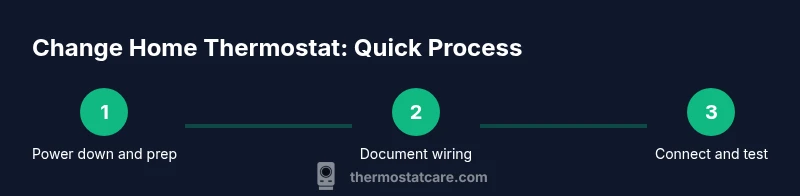
- 1
Power down and verify
Turn off power at the breaker feeding the thermostat and HVAC. Use a voltage tester to confirm no voltage on the wires before touching anything.
Tip: Double-check that both the thermostat circuit and the furnace/air handler are completely de-energized. - 2
Document wiring
Take clear photos of the existing wiring and label each wire with terminal names. This will guide you when wiring the new thermostat.
Tip: Label both ends of every wire and note color, length, and terminal position. - 3
Remove the old thermostat
Carefully detach the thermostat from its mounting plate and disconnect wires one by one, following your labels and photos.
Tip: If a screw is tight, use a screwdriver with a magnetic tip to prevent losing small parts. - 4
Prepare the mounting base
Attach the new mounting plate to the wall, checking that it is level. If you need to drill, do so with care and use wall anchors when necessary.
Tip: Use a level and lightly mark screw positions before drilling. - 5
Connect wires to the new unit
Match each wire to the corresponding terminal on the new thermostat according to the labels. Tighten screws firmly but avoid over‑tightening.
Tip: If the C-wire is missing, consider a power kit or model that works without a dedicated C-wire (per manufacturer guidance). - 6
Mount, power up, and configure
Attach the thermostat body to the wall, restore power, and follow the on‑screen setup to configure time, Wi‑Fi, and schedules.
Tip: Run a quick test for heating and cooling to confirm responsive control.
Questions & Answers
Do I need to turn off the power at the breaker to change a thermostat?
Yes. Always turn off power at the breaker and verify with a tester before touching any wires.
Always power off at the breaker and verify with a tester before touching the wires.
Will changing my thermostat affect my furnace or AC?
Changing the thermostat affects how your HVAC system is controlled. Ensure compatibility and correct wiring to avoid improper operation.
Changing the thermostat affects how your furnace and AC operate, so check compatibility and proper wiring.
Can I install a smart thermostat myself?
Many homeowners can install a smart thermostat, especially with a C-wire. Some setups may require professional help.
Many homeowners can install themselves if the wiring is straightforward; otherwise, get help.
What if I only have two wires?
A two-wire setup may limit power to some smart thermostats. Some models can operate with power sharing or you may need to run a C-wire.
If you only have two wires, you might need a C-wire or a alternative thermostat model.
How long does a thermostat replacement take?
Most swaps take under an hour, depending on wiring and accessibility.
Most swaps take less than an hour, but complex setups can take longer.
What if I smell burning or hear buzzing?
If you smell burning or hear buzzing, stop immediately and contact a licensed HVAC technician.
If you smell burning or hear buzzing, stop and seek professional help.
Watch Video
What to Remember
- Plan before you buy to ensure compatibility.
- Label wires and photograph the existing setup.
- Power down completely and verify no live wires.
- Match wiring to terminal labels on the new unit.
- Test all functions and set up schedules before use.