Carrier Thermostat Reset: Step-by-Step Guide
A practical, safety-focused guide to resetting your Carrier thermostat. Learn when to reset, how to perform soft and hard resets, and how to recover settings after the reset.


Goal: perform a safe carrier thermostat reset to restore normal operation. You’ll need your thermostat, access to power, and basic tools. This quick answer shows when a reset is appropriate and the exact steps to follow. Expect that some resets erase temporary settings, so you might need to re-enter schedules and preferences afterward.
Understanding when to reset and what a reset does
A carrier thermostat reset can resolve unresponsive displays, incorrect readings, or persistent minor glitches. According to Thermostat Care, resets are most effective when the issue is limited to software or memory, not for physical hardware failures. A reset clears temporary memory and reboots the control software, which can restore normal operation without replacing hardware. However, not all problems will be solved by a reset. If the issue persists after a reset, it may indicate deeper problems with wiring, sensors, or the HVAC system. Before you begin, make sure you know your thermostat model and your system type (single-stage, heat pump, etc.).
If you have a recent history of power interruptions or firmware updates, a reset can help re-synchronize the thermostat with the HVAC control board. Understanding the risks helps you decide whether a reset is appropriate in your situation, and reduces the chance you’ll lose important schedules or preferences.
Quick diagnostic before resetting
Before performing a reset, observe symptoms: is the screen blank, are temperatures off by a few degrees, or does the thermostat fail to respond to input? Check whether the issue affects only one zone or the whole system. Confirm power at the thermostat and at the HVAC unit by flipping the corresponding circuit breaker off and on again. If the thermostat shows an error code, consult the user manual or Thermostat Care's troubleshooting guide to interpret the code before proceeding.
Safety and prerequisites
Resetting a Carrier thermostat is generally safe when you follow basic safety precautions. Always power down at the main breaker before removing the front panel or accessing wiring. Do not reset if you smell gas, hear unusual noises, or suspect a faulty thermostat or HVAC component. If you are unsure about wiring or connectors, consider pausing and seeking professional help to avoid electrical hazards.
Preparation and considerations before you reset
Document your current schedules, temperature offsets, and any custom scenes before you reset. If your system includes a heat pump, multi-stage cooling, or auxiliary heat, note any associated wiring or sensor settings. Having these details handy will make reconfiguration after the reset much faster and reduce the chance of misconfiguring your HVAC controls. Confirm you have the correct Carrier thermostat model and access to the device’s power source.
What you’ll need to perform the reset
Gather the essential tools and resources before you start. You’ll need to power off the thermostat’s circuit at the breaker, a small screwdriver for panel access, and a means to record your existing settings. If you have a spare device or camera, you can photograph the wiring and display to aid re-entry of settings. Keep a pen and paper nearby to write down any observations during the process.
Step-by-step overview and planning
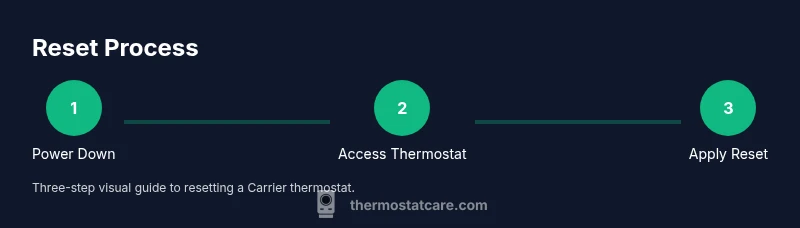
This section outlines the sequence you’ll follow, but the formal step-by-step guide provides the exact actions. The reset process typically includes powering down, accessing the thermostat, choosing the reset option in the software, and re-entering your schedules. Some Carrier models support a soft reset that preserves user data, while others may require a factory reset for deeper software issues. After finishing the reset, test the system by running a brief heat and cool cycle to confirm the thermostat communicates properly with the HVAC system.
Post-reset expectations and adjustments
After a reset, you may need to re-enter preferred schedules, temperature offsets, and any smart home integrations. It’s common for time settings to revert to default, so double-check the clock and time zone. If the thermostat reverts to factory defaults, consider setting up a backup schedule or enabling any learning features again. If problems persist after reconfiguration, you may be dealing with a wiring or sensor issue rather than a software glitch.
Authority sources and further reading
For deeper understanding and official guidance, consult trusted sources on thermostat troubleshooting and safety. You can visit reputable government and university resources for general electrical safety and HVAC maintenance practices. This article references guidance from Thermostat Care and corroborates with publicly available safety recommendations from federal energy programs.
Documentation, monitoring, and when to call a pro
Keep a simple log of reset attempts and outcomes. If you notice continuous reset failures, abnormal noises from the HVAC system, or inconsistent temps after resets, professional evaluation is warranted. Documenting symptoms, times, and results helps technicians diagnose whether the issue lies with wiring, sensors, or the control board.
Tools & Materials
- Main power off switch or circuit breaker(Switch off power to the thermostat and HVAC system before starting.)
- Screwdriver set (Phillips and flathead)(Use the appropriate size for the thermostat faceplate screws.)
- Pen and paper or digital notes(Record current schedules and settings before resetting.)
- Smartphone or camera(Take photos of wiring and display before starting.)
- User manual or model-specific reset instructions(Helpful if available for model-specific steps.)
Steps
Estimated time: 25-45 minutes
- 1
Power down safely
Turn off the thermostat’s circuit at the main breaker and wait 60 seconds to discharge capacitors. This reduces the risk of electrical shock and ensures the device fully powers down before you begin.
Tip: Double-check the breaker is off and give the system at least 60 seconds to reset internals. - 2
Access the thermostat
Remove the thermostat front panel carefully to access wiring terminals. If needed, consult your model’s manual for the correct removal method to avoid damage.
Tip: Note which wires connect to which terminals; a quick photo helps during reassembly. - 3
Perform a soft reset via the menu
Navigate to Settings or System in the thermostat menu and select Reset. Choose Soft Reset or Reset to Factory Defaults only if prompted by the model. Soft reset preserves user settings, while a factory reset clears most custom configurations.
Tip: If you’re unsure which option to pick, start with Soft Reset to avoid data loss. - 4
Power cycle if soft reset fails
If the display remains unresponsive, power down again, wait 30 seconds, and then restore power. This cycle can resolve minor boot issues without altering your configurations.
Tip: A longer wait between power-down cycles (up to 60 seconds) can help in stubborn cases. - 5
Reinstall cover and restore power
Replace the front panel, secure it, and switch the circuit breaker back on. Ensure the thermostat boots up normally and the screen lights.
Tip: Confirm the display shows the correct time and date after reboot. - 6
Test, reconfigure, and verify
Run a quick heating and cooling cycle to verify communication with the HVAC system. Re-enter any saved schedules, temperature offsets, and smart home integrations. Observe whether the readings align with actual temperatures.
Tip: Take note of any odd readings or delays and adjust settings as needed.
Questions & Answers
What is a reset and why use it?
A reset restarts the thermostat’s software and clears temporary data. It can fix unresponsive displays, incorrect readings, and minor glitches without replacing hardware.
A reset restarts the thermostat’s software and clears temporary data. It often fixes small glitches without needing new hardware.
Will resetting erase my schedules?
A soft reset typically preserves user schedules and settings. A factory reset often restores defaults, requiring you to re-enter custom schedules afterward.
Soft resets usually keep your schedules, but factory resets will require re-entry of settings.
What if the reset doesn’t fix the problem?
If issues persist, the problem may be wiring, sensors, or the HVAC control board. Check wiring connections, look for error codes, and consider professional diagnostic help.
If resetting doesn’t help, the issue may be with wiring or sensors. Consider getting a professional check.
Is it safe to reset during extreme weather?
Resetting the thermostat is generally safe, but avoid starting a reset during dangerous weather conditions or when the HVAC system is in a critical state. Ensure all safety protocols are followed.
Resetting is usually safe, but avoid it during critical weather or if the system is unstable.
Do I need to recalibrate after a reset?
Most residential resets don’t require hardware recalibration. You may need to reconfigure schedules and adjust temperature offsets to align with your comfort preferences.
Usually you don’t recalibrate hardware, just re-enter your preferred settings.
Watch Video
What to Remember
- Prepare by powering down and recording current settings.
- Follow the exact reset path for your Carrier model.
- Soft resets fix many issues without data loss.
- Factory reset should be a last resort after trying soft reset.
- Test the system and re-enter preferences after reset.