Can You Install a Smart Thermostat Yourself? A Step-by-Step Guide
Learn whether you can install a smart thermostat yourself with a detailed step-by-step guide, compatibility checks, safety tips, and troubleshooting insights from Thermostat Care.


Yes—you can install a smart thermostat yourself if you’re comfortable with basic wiring and electrical safety. This guide covers compatibility checks, essential tools, and a clear step-by-step process to complete the installation with minimal risk. Always power down at the breaker before you begin and double‑check that wiring matches the new thermostat’s labeled terminals.
Is DIY Smart Thermostat Installation Right for You?
Can you install a smart thermostat yourself? For many homeowners, the answer is yes—provided you have basic electrical safety awareness and a willingness to follow clear instructions. A DIY install can save money and give you firsthand control over your HVAC upgrades, but it also carries risks if you encounter unfamiliar wiring, high voltages, or incompatible systems. The Thermostat Care team recommends honestly assessing your comfort level with electrical work, your heating/cooling setup, and the thermostat model’s compatibility before proceeding. If you have any doubt about safety, voltage, or wiring diagrams, consider professional help. By approaching the project with a plan and the right precautions, you can complete a safe, effective installation that improves comfort and energy efficiency.
In this guide, we’ll walk through compatibility checks, required tools, and a step-by-step process to install a common 24V thermostat on a typical forced-air system. We’ll also cover potential pitfalls and how to test the new device once mounted. If you’re ready to improve home comfort, this article will help you decide whether DIY installation is suitable for your situation and how to proceed with confidence.
Before You Start: Safety and Compliance
- Always turn off the circuit at the main breaker before touching thermostat wires. This reduces the risk of electric shock and equipment damage.
- If your system uses line voltage (high voltage, 120/240V), or if you’re unsure about the wiring, do not proceed without professional assistance.
- Keep a photo of the existing wiring, label each wire at the terminal, and verify that the new thermostat supports your HVAC configuration (gas, electric, heat pump, or dual-fuel).
- Check that the thermostat’s power requirements (24V vs. other voltages) match your system. Mismatches can cause component failure or safety hazards.
This safety-oriented mindset reduces risks and helps ensure the installation goes smoothly, especially for homes with complex setups or older wiring.
Verifying Compatibility and System Type
Your success with a DIY install hinges on compatibility. Most consumer smart thermostats require a 24V HVAC system and a C-wire to power the device. If your current thermostat lacks a C-wire, many models offer power-sharing features or a C-wire adapter, but some systems may still require a professional run. Identify your HVAC type (gas furnace, electric furnace, heat pump, or dual-fuel) and confirm:
- Battery or 24V control wiring (not line voltage)
- Availability of a C-wire for continuous power
- Correct wire labels (R, W, Y, G, C) and the ability to map them to the new thermostat
If you’re unsure, consult the thermostat’s compatibility list and the manufacturer’s setup guide. Thermostat Care’s guidance emphasizes conservative planning: don’t force wiring paths or skip wiring labeling. This section helps you decide whether to proceed now or schedule a professional consult for a safe, compliant install.
Essential Tools and Preparation
Having the right tools makes the job straightforward and reduces mistakes. The typical DIY kit includes a compatible smart thermostat, a small screwdriver set, wire labels, electrical tape, a non-contact voltage tester, and a smartphone for app setup. Ensure you have:
- A compatible smart thermostat that supports your HVAC system type
- A Phillips and flat-head screwdriver (magnetic tips help)
- Wire labels or colored tape to mark terminals (R, G, Y, W, C)
- Non-contact voltage tester to check for live circuits before wiring
- Electrical tape to secure connections and seal exposed conductors
- A smartphone with the thermostat app for pairing and setup
If your system lacks a usable C-wire, consider a C-wire adapter or plan for a more advanced wiring upgrade. These tools help you perform a neat, safe installation and streamline post-install configuration.
Step-by-Step Overview: What You’ll Do
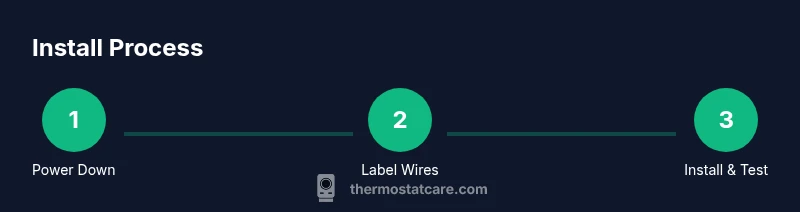
The core of DIY thermostat installation is a structured sequence: safely power down, remove the old device, verify compatibility, connect wires to the new thermostat, mount the unit, and perform a thorough test via the app. Each action reduces risk and increases the likelihood of a successful setup. The following overview provides context for the formal STEP-BY-STEP section, and serves as a mental checklist as you move through the process. We’ll cover wiring labels, mounting considerations, and how to verify functions (heat, cool, fan) after installation. If any step seems unclear, pause and cross-check the manufacturer’s wiring diagram and safety notices.
Common Pitfalls and How to Avoid Them
DIY thermostat installs are rewarding, but a few missteps are common. The most frequent mistakes include mislabeling wires, forcing connectors, or skipping a thorough power-down. A mislabeled terminal can cause the system to run incorrectly or damage the HVAC equipment. Another pitfall is selecting a thermostat that isn’t fully compatible with your heating or cooling system type, such as certain heat pump configurations that require specialized wiring. Finally, many DIY failures stem from incomplete app setup or forgot to connect to Wi‑Fi, which prevents firmware updates and smart features. By slow, careful work, using labeling, and following the wiring diagram, you reduce these risks significantly.
Post-Install Testing: App Setup and Fine-Tuning
After mounting and wiring, power the system back on and perform a controlled test using the thermostat interface. Confirm that the thermostat can switch between heating and cooling modes, operate the fan, and follow a basic schedule. Connect to your home Wi‑Fi, update firmware if prompted, and complete any app-driven configuration such as room temperature targets and geofencing if available. A brief energy-tracking assessment can help you observe immediate efficiency gains and verify correct operation across modes. If you encounter error codes, consult the manufacturer support site and ensure wiring matches the terminal labels.
The Thermostat Care Perspective: When to Seek Help
Even with a solid DIY plan, some homes warrant professional involvement, especially older homes with unusual wiring or multi-stage HVAC systems. If your thermostat requires a non-standard wiring path, if you encounter unfamiliar voltage levels, or if the compatibility check flags concerns, contact a licensed electrician or HVAC technician. The Thermostat Care team emphasizes safety first: when in doubt, pause the project and seek expertise. A pro can confirm compatibility, complete any required rewiring, and ensure that your installation complies with local codes and warranty terms.
Tools & Materials
- Smart thermostat (24V compatible, with C-wire support)(Ensure the model supports your HVAC type (gas, electric, heat pump). Check for C-wire power options.)
- Screwdriver set (Phillips #2 and flat-head)(Magnetic tips help keep screws from dropping behind the wall.)
- Labeling supplies (color tape or wire labels)(Label wires as you disconnect them (R, G, Y, W, C).)
- Non-contact voltage tester(Useful to confirm power is off before touching terminals.)
- Electrical tape(Seal exposed conductor ends and secure wire nuts if present.)
- C-wire adapter or common wire kit(Needed if your system lacks a usable C-wire.)
- Smartphone with thermostat app(Used for pairing, setup, and remote control.)
Steps
Estimated time: 60-90 minutes
- 1
Power off and verify
Go to the main breaker panel and switch off the circuit that feeds the thermostat. Use the non-contact tester to confirm there is no voltage on the wires. This step prevents electric shock and protects equipment during wiring.
Tip: Always double-check the breaker before touching any wires. - 2
Remove the old thermostat and label wires
Carefully detach the old thermostat from its mounting plate. Take a clear photo of the wiring and label each wire with its terminal letter (R, G, Y, W, C) so you can reconnect accurately on the new device.
Tip: Keep wires organized in labeled bags or on a labeled label sheet. - 3
Check compatibility and plan wiring
Review the new thermostat’s wiring diagram and your HVAC system type. Ensure 24V control and C-wire availability. If you have a heat pump or multi-stage system, confirm compatibility and whether adapters are needed.
Tip: If you’re unsure about C-wire needs, assume you’ll need one and plan accordingly. - 4
Mount plate and connect wires
Install the mounting plate securely and connect wires to the corresponding terminals on the new thermostat according to your labels and the manufacturer’s diagram. Ensure wires are firmly seated and not frayed.
Tip: Avoid copper oxidation by ensuring clean, straight conductors. - 5
Attach the thermostat and restore power
Mount the thermostat body to the plate, reattach the faceplate, and restore power at the breaker. Open the thermostat app and begin pairing with your Wi‑Fi network.
Tip: Have the app ready to scan the device QR code during setup. - 6
Test and finalize settings
Run through a quick test: heat, cool, fan, and auto modes. Adjust temperature targets and schedules in the app. If any error codes appear, recheck wire connections and consult the manufacturer’s troubleshooting guide.
Tip: Document any issues and note the exact error codes for support.
Questions & Answers
Can I install a smart thermostat myself, or should I hire a pro?
DIY installation is possible for many homeowners who are comfortable with basic wiring and electrical safety. If you have any doubt about voltage, wiring, or compatibility, consult a professional to avoid damage or safety hazards.
DIY installation is possible for many homeowners, but if you’re unsure about wiring or voltage, seek professional help.
What HVAC systems are compatible with most smart thermostats?
Most smart thermostats work with 24V heating and cooling systems, including conventional gas, electric, and heat pump setups. Some types require a C-wire adapter or professional installation.
Most 24V systems are compatible, but verify your C-wire and equipment first.
Will installing a smart thermostat void my HVAC warranty?
Installing a properly rated thermostat typically doesn’t void warranties, but improper wiring or professional service requirements can. Always follow manufacturer guidelines.
Follow the manufacturer’s instructions to protect your warranty.
Do I need to run a new C-wire if there isn’t one?
If your system lacks a C-wire, some thermostats include a power-sharing or adapter kit. Others require running a dedicated C-wire, which may require an HVAC professional.
Some models include a power-sharing option; otherwise you may need a pro to run a C-wire.
What if I can’t locate the wires at the old thermostat?
If wires aren’t clearly labeled or aren’t present, don’t force connections. Consider consulting a professional to identify and rewire safely.
If wires aren’t clear, stop and seek professional help.
How long does installation typically take?
Most DIY installations take about 60-90 minutes, depending on wiring and mounting conditions. Complex setups may take longer.
Expect about an hour or so for straightforward installs.
How do I connect the thermostat to Wi-Fi?
Use the thermostat’s app to connect to your home Wi-Fi. Follow prompts to enter network credentials and update firmware if prompted.
Pair through the app following the on-screen prompts.
Watch Video
What to Remember
- Verify HVAC compatibility before purchasing a thermostat.
- Power down and label wiring to prevent mistakes.
- Follow the wiring diagram for precise connections.
- Test and configure the thermostat in-app after installation.