Braeburn Thermostat Reset: A Homeowner's Guide
Learn how to safely reset a Braeburn thermostat, troubleshoot common issues, and verify post-reset performance. Includes power checks, factory reset options, and model-specific notes for reliable climate control.


By following these steps you will reset a Braeburn thermostat to resolve common issues like unresponsive display, incorrect scheduling, or inaccurate temperature readings. According to Thermostat Care, a reset clears transient software glitches and resumes normal operation. The guide covers safety checks, factory reset options when available, and post-reset testing to ensure reliable climate control.
Understanding Braeburn thermostat reset
A Braeburn thermostat reset is a practical diagnostic step when your climate control behaves unpredictably. It clears temporary glitches in the control logic, refreshes network or zoning connections if your model is smart-enabled, and can restore scheduling accuracy. According to Thermostat Care, most issues stem from transient software hiccups, power fluctuations, or minor sensor desynchronization. Before you reset, remember that a reset does not fix underlying hardware faults or compressor problems; it simply returns the device to its default operating state so you can re-train it. If you suspect a dangerous electrical fault, stop and contact a professional immediately.
For homeowners, understanding when to reset matters. A reset is often appropriate after a firmware update, after replacing the thermostat battery (if applicable), or when the screen becomes unresponsive or refuses to follow programmed temperatures. Braeburn units vary by model: some provide a dedicated reset option in the on-device menu, others rely on an interaction between the thermostat and furnace. If your model belongs to the latter group, you may need to schedule a new pairing through the thermostat’s menu or the furnace control board. The goal is to reestablish a clean handoff between thermostat and HVAC system, which reduces false readings and improves reliability.
Safety and prerequisites before resetting
Safety first: power down the thermostat and HVAC system, then verify the power supply and wiring before performing any reset. A reset is safest when you disconnect the thermostat from power for a short period and confirm that the furnace or air handler circuit is not energized. If you observe scorch marks, burning smells, or a tripped breaker, do not proceed—address the electrical issue first with professional help. In many Braeburn models, a brief power interruption (about 60 seconds) is enough to clear minor glitches without impacting connected sensors. If the thermostat runs on batteries, replace them with fresh alkaline cells before attempting a reset, since a dying battery can mimic a reset failure by cutting display power.
Preparation is crucial. Have the thermostat’s manual handy, note your current schedule settings, and prepare to re-enter time, date, and climate preferences after the reset. If your model supports Wi-Fi or smart features, be ready to reconnect to your network and re-sync any home automation routines. Some units require a specific button sequence or menu navigation to trigger a factory reset; others only offer a software reset via the on-screen settings. In all cases, ensure you have a stable electrical supply and a clear workspace to avoid accidental contact with live terminals.
Thermostat Care recommends verifying compatibility with your HVAC system and following the manufacturer’s safety guidelines to minimize the risk of electrical shock or equipment damage. When in doubt, pause and consult a professional.
Common Braeburn models and reset behavior
Braeburn offers a range of programmable thermostats, from basic manual models to more advanced digital units with scheduling, backlit displays, and optional remote access. Reset methods can vary by model and software version. Some Braeburn thermostats include a dedicated Reset option in Settings > Reset, which restores default temperatures, schedules, and network settings. Other models require a hardware approach—pulling power, waiting briefly, then reapplying power to force a fresh boot sequence. If your unit is part of a connected HVAC setup, a reset can also affect the furnace control board and zone valves, so it’s wise to check each component after the reset.
Because model behavior differs, always consult the user manual for model-specific reset steps. If you no longer have the manual, you can often find digitized PDFs on Braeburn’s support site or major appliance portals. When the reset is successful, you should see the thermostat reboot, the screen light up, and the initial greeting or clock display appear before you re-enter settings. If the device does not boot or remains unresponsive after the reset, power issues or a defective control board are likely present and call for professional assessment.
As Thermostat Care notes, a reset can help recalibrate temperature readings and reestablish communication with the HVAC system, but it cannot fix worn sensors, faulty wiring, or failed relays. If the same issue recurs after a reset, you may be dealing with a hardware fault rather than a software glitch.
Post-reset testing: verifying HVAC response
After completing a Braeburn thermostat reset, it’s essential to test the system to confirm correct operation. Start by setting a comfortable target temperature and waiting for the system to respond. Listen for the furnace or air conditioner cycling on and off as needed and observe the thermostat display as it reports events like “Heating,” “Cooling,” or fan activity. Check that the thermostat correctly follows your programmed schedule and that hold or temporary override functions work as expected. If you notice any mismatch between the setpoint and actual room temperature, re-check calibration settings and sensor placement. Some Braeburn models allow a quick sensor test within the diagnostic menu—use it to compare readings between the thermostat and the ambient room.
If you rely on smart features, verify that the device reconnects to Wi-Fi, updates firmware, and re-syncs with any linked apps or voice assistants. Document any changes you make so you can repeat the steps if needed in the future. For ongoing reliability, create a small routine to monitor temperature swings over 24 hours and adjust your schedule gradually rather than making large changes all at once. From a best-practice perspective, gradual tuning minimizes disturbance to your home’s comfort and energy usage while you validate the reset’s impact.
Troubleshooting and next steps after a Braeburn reset
If the reset resolves the issue, but you notice reoccurrence after a few days, consider factors beyond the thermostat: dirty air filters, thermostat location near heat sources or drafts, miscalibrated dampers or zone valves, and HVAC equipment that requires maintenance. Ensure the furnace or heat pump is clean and servicing intervals are up to date. If the display remains blank or the unit remains unresponsive after multiple resets, the problem may be electrical or mechanical rather than software. In that case, swap batteries (if applicable), check wiring for loose connections, verify the 24 VAC supply from the furnace, and inspect the circuit breakers for any signs of wear. If you still cannot get reliable operation, contact a certified HVAC technician for a diagnostic visit.
Thermostat Care Team notes that persistent issues after a reset are often symptoms of underlying hardware or installation problems rather than a simple software glitch. By methodically checking power, connections, and settings, you can reduce unnecessary service calls and preserve comfort.
How to minimize future resets and keep Braeburn performing well
Preventive maintenance is your best defense against frequent resets. Keep the thermostat and surrounding area free of dust, ensure proper airflow by changing air filters regularly, and avoid placing the thermostat in direct sunlight or near heat sources. Maintain up-to-date firmware if your Braeburn model supports over-the-air updates, and periodically review schedule settings to align with seasonal needs. If you’re using a battery-powered model, replace batteries on a regular cycle to prevent unexpected resets caused by low power. Documenting adjustments after each reset helps identify patterns and refine your setup over time. Finally, consider labeling important cables and terminals so future work is straightforward and safe.
Final thoughts on Braeburn reset reliability
A well-timed Braeburn reset can restore reliability and bring your climate control back in line with your comfort preferences. The reset process is a valuable diagnostic tool when used appropriately and with care. If you remain uncertain about steps for your specific Braeburn model, consult the manufacturer’s documentation or a licensed technician. The Thermostat Care Team emphasizes that knowledge and a careful, methodical approach are the keys to successful resets and long-term system health.
Tools & Materials
- Braeburn thermostat manual (digital or printed)(Model-specific reset instructions if available)
- Screwdriver set (Phillips #1 or #2 as needed)(For removing faceplate or wiring panel)
- Non-contact voltage tester(Optional, for confirming no live voltage at terminals)
- Fresh batteries (if model uses batteries)(Replace before reset if battery-powered)
- Pen and notepad(Record settings before resetting)
- Stable power source / access to furnace circuit breaker(Ensure power is shut off during reset)
Steps
Estimated time: 20-35 minutes
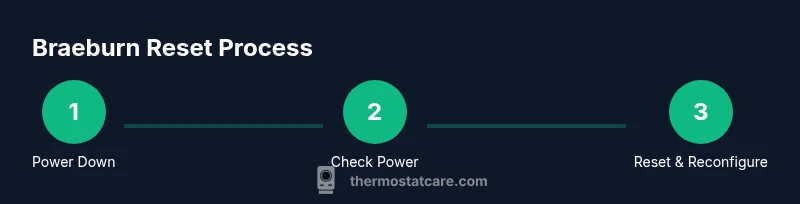
- 1
Power down and verify power
Turn off the thermostat and switch off the HVAC circuit breaker. Wait 60 seconds to ensure stored power dissipates. This reduces the risk of electrical arcing and helps flush minor glitches.
Tip: If you hear buzzing or see signs of arcing, stop and call a professional. - 2
Check battery (if applicable)
If your Braeburn model uses batteries, replace them with fresh alkaline cells and recheck that the device powers on normally.
Tip: A weak battery can mimic reset failures; fresh batteries improve reliability. - 3
Access the reset option in the device (if supported)
With the thermostat powered off, turn it back on and navigate to Settings or Reset. Select Factory Reset or Software Reset as offered by your model, then confirm.
Tip: If your model does not show a factory reset option, proceed to Step 4 or consult the manual. - 4
Reapply power and reconfigure basics
Restore power to the thermostat and HVAC system. Re-enter time, date, and any essential settings like locale, language, and basic temperature schedule.
Tip: Have your original schedule handy to speed re-entry. - 5
Reconnect network and test response
If applicable, reconnect Wi-Fi or smart features and test a basic heating and cooling cycle to ensure the system responds as expected.
Tip: Watch for any delay or miscommunication between thermostat and equipment. - 6
Final verification and documentation
Verify consistent operation over the next 24 hours and keep notes on performance and any anomalies.
Tip: Document model, date, and any issues for future reference.
Questions & Answers
What does resetting a Braeburn thermostat do?
A reset clears temporary software glitches, restores default settings, and can reestablish communication with the HVAC system. It does not fix hardware faults.
A reset clears minor software glitches and resets settings to default to help restore normal function.
Will a Braeburn reset erase my schedules?
Some resets restore factory defaults and may erase custom schedules. If your model reuses saved schedules, you may need to re-enter them after the reset.
Yes, some resets restore defaults and can require re-entering schedules.
What should I do if the display is blank after resetting?
Check power supply first: verify the circuit breaker, wiring, and battery (if used). If power is present but the display stays blank, the unit may have a hardware issue requiring service.
If the display stays blank after a reset, check power and battery, then contact a tech if it persists.
Can I reset Braeburn thermostats without losing Wi-Fi settings?
Wi-Fi or smart features may reset with a factory reset. If possible, perform a software reset or reconfigure network settings after the reset.
Wi-Fi settings may be reset with a factory reset; you might need to reconnect afterward.
Where can I find model-specific reset instructions?
Refer to the Braeburn manual for your exact model or visit Braeburn's official support site for PDFs and troubleshooting guides.
Check your model’s manual or Braeburn support site for exact reset steps.
Watch Video
What to Remember
- Reset only when necessary to avoid losing schedules.
- Power and safety checks are essential before starting.
- Model-specific steps vary—consult the manual if unsure.
- Post-reset testing confirms system reliability.