Air Conditioner Thermostat Troubleshoot Guide: Quick Fixes
Struggling with an air conditioner thermostat not working? This Thermostat Care guide walks homeowners through fast, safe checks, battery swaps, wiring verification, and when to call a pro. Get cooling back on track in 2026 with clear, step-by-step guidance.


Most air conditioner thermostat not working problems start with power or battery issues. Check that the thermostat is powered, the display is on, and the breaker hasn’t tripped. If the display is dim or unresponsive, replace the batteries or reset the device. If that doesn’t fix it, proceed to the full diagnostic flow for safe, effective fixes.
Why your air conditioner thermostat not working
When the thermostat and HVAC system fail to communicate, the result is usually a stubbornly warm home or an icy cooling cycle that never starts. The first thing to check is power: is the thermostat receiving power from the wall, and is the circuit breaker or fuse panel intact? If the display is blank or flickering, the issue is often a low battery, a blown fuse, or a tripped circuit. According to Thermostat Care, power and battery problems account for the majority of early failures in modern thermostats. Beyond power, common culprits include loose wiring, a thermostat placed in direct sun or near a heat source, or a model that isn’t compatible with your furnace or air handler. Understanding these categories helps you triage efficiently and avoid unnecessary parts replacement. Keep in mind that addressing basic issues first is safer and cheaper than bypassing symptoms with a replacement unit. The goal is to restore a reliable signal between the thermostat and your HVAC system, so you can set, schedule, and monitor temperatures accurately.
Quick checks you can perform safely
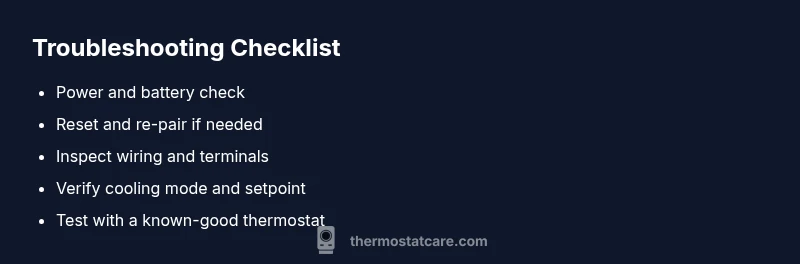
- Inspect the thermostat display: if it’s blank or flickering, replace batteries if allowed by your model or perform a soft reset.
- Verify the power source: ensure the unit is connected to power, and the main breaker or fuse for the HVAC circuit is ON.
- Confirm cooling mode: make sure the thermostat is set to cool, with a lower setpoint than the current room temperature.
- Check the wiring at the wall: look for loose or disconnected wires and tighten any screw terminals if you are comfortable doing so.
- Keep the thermostat away from heat: avoid placing the unit where direct sunlight or warm appliances skew temperature readings.
- Note compatibility: verify your thermostat model is compatible with your furnace/air handler and has the proper C-wire connection if needed.
If you are uncomfortable with any step, or if you see signs of water leaks, burnt wires, or a buzzing from the HVAC closet, stop and call a pro. The Thermostat Care team recommends prioritizing safety and avoiding DIY fixes that could short the circuit or damage equipment.
Diagnostic reality: power, batteries, wiring, and settings
The most common failure modes are structural rather than software-based. Start by ruling out basic power and energy delivery: a dead battery in a non‑hardwired thermostat, a tripped breaker, or a blown fuse. If the thermostat powers up but won’t switch to cooling, inspect the backplate connections and confirm the wires are fully seated in their terminals. A loose wire can cause intermittent signals that look like a thermostat error. If the device still won’t respond, test whether the thermostat and HVAC system are communicating by temporarily bypassing the thermostat with a known-good unit or using a compatible app if your model supports it. Finally, examine settings such as fan mode, hold/temporary hold, and schedule overrides. Small misconfigurations can prevent cooling even when hardware is healthy. Thermostat Care’s guidance emphasizes systematic checks and avoiding guesses, especially when dealing with live wiring or electrical panels.
When to call a professional and how to prevent future issues
Some issues clearly require professional help: a problem with the furnace control board, a broken C-wire, or evidence of burning smells or arcing chatter. If you notice tripped breakers that repeatedly flip, buzzing sounds from the HVAC closet, or any signs of overheating, stop troubleshooting and call a licensed technician. To prevent future failures, consider installing a quality thermostat with stable power delivery, keeping batteries fresh, and protecting the thermostat from heat and moisture. Routine maintenance, such as cleaning dust from the wall plate, confirming proper mounting, and testing your system seasonally, reduces the chance of cold snaps or hot spells catching you off-guard. By staying proactive, you keep your home comfortable and your equipment operating efficiently.
Safety and maintenance reminders you should not skip
- Always de-energize the system before touching wiring or terminals to avoid shock or short circuits.
- Use only manufacturer-approved batteries and accessories to avoid compatibility issues.
- Do not force-fit wires or over-torque terminal screws; loose connections can cause repeat failures.
- Schedule annual checkups to catch wear and aging components before they fail during peak seasons.
What’s next and how to move forward
If basic checks don’t restore cooling, use the diagnostic flow and step-by-step guide to methodically isolate the issue. Document what you tested and the outcomes to share with a technician if you need one. With a structured approach, you’ll save time and money while staying safe.
Steps
Estimated time: Estimated total time: 30-60 minutes
- 1
Power check
Turn off power to the thermostat at the main breaker, wait 30 seconds, and restore power. Observe the display for any sign of life. If the display remains blank, proceed to battery replacement or professional inspection if required.
Tip: A quick reset can resolve many transient glitches without touching wiring. - 2
Battery swap / reset
Remove and replace the thermostat batteries if your model uses them. If your thermostat is hardwired, perform a soft reset according to the user manual. After replacement or reset, recheck the display and try a cooling call.
Tip: Always use the recommended battery type to avoid corrosion or leaks. - 3
Check wiring and terminals
Carefully remove the wall plate and inspect wires at both the thermostat and furnace/air handler end. Reseat any loose wires and ensure screws are snug. Look for damaged insulation and exposed copper. Do not force wires into terminals.
Tip: Take a photo before removing wires so you can reconnect correctly. - 4
Verify mode, setpoint, and schedule
Confirm the thermostat is set to Cool with a setpoint below room temperature. Disable any hold or vacation mode and ensure the schedule isn’t forcing the HVAC off during a cooling cycle. Run a quick test by lowering the setpoint and listening for a commanded response.
Tip: If you hear a click from the air handler but no cooling, the control signal may be failing. - 5
Test with a known-good unit
If possible, temporarily connect a compatible smart or programmable thermostat that matches your HVAC system to see if cooling functions correctly. If the known-good unit works, your original thermostat is likely faulty or incompatible.
Tip: This test helps distinguish between thermostat vs. HVAC hardware issues. - 6
Call a professional when needed
If you see burning smells, buzzing, signs of overheating, or repeated breaker trips, stop and contact a licensed technician. Don’t attempt complex wiring or control-board work beyond basic inspection.
Tip: Document symptoms, dates, and steps tried to streamline the service call.
Diagnosis: Thermostat screen is unresponsive or shows inconsistent readings
Possible Causes
- highPower supply problems (outlet, breaker, or transformer)
- highWeak or dead thermostat battery
- mediumLoose or damaged wiring or terminals
- lowThermostat not compatible with furnace/AC
Fixes
- easyCheck the main electrical outlet and circuit breaker; reset GFCI if necessary.
- easyReplace thermostat batteries or perform a reset/relearn sequence.
- mediumInspect and reseat thermostat wires; tighten terminals; replace damaged wires if needed.
- mediumUpgrade or replace to a model compatible with your HVAC system and confirm C-wire operation.
Questions & Answers
Why won't my air conditioner thermostat turn on?
Many cases start with power or battery issues. Ensure the unit has power, batteries are fresh (if applicable), and the breaker is on. If the display remains dark, a reset or professional inspection may be needed.
Start with power and battery checks, then reset. If it’s still off, you may need professional help.
What should I do if the display is blank or flickering?
Replace the batteries if your model uses them and inspect the wiring. If the problem persists, reset the thermostat and check for compatibility with your HVAC system.
Replace batteries and reset. If it continues, check compatibility.
Can a thermostat be blamed for poor cooling even if it turns on?
Yes. If the thermostat signals the HVAC to cool but the system doesn’t respond, there may be a wiring fault, a blown fuse, or a faulty control board in the HVAC equipment.
Thermostat signals can fail to translate into cooling due to wiring or control board issues.
Is it safe to reset my thermostat myself?
In most cases, a soft reset is safe and often resolves glitches. Always follow the manufacturer’s reset procedure and avoid resetting while inspecting live wires.
Yes, if you follow the manual and avoid live wiring.
When should I replace my thermostat?
Consider replacement when the device is frequently failing, is not compatible with your HVAC, or cannot hold a charge or connect reliably. New models often offer better energy savings and diagnostics.
Replace if failures are frequent or compatibility is an issue.
Watch Video
What to Remember
- Check power and batteries first
- Inspect wiring and mode settings
- Test with a known-good unit if possible
- Call a pro for dangerous issues or repeated trips