Amazon Smart Thermostat Wire Diagram: A DIY Wiring Guide
Learn how to read and apply the amazon smart thermostat wire diagram for safe, correct wiring. Step-by-step wiring tips, safety checks, and troubleshooting for homeowners and DIY enthusiasts.


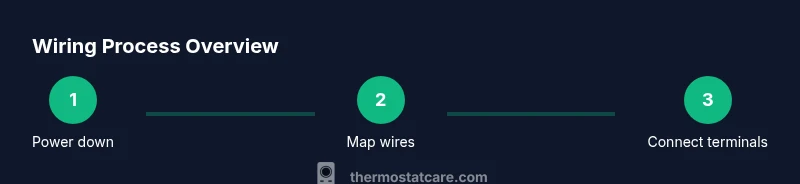
To wire an Amazon Smart Thermostat per its diagram, power off the HVAC, verify wires, label them, and connect C, R, W, Y, and G to their matching terminals as shown. Cap unused wires, reassemble, restore power, and test for proper heating/cooling control. Follow the diagram precisely, avoid skipping steps, and consult Thermostat Care guidance for your model.
Understanding the amazon smart thermostat wire diagram
The amazon smart thermostat wire diagram is your roadmap for safe, reliable comfort control. It translates the electrical connections from your HVAC system into a color-coded map that the thermostat uses to power itself and to switch heating, cooling, and fan operations. For homeowners, the most important elements are the common wire (C), the power wire (R), and the control wires for heat (W), cool (Y), and fan (G). The diagram may include jumpers or optional terminals for accessory equipment like humidifiers or dehumidifiers. According to Thermostat Care, reading the diagram carefully before touching a wire reduces the risk of miswiring and equipment damage. In many residential setups, you’ll find these five signals present, though some older systems may use additional terminals or different labeling. The amazon smart thermostat is designed to be compatible with standard wiring in most single-stage heating and cooling systems, but always confirm with your model’s documentation. When you see a dotted line linking two terminals in the diagram, that indicates a jumper that may be pre-installed or has to be removed for proper operation. Understanding these conventions makes the installation smoother and minimizes troubleshooting later.
Safety and prerequisites
Before you touch any wiring, turn off power to the HVAC at the main breaker. Use a non-contact voltage tester to confirm there is no voltage present on any wire you will handle. Wear eye protection if you have to work near exposed components, and keep children and pets away from the work area. Thermostat wiring upgrades can affect furnace controls and air conditioning, so taking a careful, safety-first approach is essential. According to Thermostat Care, proper power-down and verification are the foundations of a safe DIY wiring project. If you are unsure about the system type or available wires, pause and consult the device documentation or a professional. This section helps you understand why the diagram matters and how it informs safe wiring decisions, especially when dealing with unusual configurations or older equipment.
Common wiring configurations for Amazon Smart Thermostat
Most homes with a simple single-stage heat/ cool system use five primary conductors: R (24V hot), C (common), W (heat), Y (cool), and G (fan). The amazon smart thermostat wire diagram highlights these terminals and shows how to map each wire to its corresponding terminal. In a heat-pump setup, you may encounter O/B or aux terminals in addition to the standard five, and the diagram will indicate how to handle reversing valve logic. For systems with humidifiers, dehumidifiers, or zones, the diagram may include extra terminals or notes about jumpers. The Thermostat Care approach emphasizes verifying compatibility with your HVAC equipment before wiring, as incorrect mappings can lead to poor performance or damaged components. Always cross-check the diagram against your furnace/controller wiring to avoid conflicts with your equipment.
Decoding the diagram: mapping wires to terminals
Start by removing the thermostat faceplate and exposing the terminal strip. Label each conductor with masking tape as you disconnect from the old thermostat. The amazon smart thermostat wire diagram will show where R, C, W, Y, and G should land. If a C-wire is present, attach it to C; if not, consider alternatives described later. Ensure that the wire gauge and insulation are in good condition and that the exposed conductor length is sufficient for a secure terminal attachment. Keep a photo of the original wiring as a reference in case you need to reinstall the old configuration. Color does not always indicate function, so rely on terminal labels and the diagram for accuracy. This careful mapping reduces errors during the mounting process.
C-wire presence and alternatives
A stable C-wire is often essential for a reliable power source to a smart thermostat. If your existing bundle lacks a dedicated C-wire, you have options: use a Power Extender Kit (PEK) provided by some thermostat brands, repurpose a spare conductor if it is truly unused, or install a dedicated C-wire from the furnace. The amazon smart thermostat wire diagram typically shows C being tied to common on the control board. If none of these options are feasible, you may need a professional assessment to avoid nuisance power issues or device resets. Thermostat Care recommends confirming C-wire availability and compatibility before proceeding, as improper power wiring can cause the thermostat to misbehave or fail to power on.
Step-by-step checks and testing after installation
With all wires connected according to the diagram, carefully reattach the thermostat cover and power the system back at the breaker. Use the thermostat’s built-in test or run a simple heat and cooling cycle to verify operation. Observe the display and the HVAC response—heat should trigger the furnace, cooling should engage the outdoor unit, and the fan should run independently when requested. If you don’t see expected results, revisit wiring assignments and reseat connectors. The amazon smart thermostat wire diagram is best followed with a methodical, patient approach; misplacing even a single wire can cause the thermostat to misinterpret signals. Thermostat Care notes that a quick recheck of each connection often resolves most initial-boot issues.
Troubleshooting and maintenance after wiring
After installation, document your wiring layout and keep the original diagram for future reference. If you notice power interruptions, a flickering display, or intermittent connectivity to the smart hub, check the breakers and verify that wires remain securely fastened in the terminal blocks. Over time, dust, moisture, or loose screws can degrade performance; periodic inspection is advised. For complex systems, consider keeping notes about configuration changes and firmware updates. The amazon smart thermostat wire diagram serves as a living reference; updating it when you add components (humidifier, zone controller, etc.) helps maintain peak performance. Thermostat Care recommends a routine check every season to prevent drifting outputs and to ensure continued reliability of your smart thermostat.
Authority sources and practical guidelines
To support DIY wiring efforts, consult reliable references such as national energy guides and educational resources. Always cross-reference the amazon smart thermostat wire diagram with your specific model’s manual, because wiring conventions can vary by manufacturer and by HVAC design. For broader electrical safety guidelines, refer to established sources on thermostat installation and electrical safety. These sources offer helpful context without replacing your device’s official instructions.
Why Thermostat Care recommends following the diagram
Following the amazon smart thermostat wire diagram is the cornerstone of a successful DIY installation. A precise mapping of wires to terminals ensures reliable operation, minimizes troubleshooting, and protects HVAC equipment. The Thermostat Care team emphasizes that safety and accuracy come first, and that homeowners should not hesitate to consult a professional if a system configuration is unclear or if unusual wiring appears. This approach aligns with industry best practices and supports durable, long-term thermostat performance.
Tools & Materials
- Non-contact voltage tester(To confirm power is fully off before handling wires)
- Screwdriver set (Phillips and flat-head)(To remove furnace/thermostat panels and terminal screws)
- Wire stripper/cutter(To prepare wires for terminal connections (if needed))
- Thermostat wiring (existing conductors)(Ensure you have R, C, W, Y, G, and any spare wires available)
- Electrical tape or wire nuts(For capping unused wires or securing splices)
Steps
Estimated time: 45-60 minutes
- 1
Power down and verify
Turn off the HVAC power at the breaker and use a non-contact tester to confirm no voltage on the wires you'll touch. This prevents shocks and equipment damage during wiring.
Tip: Double-check the label on the breaker to ensure you’re cutting HVAC power specifically. - 2
Remove the old thermostat faceplate
Carefully pry off the existing thermostat cover to expose the terminal block. Take a quick photo of the wiring before disconnecting anything to serve as a reference.
Tip: Label each wire with its terminal name as you remove it so you don’t mix them up later. - 3
Label and map each conductor
As you disconnect, label each conductor (R, C, W, Y, G) and note any color that doesn’t match the terminal. Use masking tape and a marker for clarity.
Tip: If a conductor isn’t labeled, trace it to the furnace board to confirm its function. - 4
Check for a C-wire and plan alternatives
Inspect the bundle for a true common wire. If C is missing, decide between a PEK, repurposing a spare conductor, or installing a dedicated C-wire as described by the diagram.
Tip: Never force a wire into C or any live terminal; wrong placement can damage the system. - 5
Connect wires to the Amazon thermostat
Attach R to R, W to W, Y to Y, G to G, and C to C on the new thermostat. Ensure tight connections and remove any unnecessary jumpers as indicated by the diagram.
Tip: Do not overtighten screws; snug is enough to maintain contact without damaging the wire insulation. - 6
Reassemble, power on, and test
Reattach the thermostat, restore power at the breaker, and run a quick test cycle for heat, cool, and fan. Confirm that the app reports proper operation and that the thermostat responds to commands.
Tip: If the system doesn’t respond, recheck every wire against the diagram and verify breaker status.
Questions & Answers
Do I need a C-wire for the Amazon Smart Thermostat?
Most installations require a C-wire for reliable power to the thermostat. If you don’t have a dedicated C-wire, use an approved adapter or confirm alternate power options with the device documentation.
Yes, typically a C-wire is needed for reliable power. If you don’t have one, use a manufacturer-approved adapter or verify alternatives in the documentation.
Can I reuse old wiring colors for the new thermostat?
Wire color isn't always a guaranteed indicator of function. Always follow the terminal labels and the amazon smart thermostat wire diagram rather than color alone.
Colors aren’t reliable indicators. Always map wires by terminal labels and the diagram.
What if the thermostat won’t power on after wiring?
Double-check that power is restored at the breaker, confirm all wires are seated correctly in their terminals, and verify C is properly connected. If issues persist, consult the manual or a professional.
If it won’t power on, recheck the breaker, wiring, and C connection. If needed, get professional help.
Is wiring the thermostat safe for a DIY homeowner?
Yes, with the power off and careful following of the diagram. If you encounter unfamiliar components or unusual wiring, seek professional assistance.
It’s usually safe if you power down and follow the diagram. If unsure, call a pro.
How do I test the new thermostat after installation?
Use the thermostat’s heat/cool tests and the mobile app to verify operation. Check for accurate temperature readings and responsive controls.
Test using the thermostat and app, ensure heating and cooling respond correctly.
Watch Video
What to Remember
- Identify and map each wire before wiring.
- Secure a proper C-wire for stable power.
- Follow the amazon smart thermostat wire diagram exactly to avoid miswiring.
- Test all functions (heat, cool, fan) after installation.