AC Thermostat Wire Diagram: Read, Trace, and Wire Safely
A practical guide to interpreting an ac thermostat wire diagram, identifying R, C, Y, G, W terminals, and safely wiring or mapping connections for reliable HVAC performance.


Learn how to read an ac thermostat wire diagram, identify terminal letters, wire colors, and connector blocks, and map them to your HVAC system. This quick guide covers verifying C, R, Y, G, and W wires, and mapping them to a practical setup. Follow a safe, step-by-step approach to reduce mismatches and prevent damage.
Understanding the ac thermostat wire diagram
A thermostat wiring diagram is a schematic that shows how the heating and cooling components connect to the thermostat via a low-voltage 24-volt circuit. For many homes, the diagram highlights common terminals such as R (24V power), C (common), Y (cooling call), G (fan), and W (heat call). In heat-pump configurations you’ll also see O or B for the reversing valve. The goal is to ensure each wire from the HVAC system lands on the correct terminal on the thermostat base. This block begins with the premise that ac thermostat wire diagram literacy empowers homeowners to diagnose misbehavior, confirm compatibility with a new thermostat, and minimize unnecessary furnace or compressor cycling. According to Thermostat Care, understanding the ac thermostat wire diagram helps homeowners troubleshoot safely and confidently with a clear plan and low risk of harm to equipment.
To start, locate the diagram on the inside panel of the furnace or air handler, or on the back of the thermostat. If you’re upgrading to a smart thermostat, check the new unit’s wiring diagram against your existing color codes. Remember: wire colors are not universal; always verify by terminal labels and continuity checks when in doubt. The 24V control circuit is separate from the high-voltage lines that power the fan and compressor, so treat it with caution and turn off power before touching terminals. Keeping a photo of the original wiring is a simple but powerful way to revert changes if needed.
This section sets the stage for practical steps you’ll follow later in the guide. You’ll learn how to distinguish between conventional and heat-pump configurations, interpret O/B reversing valve signals, and identify grounds and shields that can influence your wiring plan. The more you understand the diagram’s structure, the more precise your wire mapping will be, reducing the risk of miswiring and extending system life.
Reading the Diagram: Common Terminal Labels and What They Mean
Most residential AC systems use a standard set of terminal letters. R provides the 24-volt power supply to the thermostat, typically sourced from the transformer. C completes the circuit and is essential for many modern thermostats that draw power from the wiring rather than a separate power source. Y triggers the outdoor condenser/compressor, G controls the blower fan, and W initiates heat in traditional furnaces. In heat-pump systems you may encounter O (energizes in cooling) or B (energizes in heating) as part of the reversing valve control. When reading the diagram, always cross-check the terminal letters rather than relying solely on wire color, since installers sometimes repurpose wires or use nonstandard colors. A good practice is to label each wire at both ends so future work remains straightforward. Thermostat Care recommends keeping a small wiring map handy near the furnace and thermostat for quick reference during maintenance or upgrades.
If you’re upgrading to a smart thermostat, confirm that there is a dedicated C-wire. Some older systems supply power differently, and a C-wire adapter or power extender kit may be required. In addition, ensure the thermostat’s voltage and current ratings align with your HVAC equipment. This foundational knowledge helps you analyze any diagram you encounter and make informed wiring decisions.
How Colors and Terminals Align on a Typical 24V System
Color codes provide a quick clue, but they are not universal across manufacturers. Common color conventions include red for R, white for W, yellow for Y, green for G, and blue or black for C. However, you should always verify with the terminal label and, if needed, test continuity with a multimeter, especially if colors don’t match the chart you’re using. In a typical one-stage cooling and heating setup, you’ll see the R and C wires delivering power, with Y, G, and W carrying control signals. If you’re working with a heat pump, you’ll likely see O or B for the reversing valve plus Y, G, and sometimes Aux (emergency heat). This section emphasizes the importance of confirming wire-to-terminal mapping before making any connections, as misassigning a wire can cause the compressor to run continuously or disable critical safety controls.
Remember: never assume a color matches its terminal. Always test and label wires as you go.
Step-by-Step: Tracing Wires Safely in Your HVAC Closet or Furnace Area
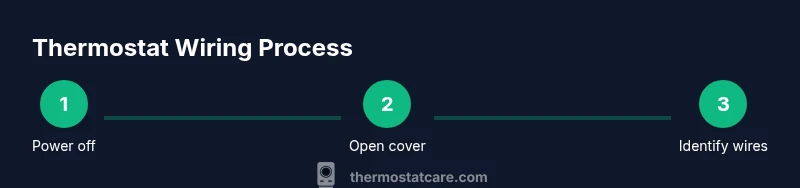
Tracing wires safely involves a disciplined approach that minimizes the risk of shock or accidental shorting. Start with the power off at the thermostat and the furnace/air handler. Remove the cover from the thermostat and the access panel on the HVAC unit to expose the wire bundle. Trace each conductor back to its terminal on both ends, using a color-coded map or labels. If you discover an unexpected wire not on the diagram, stop and re-check the system documentation or consult an HVAC professional. A clean, labeled wiring harness makes future upgrades and troubleshooting much easier. You’ll also verify that the thermostat receives the correct voltage from the transformer by using a non-contact tester and, if necessary, a multimeter to confirm about 24V between R and C when the system is powered.
Documentation and careful labeling are your best defense against future miscommunication between you and the service technician who may work on the system later.
Troubleshooting Mismatches Between Diagram and Real System
Discrepancies between the diagram and the actual installation are common in older homes or when wiring has been modified for a different equipment model. Start by visually inspecting the wire ends at the thermostat and at the HVAC control board. If you see a wire that isn’t connected to any terminal, trace its path to determine its function or consider removing it if it’s unused. Cross-reference multiple sources: your old setup, the diagram on the furnace, and the new thermostat’s compatibility list. When in doubt, map out each conductor with a labeled tag and test each control signal with the system in cooling or heating mode to confirm which wire triggers which function. Thermostat Care analysis shows this careful cross-checking reduces miswiring incidents and increases the likelihood of successful thermostat upgrades.
When to Consult a Professional and Safety Considerations
If you encounter burning smells, buzzing sounds, tripped breakers, or if you’re unsure about which wire is which, stop and call a licensed HVAC technician. Working with low-voltage wiring is generally safe when power is off, but mistakes can cause short circuits, damage to the thermostat, or even a risk of electrical shock. Always follow local electrical codes and use proper safety gear, including eye protection. For complex heat-pump systems, or if you’re replacing an old analog thermostat with a smart model that requires a C-wire, professional assessment ensures the installation honors safety and efficiency standards. The Thermostat Care team recommends erring on the side of caution and scheduling a diagnostic when complexity increases.
Choosing the Right Thermostat for Wiring Compatibility and Future-Proofing
Not all thermostats are created equal. When selecting a new model, verify the compatibility with your HVAC system, including the presence of a C-wire and the availability of O/B control for heat pumps. Some thermostats require a common (C) wire to power themselves; others can run with power stealing methods but may be less reliable. Consider models that offer multiple stages, humidity control, and smart home integrations if your system supports them. If your current wiring is limited, plan for a C-wire retrofit or an accessory power kit to ensure reliable operation. Thermostat Care’s guidance is to choose a model that matches your wiring configuration and future needs, not just today’s demand.
Best Practices: Labeling, Testing, and Documentation for Longevity
Label every wire with a small, durable label at both ends. Use a consistent naming convention that maps to the diagram you’re using. Before reassembling, test the system in both cooling and heating modes to verify the thermostat engages the correct equipment. Keep an up-to-date wiring diagram near the furnace and the thermostat, noting any deviations from standard color codes or terminal labels. These practices reduce call-backs, speed up maintenance, and support safe upgrades in the future.
Tools & Materials
- Multimeter or 24V voltage tester(Use to confirm 24V between R and C with system powered)
- Small screwdriver set (Phillips and flat-head)(For thermostat and access panel screws)
- Wire stripper/cusher(Trim and prepare wires for a clean connection)
- Non-contact voltage tester(Verify power is off before handling wires)
- Electrical tape or wire nuts(Secure and insulate splices and label connections)
- Thermostat base and wall plate(Necessary for mounting and wiring the new thermostat)
- Labeling materials (e.g., painter’s tape, marker)(Label wires at both ends to prevent confusion)
- Replacement thermostat compatible with your system(Ensure it supports your wiring, especially C-wire and O/B if heat pump)
Steps
Estimated time: 45-90 minutes
- 1
Power down and confirm
Turn off power at the thermostat and at the HVAC disconnect or breaker. Wait a few minutes for the system to discharge before touching wires. This reduces risk of shock or damage to components.
Tip: Use a non-contact tester to verify no live voltage before starting. - 2
Remove thermostat cover
Gently detach the thermostat cover to expose the wiring. Note how wires are connected to terminals and take a clear photo for reference.
Tip: Label each wire as you remove it to avoid mix-ups later. - 3
Inspect the wire bundle
Examine the wire ends and notes on the HVAC control board if available. Look for the R, C, Y, G, W, and O/B terminals and confirm their colors align with the diagram.
Tip: If color coding seems inconsistent, rely on terminal letters instead of color alone. - 4
Identify the C-wire and other signals
Locate the C-wire and ensure you have a dedicated conductor for it. Identify which wire currently powers the thermostat (R) and which wires control Y, G, W, and O/B.
Tip: If there is no C-wire, consider a power extender kit or a thermostat that supports power stealing with caution. - 5
Map wires to the diagram
Using the diagram, map each conductor to its corresponding terminal on the thermostat base. If a wire lacks a match, pause and investigate on the furnace control board.
Tip: Label each wire end and the thermostat terminal with a tag for easy reference. - 6
Connect wires to the new thermostat
Attach R to R, C to C, Y to Y, G to G, W to W, and O/B as needed for your system. Make sure all connections are secure and the wires are fully inserted.
Tip: Tighten terminal screws only to snug; overtightening can damage terminals. - 7
Secure and reassemble
Reattach the thermostat to the wall plate and replace covers on the thermostat and HVAC access panels. Ensure the wires are not pinched.
Tip: Double-check that wires aren’t trapped behind the mounting screws. - 8
Test the system
Restore power at the breakers and test cooling and heating modes. Confirm the thermostat activates the correct equipment and that the system runs smoothly.
Tip: Take another photo of the final wiring for your records.
Questions & Answers
Do I need a C-wire to install a smart thermostat?
Most smart thermostats require a C-wire to power the device reliably. If your system lacks a dedicated C-wire, you may need a C-wire adapter or a power extender kit, or you may opt for a thermostat model that supports alternative power methods.
Most smart thermostats need a C-wire for reliable power. If you don’t have one, you might need an adapter or consider a model that supports power sharing.
How can I identify wires if colors don’t match the diagram?
Always rely on terminal labels (R, C, Y, G, W, O/B) rather than color alone. Use a multimeter to verify voltage and continuity, and keep a labeled wiring map for future reference.
Rely on terminal labels, not color, and verify with a meter. Keep a wiring map for future reference.
What should I do if there’s no C-terminal on my furnace board?
If the control board lacks a C terminal, you may need a power extender kit or a thermostat that can function without a dedicated C-wire. Consult the installation manual for your HVAC model and consider professional help if unsure.
If there’s no C terminal, you may need an extender kit or a model that works without a dedicated C-wire.
Is it safe to replace a thermostat myself?
Replacing a thermostat with the power off is generally safe for many homeowners, but incorrect wiring can damage the thermostat or HVAC equipment. If you’re unsure about heat-pump wiring or O/B signals, seek professional guidance.
It’s usually safe if power is off, but miswiring can cause damage. Seek help if unsure about heat-pump wiring.
How do I tell if the diagram is for heat pump vs conventional?
Look for reversing valve signals (O/B). O is often energized in cooling, while B is energized in heating. The presence of O/B, Aux heat, or multiple Y contacts indicates a heat-pump configuration.
Check for O/B signals and Aux heat; these indicate a heat pump setup.
What’s the safest order to upgrade a thermostat?
First verify compatibility, then confirm wiring matches the diagram, power down, and mount the new thermostat carefully. Finally, test both cooling and heating modes before full operation.
Ensure compatibility, map wires, power down, install, and test both modes.
Watch Video
What to Remember
- Identify terminals by letter first.
- Power down before touching any wires.
- Verify C-wire continuity with a multimeter.
- Test system function after reconnecting power.