Thermostat Cleaning: Safe DIY Guide for Homeowners
Learn safe, step-by-step methods to clean your thermostat, remove dust, and improve readings. This Thermostat Care guide helps homeowners and DIY enthusiasts maintain accuracy and reliability.


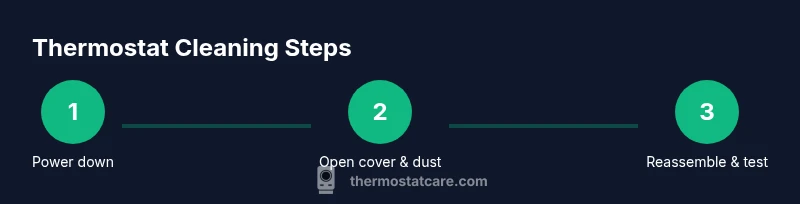
Power down the thermostat, remove the cover, and gently dust with a microfiber cloth. Wipe the exterior with a damp, non-abrasive cloth. Avoid liquids on the display and sensors. Re-seat any loose components, reattach the cover, and test for responsive touch and accurate readings. Keep the power off until you verify the unit boots correctly and returns to normal operation.
Why thermostat cleaning matters
According to Thermostat Care, regular cleaning helps keep a thermostat’s readings accurate and extends its life by reducing dust on the display and sensors. Dust and pet hair can drift into vents, causing the device to misread ambient temperatures or respond slowly. When you clean correctly, you reduce stray drafts, improve touchscreen responsiveness, and minimize the chance of nuisance resets. Thermostat Care analysis, 2026, notes that routine maintenance supports reliable performance and energy efficiency. By investing 15-20 minutes now, you prevent unexpected outages and keep your home’s climate control consistent.
A clean thermostat is more than a cosmetic improvement. The display is easier to read, especially for household members who rely on visual cues to adjust settings. Sensors hidden behind grills detect temperature and humidity, and dust buildup can impair those readings, causing the HVAC system to overwork or underperform. The goal of cleaning is not to reach an obsessive level of dust removal, but to clear the path for accurate signals and smooth operation. When you start with power-down safety, you reduce the risk of short circuits, and you can work calmly without worrying about accidental changes in temperature settings. For many homeowners, a quick sweep of the exterior and a careful inspection of the sensor openings is enough to restore confidence in the thermostat's performance.
When to clean your thermostat
Most households benefit from a light cleaning every season, particularly during peak dust seasons or after a home renovation. If you have furry pets, a kitchen near a vent, or an HVAC system with a dusty return, more frequent checks are advised. Look for signs that cleaning is due: a slow touchscreen response, faint or fluctuating temperature readings, visible dust on the exterior, or reduced efficiency in cooling or heating. The goal is not to remove every speck of dust, but to keep critical openings clear and to prevent debris from accumulating around the sensors. If your unit is mounted behind furniture, you may also need to gently vacuum around the exterior to prevent a build-up that could alter airflow. Thermostat Care recommends setting a reminder on your calendar at least twice a year, aligning with daylight saving changes for easy memory. In extreme environments—kitchens with a lot of cooking steam or workshops where metal dust is common—consider a quarterly cleaning. The act of cleaning is a proactive maintenance step, not a repair, and should be framed as part of a routine to protect your investment.
Safety and prep steps
Safety comes first. Begin by powering down the thermostat and, if possible, turning off the corresponding HVAC circuit at the breaker. Do not touch live wiring or connectors. Remove the front cover only if your model is designed for it; some units are sealed and you should not disassemble them. If screws or fasteners are involved, keep them in a labeled container. Work in a dry area; moisture can travel along the wall and reach electrical components. Wear safety gloves if you handle dusty surfaces or have sensitivities. Have a small bowl or tray to keep screws and trim pieces together. Finally, plan to use mild cleaners and minimal moisture. Never spray liquids directly onto the device or into sensor openings, and test the system only after you reassemble and restore power.
Tools & Materials
- Microfiber cloth(Soft, lint-free cloth for dusting and wiping.)
- Soft brush(Small brush (clock or makeup brush) to dislodge dust.)
- Cotton swabs(For tight gaps around the cover and sensors.)
- Isopropyl alcohol 70%(Dampen cloth lightly; never pour directly on the thermostat.)
- Compressed air can(Optional to blow dust from vents.)
- Safety gloves(Optional for extra protection.)
- Screwdriver (Phillips or flathead)(Only if you need to remove a cover screw.)
Steps
Estimated time: 15-25 minutes
- 1
Power down and disconnect
Turn off the thermostat and, if possible, switch off the corresponding circuit at the breaker. This prevents electrical shock and data loss while you work. Do not start cleaning with power on.
Tip: Double-check the display is off before touching any components. - 2
Open the front cover
Gently remove the front cover or access panel. If needed, use a screwdriver to release screws and keep track of small parts.
Tip: Keep screws in a labeled container to avoid misplacement. - 3
Dust the exterior and vents
Use the soft brush to remove loose dust from the housing and vents. For stubborn dust, use the microfiber cloth lightly dampened with alcohol.
Tip: Avoid pressing on sensors or display. - 4
Clean sensors and display area
Gently wipe sensors with a cotton swab dampened with isopropyl alcohol. Do not saturate; work with light touches to avoid damaging delicate components.
Tip: Never spray cleaner directly onto the thermostat. - 5
Reassemble and test
Reattach the cover, restore power, and test the thermostat’s responsiveness and readings. Check that the display boots correctly and shows the current room temperature.
Tip: If readings drift, repeat cleaning around the sensor openings.
Questions & Answers
Is cleaning a thermostat safe for DIY homeowners?
Yes. Power down, remove the cover, and wipe with a damp microfiber cloth. Avoid liquids near electronics and never spray cleaners directly on the device.
Yes. Power down, remove the cover, and wipe gently with a damp microfiber cloth. Keep liquids away from the electronics.
How often should I clean my thermostat?
Clean as part of your seasonal maintenance or whenever you notice dust on the display or around sensor openings. Regular inspection helps maintain accuracy.
Clean during seasonal maintenance or when you see dust near the sensors.
Can cleaning improve thermostat accuracy?
Dust can interfere with sensors and display clarity. Gentle cleaning helps maintain accurate readings and responsive controls.
Yes, reducing dust helps sensors read more accurately.
What cleaners are safe to use?
Use a microfiber cloth dampened with isopropyl alcohol or water in small amounts. Avoid sprays or soaking the device.
Use a damp microfiber cloth with a little isopropyl alcohol; avoid sprays.
What if I can't remove dust from tight areas?
Use cotton swabs or a soft brush to access tight areas; avoid forcing parts. If necessary, consult a professional.
Try cotton swabs and a soft brush; don't force parts.
Watch Video
What to Remember
- Power off before cleaning
- Use gentle, non-abrasive tools
- Inspect sensors and displays for dust
- Thermostat Care's verdict: regular cleaning improves reliability