Thermostat Installation: A Complete Step-by-Step Guide for Homeowners
A practical, homeowner-friendly guide to thermostat installation, covering wiring basics, compatibility checks, safety steps, and testing for a reliable setup.


With this guide you will complete a safe thermostat installation, from planning and compatibility checks to wiring, mounting, and testing. Key requirements include a compatible thermostat, basic electrical safety, and following the device's wiring diagram. This steps-focused approach helps homeowners perform a DIY install with confidence. By the end, you'll know how to verify compatibility with your HVAC system, select the right wiring configuration (single-stage, multi-stage, or heat pump), and perform a safe test run that confirms proper operation.
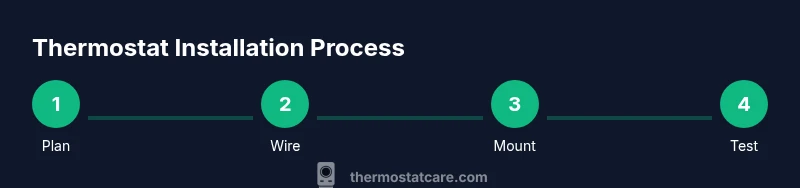
What thermostat installation involves\n\nThermostat installation is more than snapping a device on the wall. It is the process of selecting a compatible thermostat, identifying the wiring in place, and configuring the device so your home's HVAC system can respond accurately to temperature commands. The outcome should be steady comfort, predictable energy use, and reliable operation across seasons. The installation steps vary by system type (conventional gas or electric furnaces, heat pumps, or dual-fuel setups) but share common aims: safe power management, correct wiring, and proper system setup. In this section we outline the high-level phases of thermostat installation: planning and compatibility checks, wiring configuration, mounting and power connection, commissioning and testing, and documentation for future maintenance. Understanding these elements helps homeowners handle basic thermostat installation confidently and reduces the risk of miswiring that could affect safety or equipment efficiency.
Compatibility and planning for thermostat installation\n\nBefore you buy or install a thermostat, assess compatibility with your HVAC system and power supply. Many homes rely on a C-wire to provide continuous power to a smart thermostat; others work with battery-powered models or a power-stealing design. Start by checking your existing wiring, the furnace control board, and the thermostat's compatibility list. Note the number of wires in use (R, W, Y, G, C, etc.) and whether your system is conventional or heat pump-driven. If you have a two-wire setup, you may need to use a common wire adapter or select a thermostat designed for systems without a C-wire. Also verify your electrical service: some newer thermostats require a 24-volt transformer and a compatible interface with your outdoor unit. Finally, consider features you want (smart connectivity, learning algorithms, remote sensors) and ensure the chosen model supports them. This upfront thermostat installation planning saves time and reduces surprises during the actual wiring.
Choosing the right thermostat for your system\n\nChoosing the right thermostat for thermostat installation means matching features to your HVAC setup. If you have a traditional gas furnace or electric heat with a standard air conditioner, a single-stage thermostat with basic heat/cool control may be enough. For heat pumps, look for a thermostat designed to manage auxiliary heating and reversing valves. If you want smart features, ensure Wi-Fi capability, app control, and compatibility with your smart home ecosystem. Check whether the thermostat supports 2.4 GHz or 5 GHz networks, and confirm that it can operate with your existing wiring (including whether a C-wire is present). Finally, consider energy-saving features like adaptive setback, geofencing, and occupancy sensing, but verify that your HVAC system can support them without causing short cycling or inaccurate readings. A well-chosen thermostat improves user experience and long-term energy efficiency.
Safety and preparation for thermostat installation\n\nSafety is essential during thermostat installation. Power down the HVAC circuit at the breaker to prevent shocks, and use a voltage tester to confirm no live wires before touching terminals. Keep the area clear of moisture and avoid working with wet hands. If you rent, obtain approval from the landlord or building manager before starting. Wear safety glasses if wires are exposed, and keep metal jewelry away from exposed terminals. Prepare a clean, well-lit workspace and have a camera or notes ready to document the old wiring. Following these precautions reduces risk and protects both you and your equipment during thermostat installation.
Wiring basics you should know for thermostat installation\n\nUnderstanding wiring colors and terminals helps prevent miswiring. Common terminals include R (power), C (common), W (heat), Y (cool), G (fan), and O/B (heat pump reversing valve). Not all systems have all wires, and some may use additional terminals for auxiliary heat or humidifier controls. When wiring a new thermostat, always label wires from the old thermostat before disconnecting them, or take a clear photo for reference. If you encounter unfamiliar wire colors, consult the thermostat’s wiring diagram and your HVAC equipment manual. For safety, never energize a circuit while wires are exposed, and confirm that the power is off at the breaker before making connections. This foundation supports a correct thermostat installation and reliable operation.
Step-by-step wiring overview for thermostat installation\n\nA proper wiring overview helps you plan connections before mounting the unit. Start by turning off power and removing the old device. Identify each wire by label and connect it to the corresponding terminal on the new thermostat according to the installation guide. If your system uses a C-wire, connect it to the C terminal to provide continuous power. Double-check that the R wire is connected to the power terminal, and ensure there is no loose wire contact. After wiring, gently attach the thermostat base to the wall, mount the display, and restore power to test basic functionality. A careful wiring overview reduces trial-and-error and speeds up the install.
Mounting the base and securing the thermostat\n\nMount the thermostat base level on the wall, using a stud finder to avoid drywall damage. If mounting on drywall, use appropriate anchors and ensure the screws are long enough to anchor firmly. Recheck that all wires are fully inserted and secured under their terminals before attaching the faceplate. Align the cover and snap it into place. With the base secured, power can be restored to begin configuration. A stable, level mount prevents display tilt and helps the device read temperatures accurately.
Configuring, testing, and final checks after thermostat installation\n\nConfigure the thermostat settings according to your HVAC system: system type, fan, temperature units, and schedule preferences. If you have a smart thermostat, connect to Wi-Fi, sign into your account, and install any required apps or plugins. Run a quick test by setting a simple heat or cool request and listening for system response. Observe the air flow and verify that the temperature readings are accurate. If the display shows any error codes, consult the user manual and recheck wiring connections. This final phase confirms a successful thermostat installation and ready-to-use comfort control.
Common pitfalls and how to avoid them during thermostat installation\n\nAvoid common mistakes like skipping the C-wire, mislabeling wires, or misconfiguring the system type. Double-check the compatibility list before purchasing, ensure the power is off during wiring, and never force wires into terminals. If you are unsure, pause and consult the installation guide or seek professional help. Taking time to verify each connection and setting reduces the likelihood of repeated troubleshooting and ensures safe, reliable operation after thermostat installation.
Tools & Materials
- Voltage tester(Use to verify power is off before touching wires)
- Screwdriver (Phillips #2)(Needed for wall plate screws)
- Flathead screwdriver(Useful for terminal screws on some models)
- Wire strippers(Trim insulation cleanly for new connections)
- Wire nuts / wire caps(Secure splices when needed)
- Electrical tape(Seal exposed conductors)
- Multimeter (optional)(If you suspect voltage or resistance issues)
- Level(Keep the mounting plate straight)
- Replacement thermostat(Ensure compatibility with your HVAC system)
- Screws and wall anchors(Secure mounting to wall or studs)
- Camera or notepad(Document old wiring for reference)
Steps
Estimated time: 60-120 minutes
- 1
Power off and confirm
Turn off the HVAC circuit at the breaker and use a voltage tester to confirm there is no live current at the thermostat location.
Tip: Test every terminal before touching wires - 2
Remove old thermostat and document wiring
Carefully remove the old unit and take a photo or label each wire with its terminal designation.
Tip: Label wires to prevent misconnection later - 3
Choose wiring configuration
Review your HVAC type and decide on wiring configuration (R, C, W, Y, G, O/B, etc.).
Tip: If uncertain about C-wire, consider temporary power options - 4
Mount the new base
Position and level the thermostat base on the wall, then secure it with screws.
Tip: Use a level and wall anchors if needed - 5
Connect wires to the new thermostat
Attach each wire to the corresponding terminal on the new thermostat according to the wiring diagram.
Tip: Double-check color-to-terminal mapping before tightening - 6
Attach the display and restore power
Snap the display on and switch power back on at the breaker.
Tip: Observe initial power-up and ensure the display activates - 7
Configure settings
Set system type, temperature scale, schedules, and connect to Wi‑Fi if it is a smart unit.
Tip: Follow the thermostat’s guided setup for best results - 8
Test heating and cooling
Run a short heat and cool test to confirm proper response and airflow.
Tip: Listen for proper valve operation and verify air direction - 9
Troubleshoot and finalize
If something doesn’t respond, re-check wires and settings; consult the manual if codes appear.
Tip: Take notes of any error codes for support
Questions & Answers
Do I need a C-wire for my thermostat?
Many smart thermostats require a C-wire for continuous power, but some models can operate on batteries or power-stealing methods. Check your current wiring and the thermostat’s requirements before purchasing.
Smart thermostats often need a C-wire for reliable power, but options exist for battery-powered units.
Can I install a thermostat myself, or should I hire a pro?
If you have basic electrical skills and carefully follow the wiring diagram, you can install most thermostats. Complex systems (heat pumps with multi-stage controls or unusual wiring) may benefit from professional assistance.
Most homeowners can DIY straightforward installs, but call a pro for complex systems.
What if my old thermostat uses an uncommon wire color?
Wires can vary by device and installer. If colors don’t match standard terminals, rely on labels or photos from the old setup and consult the thermostat guide for mapping.
If colors don’t match, rely on labels or your old wiring photo to map connections.
How do I know if my thermostat is compatible with my furnace?
Check the thermostat’s compatibility list and compare it with your furnace/AC configurations (gas/electric, single/multi-stage, heat pump). Ensure voltage, wiring, and controls align.
Make sure the thermostat supports your furnace type and wiring configuration.
What should I do if the thermostat display is blank after installation?
First, ensure power is restored at the breaker. Verify C-wire connection if applicable, and check the fuse on the furnace control board. If still blank, recheck the wiring per the manual.
Power and wire checks usually fix a blank display; recheck the wiring if needed.
Watch Video
What to Remember
- Power off before wiring any terminals
- Label or photograph existing wires
- Match wires to the thermostat's terminals
- Test all functions after installation
- Consult a pro if you encounter unfamiliar wiring