Replace Thermostat in House: Step-by-Step Guide
Learn how to replace thermostat in house safely with Thermostat Care. This comprehensive guide covers compatibility, tools, installation, testing, and maintenance for a reliable thermostat upgrade in 2026.


In this guide you’ll learn how to replace thermostat in house safely and effectively, covering compatibility checks, essential tools, wiring basics, mounting the new unit, and testing its performance. You’ll follow a clear, field-tested process designed for common gas, electric, and heat-pump systems, with safety-first steps and practical tips from Thermostat Care. Expect a reliable upgrade that improves comfort and energy efficiency.
Overview: When to replace thermostat in house and what to expect
Replacing a thermostat can refresh control over a home’s heating and cooling, improve energy efficiency, and unlock newer features like smarter scheduling or Wi‑Fi connectivity. If your current thermostat is inaccurate, slow to respond, or incompatible with your HVAC system, it’s a good sign that replacement is worth considering. According to Thermostat Care, many homeowners upgrade when the device begins to degrade accuracy, when it no longer supports newer Wi‑Fi standards, or when it lacks compatibility with smart‑home ecosystems. This guide walks you through a practical replacement that minimizes downtime and keeps your home comfortable. By the end, you’ll have a working, properly configured thermostat that you can trust for reliable climate control.
Compatibility and choosing a replacement
Choosing the right thermostat starts with compatibility with your heating and cooling system. Most homes use a 24‑volt system, but some older houses rely on different configurations. Confirm whether your system is single‑stage, multi‑stage, or heat pump, and check if a C‑wire is available for power. If your current setup uses battery power only, a thermostat that supports a power‑stealing or battery option may be needed, but a C‑wire is typically best for stability. Also consider whether you want a basic programmable model, a smart thermostat with remote access, or a learning thermostat that adapts to your routines. The Thermostat Care team recommends pairing the thermostat to your HVAC equipment via a compatible backplate and following the manufacturer’s wiring diagram to avoid miswiring. If you use a heat pump, ensure the thermostat supports heat pump logic and auxiliary heat. Finally, verify compatibility with your home’s Wi‑Fi network and mobile app ecosystem, if you plan to use remote features.
Tools, safety, and planning
Before you begin, gather all necessary tools and ensure you can work safely. Essential items include a screwdriver set (Phillips and flat), a non‑contact voltage tester, wire labels or masking tape, mounting screws/anchors, and a replacement thermostat compatible with your system. A digital multimeter is optional, but helpful if you need to confirm voltages on older wiring. Create a clean workspace around the wall where the thermostat sits, and take a photo of the existing wiring for reference. Turn off power to the HVAC equipment at the circuit breaker if you can access it, and verify power is off at the thermostat with a tester. Keep the thermostat’s location clear and avoid exposing wires to moisture. These precautions prevent shocks and damage during replacement.
The step‑by‑step replacement process (high level overview)
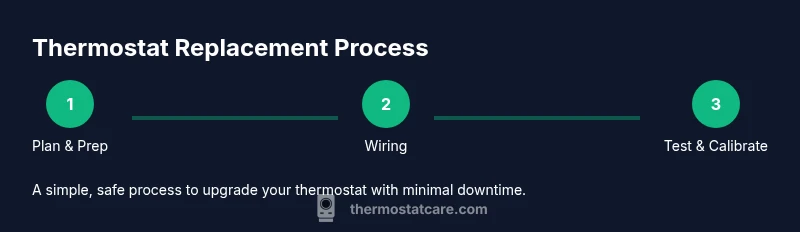
The actual wiring and mounting steps are detailed in the STEP‑BY‑STEP section. In brief, you’ll remove the old thermostat faceplate, label wires, detach them from the base, attach the new base plate, connect wires to corresponding terminals on the new thermostat, mount the unit, and configure basic settings. If you’re replacing a basic thermostat with a smart model, you’ll also connect it to Wi‑Fi and install the manufacturer app. Finally, you’ll test heating and cooling to confirm proper operation and adjust schedules as needed.
Installation steps: flush mounting and wiring basics
Mounting the new base plate on a clean, flat wall is critical for a secure install. Use the old mounting holes if they align, or drill new holes with appropriate anchors. Route wires through the wall plate, avoiding pinching or bending any conductors. When wiring, connect each wire to the terminal indicated by the new thermostat’s diagram (R, C, W, Y, G, etc.). Labels from the prior step are invaluable for reassembly. If you see a wire that isn’t listed on the new unit’s diagram, double‑check the product manual or contact the manufacturer’s support to prevent miswiring. After wiring, attach the display or front cover and restore power to test.
Post‑installation testing and setup
Power up the thermostat and run through the initial setup wizard. If you have a smart thermostat, link it to your Wi‑Fi network and install the companion app. Configure basic settings such as temperature units, scheduling, and climate control preferences. Run a quick test by setting a heat call and a cool call to ensure airflow, fan operation, and system response. If you notice any abnormal behavior (no power, incorrect readings, or no response to settings), recheck wiring and consult the manufacturer’s wiring diagram. Thermostat Care recommends documenting all changes and keeping a copy of the wiring layout for future maintenance.
Maintenance, safety, and troubleshooting basics
Keep the replacement thermostat and its wiring area free of dust and moisture. Periodically review the thermostat’s software updates and app sensors if using a smart model. If you encounter issues after installation, verify the power supply, check that all wires remain properly connected, and test different modes (auto, heat, cool). For persistent problems, consult a pro or contact the thermostat manufacturer’s support line. Regular maintenance and thoughtful setup help sustain accuracy, efficiency, and comfort over time.
Quick troubleshooting checklist
If the new thermostat doesn’t power on, confirm the breaker is on and the C‑wire is connected. If readings seem off, check the wiring labels and ensure the wires land on the correct terminals. For cooling issues, verify that the Y (cool) and G (fan) wires are properly connected and that the HVAC unit is responding to commands. If you have a heat pump, ensure auxiliary heat is configured and that changeover logic matches the system’s needs. Keep a log of any changes and reset the device if necessary to clear misconfigurations.
Tools & Materials
- Screwdriver set (Phillips and flat)(Phillips #2 and flat-head varieties; choose sizes matching screw heads on old and new bases)
- Non-contact voltage tester(Confirm power is off before touching wires)
- Wire labels or masking tape(Label wires by function (R, C, W, Y, G) before removal)
- Mounting screws and anchors(Keep extra screws in case original holes differ)
- Replacement thermostat(Select a model compatible with your HVAC system (single/multi‑stage, heat pump, etc.))
- Digital multimeter (optional)(Useful for verifying voltages on older wiring or nonstandard setups)
- Electrical tape(Mend or secure any loose wires during setup)
- Step ladder or stable stool(If wall is high or difficult to reach)
Steps
Estimated time: 45-75 minutes
- 1
Power down and prep
Turn off power to the HVAC system at the main circuit breaker if accessible and confirm the thermostat is not powered. Remove decorative cover to expose the wiring area, and wipe the wall surface clean. This minimizes shock risk and keeps the workspace tidy.
Tip: Use the tester to verify no voltage at the thermostat wires before touching anything. - 2
Detach old faceplate and label wires
Carefully remove the old thermostat faceplate and detach wires one by one. As you remove, apply tape labels to each wire with its terminal name written on it (R, C, W, Y, G). Take a photo from multiple angles for reference in case wiring becomes confusing.
Tip: Label the wires first; this dramatically reduces mistakes when wiring the new unit. - 3
Remove the old base and prepare the wall
Unscrew and lift away the old base from the wall. If the wall has oil or paint buildup, gently clean the area and inspect for damaged drywall or inconsistent mounting. Prepare the wall for the new base plate by ensuring flat, clean surfaces.
Tip: If the new base doesn’t align with the old mounting holes, use the supplied anchors and new screws. - 4
Connect wires to the new thermostat base
Insert each labeled wire into the matching terminal on the new backplate according to the thermostat’s wiring diagram. Tighten screws securely so wires don’t slip. Do not force wires into terminals if they resist; recheck label accuracy and diagram.
Tip: Double-check that no copper strands are touching adjacent terminals. - 5
Attach unit, restore power, and configure
Mount the thermostat to the wall and snap on the front panel. Restore power and follow the on‑screen setup prompts to select language, temperature units, and system type. If you’re installing a smart thermostat, connect it to Wi‑Fi and download the companion app.
Tip: Keep the device away from direct sunlight or heat sources during setup to avoid skewed readings.
Questions & Answers
Do I need a professional to replace a thermostat?
For many standard replacements, homeowners with basic electrical skills can complete the job safely. However, if you encounter unfamiliar wiring, a heat‑pump system, or non‑24V configurations, consider hiring a licensed tech. A professional can verify compatibility and prevent accidental damage.
In many cases you can replace it yourself, but if you have a heat pump or unusual wiring, it’s best to call a professional.
Can I replace a thermostat if my HVAC is old?
Yes, many older systems can be upgraded, but you’ll need a model that matches your system’s voltage and wiring. If you’re unsure, review the wiring diagram for your furnace or heat pump and choose a compatible thermostat. When in doubt, consult a pro.
Older systems can still be upgraded, just pick a model that matches your wiring and voltage, or ask a pro for help.
Will replacing the thermostat require new wiring?
Most replacements reuse the existing wires, especially if a C‑wire is already present. Some setups may require additional wiring or adapters. Always follow the new thermostat’s wiring diagram and test power levels before finalizing.
Usually the existing wires are fine, but some setups need extra wiring or adapters. Follow the diagram carefully.
Can I reuse old wires after replacement?
If the wires are intact and properly labeled, they can be reused. Inspect insulation for wear and ensure none of the copper is exposed. If insulation is damaged, replace the wires or install a new backplate with newer wiring.
Yes if they’re in good shape and labeled; otherwise, consider replacing corroded or frayed wires.
What’s the difference between a standard thermostat and a smart thermostat?
A standard thermostat controls basic heating and cooling functions, often via a wall interface. A smart thermostat adds Wi‑Fi connectivity, app control, and energy‑saving features, enabling scheduling, learning behavior, and remote monitoring. Choose based on your comfort needs and Wi‑Fi availability.
Smart thermostats add remote features and learning, while standard ones focus on basic control.
How do I test the system after installation?
After setup, run a full cycle test for heat and cool. Check the system’s response time and verify that the fan and dampers operate correctly. If you notice any anomalies, recheck wiring against the diagram and repeat a test cycle.
Run a full heat and cool cycle and verify the fan works. If issues pop up, double‑check wiring.
Watch Video
What to Remember
- Plan and label wires before disconnecting.
- Verify compatibility with HVAC type and C‑wire presence.
- Test both heating and cooling after installation.
- Use pro tips to avoid common wiring mistakes.
- Consider upgrading to a smart thermostat for remote access.