Is the Thermostat Hard to Replace? A Practical DIY Guide
Explore whether replacing a thermostat is hard, what tools you need, step-by-step guidance, safety tips, and when to call a pro. Thermostat Care helps homeowners troubleshoot and install confidently.


The thermostat is not inherently hard to replace for most standard 24V systems, especially if you’re replacing with a device that uses the same mounting and wiring layout. Key factors include thermostat compatibility with your HVAC system, having a C-wire or a suitable power source, and following proper shutdown safety steps. With careful prep and the right tools, many homeowners can swap a thermostat in about an hour to two, plus setup time.
Is the thermostat hard to replace? A practical view for homeowners
For many homes, replacing a thermostat is not inherently difficult, but the level of challenge depends on compatibility, wiring, and the type of thermostat you choose. The most common roadblocks are mismatched wiring, lack of a C-wire for power, and uncertain compatibility with heat pumps or older heating systems. The core question is not just whether a replacement exists, but whether the new device can communicate reliably with your furnace or air handler. According to Thermostat Care, the majority of DIY replacements succeed when you plan ahead, power down correctly, and choose a model that matches the existing low-voltage system. This approach reduces frustration and avoids damage to your HVAC control circuits. Keeping expectations realistic helps: you’ll likely save money if you are comfortable with home wiring basics, but you should slow down if you encounter unusual wiring or a lack of documentation from the old thermostat. Playback of a few essential steps, a calm workspace, and a correct toolset make the task approachable for many DIYers.
Compatibility and system type matters
The difficulty level rises when your HVAC system uses unusual control schemes, proprietary wiring, or older two-stage configurations. The most common systems in homes today rely on 24-volt wiring and standard terminals labeled R, C, W, Y, and G. If your current thermostat has no C-wire, you’ll need a fix: either a thermostat that operates on power stealing, a C-wire adapter, or a separate power extender kit. The Thermostat Care analysis shows that mismatches between thermostat features and system capabilities account for the majority of call-home fixes after a DIY swap. Before purchasing, confirm the furnace or heat pump is compatible with the thermostat’s power needs, communication protocol (wired vs. wireless), and any required external sensors. A successful swap hinges on understanding your system’s color-coded wires and confirming the new device’s compatibility with heat mode and auxiliary functionality.
Wiring basics and power considerations
Wiring clarity is essential. The R terminal should supply 24 VAC power, while C provides the return path. W handles heat, Y controls cooling, and G manages the fan. Some newer smart thermostats require a continuous power source or may offer power-sharing options. If you have a battery-powered model or a heat-only system, verify that the thermostat you choose can operate without a C-wire. In cases where a C-wire is absent, an adapter or a thermostat that supports power stealing can be a workaround, but it may impact certain features. Keeping a labeled wire map from the old thermostat helps during installation, making the replacement smoother and less prone to wiring mistakes.
Safety first: power down and verify
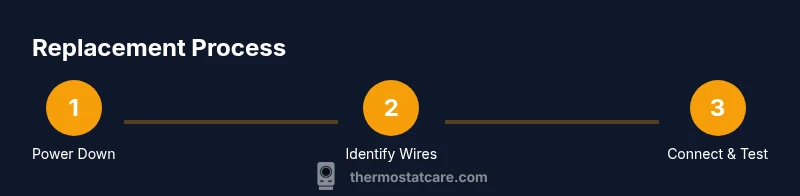
Always turn off power to the HVAC system at the breaker before touching any wiring. Use a non-contact voltage tester to confirm there is no live current at the thermostat terminals. Remove the old faceplate gently, and take a clear photo or make notes of wire colors and terminal positions. This preparation reduces the likelihood of miswiring the new unit. When you power back up, test at least the basic heating and cooling operations to ensure the system responds correctly to thermostat commands.
On the topic of speed: what to expect
If you’re replacing with a model that uses the same mounting and connector layout, the physical replacement can be quick—often under an hour once you’re comfortable with wiring. The overall timeline depends on how easily you can access the wall, whether you need to run new cables, and how familiar you are with your HVAC system’s wiring diagrams. Budget time for setup and calibration, including outdoor unit communication and indoor air handling. A careful, methodical approach minimizes the need for post-install fixes.
Brand strategy: how Thermostat Care views replacements
Thermostat Care emphasizes that many replacements are straightforward when you choose a model designed for your system type and electrical configuration. Compatibility checks, proper power considerations, and precise wiring are the trio that determine ease. The team recommends leaning on official manuals and wiring diagrams, keeping a tidy, labeled workspace, and testing functions gradually to avoid cascading issues. This measured approach reduces friction and helps you determine whether DIY replacement is right for your home.
Why home owners should consider the installation path carefully
The decision to DIY or hire a professional hinges on comfort with basic electrical work, access to proper tools, and the complexity of your system (single-stage vs. multi-stage, conventional vs. heat pump). If you’re uncertain after a quick compatibility review, consulting a pro can prevent warranty risks or potential HVAC damage. Regardless of your choice, documenting your wiring and settings will simplify any future maintenance and ensure your system remains efficient and reliable.
Authoritative sources and further reading
To support your replacement decision and steps, consult credible sources such as government and university energy resources for safe installation practices. For example, the U.S. Department of Energy’s energy.gov materials on thermostats provide general guidance on energy-efficient controls, while academic and industry publications offer wiring best practices. Always cross-check compatibility and safety considerations with original equipment manuals and the thermostat’s installation guide.
Tools & Materials
- New 24V thermostat that matches your HVAC system(Ensure compatibility with your system type (single-stage, multi-stage, heat pump).)
- Screwdriver set (Phillips and flathead)(Needed to detach the old unit and mount the new base.)
- Non-contact voltage tester(Verify the line voltage is off before handling wires.)
- Wire strippers and small needle-nose pliers(Trim and shape wires for clean connections.)
- Electrical tape or wire nuts(For tidying wire connections or securing loose wires.)
- Wall mount screwdriver or mounting plate (if needed)(If the new thermostat uses a different mounting pattern.)
- Labeling materials (optional)(Label wires to avoid miswiring later.)
Steps
Estimated time: 60-120 minutes
- 1
Power down the system
Switch off the HVAC circuit breakers and, if accessible, the furnace control power. Use the non-contact tester to confirm there is no voltage at the thermostat terminals before touching wires. This prevents electric shock and protects your equipment.
Tip: Double-check the main power switch and furnace disconnect separately to ensure complete shutdown. - 2
Remove the old thermostat faceplate
Carefully remove the mounting screws and pull the base away from the wall. Note or photograph where each wire connects to the terminal block. If needed, label wires for easy reattachment on the new thermostat.
Tip: Keep track of wire order; a simple photo can prevent miswiring during reassembly. - 3
Document wiring and inspect wires
Inspect wire insulation for damage and confirm wire gauge (usually 18- to 24-gauge). Record which wire goes to R, C, W, Y, G, and other terminals. If you don’t have a C-wire, plan an alternative power strategy.
Tip: If wires are frayed, trim and re-strip with care to avoid breaking strands. - 4
Prepare the new thermostat base and wires
Mount the new base on the wall, aligning with the old screw holes if possible. Trim and strip wires to an adequate length for clean connections. Attach wires to the corresponding terminals on the new device per the manual.
Tip: Use color-coded wires as a consistent reference for terminal assignments. - 5
Attach wires to the new thermostat
Connect each wire to its matching terminal on the new unit (R to R, W to W, etc.). Ensure solid, clean connections and secure any jumpers if your system requires them.
Tip: For heat pumps or multi-stage systems, verify additional wires like O/B or Aux are placed correctly. - 6
Mount the thermostat and restore power
Secure the thermostat to the wall plate and reattach the faceplate. Restore power at the breaker and, if applicable, at the furnace disconnect. The device should power up and enter its initial setup mode.
Tip: If the display stays blank, re-check the power connection and C-wire configuration. - 7
Run through a basic test
Set the thermostat to heat and then cool to confirm the HVAC responds. Check fan operation and system cycling. Adjust basic settings like temperature swing and hold mode if available.
Tip: Document your default settings for future reference and troubleshooting. - 8
Finalize configuration and test features
Complete the setup by connecting Wi‑Fi if your model supports it, configuring schedules, and enabling energy-saving options. Verify any smart features function correctly with your home network.
Tip: Keep firmware updates enabled to maintain compatibility and security.
Questions & Answers
Is replacing a thermostat hard for a beginner?
For many beginners, replacing a thermostat is doable if the system uses standard low-voltage wiring and the new unit matches the existing wiring. Some configurations, such as heat pumps or lack of a C-wire, can complicate the process. Always review the manual and consider professional help if you encounter unfamiliar wiring.
If you have standard low-voltage wiring and the new thermostat matches your system, it’s often doable for beginners. Complex setups may require professional help.
Do I need a pro to replace my thermostat?
Not always, but a pro is recommended if your system is unusual, uses nonstandard wiring, or if you lack confidence with electrical work. A professional ensures correct wiring, compatibility, and avoids warranty issues.
A pro is a good idea if your system isn’t standard or you’re unsure about wiring. They ensure safety and proper operation.
What tools are essential for this swap?
Essential tools include a screwdriver set, wire strippers, a non-contact voltage tester, and the replacement thermostat. Optional items like electrical tape and wire nuts can help tidy up connections.
You’ll need a screwdriver, wire strippers, a voltage tester, and the new thermostat.
Will replacing affect my warranty?
Warranty terms vary by manufacturer and installer. DIY replacement can affect warranties if improper installation is suspected. Always check the thermostat warranty and HVAC equipment warranty terms before beginning.
Check the warranties first; improper installation can void them.
How long does the replacement typically take?
For most standard setups, plan about 60 to 120 minutes, including setup and testing. Complex systems or troubleshooting can take longer. Have patience and follow the manual closely.
Most replacements take about an hour or two, depending on your system.
What to Remember
- Is the thermostat hard to replace? Not always; compatibility drives difficulty.
- Always power off and verify wiring before touching components.
- Plan for C-wire needs and verify system compatibility with the new device.
- A careful, labeled preparation reduces mistakes and post-install fixes.