Is It Difficult to Replace a Home Thermostat? A Practical Guide
Learn whether replacing a home thermostat is hard, with a clear plan, required tools, safety tips, and cost considerations to help you DIY or decide to hire a pro.


Replacing a home thermostat is often doable for DIYers with basic electrical caution and a compatible model. The main challenges are matching wires, power shutdowns, and ensuring HVAC compatibility. This quick guide outlines required tools, safety checks, and a step-by-step plan to help you decide if you should DIY or call a pro.
Is Replacement Really Difficult? What Factors Influence Difficulty
Replacing a home thermostat is not a one-size-fits-all task. The difficulty level hinges on your HVAC system type, wiring configuration, and the features you want from the new unit. For many homes with modern, 24-volt low-voltage systems, swapping the thermostat is a straightforward weekend project. In contrast, older homes with line-voltage controls or complex heat pump setups introduce extra steps and safety considerations. According to Thermostat Care, the biggest drivers of difficulty are system voltage, wiring complexity, and the thermostat’s feature set. A model with simple wiring and clear labeling reduces risk and time. If you plan to install a smart thermostat with Wi-Fi, you also must consider your home network and power supply needs. In short, the difficulty scales with your system’s specifics and your comfort with basic electrical tasks. With a clear plan and careful labeling, most homeowners can complete a reliable replacement without professional help, while advanced setups benefit from expert support.
Compatibility Matters: HVAC Systems, Power, and Wiring
Compatibility is the backbone of a successful thermostat replacement. The majority of homes use 24-volt low-voltage thermostats which suit gas furnaces, heat pumps, and most AC-only setups. A small minority rely on line-voltage thermostats for certain electric furnaces or baseboard heaters, and those require a different approach and often professional installation. Before buying a new unit, verify it supports your HVAC type, control wiring, and whether you have a C-wire (common). If a C-wire is absent, you may still replace the thermostat by choosing a model that works without a C-wire or by adding a power accessory. Thermostat Care analysis shows that wiring compatibility is the single most common source of delay. Taking a moment to confirm HVAC compatibility will save you time and potential frustration.
Tools and Safety: What You Need to Begin
Starting a thermostat replacement requires a safe workspace and the right tools. At a minimum, you’ll need a compatible thermostat, a screwdriver set (Phillips and flat-head), wire labels, a small flashlight, and a camera to document existing wiring. Safety first: switch off the circuit breaker for the thermostat or the HVAC system to ensure no power flows to the wall unit during work. If you have a gas furnace or heat pump, avoid working near the equipment compartment itself and follow all manufacturer safety warnings. A simple voltage tester helps confirm power is off, and eye protection can guard against minor debris. This stage is where many DIYers lose time by scrambling for missing tools, so prepare ahead to keep the project steady and predictable. The Thermostat Care team emphasizes caution and methodical preparation to minimize risk.
Step-by-Step Overview
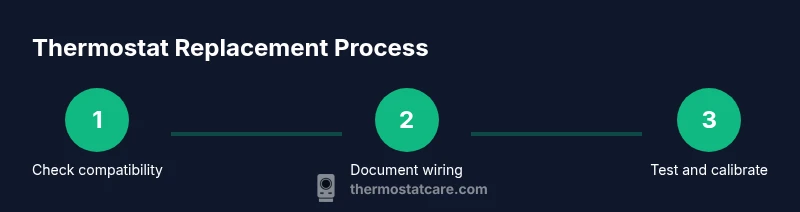
This section provides a concise overview of the replacement workflow so you know what to expect before you begin. The goal is a smooth transition from old to new without compromising system safety or performance. By following a disciplined sequence—verify compatibility, document wiring, remove the old device, install the new base, connect wires to the correct terminals, mount securely, restore power, and configure settings—you’ll minimize surprises. Keep a copy of the original wiring diagram and the new thermostat’s wiring map handy as references. If you’re replacing a smart thermostat, be prepared to connect to Wi‑Fi and download any required updates. Throughout the process, aim for tidy wire routing and a clean wall look. The team at Thermostat Care notes that attention to detail here pays dividends in reliability and peace of mind.
Common Pitfalls and How to Avoid Them
Even experienced DIYers stumble on a few recurring issues during thermostat replacement. The most common include confusing wire colors, mislabeling terminals, failing to power down the HVAC circuit, and selecting a thermostat that isn’t compatible with the home’s wiring or HVAC type. Other pitfalls involve improper mounting, which results in a loose device or inaccurate readings, and skipping the system test after installation, leading to unnoticed malfunctions. To avoid these, document every wire before disconnecting, label each conductor with clear tags, and double-check the wiring diagram. If you encounter unfamiliar terminals or you’re unsure about the wiring, pause and consult the thermostat’s manual or a professional. Thermostat Care’s guidance highlights that patience and verification steps dramatically reduce errors and rework.
When to DIY vs Hire a Pro
For simple, straightforward 24-volt systems, DIY replacement is a reasonable option with proper care and preparation. If your HVAC includes complex wiring, heat-pump configurations with auxiliary components, or line-voltage controls, hiring a licensed technician is advisable. Gas furnace or electric baseboard scenarios often involve safety risks that practitioners should not overlook. The decision to DIY vs hire a pro should weigh your comfort with electrical tasks, your ability to follow wiring diagrams, and any local code requirements. Thermostat Care recommends erring on the side of caution for systems beyond standard 24V setups and emphasizes that you’ll benefit from professional advice when uncertain about compatibility or safety.
Costs, Time, and Value
Expect costs to vary based on device type, labor, and whether you already own a compatible thermostat. For many households, parts and a basic thermostat range around a modest amount, while upgrades like smart thermostats can require additional investment for Wi‑Fi modules and installation accessories. If you hire a professional, you’ll see labor charges in addition to the new thermostat price and any necessary wiring work. Time-wise, a straightforward replacement typically takes less than two hours for an experienced DIYer, but more complex setups may extend to several hours. The overall value hinges on achieving reliable control, energy savings, and the new thermostat’s features. The Thermostat Care perspective is that a well-planned replacement offers significant long-term benefits with a manageable upfront effort.
Post-Install Tips: Calibrations, Updates, and Care
After installation, take time to test the system under different modes (cooling, heating, auto) and verify temperature accuracy. If you installed a smart thermostat, complete the app setup, connect to Wi‑Fi, and install any firmware updates. Calibrate the temperature sensor per the user guide to ensure accurate readings, and set up schedules that reflect your daily routine. Finally, monitor the system over the first few days and note any unusual behavior, such as delayed responses or inconsistent temps. If any issues arise, re-check the wiring against the diagram and consider a professional consultation. The Thermostat Care team underscores that careful testing and early calibration are the best way to secure long-term comfort and efficiency.
Tools & Materials
- New thermostat (24V compatible)(Confirm compatibility with your HVAC system and ensure it includes mounting hardware.)
- Screwdriver set (Phillips and flat-head)(Sizes #1 and #2 are most common for wall plates.)
- Wire labels or painter’s tape(Label each wire with its terminal letter and color for accurate reassembly.)
- Camera or smartphone(Document wiring before removal for reference.)
- Voltage tester or non-contact tester(Use to confirm power is off before touching wires.)
- Small flashlight(Illumination helps when wiring behind panels.)
- Owner’s manual or wiring diagram(Helpful for matching terminals on unfamiliar models.)
Steps
Estimated time: 45-90 minutes
- 1
Power down the system
Turn off the circuit breaker that feeds the thermostat or HVAC equipment. This prevents shocks and protects control wiring while you work. Confirm the display is blank before proceeding.
Tip: Double-check by attempting to operate the thermostat after power is off; if it still responds, shut off the main breaker. - 2
Document and label wires
Take a clear photo of the wiring, then label each wire with its terminal letter. This step saves time and reduces errors when reconnecting to the new thermostat.
Tip: Use distinct color labels for each wire and write the terminal on the label for quick reference. - 3
Remove the old thermostat
Unscrew the mounting plate and carefully disconnect wires. Keep the wires attached to their respective screws only if you’re sure of their positions. If a wire is damaged or corroded, note it for replacement.
Tip: Keep the old thermostat nearby to compare terminal labeling with the new unit. - 4
Inspect and prep for the new base
Check the wall for stability and patch any holes if needed. Align the new base’s mounting holes with the wall and ensure it sits level. This reduces future movement and misreadings.
Tip: If you must patch, let drywall compound dry fully before drilling new holes. - 5
Connect wires to the new thermostat
Attach each labeled wire to the corresponding terminal on the new base per the wiring diagram. Double-check label-to-terminal accuracy before tightening screws.
Tip: If a thermistor or special wire is present, consult the manual for its exact terminal position. - 6
Mount the thermostat and secure the faceplate
Attach the thermostat to the wall, tighten mounting screws, and reattach the trim or faceplate. Ensure the device sits flush with the wall with no gaps.
Tip: Use a level to confirm the unit is perfectly straight for a clean look and proper sensor placement. - 7
Restore power and test
Turn the breaker back on and observe the thermostat display. Run a quick test to ensure heating and cooling respond to commands.
Tip: If the system doesn’t respond, recheck wire connections and ensure power is fully restored. - 8
Configure settings and finalize
Proceed with the on-screen prompts to set up your climate schedule, screensaver, and, if applicable, Wi‑Fi connectivity. Confirm temperature accuracy with a quick room check.
Tip: For smart thermostats, complete initial firmware updates and connect to the app for remote control.
Questions & Answers
What makes a thermostat compatible with my HVAC system?
Compatibility depends on system voltage, wiring (C-wire presence), and the thermostat's supported HVAC types. Always check the manufacturer's wiring diagram and your system’s specifications before purchasing.
Compatibility depends on voltage, wiring, and supported HVAC types. Check the wiring diagram and system specs before buying.
Is replacing a thermostat safe for a DIY novice?
With a low-voltage 24V system and careful steps, it can be safe for beginners. Always power down, follow the wiring diagram, and double-check connections before testing.
It can be safe for beginners if you power down, follow the wiring diagram, and double-check connections.
Can I reuse existing wiring if it looks damaged?
Wires should be intact and secure. Damaged insulation or corroded conductors should be replaced. If in doubt, consult a professional.
Don't reuse damaged wiring. Replace compromised wires and consult a pro if you’re unsure.
What’s the difference between replacing with the same model vs a different one?
Replacing with the same model minimizes configuration changes. A newer model may offer features like energy reporting or Wi-Fi, but ensure wiring compatibility and app setup requirements.
Sticking with the same model is simpler; newer models add features but need app setup.
Do I need a professional for gas furnaces?
Gas furnaces involve safety and venting concerns. If you’re unsure about wiring or the gas connection, hire a licensed technician.
For gas furnaces, it’s safer to hire a licensed tech if you’re unsure about wiring or gas connections.
How long does thermostat replacement typically take?
A straightforward replacement usually takes 45-90 minutes for a DIY install, longer if wiring is complex or professional help is required.
Most replacements take about 1 to 2 hours, depending on complexity.
Watch Video
What to Remember
- Check compatibility before buying a thermostat.
- Label wires and document wiring before removal.
- Power down fully to avoid shocks during replacement.
- Test system operation after installation to confirm proper function.
- Seek professional help for nonstandard or unsafe configurations.